

Video credit: InMedia Gaming PC. Original video: https://www.youtube.com/watch?v=88xOQd12Ltk. This is our own independent breakdown and is not affiliated with the video creator. As an Amazon Associate, CustomPCGaming earns from qualifying purchases. Product prices shown in the video may have changed.
Watch the build
Parts in this build
- AMD Ryzen 7 9700X
- Sapphire Pulse RX 9060 XT 16GB
- ASUS TUF Gaming B650-PLUS WiFi
- G.Skill Trident Z5 Neo 32GB DDR5 6000 CL30
- Samsung 990 Pro 2TB
- be quiet! Pure Power 12 M 750W
- Corsair 4000D Airflow
- Arctic Liquid Freezer III 240
Parts list is our summary of the video for reference. Confirm current specs and price on the retailer page before buying.
Watch: The Build Video
This is our independent parts analysis and is not affiliated with the video creator. As an Amazon Associate, CustomPCGaming earns from qualifying purchases. Product prices shown in the video may have changed.
The video shows a build in this class, a mid range system aimed at 1440p high settings where the budget is focused on the CPU and graphics card while the board, cooler and case stay practical. Use it to see assembly flow, cable routing and airflow layout in a similar budget tier, then follow our picks below for the exact parts we recommend in 2026 and September.
What This Build Is
This is a mid class gaming PC build planned around the AMD Ryzen 7 9700X and Sapphire Pulse RX 9060 XT 16GB, with a target of 1440p high settings. You get a current AM5 platform, 32GB of tuned DDR5 and responsive 2TB storage, so your system feels fast in games and everyday tasks.
The core idea is balance. The Ryzen 7 9700X is an 8 core, 16 thread processor based on Zen 5 with a 5.5 GHz Max Boost and 40 MB cache, and it is a current platform match for this GPU tier so the processor does not hold the card back at 1440p. The RX 9060 XT 16GB is the class of card this build is planned around, and its 16GB GDDR6 frame buffer gives you headroom for high textures and future titles.
Builds at this level usually keep the board and cooler practical and put the budget into the CPU and graphics card. That is exactly what this parts list does. You get an ASUS TUF Gaming B650-PLUS WiFi board with a proven power design and the I/O you actually need, without paying for flagship features you will not use.
For memory we pick a 32GB DDR5 6000 CL30 kit, which is the sweet spot for AM5. The G.Skill Trident Z5 Neo kit runs at 6000MT/s CL30-38-38-96 at 1.35V and supports AMD EXPO, so you can enable the profile in BIOS and run at the rated speed on a compatible board.
Storage is a Samsung 990 Pro 2TB, a PCIe 4.0 M.2 2280 drive rated up to 7,450 MB/s sequential read. That capacity holds your operating system, several large games and creative apps without constant uninstalls, and the drive stays responsive when you multitask.
Cooling and power are sized for quiet, steady operation. The Arctic Liquid Freezer III 240 keeps this CPU in its normal boost range with low noise, and the be quiet! Pure Power 13 M 750W gives you a modern ATX 3.1, 80 PLUS Gold supply with headroom above the combined draw of the CPU and GPU. The Corsair 4000D Airflow provides good stock airflow and clearance for a triple fan card and a 240mm radiator.
Who is this for? You want smooth 1440p high settings gaming with room to upgrade later, and you prefer a clean, airflow focused mid tower without overspending on extras. If you mainly play at 1080p or you need the smallest possible case, this is more than you need and a lower cost version below will fit you better. Learn more about platform choices in our Gaming CPUs archive.
Parts Breakdown
This is the core of our analysis. The table shows what is common at this level and our current 2026 pick for each part, then we explain the most important choices in detail.
This article contains affiliate links. If you buy through one of our links, CustomPCGaming may earn a commission at no extra cost to you. Commissions never influence which products we recommend or how we rank them. Read our Affiliate Disclosure for details.
Quick Picks at a Glance

AMD Ryzen 7 9700X 8-Core 16-Thread Unlocked

G.SKILL Trident Z5 Neo RGB 32GB DDR5-6000 CL30 AMD

CORSAIR 4000D RS ARGB Mid-Tower ATX PC Case

Samsung 990 PRO 2TB PCIe 4.0 NVMe M.2 SSD

GIGABYTE Radeon RX 9060 XT Gaming OC 16GB Graphics

be quiet! Pure Power 13 M 750W ATX 3.1 PSU

ARCTIC Liquid Freezer III Pro 240 AIO CPU Cooler

Prime ASUS TUF Gaming B650-PLUS WIFI + 850W Gold Bundle
As an Amazon Associate we earn from qualifying purchases. Product prices and availability are accurate as of the date/time indicated.
Pros
- Outstanding gaming performance with 5.5 GHz boost and large cache
- Excellent multitasking with 8 cores and 16 threads
- Unlocked for overclocking to push performance further
- Future ready AM5 platform with DDR5 and PCIe 5.0 support
Cons
- CPU cooler not included and must be purchased separately
- Requires AM5 motherboard and DDR5 memory, no compatibility with older AM4 systems
- Needs capable cooling to sustain peak boost performance
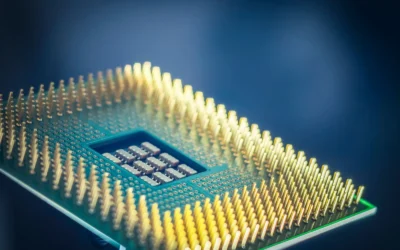
The AMD Ryzen 7 9700X is an 8-core, 16-thread unlocked desktop processor built on the Zen 5 architecture for Socket AM5. It is designed for serious gamers, streamers and creators who want top tier performance without stepping up to a 12 or 16 core chip.
In real world use, it delivers consistent 100+ FPS in popular games thanks to its 5.5 GHz max boost and large 40 MB cache. The 16 threads and DDR5-5600 support also keep multitasking smooth, whether you are gaming while streaming or handling heavy creative workloads.
Built for the modern AM5 platform, the chip supports PCIe 5.0 on compatible motherboards for faster GPUs and SSDs. As an unlocked processor, it gives enthusiasts full control for overclocking, while Zen 5 brings improved efficiency and IPC over previous generations.
The main drawback is that no cooler is included, so you will need to budget for a capable aftermarket cooler. It also requires an AM5 motherboard and DDR5 memory, which means users on older AM4 systems cannot reuse their existing board or RAM.
Overall, the Ryzen 7 9700X is a powerful and well balanced choice for a high performance gaming rig with room to grow. If you want elite gaming speed, strong productivity and a future proof platform, it is an excellent investment.
Key Specifications
Brand: AMD
Model: Ryzen 7 9700X
Cores / Threads: 8 Cores, 16 Threads
Architecture: Zen 5
Base Clock: 3.8 GHz
Max Boost Clock: Up to 5.5 GHz
Total Cache: 40 MB
Memory Support: DDR5-5600
Socket: AM5
PCIe Support: PCIe 5.0 on select motherboards
Unlocked for Overclocking: Yes
Cooler Included: No
Pros
- Excellent CL30 latency at 6000MT/s for top-tier DDR5 performance
- Reliable AMD EXPO profile enables rated speed with one BIOS setting
- Premium build quality with effective heatspreader and refined RGB design
- Strong compatibility with AMD X870, X670, B850, B650 and A620 motherboards
- Backed by limited lifetime manufacturer warranty
Cons
- Requires enabling EXPO in BIOS to reach rated 6000MT/s, defaults to slower JEDEC speed otherwise
- Mixing with other memory kits is not supported and can cause instability
- RGB and low-latency premium costs more than basic DDR5 kits
The G.SKILL Trident Z5 Neo RGB F5-6000J3038F16GX2-TZ5NR is a 32GB DDR5 kit with two matched 16GB modules rated at 6000MT/s CL30-38-38-96. It is purpose built for AMD desktops and is ideal for gamers, enthusiasts and creators on X670, B650, X870, B850 and A620 platforms who want optimized Ryzen performance.
With AMD EXPO support, the kit reaches its rated speed with a single BIOS setting at 1.35V, no manual tuning needed. Real world feedback highlights noticeably quicker load times, smoother gameplay and better responsiveness compared to standard JEDEC DDR5, especially when paired with Ryzen 7000, 8000 and 9000 series processors.
Design and build quality are standout features, with a matte black brushed aluminum heatspreader that looks sophisticated and helps keep temperatures low under load. The integrated RGB light bar offers clean, customizable lighting that syncs with major motherboard software, bright enough to accent a build without being overpowering.
There are a few considerations to note. The memory will boot at JEDEC default speed until EXPO is enabled, so BIOS adjustment is required. As a matched kit, adding or mixing other kits later is not recommended, so buyers planning for 64GB should choose a larger capacity kit from the start.
Overall, the Trident Z5 Neo RGB is a top tier choice for AMD builders who want proven stability, low latency and premium aesthetics in one package. For a modern gaming or enthusiast desktop where performance and looks both matter, this kit delivers excellent value and reliability.
Capacity: 32GB (2x16GB) Dual Channel Kit
Memory Type: DDR5 U-DIMM, 288-pin, Non-ECC
Rated Speed: Up to 6000MT/s, CL30-38-38-96, 1.35V
Profiles: JEDEC default plus AMD EXPO overclock profile
Compatibility: AMD X870, X670, B850, B840, B650, A620 platforms
Model: F5-6000J3038F16GX2-TZ5NR, Matte Black with RGB
Warranty: Limited Lifetime Manufacturer Warranty
Choose this 6000MT/s CL30 kit if you want the sweet spot for AMD Ryzen systems, balancing high frequency with tight timings for gaming performance. It is the recommended spec for most Ryzen 7000 and newer builds without pushing into less stable higher frequencies.
Enable EXPO in your motherboard BIOS to reach the rated speed, and check your motherboard QVL or G.SKILL configurator for validated compatibility before purchase. Ensure your CPU and motherboard support DDR5 and EXPO for best results.
If you plan to upgrade memory later, buy the total capacity you need now as a single matched kit. Do not mix this kit with other kits, even of the same model, to avoid stability issues or failure to boot at rated speeds.
Pros
- Excellent airflow keeps components cool under heavy gaming and intensive workloads
- Highly modular and spacious layout simplifies building and future upgrades
- Three quiet ARGB fans included with customizable lighting and Zero RPM mode
- Smart cable management with covers, straps and hidden SSD and HDD mounts
- Compatible with modern reverse-connection motherboards from ASUS BTF, MSI Zero and Gigabyte Stealth
Cons
- Very large power supplies can make rear cable management tight
- Fans become noticeably loud at full speed without a tuned fan curve
- Frame feels lightweight and less rigid until fully assembled
The CORSAIR FRAME 4000D RS ARGB is a modular mid-tower ATX case designed for gamers, enthusiasts and first-time builders who want flexibility without complexity. It supports ATX, mATX and ITX motherboards, including reverse-connection models from ASUS, MSI and Gigabyte, making it ideal for clean, modern builds.
Real world performance is a highlight, thanks to the 3D Y-Pattern front panel and InfiniRail mounting system that supports dual 360mm radiators and versatile fan layouts. The three included RS ARGB PWM fans deliver strong, targeted airflow with daisy-chain wiring and Zero RPM mode for near silent operation at low loads.
Design and build quality focus on usability and clean aesthetics, with an alloy steel and aluminum frame and fully removable panels for easy access. Thoughtful details like the integrated GPU anti-sag arm, cable covers, straps and hidden drive trays help every build look tidy and professional.
There are a few drawbacks to note. The chassis can feel a bit lightweight before all panels are secured, and extra large power supplies leave limited space for cable routing in the rear. The stock fans are quiet at low speeds but get loud at maximum RPM, so adjusting your fan curve is recommended.
Overall, the 4000D RS ARGB offers outstanding cooling, customization and builder-friendly features in a sleek package. If you want a future-proof mid-tower that stays cool, looks clean and adapts to future upgrades, it is an excellent choice.
Model: CORSAIR 4000D RS ARGB FRAME Modular Mid-Tower, CC-9011296-WW, Black
Compatibility: ATX, mATX, ITX motherboards, including ASUS BTF, MSI Zero, Gigabyte Stealth reverse-connection boards
Cooling Support: Up to dual 360mm radiators, InfiniRail system for front and roof fans up to 200mm, 140mm in roof
Included Fans: 3x CORSAIR RS ARGB PWM 120mm fans with 8 LEDs per fan and +5V ARGB motherboard control
Materials and Dimensions: Alloy Steel and Aluminum, 19.17 x 9.41 x 19.13 inches, 22.7 pounds, 7 expansion slots
Storage and I/O: 3 internal bays with 2 trays for SSD or HDD, 3x USB 3.0 ports, RGB lighting, rear PSU mount
Pros
- Exceptional sequential speeds up to 7450 MB/s read
- Strong power efficiency and smart thermal control
- Large 2TB capacity perfect for gaming and creative work
- Highly reliable with proven Samsung controller and NAND
- Easy M.2 installation and PS5 compatibility
Cons
- Requires PCIe 4.0 system to achieve advertised maximum speeds
- Premium cost compared to PCIe 3.0 and budget Gen4 drives
- This model does not include a heatsink, separate cooling may be needed for heavy sustained loads
The Samsung 990 PRO 2TB is a flagship PCIe 4.0 NVMe M.2 SSD built for gamers, content creators and power users who demand top tier speed and capacity. With its compact 2280 form factor and PS5 compatibility, it fits modern desktops, laptops and consoles that support PCIe 4.0.
In real world use it delivers near maximum PCIe 4.0 performance with sequential reads up to 7450 MB/s and writes up to 6900 MB/s. Users report faster game loads, snappy system responsiveness and smooth handling of large file transfers, video editing and heavy multitasking thanks to more than 55 percent better random performance than the 980 PRO.
Built around Samsung's in-house controller and NAND, the drive offers excellent build quality in an ultra compact and lightweight design that installs easily in any M.2 slot. Intelligent heat control and improved power efficiency help maintain consistent performance while using less energy, making it suitable for both desktops and laptops.
To unlock its full potential you will need a PCIe 4.0 capable motherboard or device, otherwise speeds will be limited by your hardware. This base model does not include a heatsink, so users running sustained intensive workloads may want to add dedicated cooling, and it carries a premium over slower Gen3 or entry level Gen4 alternatives.
Overall the 990 PRO 2TB stands out as one of the fastest and most reliable PCIe 4.0 SSDs available, backed by Samsung's reputation and a 5 year warranty. If you want a high capacity, future ready drive that noticeably improves everyday computing and demanding workloads, it is an excellent investment.
Capacity: 2TB
Form Factor: M.2 2280
Interface: PCIe 4.0 x4, NVMe
Sequential Read Speed: Up to 7450 MB/s
Sequential Write Speed: Up to 6900 MB/s
Compatible Devices: Desktop, Laptop, Sony PlayStation 5
Model Number: MZ-V9P2T0B/AM
Warranty: 5 Years Manufacturer
Choose the Samsung 990 PRO 2TB if you need maximum PCIe 4.0 speed combined with large capacity for gaming, 4K editing or heavy workloads. It is the right fit when your system has an M.2 2280 PCIe 4.0 slot and you want noticeably faster boots, loads and transfers.
Consider your cooling setup before buying, as this version comes without a heatsink. If you run long sustained writes or use it in a compact build or PS5, adding a heatsink or choosing a heatsink model will help maintain peak performance.
For users on PCIe 3.0 systems or tight budgets, a more affordable Gen3 or entry Gen4 drive may be sufficient. For everyone else seeking a fast, efficient and reliable upgrade with room to grow, the 990 PRO 2TB is a top recommendation.
Pros
- Excellent 1080p and strong 1440p performance on high to ultra settings
- Very low thermals, rarely exceeding 68 degrees even under heavy load
- Quiet cooling that remains unobtrusive during extended gaming
- Sturdy premium build with triple-fan shroud and metal backplate
- Large 16GB VRAM buffer is ideal for future-proofing
Cons
- Large 11.06-inch length may not fit compact or smaller mid-tower cases
- Only one HDMI port limits dual HDMI monitor setups
- Entry-level 9000 series model, not intended for maxed-out 4K enthusiast gaming
The GIGABYTE Radeon RX 9060 XT Gaming OC 16G is built on AMD RDNA 4 architecture and positioned as an accessible entry point into the Radeon 9000 series. It is designed for gamers building a budget to mid-range desktop who want strong 1080p and capable 1440p performance with plenty of VRAM for years to come.
In real-world use, it handles modern titles at high to ultra settings with smooth, consistent frame rates and excels in esports titles at very high FPS. The 16GB of GDDR6 memory and 20000 MHz memory speed help prevent slowdowns at higher resolutions, while AI acceleration benefits both games and creative apps.
Build quality stands out with a weighty triple-fan shroud, Hawk Fans, server-grade thermal conductive gel and a protective metal backplate. The WINDFORCE cooling system keeps thermals impressively low and operates quietly, and RGB lighting adds a clean gaming aesthetic without being overbearing.
There are a few tradeoffs to consider before buying. The card measures over 11 inches long, so you should check case clearance carefully, and it offers only a single HDMI port alongside DisplayPort. As the entry model in the lineup, it will not match flagship cards for intensive 4K gaming at maximum settings.
Overall, the RX 9060 XT Gaming OC delivers outstanding value for its class, combining cool, quiet operation with future-ready 16GB memory and PCIe 5.0 support. If you want a reliable, well-built GPU for high-refresh 1080p and solid 1440p gaming, it is an easy recommendation.
Model: GIGABYTE GV-R9060XTGAMING OC-16GD, AMD Radeon RX 9060 XT, RDNA 4 Architecture
Memory: 16GB GDDR6, 20000 MHz Memory Clock, 256-bit bus
Clock Speed: 2700 MHz GPU Clock, PCIe 5.0 x16 Interface
Cooling: WINDFORCE System with Hawk Fans and Server-grade Thermal Conductive Gel
Outputs: DisplayPort and HDMI, Max Resolution 7680x4320, RGB Lighting
Dimensions and Weight: 11.06 x 4.65 inches, 1100g, includes sturdy metal backplate, 3 Year Manufacturer Warranty
Pros
- Exceptionally quiet operation with Zero RPM mode and airflow optimized fan
- Future proof connectivity for PCIe 5.1 graphics cards
- High 80 PLUS Gold efficiency reduces heat and power costs
- Fully modular design simplifies cable management
- Solid build quality with reliable single rail power delivery and 10 year warranty
Cons
- Included cables are not braided and look plain compared to premium competitors
- Customer support responsiveness has been reported as slow by some users
- 750W may be limiting for extreme flagship builds with top tier GPUs
The be quiet! Pure Power 13 M 750W is an ATX 3.1 fully modular power supply designed for gamers, creators and quiet PC enthusiasts. It is a great fit for modern mid to high end builds that need efficient, stable power for current and next generation hardware.
In real world use it stands out for efficiency and stability, delivering up to 94.3% efficiency with 80 PLUS Gold certification for cooler, quieter operation. The native 12V-2x6 connector plus four PCIe 6+2 pin connectors covers both new PCIe 5.1 and current GPUs, and the single massive 12V rail handles power spikes up to double the rated wattage with ease.
Design and build quality are excellent for the class, with a compact ATX footprint, sturdy construction and fully modular cables that make installation tidy. The be quiet! fan features airflow optimized blades and semi-passive cooling, staying completely off at low loads and remaining very quiet under heavier gaming or creative tasks.
There are a couple of drawbacks to consider. The cables are functional but not braided, which some builders feel looks less premium and less durable. A few owners also noted slow customer support responses, and users planning extreme overclocked or flagship GPU systems may want higher wattage headroom.
Overall, the Pure Power 13 M 750W delivers an impressive mix of silence, efficiency and future ready features. For most gaming and productivity PCs where quiet operation and dependable power matter, it is a highly recommended choice.
Model: be quiet! Pure Power 13 M 750W BP026US, ATX 3.1, PCIe 5.1
Efficiency: 80 PLUS Gold certified, up to 94.3% efficiency with LLC topology
Connectors: 1x native 12V-2x6, 4x PCIe 6+2 pin, fully modular ATX cabling
Cooling: 1x airflow optimized fan with semi-passive Zero RPM mode, air cooling
Form Factor and Size: ATX, 6.3 x 5.91 x 3.39 inches, 2.94 kg, single 12V rail design
Pros
- Outstanding cooling for high-end CPUs like Ryzen 9 7900X and Core i7-14700K under sustained loads
- Quiet operation at low and medium speeds with headroom for maximum cooling when needed
- Thoughtful mounting features including offset design and Intel contact frame for better thermals
- Clean, stealthy aesthetic with minimal cable clutter and durable premium build quality
Cons
- Thick radiator design can be a tight fit in compact cases
- Installation can be fiddly and relies on QR code video instructions with no printed manual
- Fans become noticeably loud at full 3000 RPM under heavy load
The ARCTIC Liquid Freezer III Pro 240 is a 240mm all-in-one liquid cooler designed for gamers, enthusiasts and workstation users who need strong cooling in a compact form factor. It is especially well suited for modern Intel LGA1851, LGA1700 and AMD systems running hot, high core count CPUs.
In real world use it impresses with low idle temperatures and strong control under heavy loads, with users reporting stable thermals on chips like the Ryzen 9 7900X, 7800X3D and Core i7-14700K. The native offset mounting, powerful P12 Pro fans and dedicated VRM fan work together to improve heat transfer and keep both CPU and motherboard components cooler and more stable.
Build quality is a clear strength, featuring a copper cold plate with micro skived fins and a thick aluminum radiator built for efficient heat dissipation. The integrated cable management routes fan cables through the hose sheathing for a clean, stealthy look with only one visible cable to the motherboard.
There are a few tradeoffs to consider before buying. The thicker radiator can make installation tight in smaller cases, and mounting can feel fiddly without printed instructions. At full speed the fans are effective but noticeably loud, so quiet focused users will want to tune the fan curve.
Overall the Liquid Freezer III Pro 240 offers outstanding cooling efficiency, quiet operation at typical loads and premium features rarely seen at this size. For anyone limited to a 240mm radiator who still wants flagship level cooling and reliability, it is an excellent and highly recommended choice.
Cooling Method: 240mm AIO Water Cooling with 2 x 120mm P12 Pro PWM Fans
Compatibility: Intel LGA1851, LGA1700 and AMD with Native Offset Mounting and Contact Frame
Fan Performance: Up to 3000 RPM, 77 CFM Airflow, plus Integrated PWM VRM Fan
Materials: Aluminum Radiator, Copper Cold Plate with Micro Skived Fins, 12V 4-Pin Connector
Dimensions: 10.9 x 4.7 x 2.6 inches, Weight: 1675g, Warranty: 6 Years
Pros
- Excellent bundle value pairing a proven B650 motherboard with a high quality Gold rated PSU
- Strong power delivery and thermal design built for long term stability
- Next-gen ready with PCIe 5.0, DDR5, ATX 3.0 and 16-pin GPU support
- Comprehensive connectivity including WiFi 6, 2.5Gb LAN and modern USB Type-C
Cons
- ATX form factor requires a mid-tower or larger case, not suited for compact builds
- B650 chipset lacks some premium features of X670, and WiFi 6 is not the newer WiFi 6E standard
- DDR5 only, so builders cannot reuse older DDR4 memory kits
The ASUS TUF Gaming bundle pairs the B650-PLUS WIFI ATX motherboard with the TUF Gaming 850W Gold fully modular PSU to give builders a complete foundation for an AM5 system. It is designed for gamers and PC builders planning a Ryzen 7000 build who want reliable power and modern connectivity in one purchase.
In real world use, the 12+2 teamed power stages and ProCool connectors deliver stable power for gaming, multitasking and light overclocking without thermal throttling. PCIe 5.0 M.2, DDR5 memory support and ATX 3.0 with a native 16-pin cable ensure fast storage and ready support for the latest graphics cards.
Build quality is a clear strength, with military-grade capacitors and chokes, alloy chokes and a protective PCB coating that resists moisture and dust. The PSU uses Japanese capacitors and dual ball fan bearings for quieter, longer lasting cooling, while the fully modular design keeps cable management clean and airflow efficient.
There are a few tradeoffs to consider. The ATX size needs a larger case, and the B650 platform, while excellent for most users, does not offer the full I/O and overclocking headroom of X670 boards. Also, WiFi 6 is fast but not WiFi 6E, and the DDR5 only design means no DDR4 reuse.
Overall, this TUF Gaming bundle is a smart, durable choice for anyone building a future ready Ryzen 7000 gaming PC. It combines proven stability, next-gen connectivity and a powerful, efficient PSU that will handle demanding GPUs for years to come.
Platform: AMD AM5 socket for Ryzen 7000 Series, ATX form factor, DDR5 memory support
Storage and Expansion: M.2 PCIe 5.0 slot, USB 3.2 Gen2x2 Type-C, front USB 3.2 Gen 1 Type-C, USB4 support
Networking: WiFi 6, Realtek 2.5Gb Ethernet with TUF LANGuard
Power Supply: ASUS TUF Gaming 850W Gold, 80 Plus Gold, ATX 3.0 compatible, fully modular, includes 16-pin PCIe Gen 5.0 cable up to 600W, Japanese capacitors
Durability Features: 12+2 teamed power stages, 8+4 ProCool sockets, military-grade certification, protective PCB coating, dual ball fan bearings, two-way AI Noise Cancelation
| Part | Common at this level | Our 2026 pick | Why |
|---|---|---|---|
| CPU | a cpu in the same class | AMD Ryzen 7 9700X | a current platform match for this GPU tier so the processor does not hold it back |
| GPU | a gpu in the same class | Sapphire Pulse RX 9060 XT 16GB | the class of card this build is planned around |
| Motherboard | a motherboard in the same class | ASUS TUF Gaming B650-PLUS WiFi | a board with a proven VRM and the I/O this build needs, without paying for features it will not use |
| Memory | a memory in the same class | G.Skill Trident Z5 Neo 32GB DDR5 6000 CL30 | the tuned capacity and speed sweet spot for this platform |
| SSD | a ssd in the same class | Samsung 990 Pro 2TB | responsive storage sized for a modern game library |
| Power Supply | a power supply in the same class | be quiet! Pure Power 12 M 750W | a modern ATX 3.1 unit with headroom above the combined draw of the CPU and GPU |
| Case | a case in the same class | Corsair 4000D Airflow | good stock airflow and clearance for the cooler and graphics card in this build |
| CPU Cooler | a cpu cooler in the same class | Arctic Liquid Freezer III 240 | quiet, capable cooling that keeps this CPU in its normal boost range |
The CPU and GPU pairing is the heart of this build. The AMD Ryzen 7 9700X 8-Core offers 8 cores and 16 threads on Zen 5, with a 5.5 GHz Max Boost and DDR5-5600 support per the spec sheet. That platform gives you PCIe 5.0 on select boards and an upgrade path on AM5, which matters if you plan to keep the system for several years.
The graphics card defines the experience at 1440p. The GIGABYTE Radeon RX 9060 XT Gaming OC 16G Graphics card provides 16GB GDDR6 on PCIe 5.0 with a WINDFORCE cooling system. In this build class you want the GPU to be the performance limiter in games, not the processor, and this pairing achieves that without overspending on a flagship CPU you do not need for high settings.
Memory, storage and power round out the experience. The G.SKILL Trident Z5 Neo RGB Series DDR5 RAM kit gives you 32GB as 2x16GB at up to 6000MT/s CL30 with an AMD EXPO profile, which owners commonly report as stable on B650 when you enable EXPO and keep the BIOS current. The Samsung SSD 990 PRO 2TB, PCIe 4.0 M.2 2280 keeps load times short and handles large game installs, while the be quiet! Pure Power 13 M 750W, ATX 3.1 supply delivers 80 PLUS Gold efficiency and native 12V-2×6 support for next generation cards.
Compatibility Check
Will all these parts fit and work together without surprises? That is the question most builders at this level ask first, so we walk through socket, BIOS, memory, clearance and power in order.
This build is AM5. Use a 32GB DDR5 6000 CL30 kit, and if you drop in a newer chip later check the board support page and use BIOS Flashback if a flash is needed. The ASUS TUF Gaming B650-PLUS WiFi uses the AM5 socket and is ready for Ryzen 7000 series processors, with a 12+2 teamed power stage design, PCIe 5.0 M.2, WiFi 6 and 2.5 Gb Ethernet. If you install a newer AM5 processor that launched after your board was manufactured, you may need a BIOS update, which you perform at your own risk following the maker instructions and using anti-static handling.
Memory support is straightforward but worth confirming. The board supports DDR5 and the G.Skill kit is validated for AMD EXPO on B650, X670 and newer AMD platforms. Install the two modules in the recommended slots per the manual to run dual channel, enable EXPO in BIOS to reach 6000MT/s CL30-38-38-96 at 1.35V, and avoid mixing kits. Mixing kits can cause stability issues or failure to boot, so buy the matched 2x16GB kit as listed.
GPU length and slot clearance fit a standard mid tower. A triple fan card and a 240 or 360mm radiator fit a standard mid tower, and the Corsair 4000D RS ARGB Frame Modular Mid-Tower ATX is designed for that. It supports front and roof fan mounting with its InfiniRail system and includes three RS ARGB fans, so you have targeted airflow from the start. Check the card length against the case spec sheet and keep the front panel airflow path clear for best temperatures. For help choosing a case, see mesh front case vs tempered glass front case and how to choose a case for GPU clearance and radiator support.
Cooler clearance needs a quick check. The Arctic Liquid Freezer III Pro 240 uses a 240mm radiator with two 120 mm fans and integrated cable management. In the 4000D you can mount a 240mm radiator in the front or roof depending on your GPU length and memory height. Verify radiator thickness plus fan thickness against the case manual, and follow the cooler mounting instructions for AM5, including the offset mounting option that improves contact over the hotspot. Handle the cold plate and backplate with care and do not overtighten.
Power and connectors are the last critical check. Size the supply above the combined draw of the CPU and GPU, follow the card maker recommended wattage, and use a native 12V-2×6 cable for an RTX 50 card. The be quiet! Pure Power 13 M 750W is an ATX 3.1, fully modular unit with 80 PLUS Gold certification and up to 94.3 percent efficiency per the spec sheet, with a single massive 12V rail and native 12V-2×6 plus four PCIe 6+2 pin connectors. That gives you headroom for this build and flexibility for future GPUs. Route the CPU 8+4 pin and GPU power cables without sharp bends, and never force a connector that does not seat easily.
Small details prevent headaches. Update chipset drivers after you install the operating system, enable the correct boot mode for your M.2 drive, and keep the BIOS at a stable version that supports your exact CPU and memory kit. If you plan to overclock, know that it is done at your own risk and may void warranty, so prioritize stability and temperatures over maximum clocks. For cooler sizing, compare 240mm AIO vs 360mm AIO for gaming before you decide on a larger radiator.
Performance: What To Expect
No verified frame rate numbers are available for this exact build, so we keep this section qualitative and do not invent figures. Your experience will depend on the game, settings, resolution and background tasks, and we encourage you to review owner reports and spec sheets rather than relying on a single number.
At 1440p high settings, this pairing is designed to let the RX 9060 XT 16GB do the heavy lifting while the Ryzen 7 9700X stays out of the way. You should expect responsive gameplay with high textures enabled, smooth frame pacing in demanding scenes, and plenty of VRAM headroom for texture packs. The 32GB DDR5 6000 CL30 kit helps with consistency when you have a browser, chat and game running together.
The Samsung 990 Pro 2TB contributes to a snappy feel outside of raw frame rates. Level loads, fast travel and asset streaming benefit from PCIe 4.0 bandwidth up to 7,450 MB/s per the spec sheet, and the 2TB capacity means you can keep your current rotation installed. The 240mm AIO and airflow focused case help the CPU sustain its normal boost range without loud fan ramps, which you will notice as quieter operation during long sessions.
If you move up a GPU tier or to a Ryzen 7 9800X3D or Ryzen 9 9950X3D with a 360mm AIO, you gain headroom for high refresh play and more demanding future titles, but you also increase cost, power and cooling needs. If you step down a tier, you save on budget and still get a capable 1440p system, with lower headroom for ultra textures or very high refresh targets.
Three Ways to Build This
Lower Cost Version
Go one GPU tier down with a cheaper CPU, a budget air cooler, a 1TB drive and an entry board. You keep the same 1440p capable platform and 32GB class memory, but you trim cost where it hurts least. This suits a first build on a tight budget or a secondary system where value matters more than maximum headroom.
Balanced Version, Our Recommended Build
This is the parts list in the table: AMD Ryzen 7 9700X, Sapphire Pulse RX 9060 XT 16GB, ASUS TUF Gaming B650-PLUS WiFi, G.Skill Trident Z5 Neo 32GB DDR5 6000 CL30, Samsung 990 Pro 2TB, be quiet! Pure Power 12 M 750W, Corsair 4000D Airflow and Arctic Liquid Freezer III 240. It balances 1440p high settings performance, quiet cooling and upgrade headroom on AM5. Choose this if you want a system that feels fast now and can accept a newer AM5 chip later after a BIOS update.
Higher End Version
Move up a GPU tier and to a Ryzen 7 9800X3D or Ryzen 9 9950X3D with a 360mm AIO and a 1000W supply. You gain headroom for high refresh 1440p and more demanding future titles, plus thermal headroom for sustained boosts. This fits enthusiasts who want years of headroom and are comfortable with a larger radiator and higher power budget.
FAQ
Is the Ryzen 7 9700X a good match for the RX 9060 XT 16GB at 1440p?
Yes, this pairing is planned so the processor does not hold the card back at 1440p high settings. The 9700X provides 8 cores and 16 threads with a 5.5 GHz Max Boost on AM5, which keeps the GPU as the usual limiter in games. If you play at lower resolutions or target very high refresh, a 3D V-Cache chip would give more headroom.
Do I need DDR5 6000 CL30 for this build or will slower memory work?
The 32GB DDR5 6000 CL30 kit is the tuned sweet spot for AM5 and supports AMD EXPO on B650. Slower kits will work but you may see less consistent frame pacing when multitasking. Enable EXPO in BIOS to reach the rated 6000MT/s CL30-38-38-96 at 1.35V and keep the BIOS current.
Will a 750W ATX 3.1 power supply be enough if I upgrade the GPU later?
A 750W ATX 3.1 unit like the be quiet! Pure Power 13 M 750W provides headroom above the combined draw of the CPU and GPU for this build and includes native 12V-2×6 support. For a higher tier GPU, check the card maker recommended wattage and size the supply above the combined draw. If you plan a large jump in GPU class, consider a 1000W supply as in the higher end version.
Final Verdict
This build puts your budget where it matters most, a balanced CPU and GPU for 1440p high settings, with practical choices for board, cooling, storage and airflow. It is quiet, upgrade friendly on AM5 and sized for a modern game library without waste.
Our pick: the Balanced version we recommend. It gives most gamers the best mix of performance, efficiency and headroom to upgrade later, while the lower cost version suits tight budgets and the higher end version suits high refresh enthusiasts.
This roundup is not the right choice if you mostly do light gaming or office work; a lower-tier chip would save money without a real frame-rate loss for those uses.

Write Your Review
No reviews yet. Be the first to share your experience!