

If you are asking is the Ryzen 7 9700X worth it for 1440p gaming in 2026, you are really asking how to spend your budget wisely between CPU and GPU for that resolution. At 1440p your graphics card carries most of the load, but your processor still determines how consistently you hit your refresh target, how smooth your 1% lows feel, and how well your system ages with future GPU upgrades.
This guide gives you a decision framework you can reuse for any Gaming CPUs purchase. You will learn what actually matters at 1440p, what to weigh beyond core counts, and how to match a part to your specific build, from a high refresh rate esports rig to a compact living room PC. As of November 2026, platform costs and cooler requirements matter as much as raw clock speed.
What Actually Matters
Resolution, Refresh Target and CPU vs GPU Balance
At 1440p you are more GPU bound than at 1080p, which means the difference between CPUs often shrinks unless you pair them with a very strong graphics card. If you target a high refresh rate monitor and play competitive titles that easily exceed 100 FPS, your CPU choice has more influence. If you play cinematic single player games where your GPU is fully loaded, the CPU matters less for average frame rates.
Think of your build as a pipeline. Your CPU prepares frames and your GPU renders them. When you evaluate any processor, ask whether it will keep your GPU fed at the settings you actually use. For many 1440p gamers, a balanced mid range to upper mid range CPU paired with a stronger GPU delivers better overall value than overspending on the CPU alone. Our Graphics Cards coverage can help you see where that balance tips.
Cores, Threads, Cache and Boost Behavior
For gaming, single thread performance, cache size, and boost clock behavior often matter more than simply adding more cores. The example processor in this guide offers 8 cores and 16 processing threads based on AMD Zen 5 architecture, with a 5.5 GHz Max Boost and 40 MB cache. That combination is designed to deliver fast 100+ FPS performance in popular games according to the spec sheet, and owners commonly report smooth performance when paired with a capable GPU.
When you compare options, look at how the processor sustains its boost under gaming loads and how much cache it provides for game data. More cache can help reduce stutters in CPU heavy scenes, while higher boost clocks help with frame time consistency. Eight cores with sixteen threads also gives you headroom for background tasks like voice chat, streaming, or light content creation without forcing you to close everything to game.
Platform Cost, Socket Longevity and Memory Support
The CPU never lives alone. Socket, chipset, and memory support determine your total platform cost and upgrade path. This generation uses the Socket AM5 platform, which can support PCIe 5.0 on select motherboards, and it lists DDR5-5600 support on the spec sheet. That means you should budget for DDR5 memory and an AM5 motherboard, and you should confirm your board supports the features you want, such as PCIe 5.0 for storage or graphics.
Before you commit, check what you already own and what you plan to keep. If you are coming from an older DDR4 system, factor in the cost of new memory. If you value a longer upgrade runway, a current socket with a clear roadmap can be attractive, but only if you actually plan to upgrade the CPU later without replacing the motherboard. For context on complete system costs, see this ryzen 5 7600 RX 7700 XT 1000 dollar gaming PC amazon build which breaks down how CPU, GPU, and platform choices interact.
Cooling, Power and Case Compatibility
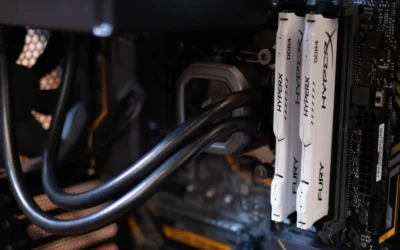
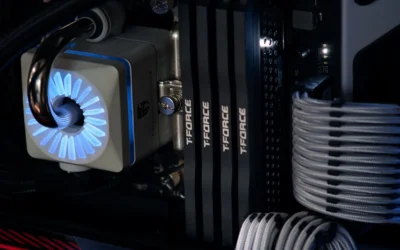
Thermal and power planning is essential, especially for unlocked processors. The example chip is unlocked for overclocking and does not include a cooler, so you must provide your own. Always check cooler height or radiator clearance against your case specifications and confirm RAM clearance if you use a large air cooler. Follow the manufacturer mounting instructions and use anti-static handling when you install the processor.
Overclocking and BIOS updates are done at your own risk and may void warranty, so update your motherboard BIOS only if needed for compatibility and follow the board maker guidance exactly. Also leave power headroom. Choose a power supply that exceeds your combined CPU and GPU draw and meets the GPU maker recommended wattage, rather than sizing it exactly to your current parts. This gives you quieter operation and room for transient spikes.
This article contains affiliate links. If you buy through one of our links, CustomPCGaming may earn a commission at no extra cost to you. Commissions never influence which products we recommend or how we rank them. Read our Affiliate Disclosure for details.
Quick Picks at a Glance

AMD Ryzen 7 9700X 8-Core 16-Thread Unlocked
As an Amazon Associate we earn from qualifying purchases. Product prices and availability are accurate as of the date/time indicated.
Pros
- Outstanding gaming performance with 5.5 GHz boost and large cache
- Excellent multitasking with 8 cores and 16 threads
- Unlocked for overclocking to push performance further
- Future ready AM5 platform with DDR5 and PCIe 5.0 support
Cons
- CPU cooler not included and must be purchased separately
- Requires AM5 motherboard and DDR5 memory, no compatibility with older AM4 systems
- Needs capable cooling to sustain peak boost performance
The AMD Ryzen 7 9700X is an 8-core, 16-thread unlocked desktop processor built on the Zen 5 architecture for Socket AM5. It is designed for serious gamers, streamers and creators who want top tier performance without stepping up to a 12 or 16 core chip.
In real world use, it delivers consistent 100+ FPS in popular games thanks to its 5.5 GHz max boost and large 40 MB cache. The 16 threads and DDR5-5600 support also keep multitasking smooth, whether you are gaming while streaming or handling heavy creative workloads.
Built for the modern AM5 platform, the chip supports PCIe 5.0 on compatible motherboards for faster GPUs and SSDs. As an unlocked processor, it gives enthusiasts full control for overclocking, while Zen 5 brings improved efficiency and IPC over previous generations.
The main drawback is that no cooler is included, so you will need to budget for a capable aftermarket cooler. It also requires an AM5 motherboard and DDR5 memory, which means users on older AM4 systems cannot reuse their existing board or RAM.
Overall, the Ryzen 7 9700X is a powerful and well balanced choice for a high performance gaming rig with room to grow. If you want elite gaming speed, strong productivity and a future proof platform, it is an excellent investment.
Key Specifications
Brand: AMD
Model: Ryzen 7 9700X
Cores / Threads: 8 Cores, 16 Threads
Architecture: Zen 5
Base Clock: 3.8 GHz
Max Boost Clock: Up to 5.5 GHz
Total Cache: 40 MB
Memory Support: DDR5-5600
Socket: AM5
PCIe Support: PCIe 5.0 on select motherboards
Unlocked for Overclocking: Yes
Cooler Included: No
Matching a Part to Your Build
Below are a few options that show the range and how to map them to real builds. Use these scenarios to decide whether an 8-core Zen 5 part like the AMD Ryzen™ 7 9700X 8-Core fits your goals or whether a different tier makes more sense.
Scenario 1: High refresh 1440p gaming with a strong GPU. If you own or plan to buy a high end GPU for 1440p and you play competitive shooters or fast paced online games where you chase high frame rates, a processor with strong boost behavior and ample cache helps keep frame times steady. The AMD Ryzen™ 7 9700X 8-Core, with its 5.5 GHz Max Boost and 40 MB cache, is evaluated as a strong match here when you pair it with fast DDR5-5600 memory and a motherboard that supports PCIe 5.0 if you want next generation storage speed. Just remember to budget for an aftermarket cooler and verify case clearance.
Scenario 2: Mixed gaming and productivity. If you game at 1440p but also edit video, compile code, or run heavy multitasking, the 8 cores and 16 threads give you flexibility without stepping up to a workstation class chip. You get smooth gaming according to owners and enough threads to handle background workloads. If your GPU is more modest, you may see less benefit from a premium CPU, so consider putting more of your budget toward the GPU first. Our top RTX 5070 ti cards for 1440p gaming guide is a useful reference for how GPU tiers affect 1440p results.
Scenario 3: Compact or value focused AM5 build. If you are building in a small case or trying to control total cost, think carefully about platform expenses. An AM5 build requires DDR5, and a cooler is not included with this processor, so your effective cost includes both. If you already have a compact case with limited cooler height or radiator support, measure carefully and choose a cooler that fits. If you rarely play at high refresh rates or you mostly play GPU heavy titles, you might be better served by a lower tier CPU and allocating savings to a better GPU or larger SSD.
Common Mistakes
Mistake 1: Undersizing the power supply and cooling. A common error is pairing an unlocked 8-core processor with a low wattage PSU or a cooler that cannot sustain boost clocks. Always size your PSU with headroom over the combined draw and follow the GPU maker recommended wattage, and pick a cooler rated for your case airflow and clearance. An undersized cooler can lead to thermal throttling that erases the advantage of a higher boost clock.
Mistake 2: Forgetting platform requirements. Buying a Socket AM5 processor without budgeting for DDR5-5600 memory and a compatible AM5 motherboard is a frequent pitfall. Check your motherboard memory QVL, confirm BIOS version support for Zen 5, and verify whether you actually need PCIe 5.0 on select boards. If you do not need cutting edge storage speeds, you can often save by choosing a board that focuses on robust power delivery and connectivity instead.
Mistake 3: Overbuying cores or cache you will not use. More cores do not automatically mean higher gaming performance at 1440p if your GPU is the limiter. If you mainly play single player games at high settings, you may not see a meaningful difference from extra threads. Review your actual use case, check owner feedback for similar GPU pairings, and avoid paying for headroom you will not leverage during the life of the build. For broader budget planning, the Budget Build Guides section shows how to allocate funds across CPU, GPU, and platform.
Who Should Wait or Buy Differently
This type of processor is not ideal for gamers who play at 1440p with a mid range or older GPU and do not plan to upgrade it soon, since the GPU will cap performance long before the CPU matters. It is also not a good fit if you need an included cooler, want to reuse DDR4 memory, or have a very tight case with limited cooler clearance and no budget for a low profile or liquid solution. If you are on a strict budget, waiting for a sale, choosing a lower tier AM5 chip, or putting the difference toward a stronger GPU or better monitor will often improve your 1440p experience more than stretching for an 8-core unlocked part right now.
Frequently Asked Questions
Is 8 cores and 16 threads overkill for 1440p gaming?
For pure 1440p gaming, 8 cores and 16 threads is not overkill if you want headroom for background apps and future titles, but it is more than many games strictly require today. At 1440p your GPU usually limits performance, so the benefit shows most when you pair the CPU with a strong GPU or chase high refresh rates. If you mostly play GPU heavy games, you can often prioritize GPU budget first.
Do I need DDR5-5600 and PCIe 5.0 to use the Ryzen 7 9700X?
The spec sheet lists DDR5-5600 support and notes that the Socket AM5 platform can support PCIe 5.0 on select motherboards. You will need DDR5 and an AM5 motherboard, but you do not need PCIe 5.0 to game well at 1440p. Choose memory and board features based on your actual needs and confirm compatibility on the motherboard support page before you buy.
What should I know about cooling and overclocking this chip?
This processor is unlocked for overclocking and does not include a cooler, so you must supply your own air or liquid cooler and verify that it clears your case and RAM. Follow the cooler and motherboard manufacturer mounting instructions, handle parts with anti-static precautions, and remember that BIOS updates and overclocking are done at your own risk and may void warranty. For most 1440p gamers, a quality cooler that sustains the 5.5 GHz Max Boost quietly is more valuable than aggressive manual overclocking.
Write Your Review
No reviews yet. Be the first to share your experience!