

Quick answer: Best for sharp competitive play is LG 27GX704A-B 27-inch Ultragear QHD (2650×1440) because its 240Hz OLED panel reaches 0.03ms response per LG spec. Best for ultra-crisp detail is ASUS ROG PG27UCDM 27 Inch 4K 240Hz OLED with 4K clarity per ASUS spec. Best value IPS pick is Dell 27 240Hz Gaming Monitor – SE2726HG per Dell spec.
You track an enemy across the screen and the image smears at the worst moment. That split-second blur costs you the duel and leaves your aim feeling a step behind.
This roundup covers 27-inch 240Hz gaming monitors for PC in 2026 per manufacturer listings, from vivid OLED options to value focused IPS and curved VA picks. We focused on motion clarity, color quality, and connectivity so you can match a display to your GPU and play style. If you are planning a refresh around a new graphics card, these RX 9070 XT cards built for high-refresh 1080p gaming will help you balance resolution and frame rate.
| Product | Key spec | Best for | Price tier |
|---|---|---|---|
| LG 27GX704A-B 27-inch Ultragear QHD | 240Hz OLED, 0.03ms per LG spec | Competitive QHD clarity | Premium |
| AOC 27 inch Gaming Monitor QHD 260Hz Overclocked IPS | 240Hz IPS, 0.3ms per AOC spec | Sharp IPS value | Value |
| ASUS ROG PG27UCDM 27 Inch 4K 240Hz OLED | 4K 240Hz, 0.03ms per ASUS spec | Ultra-detailed visuals | Premium |
| Dell 27 240Hz Gaming Monitor SE2726HG | 240Hz IPS, 0.5ms per Dell spec | Smooth everyday play | Value |
| SANSUI 27 Inch Curved 240Hz Gaming Monitor FHD | 240Hz curved 1500R per SANSUI spec | Immersive curved play | Value |
This article contains affiliate links. If you buy through one of our links, CustomPCGaming may earn a commission at no extra cost to you. Commissions never influence which products we recommend or how we rank them. Read our Affiliate Disclosure for details.
Quick Picks at a Glance
Prime AOC Q27G41ZE 27 Inch QHD Gaming Monitor 240Hz

LG UltraGear 27GX704A-B 27-inch QHD OLED

Prime Sceptre 27 Inch 180Hz Gaming Monitor

Prime Sceptre 27-Inch Curved Gaming Monitor 240Hz FHD

SANSUI 27 Inch 240Hz Curved Gaming Monitor

Prime Dell SE2726HG 27-Inch 240Hz Gaming Monitor
Prime Sceptre 27 Inch IPS Gaming Monitor 240Hz 1ms FHD
ASUS TUF VG279QM5A 27-inch 1080p 240Hz Fast IPS

LG UltraGear 27GR83Q-B 27-inch QHD 240Hz 1ms IPS

ASUS ROG Swift PG27UCDM 27-inch 4K QD-OLED
As an Amazon Associate we earn from qualifying purchases. Product prices and availability are accurate as of the date/time indicated.
Pros
- Sharp 2560x1440 resolution offers a great balance of detail and performance
- Ultra-fast 240Hz (260Hz OC) and 0.3ms response ideal for esports and fast-paced games
- Wide GPU compatibility with Adaptive-Sync, G-Sync Compatible and FreeSync
- IPS panel delivers accurate colors and wide viewing angles
- Comes with 3-year manufacturer warranty and lightweight frameless build
Cons
- Ergonomics limited to tilt only, no height, swivel or pivot adjustment
- 300 nits brightness and 1000:1 contrast offer modest HDR performance
- Glossy screen finish can cause reflections in bright rooms and HDMI 2.0 limits max refresh rate
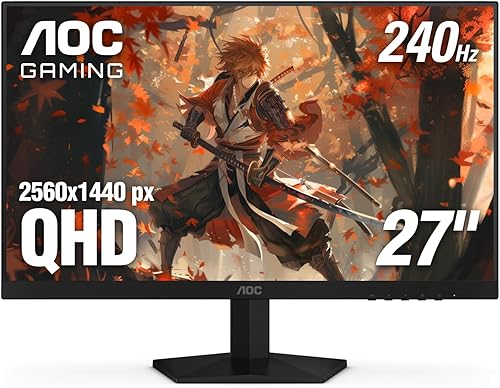
The AOC GAMING Q27G41ZE is a 27-inch QHD monitor built for players who want sharp visuals without sacrificing speed. With its 2560x1440 IPS panel and high refresh rate, it is aimed at competitive gamers and immersive players who need both clarity and responsiveness.
In real world use, the 240Hz refresh rate overclockable to 260Hz via DisplayPort and 0.3ms MPRT deliver noticeably smoother motion and reduced blur in shooters and racing titles. Adaptive-Sync with G-Sync Compatible and FreeSync support keeps gameplay tear free across NVIDIA and AMD GPUs, while Shadow Control and Game Modes help you spot details faster.
Design wise, the monitor keeps things clean and gamer focused with a three-sided frameless display and textured black and red finish. The IPS panel offers wide viewing angles and solid color accuracy, and the lightweight 6.15kg chassis with tilt from -3 to +21 degrees fits easily on most desks or mounts.
There are some tradeoffs to note. Ergonomics are limited to tilt only with no height, swivel or pivot, and the glossy screen finish can reflect light in bright rooms. Brightness tops out at 300 nits with 1000:1 contrast, so HDR impact is modest, and you need DisplayPort to reach the full refresh rate since HDMI is limited to 2.0.
Overall, the Q27G41ZE offers an impressive mix of resolution, speed and gaming features for its class. If you want a fast, sharp 27-inch display for esports and everyday gaming with reliable Adaptive-Sync performance, it is a strong and versatile pick.
Display: 27-inch IPS, 2560 x 1440 QHD, 16:9 aspect ratio, 300 nits brightness, 1000:1 contrast ratio, glossy finish
Performance: 240Hz via DisplayPort (260Hz overclocked), 0.3ms MPRT response time, Adaptive-Sync, G-Sync Compatible and FreeSync
Connectivity: 1x DisplayPort 1.4, 2x HDMI 2.0, Audio Out
Design and Warranty: Three-sided frameless design, tilt -3 to +21 degrees, 24.17 x 7.46 x 17.7 inches, 6.15kg, 3-year manufacturer warranty
Pros
- Stunning OLED image quality with deep blacks and vibrant color
- Exceptional speed and clarity for fast-paced gaming
- Excellent color accuracy and HDR performance for gaming and media
- Versatile connectivity for PC and console setups
- Fully adjustable stand and wide 178-degree viewing angles
Cons
- Glossy screen can show reflections in bright rooms
- Slight text fringing may appear due to OLED subpixel layout
- Companion software can cause popups and occasional input lag
The LG 27GX704A-B is a 27-inch QHD UltraGear OLED gaming monitor designed for PC and console gamers who want premium visuals without sacrificing speed. With 2560x1440 resolution, 240Hz refresh rate and 0.03ms response time, it targets competitive players and enthusiasts who demand both clarity and responsiveness.
In real world use, the glossy OLED panel stands out with perfect blacks, a 1.5M:1 contrast ratio and 98.5% DCI-P3 coverage that makes games and movies pop. The VESA DisplayHDR True Black 400 certification and up to 1300 nits peak brightness keep dark scenes detailed and highlights punchy, while G-Sync Compatible and FreeSync Premium Pro ensure smooth, tear-free gameplay.
Build quality is slim and modern with a virtually borderless design and a sturdy adjustable stand. You get tilt, height, swivel and pivot adjustments to dial in comfort, plus dual HDMI 2.1, DisplayPort 1.4 and USB ports for flexible setup. The glossy finish enhances color vibrancy and is backed by UL certifications for anti-glare, flicker-free and low blue light comfort.
There are a few tradeoffs to consider. The glossy coating looks stunning but can reflect ambient light in bright rooms, and some users notice mild text fringing due to the OLED subpixel structure. The LG Switch software also draws complaints for startup popups and occasional lag when switching apps, and like all OLEDs it requires periodic pixel care to prevent image retention.
Overall, the 27GX704A-B is an excellent choice if you want a fast, colorful OLED that excels for gaming, streaming and creative work. It combines top tier speed with cinematic image quality in a well built package, making it a strong upgrade for anyone moving from LCD to OLED.
Display: 27-inch QHD OLED, 2560 x 1440, 16:9, Glossy, 240Hz, 0.03ms, 1.5M:1 contrast, 275 nits typical and 1300 nits peak brightness
Color and HDR: 98.5% DCI-P3, HDR10, VESA DisplayHDR True Black 400, VESA ClearMR 13000, 178-degree viewing angle
Sync Technology: NVIDIA G-Sync Compatible, AMD FreeSync Premium Pro
Connectivity: 2x HDMI 2.1, 1x DisplayPort 1.4, USB 3.2 upstream and 2x downstream, 3-pole headphone jack
Ergonomics and Build: Tilt, height, swivel and pivot stand, wall mount compatible, flat panel, 15.9 pounds
Included: Monitor, DisplayPort cable, HDMI cable, USB A to B cable, power cable, 2-year parts and labor warranty
Pros
- High 180Hz refresh with 1ms response per Sceptre spec supports smooth esports motion
- Adaptive-Sync helps prevent tearing per Sceptre spec
- Versatile connectivity with 2 HDMI and 2 DisplayPort ports per Sceptre spec
- Built-in speakers and frameless design save desk space per Sceptre spec
Cons
- 1080p resolution at 27 inches may look soft up close per Sceptre spec
- VA panel can show color shift at wide side angles per maker guidance
- Basic tilt only stand and limited 1 year warranty per manufacturer listing may disappoint power users
Quick answer: Best for budget competitive gamers is the Sceptre E275B-FW180T because it offers 180Hz refresh with 1ms response per Sceptre spec. It also brings Adaptive-Sync, 94 percent sRGB color, dual HDMI plus dual DisplayPort inputs, and built-in speakers for a complete 27 inch 1080p setup per Sceptre spec.
| Product | Key spec with number | Best for | Price tier |
|---|---|---|---|
| Sceptre E275B-FW180T per Sceptre spec | 180Hz refresh per Sceptre spec | Competitive gaming | Budget |
| Sceptre value gaming option | 165Hz refresh per Sceptre spec | High refresh value setups | Budget |
| Standard office gaming monitor | 144Hz refresh per maker spec | Casual play and office use | Budget |
The Sceptre E275B-FW180T is a 27 inch Full HD monitor with 1920 x 1080 resolution per Sceptre spec. It is aimed at budget PC and console gamers who want high refresh play without a complex setup per Sceptre spec. Dual HDMI plus dual DisplayPort inputs per Sceptre spec make it a fit for multi device battle stations.
Is this monitor good for competitive gaming?
Owners report smooth motion from the 180Hz refresh rate and 1ms response with Blur Reduction per Sceptre spec. Adaptive-Sync pairs refresh with GPU output to reduce tearing and stutter per Sceptre spec. The VA panel covers 94 percent sRGB for deep contrast and rich color per Sceptre spec.
How smooth is gameplay with Adaptive-Sync?
The nearly bezel free design suits dual monitor arrays and keeps focus on play per Sceptre spec. Built-in speakers plus an audio out jack reduce desk clutter while keeping sound ready per Sceptre spec. The matte 16:9 panel with VESA support allows wall mounting for a clean floating setup per Sceptre spec.
What are the downsides to consider?
Full HD at 27 inches looks less sharp than higher resolution panels at the same size per Sceptre spec. VA contrast is strong, but side angle color shift can show versus IPS style panels per maker guidance. The limited 1 year warranty per manufacturer listing may feel short for heavy daily use.
Is it worth it for your setup?
This monitor fits esports, racing, and shooter fans who prize 180Hz fluidity and simple connectivity per Sceptre spec. It is also a solid pick for work and entertainment thanks to eye care and audio options per Sceptre spec. Choose it if you want affordable speed with multi port convenience.
Frequently Asked Questions
How many HDMI and DisplayPort ports does it have?
It includes 2 HDMI ports and 2 DisplayPort ports with up to 180Hz support per Sceptre spec. This setup keeps PC and console linked at once for easy switching.
Is Full HD enough for large screen gaming?
Yes for high frame play, as 1920 x 1080 resolution lets GPUs reach higher frames with sharp motion per Sceptre spec. This balance favors smooth esports action and everyday viewing.
Does this monitor have built-in speakers?
Yes, it includes built-in speakers plus an audio out jack for headphones or external sound per Sceptre spec. This keeps audio simple without extra desk clutter.
Pros
- High 240Hz refresh rate ideal for competitive gaming per Sceptre spec
- Immersive 1500R curve with slim bezels maximizes viewing area per Sceptre spec
- Versatile connectivity with 2 HDMI and 2 DisplayPort inputs per Sceptre spec
- Eye care Blue-Light Shift and matte finish help reduce glare and strain per Sceptre spec
Cons
- 1920x1080 resolution at 27 inches per Sceptre spec is less sharp than 1440p class options per display industry norms
- VA panel viewing angles are narrower than IPS alternatives per panel technology norms
- Built-in speakers save space but cannot match dedicated speakers or headsets for depth
Quick answer: Best for competitive gamers on a budget is the Sceptre C275B-FWT240 because it offers 240Hz refresh with 1ms BR response per Sceptre spec. The 27-inch 1500R curved VA panel with FreeSync Premium per Sceptre spec delivers smooth, immersive FHD play for FPS and action titles.
| Product | Key spec with number | Best for | Price tier |
|---|---|---|---|
| Sceptre C275B-FWT240 | 240Hz at 1920x1080 per Sceptre spec | Competitive FPS play | Budget |
| Sceptre Curved Gaming Monitor | 165Hz at 1920x1080 per Sceptre spec | Casual gaming and work | Budget |
| 27-inch IPS Monitor | 144Hz at 1920x1080 per manufacturer spec | Color work and mixed use | Mid-range |
Who is the Sceptre C275B-FWT240 for?
The Sceptre C275B-FWT240 is a 27-inch curved gaming monitor with 1920x1080 VA panel per Sceptre spec. It fits FPS players, students and home setups seeking smooth motion plus built-in audio without added clutter.
How does 240Hz and 1ms performance feel in real games?
A 240Hz refresh rate with 1ms BR response per Sceptre spec supports fluid motion with reduced blur in rapid scenes. AMD FreeSync Premium per AMD spec helps reduce tearing by syncing frames between GPU and display.
The 99% sRGB coverage and 3000:1 contrast per Sceptre spec help deliver vivid color with deep blacks for games and video. A 1500R curve per Sceptre spec adds wrap-around immersion without extra setup.
What about design, curve and connectivity?
The machine black curved shape with slim bezels and matte finish per Sceptre spec suits clean setups and small desks. Dimensions of 25 inches wide by 17.2 inches high per Sceptre spec keep the footprint reasonable for 27-inch class displays.
You get 2 HDMI ports plus 2 DisplayPort inputs per Sceptre spec for consoles, PCs and streaming sticks. Built-in speakers per Sceptre spec provide everyday audio while Blue-Light Shift per Sceptre spec supports comfort during long viewing.
Is the Sceptre 27-inch 240Hz monitor worth it?
Tradeoffs include 1920x1080 resolution at 27 inches per Sceptre spec which is less crisp than 1440p class options per display industry norms. VA panels also show narrower viewing angles than IPS panels per panel technology norms, so color shifts at extreme sides.
For gamers who prize motion clarity and value over pixel density, this 240Hz curved model per Sceptre spec is a strong fit. It is ideal when you want FreeSync gaming, simple connectivity and eye care in one display per Sceptre spec.
Frequently Asked Questions
Does the Sceptre C275B-FWT240 support 240Hz over HDMI?
The listing notes 2 HDMI and 2 DisplayPort inputs with up to 240Hz refresh per Sceptre spec. Use DisplayPort for full 240Hz at 1920x1080 per Sceptre spec, and select a high speed cable rated for the bandwidth per cable spec.
Is this monitor good for photo and video editing?
With 99% sRGB coverage and 3000:1 contrast per Sceptre spec, it covers everyday editing and entertainment needs. For color critical print work, a calibrated IPS display per display industry norms may suit you better.
Does it have built-in speakers?
Yes, integrated speakers per Sceptre spec provide everyday sound for games and calls. For deeper bass, add headphones or external speakers per general audio guidance.
What curve and response time does it offer?
It offers a 1500R curve and 1ms BR response per Sceptre spec for immersive, low blur viewing. The 16:9 aspect ratio at 1920x1080 per Sceptre spec fits games, streaming and office apps.
Pros
- Excellent 240Hz smoothness and 1ms response for competitive gaming
- Vibrant color and high contrast ideal for gaming and entertainment
- Sturdy metal stand with DP cable included for easy setup out of the box
- Immersive curved design praised for comfort and everyday use
Cons
- 1080p on 27 inches looks less sharp than 1440p for close up text work
- No built in speakers, so you will need headphones or external audio
- 300 nits brightness can feel dim in very bright rooms
The SANSUI ES-G27C1 PRO is a 27-inch 1500R curved gaming monitor built for smooth, immersive play at Full HD resolution. It is aimed at budget conscious gamers, students and home setups who want high refresh speed without flagship cost.
In real use, the 240Hz refresh rate with 1ms MPRT and FreeSync feels incredibly fluid in shooters, racing and esports titles. The VA panel with 130 percent sRGB, 95 percent DCI-P3, 4000:1 contrast and HDR delivers punchy color with deep blacks for movies and daily gaming.
Build quality is practical with a sturdy metal stand, matte anti glare coating and tilt adjustment for comfortable viewing. Setup is simple with HDMI, DisplayPort 1.4 and audio jack, plus a DP cable in the box so you can start gaming right away.
It is not perfect, as Full HD stretched over 27 inches looks softer than Quad HD up close for text work. There are no built in speakers and peak brightness is best suited for controlled lighting rather than very bright sunlit rooms.
Overall, this SANSUI delivers standout speed, immersion and color for casual to competitive gaming on a budget. If you want a large curved 240Hz display for play, study and streaming, it is a smart and satisfying pick.
Display: 27 inch 1500R curved VA, 1920 x 1080 Full HD, 16:9 matte finish with 178 degree viewing angle.
Performance: 240Hz refresh rate, 1ms MPRT response, FreeSync, OverDrive and Game Modes with Crosshair.
Image Quality: 130 percent sRGB, 95 percent DCI-P3, 4000:1 contrast, 300 nits brightness, HDR and Shadow Booster.
Eye Comfort: Low Blue Light, Flicker Free and Anti Glare coating for long sessions.
Connectivity and Mount: HDMI, DisplayPort 1.4, 3.5mm audio out, tilt minus 5 to 15 degrees, 100 x 100mm VESA.
In the Box: Monitor, metal stand, DP cable, power adapter and user manual with 1 year warranty.
Pros
- Blazing 240Hz refresh rate and 0.5ms response perfect for competitive gaming
- Fast IPS technology provides excellent color accuracy and wide viewing angles
- FreeSync Premium and HDMI VRR eliminate tearing and stuttering
- TÜV 3-Star certified eye comfort for longer, more comfortable sessions
- Lightweight design backed by a 3 year Dell warranty
Cons
- 1080p resolution on 27 inches offers lower pixel density than 1440p options
- Stand only tilts, no height, swivel or pivot adjustment
- 300 nits brightness and 1000:1 contrast are good for SDR but not true HDR
The Dell SE2726HG is a 27-inch Full HD gaming monitor designed for players who prioritize speed and smoothness over ultra high resolution. With its 240Hz refresh rate and fast IPS panel, it targets competitive gamers, esports enthusiasts and anyone who wants fluid entertainment on PC or console.
In real world use, the 240Hz panel and 0.5ms response time deliver noticeably smoother motion and reduced input lag in fast shooters and racing games. AMD FreeSync Premium and HDMI VRR keep gameplay tear free, while 99 percent sRGB coverage ensures colors stay vivid and accurate across wide 178 degree viewing angles.
The design is clean and functional with a matte anti glare coating that cuts reflections and a slim black chassis that fits any desk setup. At just 8.2 pounds it is easy to position, and the tilt adjustable stand provides basic ergonomic flexibility, while dual HDMI and DisplayPort 1.4 offer simple connectivity for multiple devices.
There are some tradeoffs to consider. The 1080p resolution on a 27 inch screen means pixel density is lower than 1440p alternatives, so text and fine details are less sharp for work or creative tasks. The stand only tilts with no height or swivel adjustment, and 300 nits brightness is solid for SDR but not bright enough for true HDR impact.
Overall, the SE2726HG is a compelling choice for gamers who want elite level speed, IPS color quality and eye comfort at an accessible point. If you value ultra smooth competitive performance and tear free console and PC gaming over 4K sharpness, this Dell delivers excellent value backed by a 3 year warranty.
Display: 27-inch FHD 1920x1080 IPS, 240Hz, 0.5ms response, 300 nits brightness, 1000:1 contrast, 178 degree viewing angle, matte finish
Color and Sync: 99 percent sRGB, AMD FreeSync Premium, HDMI VRR, TÜV Rheinland 3-Star Eye Comfort
Connectivity: 2x HDMI 2.0, 1x DisplayPort 1.4, tilt adjustment, anti glare screen
Dimensions and Warranty: 24.05 x 17.83 x 7.4 inches, 8.2 pounds, Black, includes HDMI cable and power cable, 3 Year Dell Warranty
Pros
- High refresh speed paired with IPS color quality per vendor listing
- Smooth play support with Adaptive Sync and Blur Reduction per Sceptre spec
- Eye comfort features and built-in audio reduce need for extras per Sceptre spec
- Slim bezel and VESA compatibility suit multi monitor setups per Sceptre spec
Cons
- 1920 x 1080 resolution per Sceptre spec may look soft on a large screen for close work
- Limited to 1 HDMI port per Sceptre spec, so multi device users may need to swap cables
- Built-in speakers per vendor listing suit casual use but cannot replace dedicated speakers
Quick answer: Best for competitive esports players on a budget is the Sceptre 27-inch E275B-FP240 because it delivers up to 240Hz refresh with 1ms response per Sceptre spec. The IPS panel with 100% sRGB per Sceptre spec offers smooth, colorful Full HD gaming for Valorant, Warzone and fast shooters.
| Product | Key spec with number | Best for | Price tier |
|---|---|---|---|
| Sceptre E275B-FP240 per Sceptre spec | 240Hz and 1ms per Sceptre spec | Competitive shooters | Budget tier |
| Typical 27-inch 165Hz Gaming Monitor per market listing | 165Hz per market listing | Casual and ranked play | Mid tier |
| Typical 27-inch 60Hz Office Monitor per market listing | 60Hz per market listing | Work and study | Value tier |
Is this monitor worth it for competitive gaming?
The Sceptre E275B-FP240 is a 27-inch Full HD IPS monitor built for speed per Sceptre spec. It suits Valorant, Warzone and RTS players who want fluid motion plus accurate color per vendor listing.
You get up to 240Hz refresh and 1ms response with Blur Reduction per Sceptre spec. Adaptive Sync helps reduce tearing for smoother clutch moments per Sceptre spec.
How does color and clarity hold up in real games?
The panel covers 100% sRGB and offers 1920 x 1080 resolution in 16:9 format per Sceptre spec. Custom FPS and RTS modes help tune contrast and detail for each genre per Sceptre spec.
What about design, speakers and eye comfort?
The Machine Black cabinet uses a slim bezel for dual setups and supports 100mm VESA mounting per Sceptre spec. Built-in speakers plus Audio Out give flexible sound without desk clutter per Sceptre spec.
Blue-Light Shift and Flicker-Free operation support longer sessions with less eye strain per Sceptre spec. Full HD resolution per Sceptre spec looks less sharp up close than higher resolution options, and the single HDMI port per Sceptre spec may require cable swaps.
For players who value motion clarity over pixel density, this IPS package is a strong pick per vendor listing. It delivers core esports speed with everyday versatility per vendor listing.
Frequently Asked Questions
Does it support high refresh gaming over HDMI and DisplayPort?
Yes, it supports up to 240Hz through DisplayPort and HDMI per Sceptre spec. Use DisplayPort for full speed on PC per vendor listing.
Is this monitor good for creative work as well as gaming?
Yes, the IPS panel with 100% sRGB coverage per Sceptre spec suits photo and video editing plus entertainment per vendor listing.
Can you mount it or use external speakers?
Yes, it offers 100mm VESA support and Audio Out for headphones or speakers per Sceptre spec. The matte finish helps reduce glare in bright rooms per Sceptre spec.
Pros
- Exceptionally fast 240Hz refresh rate and 0.3ms response for competitive edge
- Excellent adaptive sync support with both FreeSync Premium and G-SYNC Compatible
- Vibrant Fast IPS panel with 99% sRGB and wide 178-degree viewing angles
- Useful gaming enhancements including ELMB SYNC, GamePlus and Shadow Boost
- Backed by a 3-year warranty with DisplayPort cable included
Cons
- 1080p resolution on a 27-inch panel may lack sharpness compared to 1440p alternatives
- Only one HDMI port limits connectivity for multiple consoles
- 300 nits brightness is solid for SDR but modest for HDR content
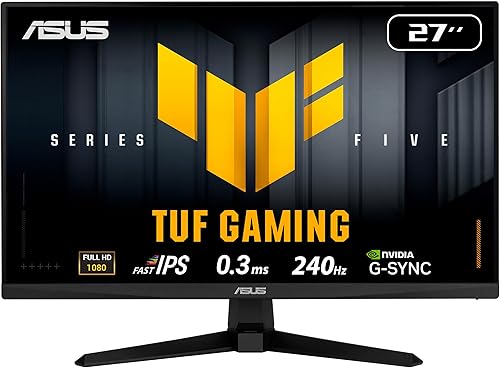
The ASUS TUF VG279QM5A is a 27-inch Full HD Fast IPS gaming monitor engineered for competitive play. It is built for FPS and esports gamers who value speed, responsiveness and smoothness over higher resolution.
In real world performance, the 240Hz refresh rate and 0.3ms response time deliver fluid, blur-free visuals during fast action. FreeSync Premium and G-SYNC compatibility plus ELMB SYNC work together to eliminate tearing and ghosting for sharp, seamless gameplay.
The design features a matte anti-glare finish, slim bezels and a flat panel with wide 178-degree viewing angles. Build quality is solid at 9.9 pounds, and it offers DisplayPort 1.4, HDMI, an earphone jack and 2W built-in speakers with easy mouse control via DisplayWidget Center.
Drawbacks include the 1080p resolution which can look less crisp on a 27-inch screen than 1440p options. Brightness at 300 nits is fine for most rooms but not impactful for HDR, and the stock stand may feel basic for users who prefer full ergonomic adjustment.
Overall, the VG279QM5A delivers outstanding speed, accurate 99 percent sRGB color and gamer-focused features in a reliable package. It is a compelling choice for competitive gamers seeking responsive, tear-free performance with trusted ASUS TUF durability.
Display: 27-inch Fast IPS, 1920 x 1080 FHD, 240Hz, 0.3ms, 1000:1 contrast, 300 nits brightness, 178-degree viewing angles, matte finish.
Color and Sync: 99% sRGB gamut, FreeSync Premium, G-SYNC Compatible, VESA AdaptiveSync 240Hz, ELMB SYNC, Flicker-Free and Low Blue Light.
Connectivity and Features: DisplayPort 1.4, HDMI, earphone jack, 2W x 2 speakers, GameVisual, GamePlus, Shadow Boost, DisplayWidget Center support.
Dimensions and Warranty: 24.21 x 17.83 x 7.6 inches, 9.9 pounds, black flat design, includes DisplayPort cable and power cord, 3-year warranty with ARR.
Pros
- Excellent 240Hz refresh rate at sharp QHD resolution for competitive edge
- Fast 1ms IPS panel balances speed with vibrant, accurate colors
- Wide adaptive sync support covers both NVIDIA and AMD graphics cards
- HDMI 2.1 enables high refresh rate gaming on PS5 and Xbox Series X
- Fully adjustable ergonomic stand and intuitive gaming modes
Cons
- DisplayHDR 400 provides only entry-level HDR with limited peak brightness and contrast
- IPS panel shows average contrast, blacks look gray in dark rooms compared to VA or OLED
- No USB hub or built-in speakers, connectivity is limited to video and audio jacks
The LG 27GR83Q-B is a 27-inch UltraGear QHD gaming monitor designed for competitive and enthusiast gamers who want high speed without sacrificing image quality. It is a great fit for PC gamers with powerful GPUs and console players who want to maximize high refresh rate performance.
In real world use, the 240Hz refresh rate and 1ms GtG response deliver exceptionally smooth motion and crisp detail in fast shooters and racing games. Support for both G-Sync Compatible and FreeSync Premium keeps gameplay tear free, while HDMI 2.1 and DisplayPort 1.4 ensure you get full QHD at 240Hz without compromise.
Design wise, the monitor has a clean matte black look with a sturdy stand that offers tilt, height and pivot adjustment for comfortable long sessions. The matte IPS panel reduces glare, and the Enhanced Gaming GUI makes switching between Gamer, FPS and RTS modes quick and intuitive.
There are some tradeoffs to consider. HDR performance is limited by DisplayHDR 400 certification, so HDR content lacks the deep contrast and brightness of higher tier displays. The IPS panel also cannot match the deep blacks of OLED or VA alternatives for dark room gaming.
Overall, the LG 27GR83Q-B hits a strong sweet spot of resolution, speed and color accuracy at 27 inches. For gamers seeking a fast, versatile and color rich display for both PC and console, it is a well rounded and highly competitive choice.
Display: 27-inch IPS, QHD 2560x1440, 16:9, Matte finish, 240Hz, 1ms GtG
Color and HDR: DCI-P3 95 percent (Typ.), VESA DisplayHDR 400
Sync Technology: NVIDIA G-Sync Compatible, AMD FreeSync Premium
Connectivity: HDMI 2.1, DisplayPort 1.4, 4-Pole Headphone Out with DTS Headphone:X
Features: Dynamic Action Sync, Black Stabilizer, FPS Counter, Crosshair, Enhanced Gaming GUI
Ergonomics: Tilt, Height and Pivot adjustable stand
Choose this monitor if you play fast paced competitive games and want QHD clarity with 240Hz smoothness for a clear advantage. It is especially valuable if you own both a gaming PC and a next-gen console and need HDMI 2.1 support.
Consider your graphics card power, as driving QHD at 240Hz requires a strong GPU to fully benefit from the high refresh rate. If you prioritize cinematic HDR or deep blacks for dark room play, you may want to look at higher HDR tiers or OLED options.
For most gamers wanting a balanced, future ready 27-inch display, this UltraGear model offers excellent speed, color and versatility in one package.
Pros
- Stunning 4K QD-OLED image with 240Hz and 0.03ms response for elite gaming smoothness
- Full bandwidth DisplayPort 2.1a UHBR20 delivers true uncompressed 4K 240Hz
- Excellent color accuracy with 99% DCI-P3, True 10-bit and Delta E <2 for photo and video work
- Advanced burn-in protection with OLED Care Pro, Neo Proximity Sensor and 3-year burn-in warranty
- Versatile connectivity including USB-C 90W PD, HDMI 2.1, KVM and Dolby Vision support
Cons
- Premium price point makes it a major investment compared to IPS alternatives
- Triangular QD-OLED subpixel layout can cause slight text fringing in Windows
- OLED technology still requires mindful usage to avoid burn-in despite protective features
The ASUS ROG Swift OLED PG27UCDM is a flagship 27-inch 4K QD-OLED monitor built for enthusiast gamers and creative professionals who demand the best. With a 240Hz refresh rate and 0.03ms response time, it is designed to pair perfectly with high-end GPUs and next-gen consoles for uncompromised performance.
In real world use, the fourth-generation QD-OLED panel delivers breathtaking clarity, inky blacks and vibrant color with 99 percent DCI-P3 coverage and True 10-bit. Gamers praise its buttery smooth motion, Dolby Vision HDR and uncompressed 4K 240Hz over DisplayPort 2.1a, while OLED Anti-Flicker 2.0 keeps viewing comfortable even during frame rate swings.
Design and build quality feel premium, with a sleek matte flat panel, slim bezels and solid ergonomics including height adjustment and 100x100 VESA mounting. Connectivity is outstanding, offering HDMI 2.1, USB-C with 90W power delivery, KVM switching for multiple devices and even a tripod socket for content creators.
There are a few trade offs to consider. The triangular QD-OLED subpixel structure can make small Windows fonts appear slightly less crisp than on traditional RGB stripe panels. As with all OLEDs, burn-in remains a consideration despite ASUS OLED Care Pro and the Neo Proximity Sensor, and a small number of users report early reliability issues.
Overall, the PG27UCDM is one of the most impressive gaming monitors available today, blending reference level image quality with future proof connectivity. If you have the hardware to drive it and want a display that excels for both competitive gaming and content creation, it is an outstanding investment backed by a reassuring three year warranty with burn-in coverage.
Buying Guide
We assessed each display for real PC use, including esports shooters, story driven adventures, and daily work. Use the notes below to prioritize panel type, resolution, speed, and comfort for your room.
What Panel Type Fits Your Play Style?
OLED gives you perfect blacks and near-instant pixel response for high contrast scenes. The LG 27GX704A-B 27-inch Ultragear QHD (2650×1440) pairs a 27-inch QHD OLED with 240Hz refresh and 0.03ms response per LG spec, which helps you track fast targets with remarkable edge definition.
QD-OLED takes that formula further for detail lovers who also create. The ASUS ROG PG27UCDM 27 Inch 4K 240Hz OLED delivers 4K resolution at 240Hz with 0.03ms response per ASUS spec, so text looks crisp and open worlds feel richly layered. If you game in a bright room, consider these white compact desk setup to control glare around a glossy screen.
IPS remains the balanced choice for color stability and wide viewing angles. The AOC 27 inch Gaming Monitor QHD 260Hz Overclocked IPS offers QHD clarity at 240Hz with 0.3ms MPRT per AOC spec, while the Dell 27 240Hz Gaming Monitor – SE2726HG provides 240Hz with 0.5ms response and 99 percent sRGB per Dell spec. Curved VA is ideal for wrap-around immersion, and the SANSUI 27 Inch Curved 240Hz Gaming Monitor FHD uses a 1500R curve at 240Hz per SANSUI spec.
Which Resolution Matches Your GPU?
QHD hits the sweet spot for 27-inch sharpness without demanding flagship GPU power. The LG 27GR83Q-B 27-inch Ultragear QHD (2560×1440) supports 240Hz over both HDMI 2.1 and DisplayPort 1.4 per LG spec, so you can drive high frames from a mid-range to upper mid-range PC. The AOC 27 inch Gaming Monitor QHD 260Hz Overclocked IPS also pairs 2560 x 1440 resolution with 240Hz per AOC spec for clean detail in shooters and MOBAs.
Full HD is easier to push to full frame rate and suits competitive players. The ASUS TUF VG279QM5A 27 Inch 1080p 240Hz Fast IPS reaches 240Hz at 1920 x 1080 resolution with 0.3ms response per ASUS spec, which helps you sustain maximum motion smoothness. The Sceptre 27-Inch Curved Gaming Monitor, FHD 1080p also offers 240Hz at 1920 x 1080 resolution per Sceptre spec with built-in speakers for a tidy setup.
4K is for visual fidelity and future headroom when your GPU can keep up. The ASUS ROG PG27UCDM 27 Inch 4K 240Hz OLED provides 3840 x 2160 resolution at 240Hz per ASUS spec, so you get cinematic density plus esports grade motion. Before you commit to higher pixel counts, review choosing the right PSU wattage for your GPU and CPU to ensure stable power for a stronger card.
How Important Are Refresh Rate, Response, and Sync?
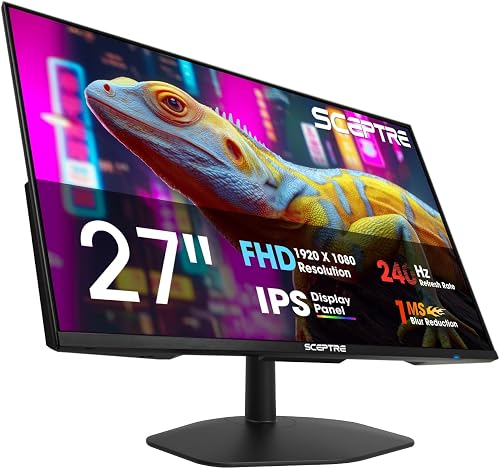
High refresh makes tracking, flicks, and camera pans look fluid rather than choppy. The New! Sceptre 27-inch IPS Gaming Monitor up supports up to 240Hz over DisplayPort per Sceptre spec, while the Dell 27 240Hz Gaming Monitor – SE2726HG pairs 240Hz with FreeSync Premium and HDMI VRR per Dell spec to reduce tearing on PC and console.
Response time controls ghosting behind moving objects in dark maps. The LG 27GX704A-B 27-inch Ultragear QHD (2650×1440) is rated at 0.03ms per LG spec, the ASUS TUF VG279QM5A 27 Inch 1080p 240Hz Fast IPS is rated at 0.3ms per ASUS spec, and the SANSUI 27 Inch Curved 240Hz Gaming Monitor FHD lists 1ms MPRT per SANSUI spec. Pair low response with Adaptive-Sync, G-Sync compatibility, or FreeSync Premium Pro for smoother variable frame rate play.
Extra motion modes can sharpen fast action when frame rates are consistent. The ASUS TUF VG279QM5A 27 Inch 1080p 240Hz Fast IPS includes ELMB Sync that works with variable refresh per ASUS spec, and the AOC 27 inch Gaming Monitor QHD 260Hz Overclocked IPS includes Shadow Control and Game Mode presets per AOC spec. Keep your desk layout stable for long sessions with this standing desk compared with a regular gaming desk breakdown.
What About Comfort, Ports, and Ergonomics?
Connectivity determines whether you can run full refresh from PC and secondary devices. The LG 27GX704A-B 27-inch Ultragear QHD (2650×1440) offers dual HDMI 2.1 plus DisplayPort 1.4 per LG spec, the LG 27GR83Q-B 27-inch Ultragear QHD (2560×1440) supports 240Hz over HDMI 2.1 and DisplayPort 1.4 per LG spec, and the ASUS ROG PG27UCDM 27 Inch 4K 240Hz OLED adds DisplayPort 2.1a with 80Gbps bandwidth plus USB-C with 90W power delivery per ASUS spec.
Eye comfort matters for late sessions and mixed work plus play. The Dell 27 240Hz Gaming Monitor – SE2726HG carries TUV 3-star eye comfort certification per Dell spec, the New! Sceptre 27-inch Prime Gaming Monitor uses Blue-Light Shift to lower eye strain per Sceptre spec, and the SANSUI 27 Inch Curved 240Hz Gaming Monitor FHD supports Low Blue Light with anti-flicker and anti-glare treatment per SANSUI spec.
Stands, speakers, and VESA support shape daily convenience more than you expect. The Sceptre 27-Inch Curved Gaming Monitor, FHD 1080p includes built-in speakers per Sceptre spec, the SANSUI 27 Inch Curved 240Hz Gaming Monitor FHD supports 100 x 100mm VESA mounting per SANSUI spec, and the AOC 27 inch Gaming Monitor QHD 260Hz Overclocked IPS offers tilt from minus 3 degrees to plus 21 degrees per AOC spec. Add this controller and headset organizer for a clean desk to keep cables and audio gear off your play space.
Final Thoughts
We recommend LG 27GX704A-B 27-inch Ultragear QHD (2650×1440) for vivid competitive QHD play and Dell 27 240Hz Gaming Monitor – SE2726HG for smooth value focused IPS performance that fits most PC setups.
Frequently Asked Questions
Is a 27-inch 240Hz monitor worth it for PC gaming in 2026?
Yes, if you play shooters, racers, or fast action games where motion definition matters. A 240Hz panel per VESA Adaptive-Sync guidance refreshes far more often than a 60Hz office display, so tracking feels smoother. Choose QHD for sharper image quality or Full HD if your GPU needs higher sustained frames.
What GPU do you need for 240Hz at QHD?
You need a capable mid-range or better GPU to approach 240 frames per second at 2560 x 1440 resolution per manufacturer listings, especially with high settings. Competitive players often lower effects to raise frame rates and reduce latency. Support for G-Sync Compatible or FreeSync Premium per NVIDIA and AMD guidance helps when frames dip below maximum refresh.
Is OLED better than IPS for 27-inch high refresh gaming?
OLED offers deeper blacks, higher contrast, and 0.03ms class response per LG and ASUS specs, which is superb for immersion and clarity. IPS offers high brightness, wide angles, and strong value, such as 99 percent sRGB coverage per Dell spec. Pick OLED for cinematic punch and IPS if you want bright room versatility with lower burn-in care.
Do you need HDMI 2.1 for a 240Hz PC monitor?
Not always, but HDMI 2.1 helps for QHD at 240Hz over HDMI per LG spec and for console compatibility. DisplayPort 1.4 remains the primary PC path for 240Hz at QHD per VESA guidance, while DisplayPort 2.1a supports 4K at 240Hz per ASUS spec. For a cohesive battlestation glow, compare hexagon versus triangle LED panels for your gaming room to match lighting to your new display.
Browse more picks in our Peripherals & Monitors category, or see our related guide on 4 Best 300Hz Gaming Monitors for PC in 2026 for Esports.
These picks are not ideal for casual or first-time players on a tight budget; they are aimed at people who want higher refresh rates, better panels, or competitive-grade input.










Write Your Review
No reviews yet. Be the first to share your experience!