

Video credit: minimalistik. Original video: https://www.youtube.com/watch?v=kTvrNvJEep0. This is our own independent breakdown and is not affiliated with the video creator. As an Amazon Associate, CustomPCGaming earns from qualifying purchases. Product prices shown in the video may have changed.
Watch the build
Parts in this build
- Grovemade Wool Felt Desk Pad
- Lian Li Strimer Plus V2
- NZXT H7 Flow
- Corsair iCUE Link QX120
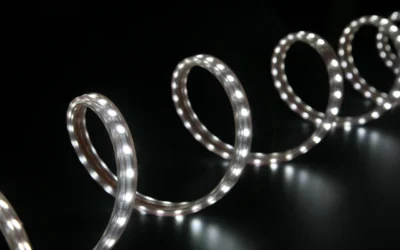
- Nanoleaf Lines
- Razer Fujin
- Ergotron LX
- ApexDesk Elite Series
Parts list is our summary of the video for reference. Confirm current specs and price on the retailer page before buying.
Watch: The Setup Tour
This blackout showcase approach leans into dark surfaces, low ambient glow and a floating feel that keeps your focus on the screens. If you want to recreate this blackout showcase battlestation, you will like this style if you prefer a moody, minimal room for work by day and play by night.
What This Setup Is Going For
You are building around contrast. Matte black, charcoal and deep wood tones form the base, while narrow lines of light shape the wall behind your monitors. The layout is usually a wide standing desk that can hold a single ultrawide or a side by side pair, with room left for speakers or a tower placed to the side for depth.
This fits a bedroom, a small home office or a dorm corner where you want the desk to be the visual center without loud color everywhere. You get atmosphere from shadows and soft white or warm bias light rather than from rainbow effects on every part. For more context on the overall look, browse the Custom Build Cosmetics and Rig Aesthetics archive for related ideas.
The tradeoff is maintenance. Black surfaces show dust quickly and every loose cable stands out against a dark desk or wall, so you need a real plan for routing and covers. You will also need more wall area than you expect if you want linear panels to read as shapes instead of one bright stripe.
A second tradeoff is where you put your budget. A dual motor frame, a supportive mesh chair and a reliable gas spring arm decide whether you stay comfortable for long sessions, while decor pieces can start simple. Our picks below were researched and compared using owner feedback and per the spec sheet details.
This full dark treatment does not suit everyone. If you share a bright room, move often for school or work, rent a tiny space with little wall area, or join daytime video calls that need a bright background, a full blackout room can feel heavy and hard to keep up. You can still borrow the desk layout and lighting placement without painting or furnishing everything dark.
The Gear Breakdown
This is the core of the article. The tour video is representative of the look, layout and proportions only, and it is not a shopping list. The table below shows what is common in this style side by side with our own current picks for November 2026 that you can buy now.
This article contains affiliate links. If you buy through one of our links, CustomPCGaming may earn a commission at no extra cost to you. Commissions never influence which products we recommend or how we rank them. Read our Affiliate Disclosure for details.
Quick Picks at a Glance

Prime Lian Li Strimer Plus Addressable RGB GPU Extension

Prime NZXT H7 Flow Mid-Tower ATX Airflow Case

ApexDesk Elite Pro 60 inch Electric Standing Desk

Corsair iCUE LINK QX120 RGB 120mm Triple Fan

Nanoleaf Lines Smarter Kit (9 Lines)

Prime Razer Fujin Mesh Ergonomic Gaming Chair

Ergotron LX Pro Monitor Arm for 34 Inch Ultrawide
As an Amazon Associate we earn from qualifying purchases. Product prices and availability are accurate as of the date/time indicated.
Pros
- Stunning addressable RGB lighting that elevates overall PC aesthetics
- Tailored compatibility for 8-pin GPU power connections
- Seamless sync with major motherboard lighting software
- Quality silicone construction from trusted Lian Li brand
- Includes 1-year warranty and ARGB adapter in the box
Cons
- Fits 8-pin GPUs only, not compatible with newer 12-pin or 12+4 pin cards
- 20cm extension length requires planning for neat cable management
- Original V1 version may cause confusion for shoppers looking for V2
The Lian Li Strimer Plus Dual 6+2 to 8-Pin is an addressable RGB GPU extension cable for PC builders who love to showcase their systems. It is made specifically for graphics cards that require an 8-pin power connection, adding light and style to a functional component.
In real world use, the standout feature is the bright, evenly diffused RGB lighting that syncs with popular motherboard software. You can customize colors and effects to match your theme, turning standard power cables into a centerpiece for gaming builds.
Design and build quality reflect Lian Li standards, with a flexible silicone light guide and 20cm extension for cleaner routing. The included 3-pin ARGB adapter connects directly to your motherboard header, and installation is straightforward for most builders.
There are a few limitations to consider before buying. This Original V1 model is for 8-pin GPUs only, so it will not fit newer 12-pin cards. You will also need to plan cable management carefully to get the cleanest look in compact cases.
Overall, the Strimer Plus V1 is a simple and effective upgrade for anyone with a compatible 8-pin GPU. If you want brighter aesthetics, easy sync control and trusted Lian Li quality, this cable is an excellent pick for your build.
Brand: Lian Li, Model: Strimer 8pin, Part Number: PW8-V2, Category: GPU extension cable for computer system building and customization.
Connector Type: 8 Pin, Configuration: Dual 6+2 to 8 Pin, Cable Length: 20 centimeters, Included: Cable adaptor for motherboard ARGB 3-pin header.
Material: Silicone, Item Dimensions: 14.5 x 2.5 x 1.5 inches, Item Weight: 200g, Warranty: 1 Year.
Pros
- Excellent airflow and thermal performance for both CPU and GPU
- Three included front fans provide strong cooling without extra purchases
- Flexible cooling options with support for large front and top radiators
- Smart cable management system simplifies building and improves airflow
- Clean, modern NZXT design with solid metal and plastic construction
Cons
- Bottom fans for dedicated GPU cooling are not included and must be purchased separately
- Only one 3.5 inch internal bay limits traditional hard drive expansion
- Large dimensions and 11.35 kg weight require ample desk or floor space
The NZXT H7 Flow CM-H72FB-01 is a mid-tower ATX airflow case designed for gamers and performance focused builders who prioritize cooling. It balances a relatively narrow footprint with full support for ATX motherboards and high end components.
Its standout feature is dedicated GPU cooling with space for three 120mm bottom fans that feed fresh air directly to the graphics card. Out of the box, three included front fans and high flow mesh panels deliver strong airflow, while support for up to 420mm front and 360mm top radiators makes it ideal for custom liquid cooling.
Build quality is solid with a mix of metal and plastic, clean lines and the signature NZXT minimalist aesthetic in black. The intuitive cable management system with wide channels, hooks and straps keeps the interior tidy and simplifies the build process, even for less experienced builders.
There are a few tradeoffs to consider. The bottom fans for GPU cooling are not included, so you will need to budget for them, and storage expansion is limited with just one 3.5 inch bay. At over 21 inches tall and 11.35 kg, it is still a substantial case that needs adequate space.
Overall, the H7 Flow is a top choice for airflow first builds that need excellent thermal headroom without moving to a full tower. If you want cool, quiet performance, flexible radiator options and a clean showcase for your components, it delivers outstanding versatility.
Model: NZXT H7 Flow CM-H72FB-01, Black, Mid-Tower ATX
Cooling: 3x 120mm front fans included, supports 3x 120mm bottom fans for GPU, up to 420mm front radiator and 360mm top radiator
Motherboard & Expansion: ATX compatible, 7 expansion slots, bottom mount PSU
Storage & I/O: 1x 3.5 inch internal bay, USB ports include USB 3.0 and USB 2.0
Materials & Dimensions: Metal and plastic construction, 18.43 x 9.6 x 21.42 inches, 11.35 kg
Pros
- Strong 235 lbs lift capacity handles multi monitor setups with ease
- Smooth dual motor adjustment with convenient 4 preset memory controller
- Spacious thick work surface with C-clamp compatible rear edge
- Sturdy metal frame with straightforward assembly in under an hour
Cons
- Large 60 inch footprint requires ample floor and room space
- Bold Red Apple finish may not suit neutral office decor
- 30 inch minimum height may feel high for shorter users
The ApexDesk Elite Pro 60 inch electric standing desk is a full size sit stand workstation built for home offices, study spaces and gaming setups. It is best for users who want a large, stable surface with powered adjustment instead of a manual crank or small converter.
Its dual motor system lifts up to 235 lbs smoothly, handling multiple monitors, laptops and accessories without wobble. The 4 preset memory controller moves between 30 and 49 inches quickly, making it easy to switch from focused sitting to active standing during the day.
The design pairs a robust metal frame with a solid 1 inch thick laminated engineered wood top in Red Apple finish. The 60 by 27 inch surface offers room for dual or triple monitors, while the straight rear section accepts C-clamp mounts and built in cable management keeps cords tidy.
The large footprint needs ample room, and the bold Red Apple color will not blend with every decor. The 30 inch minimum height may feel tall for shorter users, and the top is engineered wood with laminate rather than solid hardwood.
Overall, the Elite Pro delivers strong lift performance, smart ergonomics and a spacious work surface for productive sit stand routines. If you need a reliable, large format electric desk for work, study or play, it is a practical and durable choice.
Brand: ApexDesk, Model: Elite Pro Series, Size: 60 inch, Color: Red Apple, Style: Modern rectangular standing desk.
Dimensions: 60W x 27D x 48H inches, Height Range: 30 to 49 inches, Top Thickness: 1 inch.
Materials: Metal base frame with laminated engineered wood top, slanted edges with straight rear C-clamp section.
Performance: Dual electric motor, 235 lbs load capacity, 4 preset memory handset, built in cable management.
Pros
- Strong cooling performance for both airflow and static pressure applications
- Very quiet at low speeds with Zero RPM support for silent idle
- Bright, customizable dual zone RGB lighting with unique effects
- Simple cable management with bridge connectors and single hub cable
- Solid build quality with durable Magnetic Dome bearing design
Cons
- Locked to Corsair iCUE LINK ecosystem and requires iCUE software for full control
- Noticeable noise at maximum 2,400 RPM under heavy load
- Hub setup adds extra step for users upgrading from standard PWM fans
The Corsair iCUE LINK QX120 RGB Triple Fan Starter Kit is a complete 120mm cooling set that includes three fans and the iCUE LINK System Hub. It is designed for gamers, creators and PC enthusiasts who want performance cooling with standout lighting.
In real world use, the 480 to 2,400 RPM PWM range offers flexible control from near silent to full power. With up to 63.1 CFM airflow and 3.8mm-H2O static pressure, these fans handle case airflow, radiators and CPU towers with ease.
Each fan features 34 RGB LEDs split across two light zones on both sides, including the exclusive Time Warp strobing mode. The Magnetic Dome bearing keeps operation smooth and quiet, while bridge connectors and a single hub cable keep builds tidy.
The main tradeoff is ecosystem dependence, since full lighting and Zero RPM control require iCUE software and the LINK Hub. At full 2,400 RPM the fans are effective but clearly audible, so quiet profiles work best for daily use.
Overall, this kit is an excellent pick for a clean, high performance Corsair build with premium RGB style. If you value easy wiring, strong cooling and silent idle with Zero RPM mode, it delivers a polished all in one solution.
Fan Size: 120mm triple pack in black with dual sided RGB light zones
Speed: 480 to 2,400 RPM PWM with Zero RPM support
Performance: Up to 63.1 CFM airflow and 3.8mm-H2O static pressure
Bearing and Noise: Magnetic Dome bearing, rated at 27.3 dB
Power and Connection: 4-Pin, 12 volts, iCUE LINK System Hub with bridge connectors included
Compatibility: Designed for CPU cooling, case and radiator use
Pros
- Flexible modular design for fully personalized layouts
- Rich, vibrant RGBW color with smooth dynamic animations
- Music sync and screen mirroring create immersive entertainment
- Multiple control options including app, voice assistant and manual controller
- Simple no drill setup with scheduling automation
Cons
- Larger designs require expansion packs sold separately
- Full customization needs WiFi connection and Nanoleaf App setup
- Adhesive mounting works best only on smooth, flat surfaces
The Nanoleaf Lines Smarter Kit with 9 light bars is a modular smart lighting system built for gamers, streamers and modern home decor lovers. It lets you design your own geometric wall layouts that double as functional ambient light for bedrooms, offices and battlestations.
With 16M plus RGBW colors and fully customizable animations, you can shift from soft ambient glow to fast moving party effects in seconds. Real world use shines with Rhythm music sync and Screen Mirror mode, both of which react fluidly to sound and on screen action for immersive play and movie nights.
Design and build quality feel sleek and modern, with lightweight bars that produce a clean, even backlight halo on the wall. The 60 degree connectors allow sharp angular shapes, and the included mounting tape enables solid no drill installation on flat surfaces.
Setup requires some planning, as you need to map your layout before sticking mounts and pair with WiFi through the Nanoleaf App. Larger creations need expansion packs sold separately, and mastering scenes, schedules and integrations takes a little learning time.
Overall, this kit is a standout pick for anyone wanting personalized, camera ready wall lighting with deep smart features. If you value creativity, immersion and smart home control, the Nanoleaf Lines Smarter Kit delivers impressive style and performance.
Brand: Nanoleaf, System: Lines 60 Degree Smarter Kit with 9 light bars, Color Support: RGBW with 16M plus colors and animated scenes.
Style: Modern wall light fixture, Material: Vinyl, Mounting: Adhesive tape with no drilling required, Expandable with Lines expansion packs.
Smart Features: WiFi control, Nanoleaf App customization and scheduling, music sync, screen mirror, voice assistant support and built in controller.
Pros
- Excellent airflow from full mesh design, ideal for warm rooms and long sessions
- Ergonomic Synchro-Tilt and adjustable lumbar promote better posture
- Highly adjustable 3D armrests and high seat height suit tall users
- Strong polycarbonate frame with 299 lb capacity feels stable and durable
- Rolls smoothly on multiple surfaces without scratching floors
Cons
- Mesh provides less plush cushioning than traditional padded gaming chairs
- Requires assembly and is relatively heavy at 44.1 pounds
- Solid black modern look offers limited color or style options
The Razer Fujin is Razer's first mesh gaming chair, designed for gamers who run hot and need all day airflow without giving up ergonomic support. It is aimed at adult PC and console gamers, especially taller users who want a weightless, upright posture for long sessions in a game room or office.
Standout performance comes from the breathable mesh combined with Synchro-Tilt Technology, where the backrest reclines while the seat base glides forward to match your lean. Height adjustable lumbar support and 3D padded armrests let you fine tune back and arm position, which helps reduce stiffness during extended play.
Design is modern and minimal in solid black with an oval profile, nylon mesh, and polycarbonate frame. The build feels robust with support for up to 299 lbs and users up to 6.6 ft, plus multi surface casters that roll smoothly on hard floors and carpet without marking.
The trade off for mesh is less plush cushioning than thick foam racing style chairs, so fans of soft seating may need time to adjust. Assembly is required and the 44.1 pound frame is not the lightest to move, though that weight adds to stability once built.
Overall, the Fujin is a smart pick for comfort focused gamers who prioritize cooling, posture support, and adjustability over flashy padding. If you want a durable, breathable chair for long hours that stays supportive when you recline, it delivers a clean and functional upgrade.
Model: Razer Fujin RZ38-04950100-R3U1 in Black with modern solid back design for indoor gaming use. Dimensions measure 27.97 x 28.96 x 38.42 inches with 20 inch seat depth and 44.1 pound weight.
Supports up to 299 lbs and users up to 6.6 ft tall with 130 degree recline, adjustable lumbar, 3D padded armrests, and polycarbonate frame with nylon mesh. Includes smooth multi-surface casters and requires assembly.
Pros
- Smooth height, tilt and rotation adjustment for ergonomic viewing
- Strong metal construction with stable desk clamp for ultrawide monitors
- Integrated cable management creates a clean, professional look
- Wide VESA and weight compatibility fits most 34 inch flat and curved displays
Cons
- Grommet mount sold separately, clamp only included in box
- Some users report slight wobble or tricky cable routing with larger heavy monitors
- Lightweight aluminum feel may seem less substantial than expected at this level
The Ergotron LX Pro Premium Monitor Arm is a single desk mount designed for flat, curved and ultrawide monitors up to 34 inches and 22 lbs. It is a strong fit for remote workers, creators and gamers who want flexible positioning and more usable desk space.
In daily use, it offers up to 18.3 inches of height with 13 inches of smooth lift plus 85 degrees of tilt and 360 degrees of rotation. Users praise how easily it moves closer, lower or upright for portrait work, which helps reduce neck and shoulder strain during long sessions.
The arm uses powder coated metal with a clean matte black finish and improved built in cable routing for a streamlined look. The two piece desk clamp feels solid on desks from 0.4 to 2.4 inches thick, and the modular design supports extra accessories to personalize your space.
It is not perfect, as cable routing can feel tight with thicker ultrawide cables and some large heavy screens may show slight movement at the quick release joint. You will also need to buy the grommet mount separately if you prefer a through desk installation.
Overall, the LX Pro stands out for smooth ergonomics, sturdy engineering and long term support backed by a 10 year warranty. If you want a premium single arm that stays stable, looks clean and adjusts effortlessly, it is a smart upgrade for a 34 inch setup.
Compatibility: Single monitor up to 34 inches, 4 to 22 lbs, up to 3.6 inches deep, VESA 75x75mm and 100x100mm for flat, curved and ultrawide displays.
Adjustment: Up to 18.3 inches height, 13 inches lift, 85 degrees tilt, 360 degrees rotation with articulating motion for ergonomic positioning.
Mounting and Build: Two piece tabletop clamp for desks 0.4 to 2.4 inches thick, metal construction in matte black, model 45-682-292 with 10 year warranty.
| Gear | Common in this style | Our 2026 pick | Why |
|---|---|---|---|
| Desk mat | a desk mat in this style | Grovemade Wool Felt Desk Pad | a warm felt pad for a wood or Scandinavian look |
| RGB cables | a rgb cables in this style | Lian Li Strimer Plus V2 | lit cable covers for the 24-pin and GPU cables in a glass case |
| PC case | a pc case in this style | NZXT H7 Flow | a simple airflow case that photographs well without much effort |
| Case fans | a case fans in this style | Corsair iCUE Link QX120 | single-cable ARGB fans that cut down on wiring clutter |
| Bias light | a bias light in this style | Nanoleaf Lines | linear wall accents for a clean geometric look |
| Chair | a chair in this style | Razer Fujin | a mesh gaming chair for people who run warm |
| Monitor arm | a monitor arm in this style | Ergotron LX | the arm to buy once for a heavy or ultrawide monitor |
| Desk | a desk in this style | ApexDesk Elite Series | a wide surface for a triple monitor or ultrawide layout |
Your desk sets the proportions. The ApexDesk Elite Pro Series Electric Height uses a dual motor frame that supports up to 235 lbs and offers a 71 x 33 work surface with 4 preset height positions. You get room for an ultrawide plus a side accessory, and you should keep the tower, monitors and arm under that listed capacity and follow the assembly instructions.
Lighting shapes the blackout mood. The Nanoleaf Lines WiFi Smart RGBW 16M Color LED kit with 9 Lines lets you build geometric wall shapes with adhesive mounting and no drilling, and you can mirror your screen or react to music from the app. Pair it with soft white behind your monitor for work hours, then shift to deeper color at night, and do not overload a single outlet while you keep power supplies ventilated. You can explore more bias lighting ideas if you want a calmer glow first.
The tower is your accent. The NZXT H7 Flow is a simple airflow case that photographs well with mesh panels and room for three front fans plus three bottom fans for direct GPU cooling, with support for up to a 420mm radiator in front. Inside it, the Corsair iCUE Link QX120 RGB 120mm Magnetic Dome fans run from 480 RPM to 2400 RPM with up to 63.1 CFM and 34 RGB LEDs across two light zones, linked through a single cable hub to reduce wiring clutter. Add the Lian Li Addressable RGB Strimer Plus Dual 6+2 to 8 for lit GPU cables so the glass side stays readable instead of busy.
How To Adapt It To Your Room
Will this fit your wall, your monitors and your rental rules before you buy anything? Start there, because a blackout layout lives or dies on measurements and mounting limits.
Measure the wall or dorm room for the desk width first, then tape the outline on the floor so you can see walking space and chair movement. A triple monitor layout needs more depth for a monitor arm to pull back, so leave room behind the desk for the arm to swing and for cables to bend without pinching.
Check your monitor for a VESA pattern before choosing an arm, and confirm both weight and size against the arm limits. The Ergotron Upgraded LX Pro Premium Monitor Arm in our picks fits screens up to 34 inches diagonal from 4 to 22 pounds with VESA patterns 75x75mm or 100x100mm, with up to 13 inches of lift and up to 18.3 inches above the surface. If your screen is heavier, deeper than 3.6 inches or uses a different pattern, you need a different mount and you should follow the mounting instructions closely.
Confirm the desk edge thickness for a clamp before you order. The same Ergotron clamp attaches to desks 0.4 to 2.4 inches thick, and thick solid wood tops or desks with a modesty lip can block a clamp. You want full contact and even pressure, with cables routed through the built in management so the arm can tilt up to 85 degrees and rotate up to 360 degrees without snagging.
If you rent, use no drill cable trays and adhesive raceways rather than screwing into the desk or wall, and find a stud before any wall mount. Adhesive strips hold light lines and small channels well on flat paint, while a clamp on tray plus a fabric sleeve hides the power strip under the desk. Our under desk cable guides show renter friendly layouts you can copy.
A standing desk lists a weight capacity, keep the tower, monitors and arm under it. If you plan to place your PC on the desk, add its weight plus both monitors and the arm together and stay well under the 235 lbs rating for the ApexDesk frame in our picks. Keep heavier items centered over the frame, distribute load evenly and follow the assembly instructions for anchor points and crossbars.
Match the blackout look with the finish of the desk and mat first, then the lighting color, rather than buying every accessory in one brand. Pick one black finish, either matte or textured, plus one wood or felt tone for warmth, then set your Nanoleaf scenes and monitor bias to the same white temperature. That layered approach looks intentional and lets you mix brands without clashing.
What Actually Changes The Feel
Bias lighting does the most work. A soft glow behind your monitors lifts black screens off a black wall, eases eye comfort in a dark room and makes the whole desk feel larger. You will notice this change more than any fan or cable swap, especially at night.
Cable management is next. A tray, a sleeve and a single hub for fans turn visual noise into one defined line under the desk. When your eyes stop catching stray wires, the monitors, wall lines and desk pad stand out the way this style intends.
A full desk mat comes third. Felt or stitched cloth quiets keystrokes, defines your keyboard and mouse zone and adds the one soft texture that keeps an all black desk from feeling hard. It is also the easiest piece to try first if you are unsure about the full commitment.
Lower priority upgrades include extra RGB inside the case and additional wall panels beyond your first shape. The Lian Li lit cables and extra Corsair fan lighting look great in photos, but you will feel them less during daily use than comfort and light placement. If you want airflow insight first, check our picks for quiet ARGB fans before adding more light.
No verified frame rate numbers are available for this build, so judge it on comfort, noise and how easily you can focus. If your room feels calm, your chair supports long sessions and your lighting stays glare free, the setup is doing its job.
Build It At Three Budgets
Use these three paths to match your room and how long you plan to keep the setup. The balanced path is the one we recommend for most people, while the other two suit tighter budgets or long term keeps. All picks reflect our current recommendations for 2026.
Budget: First Blackout Build
Start with a manual or single motor desk, a budget friendly ergonomic chair such as the SIHOO M57, a single VIVO arm, one Govee light strip, a large cloth mat and a no drill cable tray. This suits you if you want a first blackout setup on a tight budget in a dorm or rental where you cannot drill and may move soon.
Balanced: The One We Recommend
Choose a dual motor standing desk like the ApexDesk Elite Pro Series Electric Height, a mid ergonomic chair like the Razer Fujin Mesh Ergonomic Gaming Chair, a gas spring arm like the Ergotron Upgraded LX Pro Premium Monitor Arm, plus a monitor light bar and one strip such as the Nanoleaf Lines WiFi Smart RGBW 16M Color LED kit, a stitched XL mat and a clamp on tray with a sleeve. This suits you if you want the setup to last through daily work and play without constant fixes.
Premium: Keep It For Years
Build around a Herman Miller or Steelcase chair, an Ergotron arm, a light bar plus wall panels like the Nanoleaf Lines kit for shaped wall light, a felt or leather pad in the Grovemade style, and a fully sleeved cable run with Lian Li Strimer lighting, Corsair iCUE Link QX120 fans and the NZXT H7 Flow case to show it off. This suits you if you plan to keep the same desk for years in a dedicated office and want comfort plus a gallery feel.
FAQ
What desk size do I need to recreate a blackout showcase battlestation in a small room?
Measure your wall first and tape the footprint so you can see chair clearance. A wide standing desk like the ApexDesk style gives you room for an ultrawide or dual screens, but you can start narrower and keep the tower on the floor if your wall is short.
Do I need a premium arm for a heavy or ultrawide monitor?
You need an arm rated for your exact weight and VESA pattern, not necessarily the priciest option. Check for 75x75mm or 100x100mm compatibility, confirm the desk edge thickness for a clamp, and follow the mounting instructions so tilt and rotation stay smooth.
How do I hide cables in a rental without drilling?
Use a no drill tray under the desk, adhesive raceways along the back edge and a fabric sleeve to group power and display leads. Keep power supplies ventilated and avoid overloading one outlet, and you will get the floating look without screws.
Final Verdict
This blackout showcase style works when you prioritize a supportive desk and chair, a dependable arm and layered light over matching every logo. You get a focused space that shifts from work to play with one lighting change.
Our pick: build the balanced version with the ApexDesk Elite Pro Series Electric Height, Ergotron Upgraded LX Pro Premium Monitor Arm and Nanoleaf Lines kit if you want a setup you can keep and adjust for years.







Write Your Review
No reviews yet. Be the first to share your experience!