

If you are deciding between a PCIe 5.0 slot and a PCIe 4.0 slot for your GPU, you are really weighing future headroom against current value and platform maturity. Both slots accept the same modern graphics cards and will run them, but the practical difference depends on your resolution, your CPU and motherboard choice, and how long you intend to keep the system without an upgrade.
In 2026, most gamers are still choosing between a proven PCIe 4.0 platform and a newer PCIe 5.0 board that often carries a higher-end pick price and brings extra bandwidth you may not use right away. To make the choice clearer, this guide compares the two slot generations where it counts for GPUs, and uses the Samsung SSD 9100 PRO 2TB, PCIe 5.0×4 M.2 2280 as a real example of what Gen5 bandwidth looks like when a device can actually use it, with sequential read and write speeds up to 14,700 and 13,400 MB/s per the spec sheet.
This article contains affiliate links. If you buy through one of our links, CustomPCGaming may earn a commission at no extra cost to you. Commissions never influence which products we recommend or how we rank them. Read our Affiliate Disclosure for details.
Quick Picks at a Glance

Samsung 9100 PRO 2TB PCIe 5.0 NVMe M.2 SSD
As an Amazon Associate we earn from qualifying purchases. Product prices and availability are accurate as of the date/time indicated.
Pros
- Class leading PCIe 5.0 sequential speeds up to 14,700MB/s
- Outstanding random IOPS for gaming, multitasking and content creation
- Improved power efficiency and thermal control for stable performance
- Trusted Samsung reliability with in house NAND, DRAM and 5 year warranty
Cons
- Requires PCIe 5.0 compatible motherboard and CPU to reach advertised speeds
- Premium cost compared to PCIe 4.0 SSDs, more than casual users need
- Sustained peak performance benefits from adequate motherboard heatsink or airflow
The Samsung 9100 PRO 2TB is Samsung's flagship PCIe 5.0 NVMe M.2 2280 SSD built for enthusiasts, gamers and professional creators. It is ideal for users handling AI workloads, 4K and 8K video editing and next gen gaming who need maximum throughput and capacity.
In real world use it delivers up to 14,700MB/s sequential reads and 13,400MB/s writes, about twice the speed of the 990 PRO. Random performance up to 1,850K read and 2,600K write IOPS keeps game loads fast, AI apps responsive and heavy multitasking smooth.
Build quality reflects Samsung's reputation as the world's number one flash memory brand since 2003. The drive uses in house NAND, DRAM and a 5nm controller in a compact M.2 form factor that fits desktops and compatible laptops, with a solid, durable design noted by users.
The main drawback is platform dependence, as you need a PCIe 5.0 system to unlock full speed. It also costs more than PCIe 4.0 alternatives and, like all Gen5 drives, performs best with good system cooling for sustained workloads.
Overall, the 9100 PRO 2TB is one of the fastest consumer SSDs available and a future proof upgrade for power users. If your system supports PCIe 5.0 and you want top tier speed with proven reliability, it is an excellent choice.
Capacity: 2TB, Form Factor: M.2 2280, Interface: PCIe 5.0 x4 NVMe
Sequential Speeds: Up to 14,700MB/s read, 13,400MB/s write, Random IOPS: Up to 1,850K read, 2,600K write
Controller: 5nm controller with up to 49 percent better power efficiency than 990 PRO, Cache: 2GB
Compatibility: Desktop, Laptop, PlayStation 5, Requires PCIe 5.0 system for max performance
Features: Hardware Encryption, Thermal Control, Samsung Magician Software, 5 Year Warranty
How They Compare
Bandwidth and How GPUs Actually Use It
A PCIe 5.0 slot offers double the theoretical bandwidth per lane compared to a PCIe 4.0 slot, which is why devices built for Gen5 can show much higher sequential throughput. The Samsung SSD 9100 PRO 2TB, PCIe 5.0×4 M.2 2280 is rated to deliver up to 14,700/13,400 MB/s sequential read and write, which the spec sheet notes is up to twice as fast as the 990 PRO SSD, a PCIe 4.0 drive. That example shows Gen5 working as intended when the controller and NAND can saturate the link.
For a GPU, that extra lane bandwidth is rarely saturated in current games when you run at x16, so a PCIe 4.0 slot still provides abundant headroom for most single-GPU gaming builds. A PCIe 5.0 slot gives you more ceiling for future cards, for x8 electrical configurations, or for workloads that move large assets quickly, but today the GPU itself is usually the limiter, not the slot. If you want to learn how lane sharing and chipset design affect real builds, the Motherboards & Compatibility section has helpful context on platform layout.
Another way to view it is through random performance. The Samsung SSD 9100 PRO 2TB, PCIe 5.0×4 M.2 2280 lists random read and write up to 1,850K and 2,600K IOPS, which highlights how Gen5 helps with highly parallel, queue-heavy tasks. GPUs benefit from bandwidth differently, mostly through large, sequential transfers of textures and geometry, so the gain from a PCIe 5.0 slot versus a PCIe 4.0 slot is more about avoiding a bottleneck in edge cases than raising average frame rates in typical play.
Gaming Performance at 1080p, 1440p, and 4K
At 1080p and 1440p high refresh, your CPU, memory, and game settings usually influence performance more than whether your GPU sits in a PCIe 5.0 slot or a PCIe 4.0 slot. Owners commonly report that moving the same card between the two slot generations at x16 results in very small differences in average frame rates, with the gap often within normal run-to-run variation. That is why many reviewers and community builds still recommend a solid PCIe 4.0 board for value-focused 1440p systems in 2026.
At 4K, the GPU is almost always the bottleneck, which further reduces the impact of slot generation. A PCIe 4.0 slot at x16 is not ideal for holding back a modern card at 4K, and a PCIe 5.0 slot does not automatically add performance if the card is already fully utilized. Where a PCIe 5.0 slot can matter more is when the slot runs at x8 due to lane sharing, or when you use features that stream assets quickly, where extra headroom helps maintain consistency.
If you are troubleshooting stutter or inconsistent frame pacing, the slot generation is rarely the first place to look. Check driver version, power limits, thermal throttling, and background tasks before assuming a PCIe 4.0 slot is the cause, and browse the Troubleshooting & Optimization archive for step-by-step checks that apply to both slot types. Per the spec sheet, even Gen5 storage gains are most visible in heavy sequential and random workloads, not in every game load, which mirrors how GPUs see limited benefit today.
Platform Cost, Compatibility, and Lane Sharing
Choosing a PCIe 5.0 slot usually means choosing a newer motherboard and often a newer CPU platform that supports Gen5 on the primary x16 slot and on M.2. That platform tends to be the more premium choice, with higher board cost and sometimes stricter requirements for signal integrity, BIOS maturity, and trace layout. A PCIe 4.0 slot platform is widely available, well understood, and often offers more options at lower cost while still supporting modern GPUs without adapters.
Compatibility is straightforward since PCIe is backward and forward compatible, so a Gen5 card works in a PCIe 4.0 slot and a Gen4 card works in a PCIe 5.0 slot. What changes is negotiated speed, not physical fit. You should still review your motherboard manual for how lanes are shared between the primary GPU slot and M.2 slots, because populating a Gen5 M.2 drive like the Samsung SSD 9100 PRO 2TB, PCIe 5.0×4 M.2 2280 can affect whether the GPU slot stays at x16 or drops to x8 on some boards.
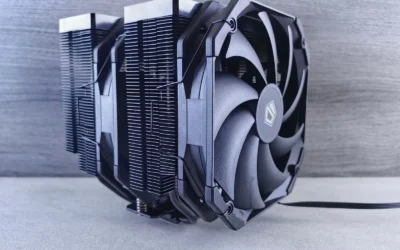
BIOS updates are frequently needed to improve Gen5 stability and device training, and any BIOS flash or firmware update is done at your own risk and may affect warranty. Follow the manufacturer instructions closely, use anti-static handling, and confirm that your case and cooler layout still allow easy access to the slot and M.2 area. For builders weighing cooler clearance alongside board choice, this how to choose a CPU cooler for ryzen 7 9800X3D guide shows why checking height and airflow matters before you lock in a platform.
Thermals, Power Efficiency, and Practical Optimization
Higher bandwidth often brings higher controller complexity and heat, which is why Gen5 devices emphasize efficiency and thermal control. The Samsung SSD 9100 PRO 2TB, PCIe 5.0×4 M.2 2280 uses a 5nm controller that is rated to boost power efficiency up to 49 percent over the 990 PRO SSD, while advanced thermal control is intended to keep performance steady. That same principle applies to motherboards, where a PCIe 5.0 slot may need better PCB design and cooling around the slot and M.2 heatsinks to sustain top speeds.
A PCIe 4.0 slot system generally runs cooler and is easier to keep quiet, since board and drive thermals are lower and heatsink requirements are less demanding. If you are building in a compact case or prioritizing acoustics, a PCIe 4.0 platform can be easier to optimize for airflow without adding extra chipset or M.2 cooling. For context on how cooler choice affects case thermals, see this comparison of thermalright peerless assassin 120 SE vs noctua NH-D15 G2 chromax.Black.
For GPU optimization, slot generation matters less than power delivery, airflow, and driver tuning. Ensure your power supply meets the GPU maker recommended wattage with headroom over combined CPU and GPU draw, avoid claiming any single unit handles every card, and keep cables and risers rated for the speed you use. If you use a vertical riser, confirm it is rated for PCIe 5.0 or PCIe 4.0 as needed, because an older riser can force a PCIe 5.0 slot to train at a lower speed and hide the benefit you paid for.
Which One Should You Get
Choose a PCIe 5.0 slot if you are building a new high-end system in 2026 that you plan to keep for several years, you want maximum headroom for next-generation GPUs, and you will actually use Gen5 storage like the Samsung SSD 9100 PRO 2TB, PCIe 5.0×4 M.2 2280 for large sequential work or heavy random workloads up to 1,850K/2,600K IOPS. This path makes sense for creators who move large video or AI datasets, for users who expect to run a future GPU at x8 due to lane sharing, or for anyone who prefers to buy the newest platform now to avoid a board swap later, as of September 2026.
Choose a PCIe 4.0 slot if your priority is value, proven stability, and strong gaming performance today at 1080p, 1440p, or 4K without paying the premium for Gen5. You will still get full x16 bandwidth for current cards, broad motherboard selection, and easier thermal management, and you can put the savings toward a better GPU tier, more capacity, or better cooling. This is the sensible fit for most gamers who upgrade every two to three years and do not need the extra sequential speed that Gen5 storage highlights.
Who Should Skip Both
If you are on a very tight budget, chasing only esports frame rates on an older platform, or building a small system with limited airflow and no need for large, fast storage, a new board for either slot generation is not ideal for you. In that case, keeping your current motherboard, updating BIOS only if the maker recommends it and you accept the risk, and investing in a better GPU or CPU cooler often yields more noticeable gains than switching slot generations. Neither a PCIe 5.0 slot nor a PCIe 4.0 slot is the right choice if it forces you to compromise on power supply headroom, case fit, or proper cooling.
Frequently Asked Questions
Does a PCIe 5.0 slot improve FPS compared to a PCIe 4.0 slot for the same GPU?
For most current GPUs at x16, owners commonly report little to no difference in average FPS between a PCIe 5.0 slot and a PCIe 4.0 slot in typical games. The benefit of Gen5 is headroom for future cards, x8 scenarios, and fast storage, not an immediate frame rate boost. Focus on GPU tier, CPU balance, and thermals first.
Can I put a PCIe 5.0 GPU or SSD in a PCIe 4.0 slot, and vice versa?
Yes, PCIe is backward and forward compatible, so a Gen5 device will work in a PCIe 4.0 slot and a Gen4 device will work in a PCIe 5.0 slot, just at the lower negotiated speed. For example, the Samsung SSD 9100 PRO 2TB, PCIe 5.0×4 M.2 2280 will function in a PCIe 4.0 M.2 slot but will be limited to Gen4 speeds. Always check your motherboard manual for lane sharing and supported speeds.
Do I need a PCIe 5.0 slot for DirectStorage or fast game loads?
You do not need a PCIe 5.0 slot to benefit from fast storage, and a good PCIe 4.0 drive already loads games quickly. A Gen5 drive like the Samsung SSD 9100 PRO 2TB, PCIe 5.0×4 M.2 2280 shows its strength in large sequential transfers up to 14,700/13,400 MB/s and high random IOPS, which helps more with creation and heavy multitasking than with every game load. If your main goal is gaming, prioritize GPU and CPU balance over slot generation.






Write Your Review
No reviews yet. Be the first to share your experience!