

If you are asking is the Ryzen 5 9600X worth it for 1440p gaming in 2026, you are really asking how to balance CPU, GPU, and platform costs for your target resolution and refresh rate. At 1440p your graphics card does most of the heavy lifting, but your CPU still determines frame consistency, 1% lows, and how well your system keeps up in competitive titles and CPU heavy games.
This buying guide walks you through how to choose a gaming CPU for 1440p without getting lost in spec sheets. You will learn what actually matters for this resolution, from socket and memory support to cooler clearance and power budget, and how to map those factors to your current build and your next upgrade. For broader context on processors, browse the Gaming CPUs archive, and if you are pairing a new CPU with a GPU upgrade, check our top RTX 5070 ti cards for 1440p gaming to see how different cards shift the bottleneck at 1440p.
What Actually Matters
Resolution and Refresh Target Comes First
For 1440p gaming, your decision starts with the monitor you own or plan to buy. A 1440p 144Hz or 165Hz display needs a CPU that can keep minimum frame rates high enough so your GPU can stretch its legs, while a 1440p 240Hz panel for esports puts even more pressure on single thread speed and cache. Per the spec sheet, the AMD Ryzen™ 5 9600X 6-Core is listed with 6 cores and 12 threads, a 5.4 GHz Max Boost, and 38 MB cache, and is described as delivering smooth 100+ FPS in popular games when paired with a capable GPU.
Think in terms of your most played titles. Competitive shooters and older engines often respond to higher boost clocks and larger cache, while open world and simulation games benefit from consistent thread performance. Owners commonly report that at 1440p, the difference between mid range CPUs shrinks compared to 1080p, because the GPU becomes the limiter. If your goal is high refresh 1440p, prioritize a CPU with strong boost behavior and low latency memory support over simply adding more cores you may not use for gaming.
Platform, Socket, and Memory Support
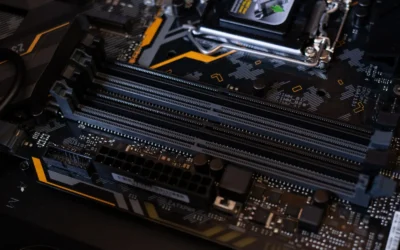
Socket and chipset dictate your upgrade path and total cost. The example parts in this guide use Socket AM5, which can support PCIe 5.0 on select motherboards and DDR5 memory. The AMD Ryzen™ 5 9600X 6-Core lists DDR5-5600 support, while the bundle built around the Micro Center AMD 9600X Processor with ASUS TUF GAM includes an ASUS TUF GAMING B850-E WIFI motherboard that supports PCIe 5.0, 3 x M.2 slots, 4 x SATA 6Gb/s ports, Wi-Fi 6E, and Bluetooth v5.3, and is noted as ready for AMD Ryzen 9000, 8000, and 7000 Series processors.
When you evaluate a platform, check three things. First, memory type and speed: AM5 is DDR5 only, so you will need DDR5 modules and you should match the CPU supported speed or the motherboard qualified list. Second, expansion: PCIe 5.0 for GPU and M.2 can help with future GPUs and fast storage, but you only benefit if you actually use those slots. Third, longevity: a B850 board with BIOS FlashBack and support for multiple Ryzen generations gives you more headroom for a drop in CPU upgrade later than a dead end platform. Also review our ryzen 5 7600 RX 7700 XT 1000 dollar gaming PC amazon build to see how platform choice affects total build cost.
Power, Thermals, and Cooler Clearance
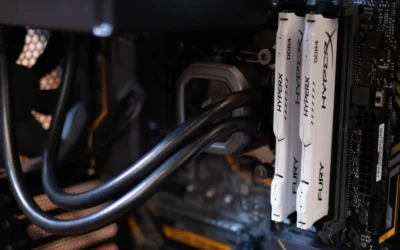
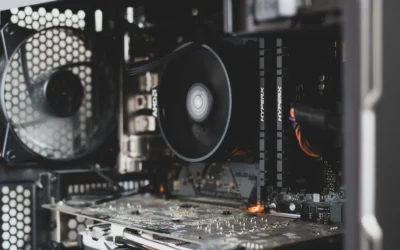
Thermal and power planning is where many 1440p builds stumble. The bundle listing notes a default TDP of 105W for its described processor configuration and explicitly states that a cooler is not included, which is also true for the standalone AMD Ryzen™ 5 9600X 6-Core. That means you must budget for an aftermarket cooler and make sure it fits your case and RAM. Always check cooler height or radiator clearance against your case spec sheet, and verify RAM clearance if you use a large air cooler.
Follow the manufacturer mounting instructions, use proper anti-static handling, and apply thermal paste as directed. For power, add up CPU and GPU draw and follow the GPU maker recommended wattage for the power supply, then add headroom for transient spikes and future upgrades. Do not assume a power supply handles any card. A quality unit with the right wattage and connectors, plus good case airflow, will keep boost clocks more consistent than chasing an aggressive overclock. Note that BIOS updates and overclocking are done at your own risk and may void warranty.
Upgrade Timing and Total Value
Value at 1440p is about total system cost, not just the CPU box. Compare the cost of CPU plus motherboard plus DDR5 plus cooler against the performance you expect with your GPU. The standalone processor gives you flexibility to pick your own board and memory, while a bundle like the Micro Center AMD 9600X Processor with ASUS TUF GAM can simplify compatibility with its included B850-E WIFI board that offers an 8+2+1 80A DrMOS power design, 8-layer PCB, and features like PCIe Slot Q-Release and M.2 Q-Latch.
Consider your upgrade horizon. If you already own an AM5 board and DDR5, a CPU only swap is often the most economical path. If you are coming from AM4 or an older Intel platform, factor in the cost of new memory and possibly a new cooler mounting kit. For budget focused builders, our Budget Build Guides and Graphics Cards sections can help you see where spending more on the GPU versus the CPU makes a bigger difference at 1440p in 2026 and November.
A few options that show the range:
This article contains affiliate links. If you buy through one of our links, CustomPCGaming may earn a commission at no extra cost to you. Commissions never influence which products we recommend or how we rank them. Read our Affiliate Disclosure for details.
Quick Picks at a Glance
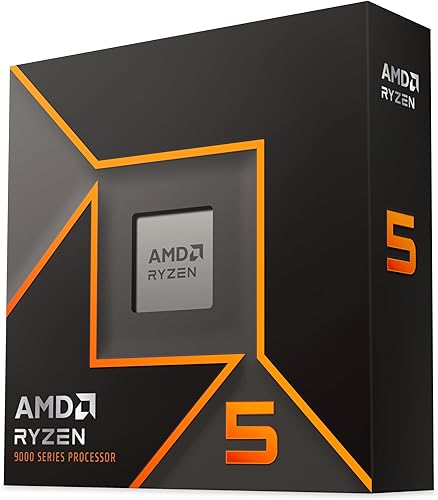
Prime AMD Ryzen 5 9600X 6-Core 12-Thread Unlocked

Prime AMD Ryzen 5 7600X & ASUS TUF Gaming B850-E WiFi
As an Amazon Associate we earn from qualifying purchases. Product prices and availability are accurate as of the date/time indicated.
Pros
- Excellent gaming performance with efficient Zen 5 architecture
- High 5.4 GHz boost clock and unlocked multiplier for overclocking
- Future ready AM5 platform with DDR5 and PCIe 5.0 support
- Energy efficient 65W TDP for cooler and quieter operation
- Large 38MB cache improves responsiveness in games and productivity
Cons
- CPU cooler not included, requires separate purchase
- Requires AM5 motherboard and DDR5 memory, not compatible with AM4 or DDR4 systems
- 6-core configuration may be limiting for heavy workstation or rendering tasks
The AMD Ryzen 5 9600X is a 6-core, 12-thread unlocked desktop processor built on the Zen 5 architecture for the AM5 platform. It is designed for gamers, PC builders and creators who want strong single and multi-threaded performance without stepping up to higher core counts.
In real world use, it targets smooth 100+ FPS gaming in popular titles while handling streaming, editing and multitasking comfortably. The 5.4 GHz max boost, 38MB cache and DDR5-5600 support help reduce stutter and improve responsiveness, and the unlocked design lets enthusiasts overclock on compatible motherboards.
Built for Socket AM5, the chip supports PCIe 5.0 on select motherboards for next generation graphics and storage. Despite its performance, it maintains a 65 watt TDP that balances power and thermals, and its compact design fits standard AM5 builds with air cooling.
The main trade off is that no cooler is included, so you will need to budget for an AM5 compatible air or liquid cooler. It also requires a newer AM5 motherboard and DDR5 memory, which adds cost if you are upgrading from an AM4 system.
Overall, the Ryzen 5 9600X is a compelling mid-range CPU that brings next gen Zen 5 speed and efficiency to a proven 6-core formula. For gamers and creators building a new AM5 system, it offers excellent value, future ready connectivity and headroom for overclocking.
Processor Series: Ryzen 5 9600X, 6 Cores, 12 Threads, Zen 5 Architecture
Clock Speed: 3.9 GHz base, up to 5.4 GHz max boost, unlocked for overclocking
Cache: 38MB total cache with 6MB secondary cache
Socket and Memory: Socket AM5, supports DDR5-5600 and PCIe 5.0 on select motherboards
Power and Cooling: 65 watts TDP, air cooling method, cooler not included
Compatibility: Windows 11 platform, 3 year manufacturer warranty
Pros
- Excellent gaming value with high boost clock and unlocked overclocking support
- Robust power delivery and cooling for stable performance under load
- Modern connectivity including PCIe 5.0, WiFi 6E and multiple M.2 slots
- TUF durability and DIY features simplify building and future upgrades
Cons
- CPU cooler not included and must be purchased separately for the 105W processor
- Listing shows conflicting CPU model names and memory type which may cause confusion
- ATX form factor and DDR5 requirement increase overall build cost and case size needs
This bundle combines the AMD Ryzen 5 7600X processor and ASUS TUF Gaming B850-E WiFi motherboard into a ready to build AM5 platform. It is designed for gamers, creators and first time builders who want a modern DDR5 foundation without hunting for compatible parts separately.
In real world use, the 6-core, 12-thread 7600X boosts to 5.3 GHz and delivers reliable 100+ FPS performance in popular titles when paired with a capable GPU. The B850 chipset adds PCIe 5.0 support, three M.2 slots and DDR5 speeds up to 8000 MHz, so load times stay fast and future upgrades remain open.
Build quality is a clear highlight thanks to ASUS TUF standards. You get an 8+2+1 80A DrMOS power design, 8-layer PCB, ProCool connectors and enlarged VRM and M.2 heatsinks for consistent thermal control. DIY touches like PCIe Q-Release, M.2 Q-Latch, Q-Antenna and pre-mounted I/O shield make installation noticeably easier.
There are a few tradeoffs to consider. The processor does not include a cooler, so you will need an AM5 compatible cooler for its 105W TDP. The listing also contains conflicting details that mention both 9600X and 7600X and lists DDR4, while this board is DDR5 only, so you must budget for DDR5 memory.
Overall, this is a strong value combo for anyone moving to AM5 who wants proven gaming performance and a durable, feature rich motherboard. If you already have a cooler and DDR5 RAM planned, it offers an excellent starting point for a high performance, WiFi equipped gaming PC.
Processor: AMD Ryzen 5 7600X, 6 cores, 12 threads, up to 5.3 GHz boost, 38MB cache, unlocked, Socket AM5
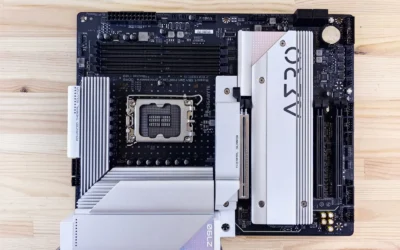
Motherboard: ASUS TUF Gaming B850-E WiFi, ATX, AMD B850 chipset, Socket AM5, supports Ryzen 9000, 8000 and 7000 Series
Memory Support: Dual channel DDR5 up to 256GB, up to 8000 MHz
Storage and Expansion: 3 x M.2 slots, 4 x SATA 6Gb/s, PCIe 5.0 support, 3 x PCIe slots
Connectivity: WiFi 6E 2x2, Bluetooth 5.3, USB 20Gbps Type-C, 12 x USB ports, 1 x HDMI, 1 x Ethernet
Special Features: Integrated Radeon Graphics, 8+2+1 80A power stages, BIOS FlashBack, Q-Release, Q-Latch, Windows 10 and 11 64-bit support
Matching a Part to Your Build
Scenario 1: You have a 1440p 144Hz monitor and a mid range to upper mid range GPU. Your CPU should keep you above your refresh target in competitive games without overspending on cores. The AMD Ryzen™ 5 9600X 6-Core with its 6 cores, 12 threads, 5.4 GHz Max Boost, and 38 MB cache fits this profile well when paired with DDR5-5600 and a competent tower cooler or 240mm liquid cooler that clears your case. Prioritize fast, stable DDR5 and good airflow over manual overclocking.
Scenario 2: You are building new from scratch and want a clean, long lived AM5 foundation. A bundle such as the Micro Center AMD 9600X Processor with ASUS TUF GAM gives you a matched CPU and B850-E WIFI board with PCIe 5.0 support, multiple M.2 slots, USB 20Gbps Type-C, and Wi-Fi 6E. This route makes sense if you value DIY friendly features like BIOS FlashBack, Q-Antenna, and Q-Latch, and you want support for Ryzen 9000, 8000, and 7000 Series for future swaps. Just confirm ATX case fit, as the board is ATX form factor, and verify your power supply has the required 8+4 pin ProCool connectors.
Scenario 3: You already own AM5 and DDR5 but your GPU is older. In this case, ask whether the CPU is actually holding you back at 1440p. Owners commonly report that upgrading the graphics card first yields a larger uplift at 1440p than swapping a recent 6-core CPU for another 6-core. If you do move to the AMD Ryzen™ 5 9600X 6-Core, reuse your DDR5 if it meets the supported speed, update BIOS at your own risk following the board maker guide, and reallocate budget to the GPU tier that matches your monitor refresh goal.
Common Mistakes
Mistake 1: Undersizing the power supply. Builders often pick a PSU that barely covers the GPU base power and forget transient peaks and CPU boost draw. Add CPU and GPU requirements, follow the GPU maker recommended wattage, and leave headroom for efficiency and future upgrades. A cramped power budget can limit boost and cause shutdowns under load.
Mistake 2: Buying a cooler that does not clear your case or RAM. Since the cooler is not included with these example CPUs, you must choose one. A tall air cooler may conflict with side panels or tall DIMMs, and a thick radiator may not fit front or top mounts. Check cooler height, radiator length and thickness, and fan clearance against your exact case model before you order, and follow the manufacturer mounting instructions.
Mistake 3: Mismatching memory or overpaying for unused platform features. AM5 requires DDR5, so DDR4 will not work, and running well below the CPU supported DDR5-5600 or the board qualified speeds can reduce performance. Likewise, paying extra for PCIe 5.0 drives or premium I/O you will not use takes budget from the GPU, which matters more at 1440p. Match memory to the platform spec and spend where it moves your frame rate.
Who Should Wait or Buy Differently
This approach is not ideal for everyone. If you primarily play at 4K with a GPU limited setup, or you need heavy multi threaded performance for rendering and compilation, a 6-core part is not the right choice and you may benefit from a higher core count CPU or from putting the budget toward a stronger GPU instead. It is also not a good fit if you are on a tight budget and would need to buy DDR5, a new board, and a cooler all at once just to switch platforms, in that case waiting for a sale or staying on your current socket while upgrading the graphics card often delivers better value for 1440p in 2026.
Frequently Asked Questions
Do I need a new motherboard for the Ryzen 5 9600X?
Yes, if you are not already on AM5. The Ryzen 5 9600X uses Socket AM5 and DDR5, and per the spec sheet it can support PCIe 5.0 on select motherboards. If you own an AM5 board, a BIOS update may be required, which you should do at your own risk following the board maker instructions.
Is the Ryzen 5 9600X good for 1440p 144Hz gaming?
For most 1440p 144Hz builds it is a strong match when paired with a capable GPU and DDR5-5600. The part is described as delivering smooth 100+ FPS in popular games, but your actual refresh will depend on the GPU, game settings, and cooling. Owners commonly report that at 1440p the GPU matters more, so balance CPU and GPU spending.
What cooler and power supply should I plan for?
Budget for an aftermarket cooler since one is not included, and verify height or radiator clearance against your case and RAM. For power, follow the GPU maker recommended wattage, add CPU draw, and keep headroom for peaks. Good airflow and a quality PSU will help maintain boost clocks more reliably than aggressive tuning.
Write Your Review
No reviews yet. Be the first to share your experience!