

If you are shopping for the best motherboard and RAM to pair with the Ryzen 5 9600X, you are really choosing the foundation for your whole AM5 build. The right board and memory let the processor reach its 5.4 GHz Max Boost and deliver smooth 100+ FPS in popular games, while the wrong pairing can limit performance or force an early replacement.
In November 2026, focus on five variables before you buy: your resolution and refresh target, the AM5 platform and socket requirements, your case size and cooler clearance, your power budget and connectivity needs, and whether you are building for today or planning a CPU or GPU upgrade later. For broader context on current processors, browse the Gaming CPUs category.
What Actually Matters
Socket, Chipset and BIOS Readiness
The Ryzen 5 9600X uses Socket AM5 and is based on Zen 5 with 6 cores and 12 threads and 38 MB cache. Per the spec sheet it supports DDR5-5600 and can support PCIe 5.0 on select motherboards, so you need an AM5 board that explicitly lists Ryzen 9000 support.
Chipsets like B850 are positioned for Ryzen 9000 and 7000 processors and often bring PCIe 5.0×16 and M.2 Gen5 support. Check the board support page for the minimum BIOS version and remember that BIOS updates are done at your own risk and may void warranty. Handle the board with anti-static precautions and follow the manufacturer mounting instructions.
Memory Speed, Timings and Channel Configuration
DDR5-5600 is the baseline support listed for this processor, but many AM5 boards advertise much higher OC speeds, such as DDR5 8200+ MT/s (OC) when overclocking is enabled. A common sweet spot owners commonly report for AM5 is DDR5 6000MHz with AMD EXPO or Intel XMP 3.0, which you enable in BIOS to reach the rated speed.
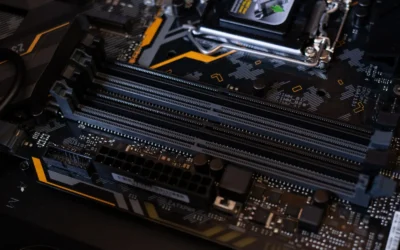
Pay attention to capacity and channel setup. A single 16GB module lets you boot right away and leaves a slot open, but two matched sticks in dual channel give you more bandwidth for gaming and multitasking. Timings like CL38 affect latency, so compare kits at the same speed. If you want budget context, see the Budget Build Guides for how memory choices affect total cost.
Expansion, Storage and Connectivity
Think about what you will actually plug in. PCIe 5.0×16 matters if you plan to keep the board through a next generation GPU upgrade, while PCIe 4.0×16 is fine for most current cards. M.2 Gen5 slots give you headroom for faster NVMe drives, and the number of M.2 slots determines how many drives you can add without using SATA.
Networking and rear I/O also shape daily use. Boards that include Wi-Fi 7 and 5G LAN give you high speed wireless and wired options without add-in cards, which helps if your router supports newer standards. ATX boards generally offer more slots and ports than smaller form factors, so match the board size to your case and your need for USB, audio, and internal headers.
Power Delivery, Cooling Clearance and Case Fit
Even a 6-core processor benefits from solid power delivery if you enable EXPO or pursue overclocking, since the chip is unlocked for overclocking. Look for adequate VRM heatsinks and supplemental PCIe power where provided, and plan your power supply with headroom over the combined CPU and GPU draw. Follow the GPU maker recommended wattage and never assume a unit handles any card.
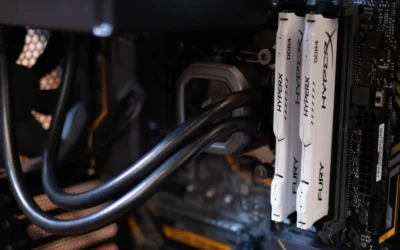
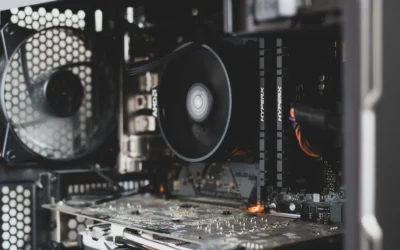
Physical fit is just as important. The processor does not include a cooler, so you will add your own. Check cooler height or radiator clearance against your case spec sheet, and confirm that tall RAM or thick radiators will not interfere. Follow the cooler and case manufacturer instructions for mounting pressure and fan orientation, and keep anti-static handling in mind during installation.
To show how these tradeoffs look in practice, here are a few options that show the range:
This article contains affiliate links. If you buy through one of our links, CustomPCGaming may earn a commission at no extra cost to you. Commissions never influence which products we recommend or how we rank them. Read our Affiliate Disclosure for details.
Quick Picks at a Glance
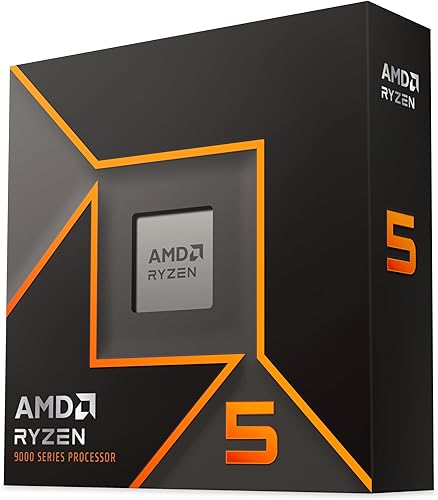
Prime AMD Ryzen 5 9600X 6-Core 12-Thread Unlocked

MSI B850 GAMING PLUS WIFI ATX Motherboard Bundle
As an Amazon Associate we earn from qualifying purchases. Product prices and availability are accurate as of the date/time indicated.
Pros
- Excellent gaming performance with efficient Zen 5 architecture
- High 5.4 GHz boost clock and unlocked multiplier for overclocking
- Future ready AM5 platform with DDR5 and PCIe 5.0 support
- Energy efficient 65W TDP for cooler and quieter operation
- Large 38MB cache improves responsiveness in games and productivity
Cons
- CPU cooler not included, requires separate purchase
- Requires AM5 motherboard and DDR5 memory, not compatible with AM4 or DDR4 systems
- 6-core configuration may be limiting for heavy workstation or rendering tasks
The AMD Ryzen 5 9600X is a 6-core, 12-thread unlocked desktop processor built on the Zen 5 architecture for the AM5 platform. It is designed for gamers, PC builders and creators who want strong single and multi-threaded performance without stepping up to higher core counts.
In real world use, it targets smooth 100+ FPS gaming in popular titles while handling streaming, editing and multitasking comfortably. The 5.4 GHz max boost, 38MB cache and DDR5-5600 support help reduce stutter and improve responsiveness, and the unlocked design lets enthusiasts overclock on compatible motherboards.
Built for Socket AM5, the chip supports PCIe 5.0 on select motherboards for next generation graphics and storage. Despite its performance, it maintains a 65 watt TDP that balances power and thermals, and its compact design fits standard AM5 builds with air cooling.
The main trade off is that no cooler is included, so you will need to budget for an AM5 compatible air or liquid cooler. It also requires a newer AM5 motherboard and DDR5 memory, which adds cost if you are upgrading from an AM4 system.
Overall, the Ryzen 5 9600X is a compelling mid-range CPU that brings next gen Zen 5 speed and efficiency to a proven 6-core formula. For gamers and creators building a new AM5 system, it offers excellent value, future ready connectivity and headroom for overclocking.
Processor Series: Ryzen 5 9600X, 6 Cores, 12 Threads, Zen 5 Architecture
Clock Speed: 3.9 GHz base, up to 5.4 GHz max boost, unlocked for overclocking
Cache: 38MB total cache with 6MB secondary cache
Socket and Memory: Socket AM5, supports DDR5-5600 and PCIe 5.0 on select motherboards
Power and Cooling: 65 watts TDP, air cooling method, cooler not included
Compatibility: Windows 11 platform, 3 year manufacturer warranty
Pros
- Excellent stability and user friendly BIOS praised for first try boots and easy updates
- Strong future proofing with Wi-Fi 7, PCIe 5.0, Gen5 M.2 and 5G LAN
- Convenient bundle saves time sourcing compatible RAM and guarantees EXPO compatibility
- Supports high speed DDR5 overclocking up to 8200+ MT/s for gaming and content creation
Cons
- Ships with single 16GB stick so you run in single channel mode until you add a second module
- Only two DIMM slots limits total memory capacity compared to four slot ATX boards
- Mid range build quality, with one user reporting a fragile primary M.2 mounting point that needs careful handling
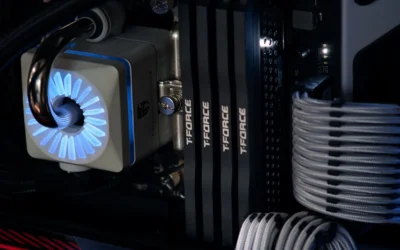
The MSI B850 GAMING PLUS WIFI bundle combines an ATX AM5 motherboard with a 16GB TEAMGROUP T-Force Delta DDR5 6000MHz module, giving builders everything needed to post immediately. It is designed for gamers and creators building around AMD Ryzen 7000, 8000 or 9000 series processors who want modern connectivity without sourcing RAM separately.
In real world use, owners report stable first try boots, easy BIOS updates and simple one click EXPO activation to reach the full 6000MHz speed. With support for DDR5 up to 8200+ MT/s OC, PCIe 5.0 graphics, Gen5 M.2 and 5G LAN plus Wi-Fi 7, it delivers responsive gaming, fast load times and smooth multitasking.
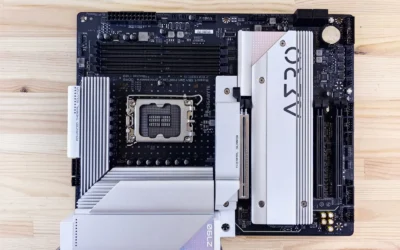
The board uses a clean ATX layout with EZ DIY features, supplemental PCIe power and a good mix of USB ports including USB-C for peripherals. The included Delta RGB memory adds style while the overall design focuses on reliable 24/7 operation and straightforward installation for both new and experienced builders.
Drawbacks are worth noting. You get a single DIMM so performance stays in single channel mode until you add a matching 16GB stick, and the two slot design limits total capacity compared to four slot alternatives. One user also reported a fragile M.2 mounting point, so careful handling during installation is recommended.
Overall, this is a smart, future ready bundle for AM5 builders who value convenience, strong connectivity and proven MSI stability. If you want a hassle free start with an easy path to 32GB dual channel, it is a compelling choice for gaming and productivity builds.
Socket: AM5 for AMD Ryzen 9000, 8000, 7000 Series Desktop Processors
Chipset: AMD B850, ATX Form Factor
Memory: DDR5, 2 DIMM slots, up to 8200+ MT/s OC, includes 1x 16GB 6000MHz CL38 with AMD EXPO and Intel XMP 3.0
Expansion: PCIe 5.0 x16 and PCIe 4.0 x16, Gen5 M.2 slot with supplemental PCIe power
Networking: Wi-Fi 7 and 5G LAN, USB-C and multiple USB ports, Windows 11 ready
Matching a Part to Your Build
Scenario 1: High refresh 1080p gaming on a new AM5 build. If you play competitive titles where you want to push well above 60Hz, prioritize a board with reliable memory support for DDR5 6000MHz via AMD EXPO and stable PCIe 5.0×16 for your GPU. The ryzen 5 7600 RX 7700 XT 1000 dollar gaming PC amazon build breakdown shows how builders balance board cost with GPU budget at this resolution.
For this scenario, the MSI B850 GAMING PLUS WIFI Motherboard,ATX-Supports bundle is illustrative because it pairs the board with a single 16GB TEAMGROUP T-Force Delta DDR5 6000MHz CL38 module. You can boot immediately and add a second matched 16GB stick later for dual channel. Enable EXPO in BIOS to reach 6000MHz, and verify your case has clearance for an ATX board and your chosen air cooler or radiator.
Scenario 2: Balanced 1440p gaming with streaming and creation. Here you want bandwidth and capacity for multitasking, plus connectivity that does not require dongles. A board with Wi-Fi 7, 5G LAN, and multiple M.2 Gen5 slots keeps your options open for fast storage and clean networking while you stream or edit.
The AMD Ryzen 5 9600X 6-Core itself brings 6 cores and 12 threads and 38 MB cache with DDR5-5600 support, so pairing it with 6000MHz memory via EXPO is a logical step up without chasing extreme OC speeds like 8200+ MT/s that may need manual tuning. If you plan to pair it with a newer GPU tier, review top RTX 5070 ti cards for 1440p gaming and Graphics Cards to align your board PCIe layout and PSU headroom with the card you want.
Scenario 3: Upgrade focused ATX build that will last several years. If you already own DDR5 or plan to reuse drives, choose an ATX board with extra M.2 slots, clear PCIe slot spacing, and BIOS support for both Ryzen 9000 and 7000 series. This gives you a path to a later CPU drop-in without replacing the platform.
In this case, starting with a 1x 16GB 6000MHz kit keeps the initial build simple and leaves room to add a second stick for 32GB total when you need it. Confirm the board QVL for that exact memory part number, check that your cooler does not overhang the RAM slots, and follow the board manual for the preferred DIMM slots when you run two modules.
Common Mistakes
Mismatched memory speed and platform expectations. Buying a very high MT/s kit and assuming it will run at that speed out of the box is a common error. On AM5, speeds above DDR5-5600 often require enabling AMD EXPO or Intel XMP 3.0, and the top OC figures like 8200+ MT/s depend on board, CPU silicon, and manual tuning. Always check the board QVL and be ready to run at a lower stable speed if needed.
Cooler and case clearance oversights. Because the Ryzen 5 9600X does not include a cooler, you must add one, but a cooler that is too tall or a radiator that is too thick can conflict with RAM or the case side panel. Measure cooler height and radiator thickness against your case spec, check RAM height, and follow manufacturer mounting instructions. Overclocking and even BIOS changes for EXPO are done at your own risk and may void warranty.
Undersized power and unbalanced spending. Pairing a capable AM5 board and fast DDR5 with an undersized PSU can cause instability under load, especially when you add a power hungry GPU. Size your PSU with headroom over combined draw and follow the GPU maker recommended wattage instead of guessing. Also avoid paying for PCIe 5.0 everywhere if your GPU and drives cannot use it yet, put that budget toward a second RAM stick for dual channel or better cooling.
Who Should Wait or Buy Differently
This pairing approach is not ideal for you if you already own a large DDR4 kit you want to reuse, since AM5 requires DDR5, or if you need a small form factor build where ATX boards will not fit. It is also not the right choice if you plan to stay on an older AM4 platform to save money, or if you need maximum cores for heavy workstation tasks where a higher core count CPU would serve you better than a 6-core, 12-thread part. In those cases, consider a different platform or wait for a board that matches your case and memory inventory.
Frequently Asked Questions
Do I need DDR5 6000MHz for the Ryzen 5 9600X or is DDR5-5600 enough?
DDR5-5600 is the spec sheet baseline and works well for most gamers. DDR5 6000MHz with CL38 via AMD EXPO is a popular step up that many AM5 owners choose for extra bandwidth, and you enable it with one click in BIOS. If stability is your priority, start at DDR5-5600 and only move up after confirming QVL support.
Will a B850 board need a BIOS update for Ryzen 9000?
Many B850 boards ship with Ryzen 9000 support, but some early stock may need an update to recognize the 9600X. Check the board product page for the minimum BIOS version and use BIOS Flashback if available. Remember BIOS updates are done at your own risk, so follow the manufacturer guide closely and use anti-static handling.
Is a single 16GB stick enough or should I buy two?
A single 16GB DDR5 6000MHz module lets you build and boot now and add another later, which is what the bundle with the MSI B850 GAMING PLUS WIFI Motherboard,ATX-Supports demonstrates. For best gaming and multitasking performance, two matched sticks in dual channel are preferred. If you can, buy a 2x16GB matched kit from the QVL or plan to add an identical second stick soon.
Write Your Review
No reviews yet. Be the first to share your experience!