

Video credit: GeekaWhat. Original video: https://www.youtube.com/watch?v=pc6rlV5GkcM. This is our own independent breakdown and is not affiliated with the video creator. As an Amazon Associate, CustomPCGaming earns from qualifying purchases. Product prices shown in the video may have changed.
Watch the build
Parts in this build
- AMD Ryzen 7 9800X3D
- NVIDIA GeForce RTX 5080
- ASUS TUF Gaming X870-PLUS WiFi
- G.Skill Trident Z5 Neo 64GB DDR5 6000
- Crucial T705 2TB Gen5
- Corsair RM1000e
- NZXT H7 Flow 2024
- Arctic Liquid Freezer III 360
Parts list is our summary of the video for reference. Confirm current specs and price on the retailer page before buying.
Watch: The Build Video
This is our independent parts analysis and is not affiliated with the video creator. As an Amazon Associate, CustomPCGaming earns from qualifying purchases. Product prices shown in the video may have changed.
The embedded video shows a build in this class, a high end system aimed at 4K and high refresh 1440p gaming in 2026. Use it to see case layout, cooler mounting, and cable routing for this tier, while the parts list below is our own researched configuration for the same performance class.
What This Build Is
This quiet and thermally optimised gaming pc build in the high class breakdown is built around a simple idea, put the budget where it matters most for 4K and high refresh 1440p, the CPU and graphics card, and keep everything else practical, quiet, and well cooled.
At its centre is the AMD Ryzen 7 9800X3D paired with the NVIDIA GeForce RTX 5080. That pairing is chosen so the processor does not hold the card back at your target resolution. You get a current AM5 platform with DDR5 and PCIe 5.0 support, plus headroom for future upgrades without paying for flagship extras you will not use.
Builds at this level usually make a few deliberate tradeoffs. You will see a capable mid tower with strong stock airflow instead of a boutique case, a motherboard with a proven VRM and the I/O you actually need rather than overclocking features for record chasing, and a 360mm liquid cooler that keeps noise low while holding the CPU in its normal boost range. The budget stays focused on the graphics card, the processor, fast responsive storage, and a power supply with real headroom.
This configuration is aimed at gamers who want quiet operation, steady thermals under long sessions, and a platform that will accept a newer AM5 chip later if you choose. If you play mostly competitive titles at 1080p, or you need a compact small form factor system for a tight desk, this is more build than you need and a smaller, lower power setup would serve you better.
You should also expect the usual high end considerations. A triple fan RTX 5080 class card is long and wide, so case clearance matters, and an RTX 50 series card uses the newer 12V-2×6 connector, so you want a modern ATX 3.1 supply and the correct native cable. We cover those fit and power details in the compatibility section below.
Parts Breakdown
This is the core of our quiet and thermally optimised gaming pc build in the high class breakdown. The table shows what is common at this level and our current 2026 pick for each part, followed by why we chose it for a quiet, thermally optimised 4K and high refresh 1440p system.
This article contains affiliate links. If you buy through one of our links, CustomPCGaming may earn a commission at no extra cost to you. Commissions never influence which products we recommend or how we rank them. Read our Affiliate Disclosure for details.
Quick Picks at a Glance
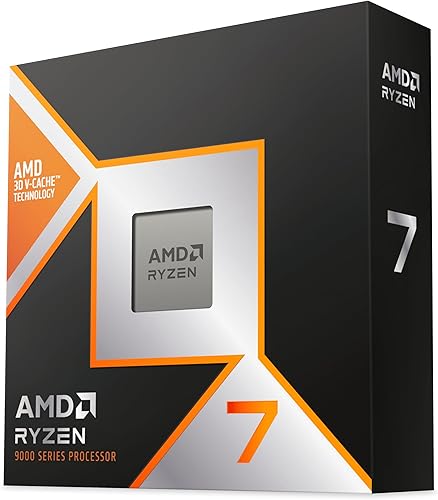
AMD Ryzen 7 9800X3D 8-Core 16-Thread

Prime NZXT H7 Flow Mid-Tower ATX Airflow Case
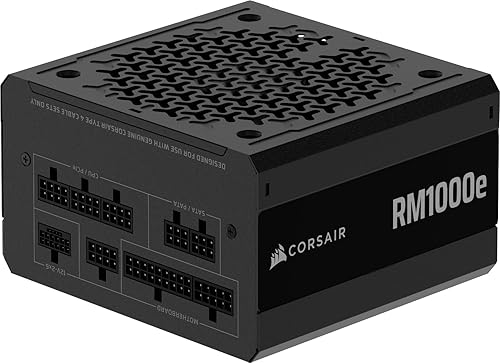
CORSAIR RM1000e 1000W ATX 3.1 Power Supply

Crucial T705 2TB PCIe Gen5 NVMe SSD

Prime G.SKILL Trident Z5 Neo RGB 64GB DDR5 6000 CL30 Kit
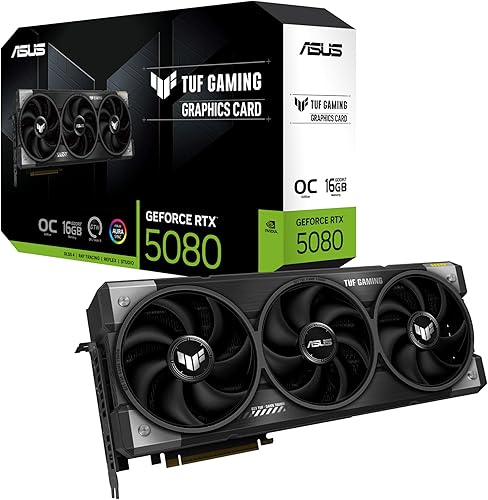
ASUS TUF Gaming GeForce RTX 5080 OC Edition 16GB

Prime ARCTIC Liquid Freezer III Pro 360 AIO CPU Cooler

Prime MSI MAG X870 Tomahawk WiFi AM5 Gaming Motherboard
As an Amazon Associate we earn from qualifying purchases. Product prices and availability are accurate as of the date/time indicated.
Pros
- Exceptional gaming performance with extremely consistent frame times
- Excellent power efficiency and manageable thermals with a good aftermarket cooler
- Easy installation on AM5 platform with broad motherboard compatibility after BIOS update
- Strong all around performance for gaming, streaming and everyday creation tasks
Cons
- Cooler not included, requires separate high quality cooling solution
- Requires AM5 motherboard and DDR5 memory, not compatible with AM4 systems
- 8-core design is less optimal for heavy workstation rendering versus higher core count CPUs
The AMD Ryzen 7 9800X3D is a high performance desktop processor designed for gamers, streamers and creators who demand top tier speed. Built on the Zen 5 architecture with next generation 3D V-Cache, it is purpose built to eliminate CPU bottlenecks in modern titles.
In real world gaming, the massive 96MB L3 cache and boost clocks up to 5.2GHz deliver outstanding frame rates and remarkably consistent frame times. Users report smooth performance in demanding and CPU heavy games, with excellent 1% lows that reduce stutter during competitive play and streaming.
The chip uses the proven Socket AM5 platform and offers drop in compatibility with existing AM5 motherboards after a BIOS update. Build quality reflects AMDs premium design, with improved thermal performance over the previous generation and efficient operation even during long sessions with a quality aftermarket cooler.
As a gaming focused CPU, it is not the best choice for heavy workstation or rendering workloads where higher core count processors excel. It also ships without a cooler, requires an AM5 board and DDR5 memory, and needs capable cooling to maintain its boost performance.
Overall, the Ryzen 7 9800X3D stands out as the go to processor for gamers who want the fastest and most stable gaming experience available. If your priority is maximum FPS, low latency and future ready AM5 support, this CPU is an excellent investment.
Model: AMD Ryzen 7 9800X3D, 8-Core, 16-Thread, Zen 5 Architecture
Cache: 96MB L3 Cache, 104MB Total Cache, 8MB L2 Cache
Clock Speed: 4.7GHz Base, Up to 5.2GHz Boost
Socket & Platform: Socket AM5, Supports DDR5 and PCIe 5.0, Windows 11 Ready
Power & Cooling: 140W, External Cooler Required, Cooler Not Included
Pros
- Excellent airflow and thermal performance for both CPU and GPU
- Three included front fans provide strong cooling without extra purchases
- Flexible cooling options with support for large front and top radiators
- Smart cable management system simplifies building and improves airflow
- Clean, modern NZXT design with solid metal and plastic construction
Cons
- Bottom fans for dedicated GPU cooling are not included and must be purchased separately
- Only one 3.5 inch internal bay limits traditional hard drive expansion
- Large dimensions and 11.35 kg weight require ample desk or floor space
The NZXT H7 Flow CM-H72FB-01 is a mid-tower ATX airflow case designed for gamers and performance focused builders who prioritize cooling. It balances a relatively narrow footprint with full support for ATX motherboards and high end components.
Its standout feature is dedicated GPU cooling with space for three 120mm bottom fans that feed fresh air directly to the graphics card. Out of the box, three included front fans and high flow mesh panels deliver strong airflow, while support for up to 420mm front and 360mm top radiators makes it ideal for custom liquid cooling.
Build quality is solid with a mix of metal and plastic, clean lines and the signature NZXT minimalist aesthetic in black. The intuitive cable management system with wide channels, hooks and straps keeps the interior tidy and simplifies the build process, even for less experienced builders.
There are a few tradeoffs to consider. The bottom fans for GPU cooling are not included, so you will need to budget for them, and storage expansion is limited with just one 3.5 inch bay. At over 21 inches tall and 11.35 kg, it is still a substantial case that needs adequate space.
Overall, the H7 Flow is a top choice for airflow first builds that need excellent thermal headroom without moving to a full tower. If you want cool, quiet performance, flexible radiator options and a clean showcase for your components, it delivers outstanding versatility.
Model: NZXT H7 Flow CM-H72FB-01, Black, Mid-Tower ATX
Cooling: 3x 120mm front fans included, supports 3x 120mm bottom fans for GPU, up to 420mm front radiator and 360mm top radiator
Motherboard & Expansion: ATX compatible, 7 expansion slots, bottom mount PSU
Storage & I/O: 1x 3.5 inch internal bay, USB ports include USB 3.0 and USB 2.0
Materials & Dimensions: Metal and plastic construction, 18.43 x 9.6 x 21.42 inches, 11.35 kg
Pros
- Fully modular cables simplify building and improve airflow
- ATX 3.1 and PCIe 5.1 ready with included native 12V-2x6 cable and adapter
- Very quiet operation even under heavy gaming loads
- High quality 105C rated capacitors and Gold efficiency for stable power
Cons
- Rifle bearing fan is durable but not as premium as fluid dynamic bearing designs
- 1000W is more than needed for mid range builds, adding unnecessary cost for some users
- No RGB lighting or premium sleeved cables for showcase builds
The CORSAIR RM1000e (2025) is a 1000W fully modular ATX power supply built for high end gaming rigs, creator workstations and future upgrades. It is ideal for users pairing powerful CPUs with RTX 40 series or newer GPUs who want reliable headroom and modern connectivity.
With ATX 3.1 and PCIe 5.1 certification, it handles up to 2x transient GPU excursions and includes a native 600W 12V-2x6 cable plus an adapter. Real world feedback highlights stable power delivery and impressively low noise, even when driving systems like an i9 with RTX 3080 or 3090 under load.
Build quality is solid with a clean matte black finish, compact 140mm depth and fully modular flat black cables that are easy to route. Industrial grade 105C rated capacitors and Cybenetics Gold efficiency ensure steady electrical performance and improved energy use.
There are a few tradeoffs to consider. The 120mm rifle bearing fan is quiet but not as advanced as fluid dynamic options, and the unit lacks RGB or premium braided cables. Builders with mid range systems may also find 1000W is more capacity than they need.
Overall, the RM1000e is a quiet, efficient and builder friendly PSU that offers excellent future proofing for demanding hardware. If you want dependable, low noise power with modern GPU support and a strong warranty, it is a smart long term investment.
Model: CORSAIR RM1000e (2025) CP-9020297-NA, ATX Form Factor, Fully Modular Design
Power and Efficiency: 1000W output, Cybenetics Gold efficiency, 100 to 240V input, Modern Standby compatible
Compliance and Connectors: ATX 3.1 and PCIe 5.1 ready, 1x 24-pin ATX, 2x 8-pin EPS12V, 1x 600W 12V-2x6, 1x PCIe 8-pin, 6x SATA, 2x PATA
Cooling and Build: 120mm rifle bearing fan, air cooling, 105C rated capacitors, 140mm compact casing
Dimensions and Warranty: 5.91 x 5.51 x 3.35 inches, 3.6 pounds, 7 year manufacturer warranty
Pros
- Class leading PCIe 5.0 performance for boot times, game loads and large file transfers
- Large 2TB capacity ideal for gaming libraries and content creation workflows
- Reliable Micron TLC NAND with hardware encryption and 5-year warranty
- Includes Acronis cloning software and Adobe Creative Cloud for easy setup and creation
Cons
- Runs very hot under sustained loads and requires a motherboard or aftermarket heatsink with good airflow
- Requires a Gen5 M.2 slot to reach full advertised speeds, limited benefit on Gen4 systems
- Premium cost compared to PCIe 4.0 drives and no heatsink included in the box
The Crucial T705 2TB is a flagship PCIe Gen5 NVMe M.2 SSD built for hardcore gamers, enthusiasts and creative professionals who demand the fastest storage available. Designed for Intel 13th and 14th Gen and AMD Ryzen 7000 platforms, it is made to eliminate bottlenecks in high end gaming and workstation builds.
In real world use, it delivers blistering sequential reads up to 14,500MB/s and writes up to 12,700MB/s for near instant boot times and game loads. Microsoft DirectStorage optimization reduces latency and CPU overhead, while the generous 2TB capacity easily handles AAA games, 8K video and large creative projects.
Built with Micron 232-layer TLC NAND in a standard M.2 2280 form factor, the drive reflects Crucials trusted quality and reliability. It includes hardware encryption, Acronis True Image for easy cloning and a one month Adobe Creative Cloud All Apps subscription, all backed by a 5-year limited warranty.
The main drawback is heat, as this Gen5 drive runs extremely hot under sustained loads and requires a quality heatsink with strong airflow to avoid thermal throttling. You also need a Gen5 M.2 slot to unlock its full speed, and it carries a premium over PCIe 4.0 alternatives.
Overall, the Crucial T705 is one of the fastest consumer SSDs you can buy and an excellent choice for future proofing a top tier PC. If you have proper cooling and a compatible system, it delivers elite performance that is ideal for competitive gaming, 3D rendering and demanding content creation.
Performance: Up to 14,500MB/s read, 12,700MB/s write, PCIe Gen5 NVMe, Micron 232-layer TLC NAND, 2GB cache
Capacity & Form Factor: 2TB, M.2 2280, 3.15 x 0.87 x 0.15 inches, 9.9g, Black
Compatibility: Intel 13th/14th Gen, AMD Ryzen 7000, Desktop, Workstation, PS5, Xbox Series X/S via M.2 Gen5 slot
Features: Hardware encryption, Microsoft DirectStorage support, heatsink compatible design, requires airflow
Bundle & Warranty: Acronis True Image, Crucial Storage Executive, one month Adobe Creative Cloud All Apps, 5-year limited warranty, Model CT2000T705SSD3
Pros
- Excellent 6000MT/s CL30 performance, the recognized sweet spot for AMD AM5
- High 64GB capacity in a matched 2x32GB kit for future proofing
- Stunning Trident Z5 Neo RGB design with efficient heat dissipation
- Easy EXPO setup and broad AMD motherboard QVL validation
- Limited lifetime manufacturer warranty
Cons
- Requires enabling EXPO in BIOS to reach rated 6000MT/s, defaults to lower JEDEC speed otherwise
- Relatively high 1.40V EXPO voltage runs warmer than lower voltage kits
- Designed for AMD EXPO, Intel users should choose an XMP variant for best compatibility
The G.SKILL Trident Z5 Neo RGB F5-6000J3040G32GX2-TZ5NR is a 64GB DDR5 kit built specifically for AMD AM5 platforms, delivering two matched 32GB modules rated at DDR5-6000. It is designed for gamers, content creators and power users who need high capacity without sacrificing speed on Ryzen 7000 and 9000 systems.
In real world use, DDR5-6000 at CL30-40-40-96 is widely considered the sweet spot for AMD Zen 4 and Zen 5, offering excellent gaming frame rates and low latency. With AMD EXPO enabled in BIOS, the kit hits its rated speed with one click, while the default JEDEC profile ensures reliable booting on any compatible board.
Build quality is premium, with a matte black brushed aluminum heatspreader that dissipates heat efficiently and looks sharp in any build. The integrated RGB bar is bright, fully customizable through motherboard software, and adds flair without being overly bulky for most air coolers.
There are a few caveats to consider. The 1.40V EXPO voltage is higher than many DDR5 kits and reaching the rated speed depends heavily on your CPU and motherboard silicon quality. It is also AMD EXPO focused, so Intel users should choose a Trident Z5 RGB XMP variant for guaranteed compatibility.
Overall, this is a top tier DDR5 kit for AMD enthusiasts who want 64GB of fast, low latency memory with headroom for multitasking and future games. If you are building a high end AM5 gaming or workstation PC and want plug and play EXPO performance with standout looks, this kit is an excellent investment.
Model: F5-6000J3040G32GX2-TZ5NR | Trident Z5 Neo RGB Series | 64GB (2x32GB) DDR5 U-DIMM, 288-pin, Non-ECC
Speed & Timings: Up to 6000MT/s (DDR5-6000) at CL30-40-40-96, 1.40V via AMD EXPO profile. JEDEC default profile for standard boot compatibility.
Compatibility: Validated for AMD X870, X670, B850, B840 and B650 platforms. Check G.SKILL QVL or RAM Configurator for your motherboard.
Features: Matte black aluminum heatspreader, customizable RGB lighting, Intel/AMD desktop compatible form factor. Limited Lifetime Manufacturer Warranty.
To get the rated 6000MT/s, you must enable the AMD EXPO profile in your motherboard BIOS, as the kit will boot at JEDEC default speed otherwise. Enabling EXPO is considered overclocking and stability depends on your CPU memory controller and motherboard.
Do not mix this kit with other memory kits, even of the same model, as mixing can cause stability issues or boot failure. Always install matched kits as sold.
For best results, use a motherboard from the G.SKILL QVL list and update to the latest BIOS before enabling EXPO. Refer to G.SKILL's website for the most current validated configurations.
Pros
- Exceptionally cool and quiet operation, even during demanding AAA gaming and sustained AI generation
- Excellent build quality with rugged TUF construction and included GPU support bracket to prevent sag
- Strong 4K gaming and local AI performance thanks to 16GB GDDR7 and DLSS 4
- Premium connectivity with DisplayPort 2.1a and HDMI 2.1b for high-refresh 4K and 8K displays
- Intuitive tuning and monitoring via GPU Tweak III software
Cons
- Massive 3.6-slot, 13.7-inch footprint requires a large case and may block adjacent PCIe slots
- Requires 850W PSU with 16-pin 12V-2x6 connector, so many upgraders will need a new power supply
- Minimal RGB lighting will disappoint builders seeking a flashy, highly customizable light show
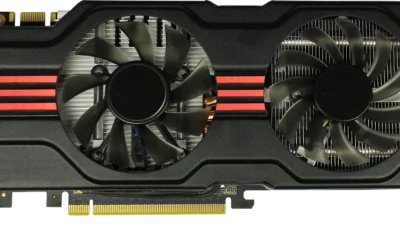
The ASUS TUF Gaming GeForce RTX 5080 OC Edition is a flagship Blackwell graphics card built for serious gamers, creators and AI enthusiasts who demand uncompromising 4K performance. With 16GB of ultra-fast GDDR7 memory and DLSS 4, it is designed to handle the most demanding AAA titles and local AI workloads with ease.
In real-world use, owners report impressively low temperatures and near-silent operation, often staying under 60 degrees Celsius during extended Cyberpunk 2077 sessions and idling around 25 degrees. The factory overclock to 2730 MHz plus DLSS 4 delivers smooth, high-frame-rate 4K gaming, while 16GB GDDR7 proves excellent for ComfyUI video generation and other creative tasks.
Build quality is a true highlight, with a rugged TUF design featuring military-grade components, protective PCB coating and Auto-Extreme manufacturing for long-term reliability. The massive 3.6-slot fin array with three Axial-tech fans and a phase-change thermal pad ensures lasting cooling, and the included GPU holder helps prevent sag despite its 4.3-pound weight.
Its size is the main trade-off, as the 13.7-inch length and 3.6-slot width demand a large case with excellent clearance and slot spacing. You will also need an 850W power supply with a 16-pin 12V-2x6 connector, so many users upgrading from older 30-series cards should plan for a PSU upgrade as well.
Overall, the TUF RTX 5080 OC Edition delivers on its promise of durability, cool quiet power and next-gen features in a tank-like package. If you have the case space and power to support it, it is an outstanding choice for a high-end, future-proof gaming and creation rig that will stay reliable for years.
GPU: NVIDIA GeForce RTX 5080 Blackwell architecture, 16GB GDDR7, Boost Clock up to 2730 MHz in OC Mode and 2700 MHz in Default Mode, PCI-Express x16 interface.
Cooling and Power: Triple Axial-tech fans, 3.6-slot design with massive fin array, phase-change thermal pad, requires 850W PSU with 16-pin 12V-2x6 connector.
Connectivity and Build: 3x Native DisplayPort 2.1a, 2x Native HDMI 2.1b, max resolution 7680 x 4320, dimensions 13.7 x 5.7 inches, weight 5 pounds. Includes TUF graphics card holder, TUF magnet, Velcro hook and loop, and user manual. 3-year warranty.
Pros
- Excellent thermal performance for overclocking and high TDP CPUs
- Quieter than previous P12 fans, especially at low to medium speeds
- VRM fan and contact frame add real value beyond standard AIOs
- Clean installation with single visible cable and 6 year manufacturer warranty
Cons
- 360mm radiator requires a large case with dedicated 360mm support
- Heavy 2020g unit can be tricky for first time builders to install
- No RGB lighting or aesthetic options for users who want visual customization
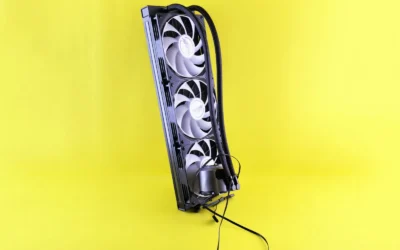
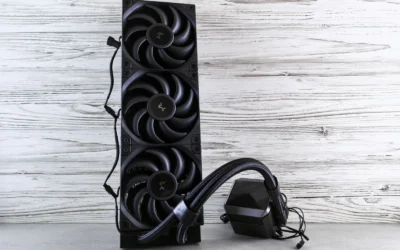
The ARCTIC Liquid Freezer III Pro 360 is a premium 360mm all in one liquid cooler designed for enthusiasts, gamers and creators pushing modern Intel and AMD CPUs. It is purpose built for users who need maximum thermal headroom without excess noise, especially in overclocked or high performance desktop builds.
Standout features translate directly to real world gains. The triple P12 Pro fans push up to 77 CFM at 3000 RPM while staying quieter at low speeds, and native offset mounting aligns the cold plate with the CPU hotspot for more efficient heat transfer. The integrated PWM VRM fan is a rare bonus that helps keep motherboard power delivery cool during long gaming or rendering sessions.
Design and build quality are a clear strength. The radiator and block use a durable mix of metal, plastic and rubber, and integrated cable management routes all fan PWM cables through the hose sheathing. The result is a clean look with only a single cable to the motherboard, plus an included contact frame for LGA1851 and LGA1700 that improves pressure distribution.
There are some tradeoffs to consider. The large 15.7 inch radiator and 2kg weight demand a spacious case and careful mounting, so compact builds are not compatible. Users looking for RGB lighting or extensive software control will also find the design focused purely on performance and simplicity.
Overall, the Liquid Freezer III Pro 360 delivers class leading cooling efficiency, quiet operation and thoughtful extras that justify its best seller status. For anyone building a powerful, reliable system where thermal performance and longevity matter more than lighting effects, it is an outstanding value and a highly recommended choice.
Model: ARCTIC Liquid Freezer III Pro 360 (ACFRE00180A) - 3 x 120mm AIO
Compatibility: Intel LGA1851, LGA1700 with included Contact Frame, AMD with native offset mounting, Desktop systems
Fans: 3x ARCTIC P12 Pro, up to 3000 RPM, 77 CFM airflow, PWM control
Special Features: Integrated PWM VRM fan, offset cold plate design, integrated cable management with single cable
Material and Dimensions: Metal, Plastic, Rubber, 15.7 x 4.7 x 2.9 inches, Weight 2020g
Power: 4-Pin connector, 12V, 3.96W
Warranty: 6 years manufacturer warranty
Pros
- Excellent future proofing with AMD X870 chipset, PCIe 5.0 and DDR5 support up to 256GB
- Top tier connectivity including Wi-Fi 7, 5GbE LAN, Bluetooth 5.4 and 40Gbps USB4
- Robust extended heatsink design ensures stable performance for high-end processors
- Generous expansion with 4 DDR5 slots, 3 PCIe slots and 13 USB ports
- Military-inspired durability with reliable ATX build quality and 3 year warranty
Cons
- Full ATX size requires a mid or full tower case, not suitable for compact builds
- Advanced X870 feature set may be more than casual or budget users need
- Only 4 SATA ports which may limit users with large HDD storage arrays
The MSI MAG X870 Tomahawk WiFi is a full-size ATX motherboard built on the AMD X870 chipset for AM5 socket Ryzen 7000, 8000 and 9000 series processors. It is designed for gamers, creators and PC builders who want a stable, future-ready platform with modern DDR5 memory support.
In real world use, it delivers excellent bandwidth with PCIe 5.0 for GPUs, M.2 Gen5 for blazing NVMe speeds and DDR5 support up to 7800MHz and 256GB. The integrated 40Gbps USB4 port, Wi-Fi 7, Bluetooth 5.4 and 5Gbps LAN ensure fast transfers, smooth online gaming and reliable wireless connectivity.
Build quality reflects the MAG Tomahawk military-inspired durability, with an extended PWM heatsink and enhanced circuit design to keep high-end CPUs running at full speed. The layout offers four DDR5 slots, three PCIe slots, four SATA ports and 13 USB ports, plus HDMI and DisplayPort outputs for flexible builds.
There are a few tradeoffs to consider. The ATX form factor requires a mid or full tower case, and the advanced X870 feature set may be more than budget or casual users need. Power users with many SATA drives may also find four SATA ports somewhat limiting.
Overall, the MAG X870 Tomahawk WiFi is a strong choice for anyone building a high-performance AMD system that needs to last for years. It balances durability, next-gen connectivity and thermal headroom, making it a smart investment for serious gamers and future upgraders.
Socket: AM5 supports AMD Ryzen 9000, 8000 and 7000 Series Processors
Chipset: AMD X870 with PCIe 5.0 and M.2 Gen5 support
Memory: 4x DDR5 slots, up to 256GB total, up to 7800MHz clock speed
Connectivity: Wi-Fi 7, Bluetooth 5.4, 5Gbps LAN, USB4 40Gbps, 13 USB ports total
Expansion and Storage: 3x PCIe slots, 4x SATA 6Gb/s ports, HDMI and DisplayPort outputs
Form Factor and Power: ATX 13.4 x 10.9 inches, 24-Pin main power connector
Choose the MAG X870 Tomahawk WiFi if you are building a new AM5 system with a Ryzen 7000 series or newer CPU and want PCIe 5.0 and DDR5 longevity. It is ideal for gamers and creators who need Wi-Fi 7, fast networking and Gen5 storage for years to come.
Consider your case size and storage needs before buying. You will need an ATX compatible case and a DDR5 memory kit to get the most from this board. If you need more than four SATA drives or a smaller form factor, compare other X870 options.
For best results, pair it with a Ryzen 7 or Ryzen 9 processor, a PCIe 5.0 NVMe SSD and a 6000MHz or faster DDR5 kit. This combination unlocks the full bandwidth and thermal benefits this Tomahawk board was designed to deliver.
| Part | Common at this level | Our 2026 pick | Why |
|---|---|---|---|
| CPU | a cpu in the same class | AMD Ryzen 7 9800X3D | a current platform match for this GPU tier so the processor does not hold it back |
| GPU | a gpu in the same class | NVIDIA GeForce RTX 5080 | the class of card this build is planned around |
| Motherboard | a motherboard in the same class | ASUS TUF Gaming X870-PLUS WiFi | a board with a proven VRM and the I/O this build needs, without paying for features it will not use |
| Memory | a memory in the same class | G.Skill Trident Z5 Neo 64GB DDR5 6000 | the tuned capacity and speed sweet spot for this platform |
| SSD | a ssd in the same class | Crucial T705 2TB Gen5 | responsive storage sized for a modern game library |
| Power Supply | a power supply in the same class | Corsair RM1000e | a modern ATX 3.1 unit with headroom above the combined draw of the CPU and GPU |
| Case | a case in the same class | NZXT H7 Flow 2024 | good stock airflow and clearance for the cooler and graphics card in this build |
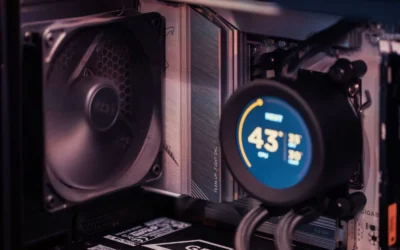
| CPU Cooler | a cpu cooler in the same class | Arctic Liquid Freezer III 360 | quiet, capable cooling that keeps this CPU in its normal boost range |
The two most important choices are the graphics card and the processor. The ASUS TUF Gaming GeForce RTX™ 5080 16GB GDDR7 OC is the card this build is planned around. Per the spec sheet it uses the NVIDIA Blackwell architecture with DLSS 4, 16GB of GDDR7, a boost clock of 2700 MHz in default mode and 2730 MHz in OC mode, and a triple fan design that measures 348mm long and 3.6 slots wide. That physical size and the 12V-2×6 power connector drive your case and power supply choices.
The AMD RYZEN 7 9800X3D 8-Core is a current platform match so the processor does not hold that GPU back at 4K and high refresh 1440p. It offers 8 cores and 16 threads on Zen 5 with 96MB of L3 cache and Next Gen 3D V-Cache, with boost speeds up to 5.2GHz on Socket AM5. Owners commonly report strong gaming responsiveness from the large cache, and the chip is drop in ready for AM5 infrastructure, though you should still verify BIOS support on your specific board.
Supporting picks keep the system quiet and thermally balanced. The G.SKILL Trident Z5 Neo RGB Series DDR5 RAM kit gives you 64GB as 2x32GB at up to 6000MT/s CL30-40-40-96 at 1.40V with an AMD EXPO profile, which is the tuned sweet spot for AM5. The Crucial T705 PCIe Gen5 NVMe 2TB SSD adds responsive Gen5 storage with up to 14,500MB/s read and 12,700MB/s write and 2TB of capacity for a modern library. Cooling and airflow come from the ARCTIC Liquid Freezer III Pro 360 with three 120mm fans and the NZXT H7 Flow – Mid-Tower ATX Airflow PC Case with mesh panels and support for up to 420mm radiators in front and 360mm on top. Power is handled by the CORSAIR RM1000e (2025) ATX 3.1 PCIe 5.1 Ready, a 1000W ATX 3.1 unit with a 120mm rifle bearing fan and native 12V-2×6 support.
Compatibility Check
Will all of these parts fit together, stay cool, and run quietly without surprises on first boot. That is the question most builders at this level want answered, so here is how this configuration addresses it.
This build is AM5. The Ryzen 7 9800X3D uses Socket AM5 and the board uses an X870 chipset with DDR5 and PCIe 5.0, plus M.2 Gen5 support. That keeps you on the current platform with a clear upgrade path. Use a 32GB DDR5 6000 CL30 kit as a baseline, and the selected 64GB DDR5 6000 CL30-40-40-96 kit aligns with that guidance while giving you extra headroom for multitasking and future titles. If you drop in a newer chip later check the board support page and use BIOS Flashback if a flash is needed. BIOS updates and any overclocking are done at your own risk and may void warranty, so follow the manufacturer instructions and handle components with anti static precautions.
Memory support is straightforward but worth confirming. The Trident Z5 Neo kit includes a JEDEC default profile and an AMD EXPO profile for up to 6000MT/s, and it is validated for AMD X870, X670, B850, B840, and B650 platforms per the spec sheet. Do not mix memory kits, even of the same model, as kits are sold as matched sets and mixing can cause stability issues. Install the two modules in the board recommended slots for dual channel operation, enable EXPO in BIOS if you want the rated speed, and verify stability.
Physical clearance is the next check. A triple fan card and a 240 or 360mm radiator fit a standard mid tower, and this case is built for that. The RTX 5080 class card in this build is 348mm long, 3.6 slots wide, and weighs 4.3 lbs, so you need a mid tower with good GPU length clearance and proper slot spacing, plus the included GPU bracket for support. The NZXT H7 Flow provides high performance mesh panels, three front mounted 120mm fans, support for three bottom mounted 120mm fans for direct GPU cooling, and radiator support up to 420mm in front and 360mm on top. That gives you flexible mounting for the Arctic Liquid Freezer III 360. Check cooler height or radiator clearance against the case spec before you buy, and follow the cooler mounting instructions for your socket. For AM5 you will use the AMD offset mounting, and for Intel LGA1851 or LGA1700 the cooler includes a contact frame to help with pressure distribution.
Power and connectors need attention at this tier. Size the supply above the combined draw of the CPU and GPU, follow the card maker recommended wattage, and use a native 12V-2×6 cable for an RTX 50 card. The spec sheet for this RTX 5080 lists a minimum 850W PSU with a 16 pin 12V-2×6 connector, and the Corsair RM1000e is a 1000W ATX 3.1 and PCIe 5.1 ready unit that meets that guidance with headroom. It is fully modular, uses 105C rated capacitors, and includes a 120mm rifle bearing fan with a tuned fan curve to keep noise down. Use the native 12V-2×6 cable included with an ATX 3.1 supply rather than adapters, route it with a gentle bend, and confirm it is fully seated at both ends.
Board I/O and storage fit without issue. The X870 board provides USB 40Gbps, Wi-Fi 7, Bluetooth 5.4, and 5Gbps LAN, plus PCIe 5.0 and M.2 Gen5 slots that match the Crucial T705 Gen5 drive. The T705 is heatsink compatible, so install it with the board heatsink or a compatible heatsink for sustained loads. If you want more detail on airflow and cooler sizing, see our guides on how to choose a case for GPU clearance and radiator support and 240mm AIO vs 360mm AIO for gaming, and for AM5 cooling specifics see how to choose CPU cooling for ryzen 7 9800X3D. You can also browse more help in our Troubleshooting & Optimization category.
Performance: What To Expect
No verified frame rate numbers are available for this build, so we will keep this section qualitative and will not invent figures. That approach avoids misleading comparisons and keeps expectations grounded in the parts you are actually buying.
Qualitatively, this pairing is intended to keep the processor from holding the graphics card back at 4K and high refresh 1440p. The RTX 5080 class card with 16GB GDDR7 and Blackwell features including DLSS 4 is the performance anchor, while the Ryzen 7 9800X3D with its large 96MB L3 cache and up to 5.2GHz boost is chosen as a current platform match for that GPU tier. In practice that means smoother frame pacing in CPU heavy scenes and fewer situations where the CPU limits the card at your target resolution.
The supporting components shape the experience in quieter ways. The 64GB DDR5 6000 CL30 kit keeps memory from becoming a bottleneck and gives you headroom for background tasks, streaming, or creation work alongside gaming. The Crucial T705 Gen5 2TB drive with up to 14,500MB/s read and 12,700MB/s write helps with fast boot times, quicker game loads, and responsive asset streaming when the game and platform can use it. The 360mm liquid cooler and the mesh front H7 Flow case aim to keep boost clocks steady and fan noise low during long sessions, rather than chasing a higher peak number for a few seconds.
If you move up or down a GPU tier, expect the change to be qualitative as well. A lower tier card will still play well at 1440p but will ask for more settings compromises at 4K, while a higher tier card will give you more headroom for high refresh targets and future titles. Keep your expectations tied to resolution, refresh rate, and the settings you prefer, not to a single number.
Three Ways to Build This
Use these three versions to match your budget and goals. All stay in the same high class idea, but they shift cost, noise, and headroom in different directions. No prices are shown, focus on the parts and who each build suits.
Lower Cost Version
Choose one GPU tier down with a cheaper CPU, a budget air cooler, a 1TB drive and an entry board. You keep the AM5 platform and DDR5, but you trim capacity and cooling to hit a tighter budget for a first build. This suits you if you mainly play at 1440p, you are comfortable tuning settings, and you want a practical entry point that you can upgrade later with a stronger GPU or more storage.
Balanced Version, The One We Recommend
Build the parts listed here, the Ryzen 7 9800X3D and RTX 5080 with the ASUS TUF Gaming X870-PLUS WiFi or the MSI MAG X870 Tomahawk WiFi Gaming Motherboard, G.Skill Trident Z5 Neo 64GB DDR5 6000, Crucial T705 2TB Gen5, Arctic Liquid Freezer III 360, NZXT H7 Flow 2024, and Corsair RM1000e. This is the balanced pick for most gamers who want headroom to upgrade later, quiet operation under load, and a board and supply that will not need immediate replacement when you swap a future GPU or add storage.
Higher End Version
Move up a GPU tier and to a Ryzen 7 9800X3D or Ryzen 9 9950X3D with a 360mm AIO and a 1000W supply. Keep the 2TB Gen5 drive or add a second drive for a larger library, and keep the airflow focused case. This is for high refresh play and years of headroom if you want to push 4K at higher settings, stream and create on the same system, and keep the platform longer before your next major rebuild.
FAQ
Is the Ryzen 7 9800X3D a good match for an RTX 5080 at 4K and 1440p high refresh
Yes, that is the intent of this pairing. The 9800X3D with 8 cores, 16 threads, and 96MB L3 cache is chosen as a current platform match so the processor does not hold the RTX 5080 back at those resolutions. You still need to enable the correct memory profile and keep thermals and power in check to let both parts sustain their normal boost behavior.
Do I need a 1000W power supply for an RTX 5080 build
Follow the card maker guidance and size above the combined draw of your CPU and GPU. The spec sheet for this RTX 5080 lists a minimum 850W with a 16 pin 12V-2×6 connector, and a modern ATX 3.1 1000W unit like the Corsair RM1000e gives you headroom, native cable support, and quieter operation under transient loads. Use the native 12V-2×6 cable and confirm it is fully seated.
Will a 360mm AIO fit in the NZXT H7 Flow and is it better than a 240mm for this CPU
A triple fan card and a 240 or 360mm radiator fit a standard mid tower, and the H7 Flow supports up to 420mm in front and 360mm on top, so a 360mm AIO like the Arctic Liquid Freezer III 360 fits with room to spare. A 360mm radiator generally offers more thermal headroom and lower fan speeds than a 240mm, which helps keep this system quiet while holding the CPU in its normal boost range, but always check radiator and fan thickness against your exact mounting location.
Final Verdict
This build puts the budget where it matters for 4K and high refresh 1440p, a current AM5 processor that will not hold back a Blackwell 16GB card, fast DDR5 and Gen5 storage, and quiet, capable cooling in an airflow focused case with a modern ATX 3.1 supply. It is not the right choice if you need a small form factor system, you mostly play lighter titles at 1080p, or you would rather spend less now and upgrade sooner.
Our pick: the Balanced version we recommend, the Ryzen 7 9800X3D and RTX 5080 parts list detailed above, for most gamers who want quiet thermals, clear upgrade headroom, and a platform that will stay relevant for years.





Write Your Review
No reviews yet. Be the first to share your experience!