

If you are weighing reverse blade vs standard ARGB fans for a glass side panel, you are likely choosing between TL-M12QR X3 120mm Reverse Blade ARGB Case Fans and CORSAIR RS120 ARGB 120mm PWM Fans. Both ship as black 120mm triple packs with daisy chain PWM and 5V ARGB control, yet they address opposite priorities behind tempered glass. The ITleads triple pack uses reverse blades so the styled face stays visible on side and bottom intakes, while the Corsair triple pack uses a standard blade layout tuned for stronger push through filters and radiators. Your decision centers on intake appearance versus extra cooling headroom.
You want a build that photographs well from your chair, stays tidy inside, and syncs with the rest of your Custom Build Cosmetics and Rig Aesthetics plan. Our team researched spec sheets and owner feedback to compare these two options for a modern glass panel case in September 2026. You will learn how blade direction changes what you see from intake mounts, how 1500RPM with 47.6CFM and 1.31mmH2O compares with up to 2100 RPM with up to 72.8 CFM and 2.8mm-H2O, and which lighting design fits your motherboard software and cable plan.
This article contains affiliate links. If you buy through one of our links, CustomPCGaming may earn a commission at no extra cost to you. Commissions never influence which products we recommend or how we rank them. Read our Affiliate Disclosure for details.
Quick Picks at a Glance

Prime ITleads TL-M12QR X3 120mm Reverse Blade ARGB Case

CORSAIR RS120 ARGB 120mm PWM Fans Triple Pack
As an Amazon Associate we earn from qualifying purchases. Product prices and availability are accurate as of the date/time indicated.
Pros
- Strong airflow and static pressure for intake and case ventilation
- Reverse blades keep ARGB fully visible in intake orientation
- Daisy chain wiring makes 3-fan installation cleaner and faster
- Quiet PWM operation with broad motherboard lighting compatibility
Cons
- Reverse airflow only, not ideal if you need standard exhaust fans
- Requires 5V 3-pin ARGB header or controller, not compatible with 12V RGB
- Black-only finish limits options for white themed builds
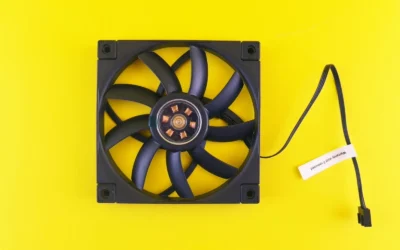
The ITleads TL-M12QR X3 is a 3-pack of 120mm reverse airflow case fans made for intake mounts in glass panel builds. It is built for gamers and PC builders who want full ARGB visibility without the motor frame blocking the front view.
Each fan runs up to 1500RPM to deliver 47.6CFM airflow and 1.31mmH2O static pressure for steady case ventilation. In real use, that means reliable intake cooling for gaming rigs while staying quiet at 23.2dB with PWM control.
The dual-sided infinity mirror lighting adds depth from both sides, which looks especially clean on side and bottom intake positions. Daisy chain PWM and 5V ARGB connectors link fan to fan, so cable routing is much tidier than traditional multi-fan setups.
Because these are reverse blade models, they are purpose built for intake and are not the best pick if you need standard exhaust airflow. You will also need a 3-pin 5V ARGB header or compatible controller, since they do not work with older 12V RGB headers.
For black builds that prioritize clean intake lighting, easy wiring, and balanced cooling, this 3-pack is a smart choice. It combines strong performance, quiet operation, and striking visuals in one coordinated kit.
Model: TL-M12QR X3, Size: 120mm reverse blade fans, Speed: up to 1500RPM, Airflow: 47.6CFM, Static Pressure: 1.31mmH2O, Noise Level: 23.2dB.
Control: 4-pin PWM for speed, 3-pin 5V ARGB for lighting sync with motherboard software or compatible controller. Power: 5V, 5W with daisy chain wiring for cleaner installs.
In the box: 3 x reverse airflow fans with mounting accessories for standard 120mm case positions. Best used as front, side, or bottom intake to showcase lighting.
Pros
- Excellent airflow and static pressure suitable for both case and radiator use
- Simple daisy-chain wiring reduces clutter and saves motherboard headers
- Quiet and durable Magnetic Dome bearings with Zero RPM silent mode
- Attractive ARGB lighting controlled directly by the motherboard with no hub needed
Cons
- Requires a compatible 5V ARGB header, no dedicated lighting controller included
- Audible at maximum speed with up to 36 dB noise output
- No support for Corsair iCUE software effects compared to premium Corsair fans
The CORSAIR RS120 ARGB Triple Pack includes three 120mm PWM fans designed for PC builders who want clean wiring and strong cooling in one kit. It suits new builds and upgrades for airflow cases, radiators and heatsinks.
Daisy-chain PWM and ARGB connectors let you link fans together and run them from one 4-pin header and one 5V ARGB header. With up to 2100 RPM, 72.8 CFM airflow and 2.8mm-H2O static pressure, plus AirGuide vanes, cooling stays focused under load.
Each fan uses eight ARGB LEDs controlled directly through a compatible motherboard for simple lighting without extra software. Magnetic Dome bearings support quieter operation and long life, while Zero RPM mode stops the fans completely at low temperatures.
The main limitation is reliance on motherboard ARGB, so you need a compatible 5V header and you miss out on Corsair iCUE effects. At full speed the fans reach 36 dB, which is noticeable in quiet rooms, and no separate controller is included.
Overall, the RS120 ARGB Triple Pack delivers strong cooling performance, tidy installation and attractive lighting for mainstream gaming PCs. It is a smart pick if you want radiator capable fans that are efficient, durable and easy to control.
Fan Size: 120mm triple pack in Black, 4-pin PWM power connector with 5V ARGB lighting connector.
Performance: Up to 2100 RPM, 72.8 CFM airflow, 2.8mm-H2O static pressure, 36 dB maximum noise level.
Bearing and Modes: Magnetic Dome bearing with Zero RPM mode for silent low load operation.
Compatibility and Warranty: Works with radiators and cases using motherboard PWM and ARGB headers, backed by 5 year manufacturer warranty.
How They Compare
Blade Direction and What You See Through Glass
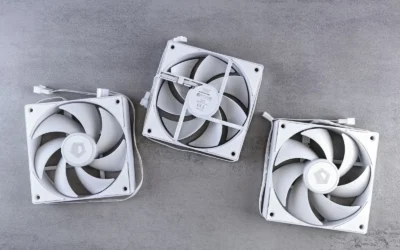
The TL-M12QR X3 120mm Reverse Blade ARGB Case Fans and the CORSAIR RS120 ARGB 120mm PWM Fans take opposite approaches to the same glass panel problem. Reverse blades on the TL-M12QR X3 120mm Reverse Blade ARGB Case Fans pull air in the reverse direction, so you can mount them as side or bottom intakes while still showing the infinity mirror face toward the room. Standard blades on the CORSAIR RS120 ARGB 120mm PWM Fans push air in the usual direction, so an intake mount often shows the frame and motor hub while the cleaner side faces inside as exhaust. If your case lives on your desk with a clear side view, that difference is visible every day.
For panoramic glass layouts with side intakes or bottom intakes, the TL-M12QR X3 120mm Reverse Blade ARGB Case Fans give you a uniform ring of light without flipped grilles or exposed struts. The CORSAIR RS120 ARGB 120mm PWM Fans look tidier as top and rear exhausts or as front intakes where the frame is less prominent, and they pair well with quiet ARGB fans for clean airflow strategies that prioritize straight through paths. Before you order, check your fan mount thickness and radiator clearance against your case and follow the manufacturer mounting instructions so blades clear filters and brackets.
Airflow, Static Pressure and RPM Range
On paper, the CORSAIR RS120 ARGB 120mm PWM Fans offer more headroom with speeds up to 2100 RPM, airflow up to 72.8 CFM, and static pressure of 2.8mm-H2O supported by AirGuide anti vortex vanes. The TL-M12QR X3 120mm Reverse Blade ARGB Case Fans are rated up to 1500RPM with 47.6CFM airflow and 1.31mmH2O air pressure for steady case ventilation in gaming and daily desktop use. In practical terms, Corsair gives you extra push for mesh filters, dust screens, and dense radiator fins, while ITleads focuses on balanced intake volume with less speed range to manage.
You will feel that gap most in heat heavy builds with a front radiator, a thick graphics card, or a case with restrictive glass and narrow side vents. The CORSAIR RS120 ARGB 120mm PWM Fans can ramp higher when your coolant or graphics card warms up, then drop back through 4-pin PWM control for quieter idle operation, though owners commonly report more audible tone near the top of the range. The TL-M12QR X3 120mm Reverse Blade ARGB Case Fans hold a narrower band that is easier to tune for consistent background sound, but the con is clear: it cannot match the Corsair push when airflow is blocked. Choose based on restriction, not just room size.
Lighting Depth, LED Count and Motherboard Control
Lighting is where your glass side panel either glows with depth or shows flat dots. The TL-M12QR X3 120mm Reverse Blade ARGB Case Fans use infinity mirror lighting on both sides to add reflected depth from visible intake positions, which suits all black builds that rely on reflections rather than raw brightness. The CORSAIR RS120 ARGB 120mm PWM Fans use eight LEDs per fan with customizable lighting through your motherboard built in ARGB control, which lines up with several 120mm ARGB fans for radiators guides that favor even ring diffusion over mirror effects. Both need a compatible 5V ARGB header to sync.
Control is straightforward for both triple packs, and that is good news for cable clutter. The TL-M12QR X3 120mm Reverse Blade ARGB Case Fans work with 4-pin PWM fan headers and 3-pin 5V ARGB motherboard headers or compatible lighting controllers, with PWM and ARGB cables that link between fans. The CORSAIR RS120 ARGB 120mm PWM Fans use a similar daisy chain idea so you can link multiple fans together and control them through just one 4-pin PWM connector and one plus 5V ARGB connector. The con is that neither includes its own software hub, so without a compatible motherboard header you will need a separate controller to get full effects.
Daisy Chain Wiring, Bearings and Owner Support
Wiring and mechanical design affect how your build ages. The CORSAIR RS120 ARGB 120mm PWM Fans list a magnetic dome bearing and Corsair AirGuide vanes that direct airflow toward warm components when mounted to a radiator or heatsink. The TL-M12QR X3 120mm Reverse Blade ARGB Case Fans emphasize daisy chain wiring to cut down extra cable runs and make multi fan setups easier to manage, which helps in compact rear chambers. Per the spec sheet, both are 120mm PWM fans, yet only Corsair publishes bearing type and vane geometry in the data provided, so long term durability is easier to assess on that side.
Owner feedback volume also differs and you should weigh it carefully. The TL-M12QR X3 120mm Reverse Blade ARGB Case Fans are rated 4.7 out of 5 from 61 reviews, which suggests satisfied early owners but a smaller sample for assessing cable life and LED consistency. The CORSAIR RS120 ARGB 120mm PWM Fans are rated 4.6 out of 5 from 2735 reviews, which gives you a broader base of reports on PWM behavior and daisy chain reliability. The con for ITleads is limited history, while the con for Corsair as the higher-end pick is that you are paying for brand support and extra speed you might not use in an open airflow case. Check your Cases and Airflow layout to avoid overbuying.
Which One Should You Get
Choose TL-M12QR X3 120mm Reverse Blade ARGB Case Fans if your priority is reverse blade vs standard ARGB fans for a glass side panel viewed from your chair every day. You have a panoramic glass layout where side and bottom intakes face the room, you run a black theme with mirror depth, and your cooling needs are covered by steady 1500RPM ventilation rather than thick radiators. You also prefer infinity mirror faces on both sides and simple daisy chained PWM plus 5V ARGB headers without adding a separate hub, and you accept lower pressure in exchange for a cleaner intake view.
Choose CORSAIR RS120 ARGB 120mm PWM Fans if you need stronger push for filters, radiators, or a heat dense graphics chamber and you want proven control up to 2100 RPM. You plan front or side radiator mounts, you value AirGuide vanes and 2.8mm-H2O pressure to hold airflow through obstructions, and you want eight LEDs per fan synced through your motherboard plus magnetic dome bearing construction backed by thousands of owner ratings. This path suits builders who tune fan curves in BIOS and accept more sound at full speed for extra headroom during long gaming sessions.
Who Should Skip Both
If you need white fans, larger mounts, or a proprietary ecosystem with screens and hubs, these black 120mm triple packs are not ideal for your build. Neither option is a good fit for motherboards without a free 4-pin PWM header and a 5V ARGB header unless you add a compatible controller, and neither replaces a larger tower or thick radiator solution for extreme heat loads. You should also skip both if your case needs slim fans or you have not yet confirmed radiator clearance, and always follow the manufacturer mounting instructions with anti-static handling during installation.
Frequently Asked Questions
Can I mix reverse blade and standard fans in the same glass case?
Yes, several builders use TL-M12QR X3 120mm Reverse Blade ARGB Case Fans for side and bottom intakes where looks matter, then use CORSAIR RS120 ARGB 120mm PWM Fans for rear and top exhausts or radiator push. Keep airflow direction consistent from intake to exhaust and sync both sets to the same 5V ARGB header type where possible. Check each mount orientation before you tighten screws so you do not recirculate warm air.
Which is better for a radiator, TL-M12QR X3 or Corsair RS120?
Per the spec sheet, the CORSAIR RS120 ARGB 120mm PWM Fans are the stronger radiator choice with up to 72.8 CFM, 2.8mm-H2O pressure, and AirGuide vanes for concentrated flow. The TL-M12QR X3 120mm Reverse Blade ARGB Case Fans with 47.6CFM and 1.31mmH2O are designed more for clean case ventilation than for pushing through dense fins. Confirm radiator clearance against your case and follow the manufacturer mounting instructions for even pressure.
Do these triple packs need a separate ARGB controller or software hub?
No separate hub is required if your motherboard has a free 4-pin PWM header and a 3-pin 5V ARGB header, since both sets use daisy chain links to share one PWM and one ARGB connection. The TL-M12QR X3 120mm Reverse Blade ARGB Case Fans and the CORSAIR RS120 ARGB 120mm PWM Fans both rely on your motherboard built in ARGB control for effects. If you lack those headers, you will need a compatible lighting controller to power and sync the LEDs.



Write Your Review
No reviews yet. Be the first to share your experience!