

If you are weighing wall mount vs a desk arm for a monitor, you already know both lift your screen off the bulky stock base. The real decision is permanence against flexibility, with a wall mount bolted to your wall on one side and a desk arm like the HUANUO FlowLift™ Dual Monitor Stand clamped to your desk on the other. Your room, desk material and desire to move screens daily will decide the winner for your gaming or work setup.
In this comparison, researched from the spec sheet and evaluated against owner feedback, we assess mounting needs, ergonomics, space use and install effort side by side. You will get a clear verdict for renters, dual screen users and small room builds without guesswork. For more mounting ideas, explore our Monitor Arms & Mounting hub, refreshed for 2026 with current picks and setup guides.
This article contains affiliate links. If you buy through one of our links, CustomPCGaming may earn a commission at no extra cost to you. Commissions never influence which products we recommend or how we rank them. Read our Affiliate Disclosure for details.
Quick Picks at a Glance

HUANUO FlowLift Dual Monitor Stand for 13-32 Inch
As an Amazon Associate we earn from qualifying purchases. Product prices and availability are accurate as of the date/time indicated.
Pros
- Very sturdy dual clamp design stays stable during typing and gaming
- Smooth, easy adjustment with tilt, swivel, rotate and height for ergonomic viewing
- Frees up desk space and includes cable management for a clean setup
- Solid cast metal build with straightforward installation and all hardware included
Cons
- Fits wooden desks 0.59 to 3.54 inches thick only, not for glass or plastic desks and needs clear space underneath
- Monitors under 4.4 lbs may feel floaty and require careful tension adjustment
- Included VESA screws may be too long for some slim monitors, so check screw depth before mounting
The HUANUO FlowLift HNDS6 is a dual monitor desk mount made for 13 to 32 inch computer screens with standard VESA mounting. It suits gamers, home office workers, programmers and students who want two screens at the right height while reclaiming desk space.
Each arm supports 4.4 to 19.8 lbs and moves with tilt, swivel, full rotation and generous height lift. Users report smooth one hand repositioning for landscape to portrait flips, pulling screens close for focused work, or pushing back for video.
Build quality stands out with alloy steel arms, a large base platform and a dual C-clamp structure for extra grip. The mount offers both clamp and grommet installation for desks 0.59 to 3.54 inches thick, plus integrated cable guides for a tidy look.
Compatibility needs careful checking before buying. It is recommended for wooden desks only, it will not suit glass or plastic tops or desks with cross beams underneath, and very light displays can need extra tension tuning.
For a stable, flexible and space saving dual screen upgrade, this FlowLift mount is a smart pick. It delivers ergonomic comfort, solid stability and clean cable routing that works well for work, study and play.
Model: HUANUO HNDS6 FlowLift Dual Monitor Stand in Black, made with alloy steel for strength and stability.
Monitor compatibility: 13 to 32 inches, VESA 75x75mm and 100x100mm, 4.4 to 19.8 lbs per arm with tilt, swivel, rotation and height adjustment.
Desk compatibility and mounting: C-clamp or grommet mount for wooden desks 0.59 to 3.54 inches thick with clear under desk space.
How They Compare
Both approaches free you from stock stands, but they anchor in completely different places. Understanding that anchor point explains almost every trade off in stability, movement and room fit.
Mounting Surface and Desk Compatibility
Mounting surface is where wall mount vs a desk arm for a monitor splits hardest. A wall mount bypasses your desk entirely and anchors to wall studs or solid wall, which helps if your desk is thin, glass or has a fragile top. The HUANUO FlowLift™ Dual Monitor Stand takes the opposite path and demands a sturdy wooden desk between 0.59 inch and 3.54 inch thick, with no cross beams or panels underneath, and it is not for plastic or glass tops.
Screen fit also needs careful checking on the desk arm side. The HUANUO FlowLift™ Dual Monitor Stand supports two screens from 13 to 32 inches, each weighing 4.4 to 19.8 lbs with VESA 75x75mm or 100x100mm holes on the back, and all three conditions must line up at once. A wall mount can suit single or offset screens where desk clamps cannot grip, but you still need to confirm VESA pattern and wall strength and follow the manufacturer mounting instructions before you drill.
Adjustability and Daily Ergonomics
For daily movement, the HUANUO FlowLift™ Dual Monitor Stand is built to be touched constantly. It offers plus 85 degrees to minus 50 degrees tilt, plus or minus 90 degrees swivel and 360 degrees rotation, with height lift up to 15.75 inch to bring screens to eye level. You can pull a screen closer for documents, push it back for video or turn one portrait for coding or chat, all with one hand. A wall mount typically tilts and extends a little, but owners commonly report less fluid repositioning for shared or constantly changing postures.
Comfort over long sessions comes down to how often you adjust. If you game, work and take video calls from the same chair, the HUANUO FlowLift™ Dual Monitor Stand helps you keep a natural line of sight that can ease neck, shoulder and back strain during long focus blocks. A wall mount locks in a clean viewing angle that suits a fixed chair and fixed distance, which some single screen players prefer, yet it is less forgiving when you switch between sitting, standing or showing your screen to someone beside you.
Desk Space, Room Look and Cable Control
Space saving looks different for each system. The HUANUO FlowLift™ Dual Monitor Stand lifts both screens off the desktop, opening room for your keyboard, notebook, docking station or audio interface while built-in guides route wires along the arms for a tidy modern workstation. A wall mount clears even more desk area because no base or pole touches the surface at all, which can make a small or shallow desk feel larger and create that floating screen effect many battlestation photos show.
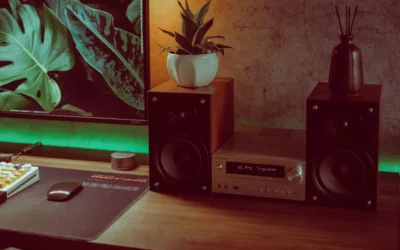
Room style matters too. Pair a wall mount with hidden cable channels and you get a minimal gallery wall that works well in living rooms or compact bedrooms where the PC doubles as media center. Pair the HUANUO FlowLift™ Dual Monitor Stand with warm wood and soft lighting, like the ideas in our warm wood floating monitor desk setup, and you keep a cozy desk zone that still moves. As of September 2026, both styles remain popular for dual screen gaming and work from home corners.
Installation Effort, Stability and Rental Friendliness
Install effort is the clearest practical divide. The HUANUO FlowLift™ Dual Monitor Stand uses an upgraded base with a larger platform plus a dual C-clamp structure to lock firmly to your desk, with a grommet mount choice for desks with a hole, both rated for desks from 0.59 inch to 3.54 inch thick. You tighten clamps, set tension and slide screens on with basic tools and no wall damage. A wall mount needs stud finding, leveling, drilling and patching later, so you should check wall type, use proper anchors and follow the manufacturer mounting instructions closely.
Stability is strong on both when installed correctly, just in different ways. The HUANUO FlowLift™ Dual Monitor Stand is rated 4.6 out of 5 from 34722 reviews, with owners commonly reporting steady screens while typing, clicking and gaming once tension is dialed in, with no shaking or sliding during normal use. A wall mount feels rock solid once fixed into studs or solid wall, but it can wobble or pull out if fixed to drywall alone. Renters who cannot drill will usually find the desk arm far friendlier to deposit and move out rules.
Which One Should You Get
Choose wall mount if you own your wall, want no pole on the desk and run a fixed single screen station for gaming or media. You are a good match if your desk is glass, very thin or oddly shaped, if you want the screen high and pushed back for controller play or movie viewing, or if you crave that floating look with cables hidden. Just confirm stud locations, VESA fit and viewing height first, since moving the screen later means new holes and touch up paint.
Choose HUANUO FlowLift™ Dual Monitor Stand if you run dual screens on a solid wooden desk and adjust often. You fit if each monitor is 13 to 32 inches, weighs 4.4 to 19.8 lbs with VESA 75x75mm or 100x100mm, and your desk is 0.59 inch to 3.54 inch thick with clear clamp space. You get one hand tilt, swivel and lift up to 15.75 inch for play, code and calls. Start with HUANUO FlowLift™ Dual Monitor Stand and see our minimalist RGB desk setup for cable ideas.
Who Should Skip Both
If you use a glass, plastic or ultra thin desk and cannot drill your wall, this pair is not ideal for you. The HUANUO FlowLift™ Dual Monitor Stand calls for wooden desks only and needs clamp clearance underneath, while a wall mount needs solid wall support and landlord approval. You are better served by a freestanding base that sits on the desktop, so check our freestanding monitor stand for glass desk picks for 2026 before you buy.
Frequently Asked Questions
Can I use a desk arm on a glass desk, or do I need a wall mount?
You should not clamp the HUANUO FlowLift™ Dual Monitor Stand to glass or plastic, since the spec sheet calls for wooden desks from 0.59 inch to 3.54 inch thick with no cross beams below. A wall mount bypasses the desk entirely, which helps glass desk owners, but you must anchor to studs or solid wall and get permission if you rent. If drilling is off limits, a freestanding stand is often the safer middle path.
Which is better for dual monitors and posture, wall mount vs a desk arm for a monitor?
For dual screens, a desk arm like the HUANUO FlowLift™ Dual Monitor Stand is usually easier because both screens share one pole with matched tilt at plus 85 to minus 50 degrees, swivel and 360 degrees rotation for portrait use. Two separate wall mounts can work, but aligning height and angle takes more planning and leaves you with less daily flexibility. Either way, set the top third of each screen near eye level and keep your neck straight whether you sit or stand.
Will a desk arm wobble while gaming compared to a wall mount?
Owners commonly report the HUANUO FlowLift™ Dual Monitor Stand stays steady while typing, clicking and gaming once the dual C-clamp base is tight and arm tension is set, with cables guided along the arms so nothing snags. A wall mount fixed to studs feels very rigid because the wall does not move, yet it can shake if mounted to weak drywall or with loose hardware. Whichever you pick, tighten to spec, balance each screen within 4.4 to 19.8 lbs and follow the manufacturer mounting instructions.


Write Your Review
No reviews yet. Be the first to share your experience!