

If you are asking is the Crucial P3 Plus a good gaming SSD in 2026, you are really asking how to match storage to your gaming goals without overspending or creating a bottleneck. Your decision comes down to a few variables you can define before you shop: what resolution and refresh rate you target, what platform and socket you run, how much physical space and M.2 support your case and motherboard offer, and whether this drive is your primary boot drive or a secondary game library.
This buying guide gives you a simple framework to weigh those factors, so you can choose with confidence. You will learn what specs actually affect load times and responsiveness, how to size capacity for modern games, and how to avoid compatibility surprises. For broader context on storage options, you can browse the full NVMe & SSD Storage category as you compare.
What Actually Matters
Interface and Real-World Speed for Games
For gaming, the interface determines your ceiling, but you will feel diminishing returns past a certain point. A PCIe Gen4 NVMe drive with sequential read speeds up to 5,000MB/s and write speeds up to 4,200MB/s, per the spec sheet, will boot your system quickly, launch games faster than SATA, and handle large asset streaming more smoothly. You should compare that to your motherboard support. If your board only has PCIe Gen3 slots, the drive will still work thanks to backward compatibility, but you will not reach its full Gen4 rate. Check your manual for which M.2 slot shares bandwidth with other devices, so you know what to expect.
Capacity and Library Management
Capacity is often more important than peak speed for your daily experience. Modern titles can easily exceed 100GB each, and you also need room for your operating system, updates, and free space that keeps performance consistent. A 2TB capacity gives you comfortable headroom for a rotating library of several large games plus apps and media, without constant uninstalls. Think about how you play. If you keep three or four big games installed at once and add new releases regularly, prioritize a larger single drive over a slightly faster but smaller one. If you archive footage or mods, factor that in as well.
Compatibility, Form Factor, and System Fit
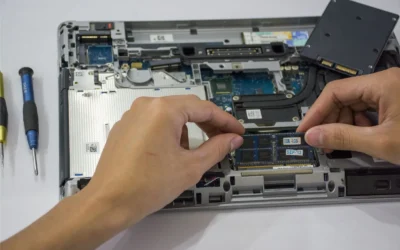
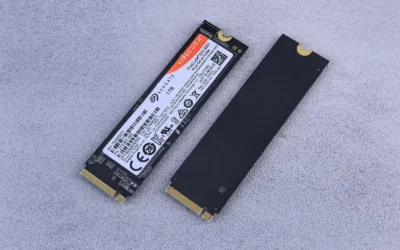
Most gaming desktops and many modern laptops use the M.2 2280 form factor and support NVMe, but you should still verify. Confirm that your motherboard has an available M.2 slot that supports PCIe NVMe, whether it is Gen4 or Gen3, and whether it supports the drive length you plan to buy. Also check your operating system and BIOS support for NVMe booting if this will be your primary drive. Physical clearance is rarely an issue for M.2, but if you use a thick heatsink or a motherboard with a built in M.2 shield, make sure it fits without forcing. Following the manufacturer mounting instructions and handling the drive with anti-static precautions helps avoid damage during installation.
Endurance, Reliability, and Software Support
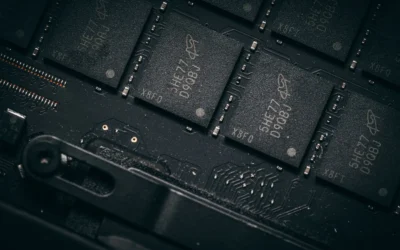
Endurance and reliability affect how long the drive remains dependable under regular writes. A rating of over 1.5 million hours MTTF, built with Micron 3D NAND, points to a design intended for long term everyday use, which you should weigh alongside the warranty terms. Also consider the software bundle and tools. Cloning software like Acronis True Image can simplify migrating your current system to the new drive, and utilities for firmware updates and health monitoring make maintenance easier. Owners commonly report that steady, consistent performance and easy migration matter more than chasing the highest synthetic numbers, especially for home and gaming use. If you are pairing storage with a platform upgrade, this how to choose a B550 motherboard for gaming guide can help you match M.2 support to your board choice.
To illustrate the range, here are a few options that show the range:
This article contains affiliate links. If you buy through one of our links, CustomPCGaming may earn a commission at no extra cost to you. Commissions never influence which products we recommend or how we rank them. Read our Affiliate Disclosure for details.
Quick Picks at a Glance

Prime Crucial P3 Plus 2TB PCIe Gen4 NVMe M.2 SSD
As an Amazon Associate we earn from qualifying purchases. Product prices and availability are accurate as of the date/time indicated.
Pros
- Fast Gen4 performance for boot times, multitasking and everyday productivity
- Large 2TB capacity for extensive media and application libraries
- Wide compatibility with PCIe Gen4 and Gen3 systems for easy installation
- Trusted Micron 3D NAND quality with strong endurance and 5-year warranty
- Includes useful software bundle for cloning and creative work
Cons
- Not the fastest Gen4 drive available, slower than premium 7000MB/s models for heavy gaming or pro workloads
- DRAM-less QLC design can show reduced sustained write speeds under prolonged heavy transfers
- No integrated heatsink, thermal performance relies on system cooling
The Crucial P3 Plus 2TB is a PCIe Gen4 NVMe M.2 SSD designed for home users, students and office multitaskers who want a noticeable everyday speed boost. It is ideal for upgrading an aging laptop or desktop to faster boot times, quicker app loads and smoother file handling without complex installation.
In real world use, sequential speeds up to 5000MB/s read and 4200MB/s write deliver snappy responsiveness for browsing, office apps, light content creation and casual gaming. The 2TB capacity offers generous room for essential programs, documents and media, while PCIe Gen4 efficiency keeps everyday computing fluid.
Built with Micron 3D NAND and rated for over 1.5 million hours MTTF, the drive feels reliable and well engineered in its compact M.2 form factor. It supports hardware encryption, works across Linux, Mac and PC platforms, and is backed by a limited 5-year warranty for added confidence.
Drawbacks are modest but worth noting. It does not match the peak speeds of enthusiast Gen4 drives, and its DRAM-less architecture may dip during very long, heavy write sessions. It also ships without a heatsink, so users in compact or warm systems should ensure adequate airflow.
Overall, the Crucial P3 Plus 2TB offers excellent value for everyday upgrades, combining strong Gen4 speed, large capacity and trusted durability. For users seeking a simple, affordable and reliable storage boost for home or business use, it is a smart and future ready choice.
Capacity: 2TB NVMe M.2 SSD
Interface: PCIe Gen4 x4 NVMe, backward compatible with Gen3
Performance: Up to 5000MB/s read, up to 4200MB/s write, 6Gb/s data transfer rate
Form Factor: M.2 2280, dimensions 3.15 x 0.87 x 0.09 inches, weight 0.01 kg
NAND & Reliability: Micron 3D NAND, 1.5 million hours MTTF, hardware encryption
Compatibility: Desktops and laptops that accept PCIe NVMe Gen4 M.2 drives, supports Linux, Mac, PC
Warranty: Limited 5-year warranty, Model CT2000P3PSSD8
Matching a Part to Your Build
Scenario 1: 1080p or 1440p gaming PC that needs a primary drive upgrade. If you are moving from SATA or a small boot drive, a PCIe Gen4 NVMe 2TB SSD like the Crucial P3 Plus PCIe Gen4 NVMe 2TB SSD is a balanced fit. You get up to 5,000MB/s read and up to 4,200MB/s write per the spec sheet, which covers fast bootups and quick game loads, plus enough capacity to keep your OS and several large titles together. This is especially useful if your motherboard supports Gen4, so you can use the full interface.
Scenario 2: Small form factor or laptop refresh on a Gen3 system. If your laptop or compact desktop only offers PCIe Gen3, you can still use the same Crucial P3 Plus PCIe Gen4 NVMe 2TB SSD because it is backward compatible. You will be limited by the Gen3 interface, but you still gain the responsiveness of NVMe and the convenience of a single spacious volume. Before you buy, verify your device supports NVMe booting and has an open M.2 slot with the correct keying, and plan your clone or fresh install accordingly.
Scenario 3: Budget focused build where GPU and CPU come first. If your budget is tight, prioritize the graphics card and processor for frame rates, then allocate what remains to storage that does not compromise your library size. A 2TB NVMe drive gives you room to avoid juggling installs, which saves time even if you do not chase the highest sequential rates. For context on balancing parts at this price point, see this ryzen 5 7600 RX 7700 XT 1000 dollar gaming PC amazon build and our look at RTX 4060 ti vs RTX 5060 to keep storage in perspective with GPU choice.
Common Mistakes
Mistake 1: Buying speed you cannot use. It is easy to focus only on the largest sequential numbers, but your motherboard, slot choice, and workload determine what you actually experience. If your board is Gen3 only or your M.2 slot shares bandwidth, you will not reach Gen4 peaks. Match the drive to your platform and keep capacity and reliability higher on your priority list.
Mistake 2: Undersizing capacity and filling the drive. A drive that is constantly near full can feel slower and leaves no room for updates or new games. Many gamers underestimate how quickly a 500GB or 1TB volume fills with modern titles. If you play several large games at once, a 2TB option reduces reinstall cycles and keeps free space for the system to manage efficiently.
Mistake 3: Skipping compatibility and migration planning. Confirm M.2 slot availability, NVMe support, and whether you need to move your OS. Forgetting to check BIOS settings for NVMe boot, not having a screw or standoff for the M.2 mount, or ignoring anti-static handling can turn a simple upgrade into a headache. Use the included cloning tools or a clean install plan, and follow the manufacturer instructions step by step.
Who Should Wait or Buy Differently
This type of PCIe Gen4 NVMe drive is not ideal for users who need maximum sustained write performance for heavy professional workloads, or for systems that lack any M.2 NVMe support and would require an adapter that adds complexity. It is also not the right choice if you already have ample fast storage and your gaming bottleneck is clearly the graphics card or CPU, in that case your budget is better spent on those components first. If you are building on a very old platform, consider whether a broader upgrade, covered in our Budget Build Guides, makes more sense before adding a high capacity NVMe drive.
Frequently Asked Questions
Is a PCIe Gen4 NVMe SSD noticeably better than SATA for gaming?
Yes, you will usually notice quicker boot times and faster game launches compared to SATA, and large open world titles can stream assets more smoothly. The jump from SATA to any NVMe is often more noticeable than the jump between two fast NVMe drives.
Can I use the Crucial P3 Plus on a PCIe Gen3 motherboard or laptop?
Yes, it is backward compatible with PCIe Gen3 desktops and laptops that support NVMe M.2 drives. You will be limited to Gen3 speeds, but you still get NVMe responsiveness and the benefit of a spacious 2TB volume for your library.
How much capacity do I need for a gaming PC in 2026?
For most gamers, 2TB is a comfortable starting point that holds your operating system plus several large games without constant uninstalls. If you keep many titles installed or store media and recordings, plan for extra headroom or a secondary drive.


Write Your Review
No reviews yet. Be the first to share your experience!