

If you are choosing between Govee Envisual T2 and Nanoleaf 4D V2 TV LED Backlight for a monitor, you are really choosing between two camera based ways to mirror your screen into your room. Both read colors from your display and wash your wall behind your desk with matching light, with no HDMI box required in your PC chain.
In October 2026, the desk decision comes down to strip flexibility, camera placement on a compact monitor, and which app family you already use. This comparison was researched for monitor use rather than living room TV use, with attention to mounting, mirror modes, and whole room sync. For broader background ideas, browse our Bias Lighting & Ambient RGB guides alongside this head to head.
This article contains affiliate links. If you buy through one of our links, CustomPCGaming may earn a commission at no extra cost to you. Commissions never influence which products we recommend or how we rank them. Read our Affiliate Disclosure for details.
Quick Picks at a Glance

Prime Nanoleaf 4D V2 TV LED Backlight with Screen
As an Amazon Associate we earn from qualifying purchases. Product prices and availability are accurate as of the date/time indicated.
Pros
- Immersive mirroring effect that makes movie nights and gaming feel more cinematic
- Bright gradient color with 16M plus colors and animated scenes for use even when TV is off
- Flexible camera placement above or below the TV with magnetic privacy cover included
- Syncs with other Nanoleaf devices to create a coordinated whole room light setup
Cons
- Camera based color matching needs careful calibration and is less precise than HDMI sync boxes
- Installation and neat cable routing can be time consuming
- Isolated reports of controller failure and slow customer support response
The Nanoleaf 4D V2 is a smart TV backlight kit designed for viewers who want immersive ambient lighting without rewiring the room. It is ideal for movie fans, casual gamers and anyone who uses lighting to set the mood in the living room or bedroom.
Its standout feature is camera based screen mirroring with four intensity modes, from soft ambient glow to full 4D color match. In real use, movies and games feel more dynamic, and Rhythm mode adds music reactivity that works well for parties and music videos.
The kit includes a trimmable addressable gradient strip with 10 color zones per meter for smooth multicolor blends. Build quality feels modern and purpose built, with a compact controller, flexible zigzag strip and camera mount for top or bottom placement.
Drawbacks center on setup and accuracy. Calibration takes patience, room lighting can affect camera performance, and routing the strip neatly takes time. One negative review also notes controller failure, so quality control may vary.
Overall, the Nanoleaf 4D V2 is a fun, renter friendly upgrade that makes a TV wall feel finished and cinematic. If you want easy screen sync, rich ambient scenes and whole room Sync Plus expansion, it is a strong pick for TVs up to 65 inches.
Compatibility: Designed for TVs and monitors up to 65 inches for indoor use. Camera can be mounted above or below the screen to suit your setup.
Lighting: Addressable gradient LED strip with 10 zones per meter, multicolor output, dimmable control and 16M plus color options.
Control: Nanoleaf App, physical controller, Alexa, Google Assistant and Apple HomeKit for scenes, on and off and Rhythm mode.
In the box: Gradient lightstrip, screen mirror camera with mount, magnetic privacy cover, 4D controller and power supply with 2 year parts warranty.
How They Compare
Mirroring Method and Mode Control
Both Govee Envisual T2 and Nanoleaf 4D V2 TV LED Backlight use an external camera to sample your screen, so they work with any PC input, console, or streaming stick without signal passthrough. That shared approach is ideal on a monitor where DisplayPort, high refresh, and variable refresh make HDMI capture boxes awkward. You keep your normal cable path and add reactive light on top.
Nanoleaf 4D V2 TV LED Backlight gives you 4 Mirror Modes with varying degrees of immersion, from soft ambient background lighting to fluid color melts and a direct 4D match for high impact scenes. Govee Envisual T2 also offers multiple movie, game, and music responses through its own app, and owners commonly report a vivid, saturated look for gaming. If you want fine control over how closely the wall follows the screen, Nanoleaf documents that choice more clearly per the spec sheet.
Nanoleaf adds Rhythm sound reactivity to any screen mirror mode, which helps music videos and soundtracks feel more alive behind your monitor. Govee has a comparable music response option that reacts to audio rather than screen pixels alone. For desk gaming, you will likely use screen follow most of the time and switch to audio response only for parties or background listening.
Lightstrip Design, Zones and Trimming
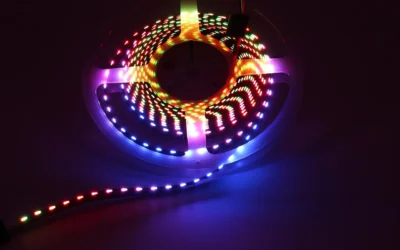
Nanoleaf 4D V2 TV LED Backlight includes a high resolution gradient lightstrip that can show multiple colors at once, rated at 10 color zones per meter. The strip can be trimmed to suit your screen size and lighting effects will automatically remap to the new length. That trim friendly design is a real advantage on a monitor, where a TV length loop often leaves extra slack.
Govee Envisual T2 uses a segmented RGBIC style strip meant to wrap the rear of your display and provide distinct color regions along each edge. Owners commonly report good corner coverage when the strip length is matched well to the display, but you have less freedom to cut and remap than with Nanoleaf. If your desk uses a compact widescreen monitor rather than a large TV, measure the rear perimeter carefully before you commit. For help planning around case and desk airflow, see our how to choose an airflow case for a hot GPU resource.
In daily use, both deliver smooth edge blending when viewed on a light colored wall a short distance behind the screen. Nanoleaf has an edge in gradient precision on paper because of the zone density and auto remap after trimming. Govee counters with strong saturation that many owners enjoy for animated games and neon heavy scenes, though calibration and camera exposure play a large role in either system.
Camera Placement, Monitor Fit and Privacy
Camera placement matters more on a monitor than on a TV because the viewing distance is short and the bezel is thin. Nanoleaf 4D V2 TV LED Backlight lets you place your camera either above or below your screen to suit your setup, and includes a magnetic cover that blocks the lens when not in use. That flexibility helps if you have a webcam on top or a soundbar below.
Govee Envisual T2 is owners commonly report mounted above the center of the screen, angled down to view the full panel for color sampling. That top position works well on many flat monitors, but it can be awkward with an ultrawide panel, a pronounced curve, or a monitor arm that leaves little clearance. A bottom mount option gives Nanoleaf a practical edge for crowded desks, while Govee may need more careful aiming and calibration.
Neither camera system loves glare, very dark rooms with harsh reflections, or a screen pushed flush against a wall with no throw distance for light. Both work with TVs and monitors up to 65” per the Nanoleaf spec sheet, which covers almost every desk display you are likely to own. If you use a very large desk TV as a monitor, leave room behind the panel so the gradient can spread and the camera can see the whole image. Pairing advice in our ryzen 7 7700 plus RX 9070 1440p gaming PC build breakdown can help you match display size to viewing distance.
App Control, Voice and Whole Room Sync
Nanoleaf 4D V2 TV LED Backlight is controlled with the Nanoleaf App or physical Controller, plus Voice Assistant for non mirroring functions such as ON and OFF, Scenes, and Rhythm Mode. You can create custom color changing animations with over 16M+ colors for times when the screen is off, from slow ambience to rapid party effects. That makes it useful as everyday bias lighting, not only as a reactive gaming accessory.
Govee Envisual T2 lives in the Govee app family, which many desk owners already use for light bars, bulbs, and strips. Owners commonly report a simple calibration flow and handy scene presets for movies and games, though menu names and sharing options change often with app updates. If you already group Govee devices together, staying in one app keeps routines and schedules simpler.
For whole room expansion, Nanoleaf offers Sync+ Technology to extend screen mirroring across 50+ Nanoleaf RGB lighting devices at once. That is compelling if your walls already have Nanoleaf panels or bars and you want the entire space to follow your monitor. Govee has its own DreamView style grouping for paired lights, so the better sync pick is simply whichever brand dominates your room today. Owner sentiment for Nanoleaf sits at 4.3 out of 5 from 40 reviews per the listing, which suggests solid satisfaction with some setup variance. If you are also weighing cooling noise near your desk, our how to choose a CPU cooler for a gaming build guide is a useful companion read.
Which One Should You Get
Choose Govee Envisual T2 if you already use Govee lighting around your desk and want reactive bias light that stays inside one familiar app. You will appreciate its saturated game look and straightforward presets for movie nights, and you can group it with other Govee bars or bulbs you own. It is a natural fit for a mainstream gaming monitor setup where the camera can sit centered above the panel with a clear view and your PC drives every source.
Choose Nanoleaf 4D V2 TV LED Backlight if you want trimming freedom, top or bottom camera mounting, and deeper Nanoleaf room sync for your monitor. The trimmable gradient strip with 10 color zones per meter and auto remap is easier to tailor to smaller displays, while 4 Mirror Modes let you dial immersion from calm ambience to direct 4D match. It is the more adaptable pick for mixed use desks that shift between work, single player stories, and music visuals, especially if you already own Nanoleaf panels. See our ryzen 7 7700 RTX 5070 gaming PC build ideas if your monitor doubles for both play and creative work.
Who Should Skip Both
Camera based mirroring is not ideal for color critical photo or video editing, competitive players who find peripheral motion distracting, or anyone whose monitor sits flush to the wall with no space for glow. If you need pixel exact capture, an HDMI capture path or a static bias light without mirroring is not a good fit replacement discussion to have first, and neither of these kits is the right choice for a privacy sensitive office that forbids cameras.
Frequently Asked Questions
Does Nanoleaf 4D V2 work on a gaming monitor or only on a TV?
Yes, it is designed for TVs and monitors up to 65”, so most desk monitors are covered. Trim the gradient strip to your display and mount the camera above or below for a full view. Leave some wall gap behind the screen so colors have room to blend.
Do I need an HDMI sync box to use Govee Envisual T2 or Nanoleaf 4D on a PC?
No, both use a camera to sample the screen, so they work with DisplayPort, HDMI, and laptop screens without altering your signal chain. That is helpful for high refresh PC gaming where passthrough boxes add complexity. Just calibrate in a dim room and avoid glare on the panel.
Which should I pick if I already own smart lights?
Pick the brand that matches your room to keep scenes and voice control together. Choose Nanoleaf 4D V2 TV LED Backlight if you own Nanoleaf panels and want Sync+ across 50+ devices. Stay with Govee Envisual T2 if your desk bars, strips, and bulbs are already grouped in the Govee app.
Write Your Review
No reviews yet. Be the first to share your experience!