

Video credit: SidneyEweka. Original video: https://www.youtube.com/watch?v=8jv4HftrOZk. This is our own independent breakdown and is not affiliated with the video creator. As an Amazon Associate, CustomPCGaming earns from qualifying purchases. Product prices shown in the video may have changed.
Watch the build
Parts in this build
- YSAGi Leather Desk Pad
- KAFRI RGB Headphone Stand
- RODE PSA1 Plus
- ApexDesk Elite Series
- SIHOO Doro C300
- UT Wire Cable Station
- OIVO PS5 Controller Charging Station
- Brainwavz Hengja Desk Hook
- Govee Envisual TV Backlight
Parts list is our summary of the video for reference. Confirm current specs and price on the retailer page before buying.
Watch: The Setup Tour
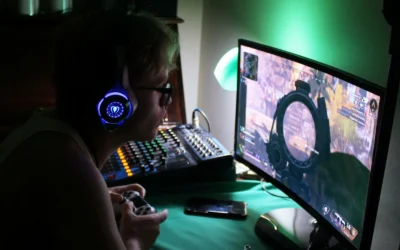
The embedded tour is there to show proportions, layout flow and mood for a cozy console and pc setup tour with display picks. You can see how a warm desk zone can hold both a PC and a console without feeling crowded.
What This Setup Is Going For
You are building one desk that does double duty for PC games, console games and everyday work. The goal is a warm and inviting corner where controllers, headsets and lighting feel intentional instead of piled up.
Think soft warm white or amber lighting, a wood or warm neutral desk finish and a large mat that ties the keyboard, mouse and console controller space together. The reference layout favors a wide desk with a single ultrawide or a dual screen arrangement, plus a TV or large monitor zone for console play when you have room.
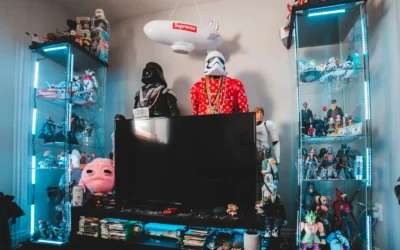
This approach suits a bedroom, a small apartment living area or a shared room where you cannot dedicate a whole wall to gear. You keep the tower on the floor or to one side, dock your controllers in view and tuck your headset where you can grab it fast. Explore the Headset, Controller and Collectible Displays archive if you want more display ideas for this kind of mixed setup.
A standing desk frame works well here because you can raise the surface for console controller swaps, cable access or cleaning, then lower it for long PC sessions. A fixed desk also works if you already own one and want to put funds toward seating and lighting first.
Tradeoffs are real. A wide desk plus display stands takes floor space you may not have. Matching wood, fabric and light color takes patience, and cable routing for two systems takes longer than a single PC build. This style does NOT suit very small rooms with no wall clearance, renters who cannot mount anything, tight budgets that cannot cover seating plus lighting, or people who move often and need a one box move.
The Gear Breakdown
This is the core of the breakdown. The table below maps what is common in this style to our current 2026 picks, then we call out the pieces that shape the feel most.
This article contains affiliate links. If you buy through one of our links, CustomPCGaming may earn a commission at no extra cost to you. Commissions never influence which products we recommend or how we rank them. Read our Affiliate Disclosure for details.
Quick Picks at a Glance

Prime OIVO PS5 Controller Charger Station with AC

Prime BRAINWAVZ Hengja Desk Headphone Hanger Mount

Prime Govee Envisual TV Backlight T2 with Dual Cameras

Prime KAFRI RGB Headphone Stand with Wireless Charger

SIHOO Doro C300 Ergonomic Office Chair
As an Amazon Associate we earn from qualifying purchases. Product prices and availability are accurate as of the date/time indicated.
Pros
- Fast dual charging gets both controllers ready in about 2 hours
- Compatible with DualSense and Edge controllers
- Clear LED indicators for charging and full charge status
- Compact, tidy dock that matches PS5 styling
- Simple drop in operation with included AC adapter
Cons
- Requires a wall outlet and the included AC adapter, not USB powered
- Lightweight plastic body can move if bumped
- Controllers must be aligned precisely for reliable contact charging
The OIVO PS5 Controller Charger is a tabletop docking station that charges up to two controllers simultaneously. It is ideal for PS5 disc and digital owners, including Edge controller users, who want a dedicated home for their gamepads.
It pairs copper charging contacts with a dedicated AC adapter to deliver a full charge in about 2 hours. In daily use, you simply drop the controllers in place and check the front LEDs, with red for charging and blue for fully charged.
The dock uses a lightweight black plastic housing that matches the PS5 console aesthetic. A rear power switch lets you cut power when not in use, and the compact footprint keeps your gaming area neat without extra cables.
It does require its own wall outlet and the included adapter, so it is less travel friendly than a USB cable. The lightweight plastic build can shift if bumped, and you need to align the controllers correctly for the contacts to connect.
Overall, this OIVO charging station is a practical, user friendly alternative to the official dock. If you regularly rotate between two controllers, it offers fast charging, clear status lights and tidy storage in one simple package.
Model VG-P5334, compatible with PS5 DualSense and PS5 Edge controllers for dual charging and storage.
Power input 5V 3A via USB Type C with included AC adapter, output 5V 3A with fast charge support.
Tabletop docking station in black plastic, lightweight design with LED charging indicators and rear power switch.
Includes charging station, custom AC adapter and user manual with safety protection for daily use.
Pros
- Strong all metal build with durable scratch resistant finish
- Highly versatile with adjustable clamp and horizontal plus vertical mounting
- Curved rest is gentler on headbands than flat hooks
- Small footprint keeps desk clear and installation is simple
Cons
- Open end has no safety lip, so headphones can slip off if knocked
- Switching mount orientation needs a hex key adjustment
- No dedicated cable manager, cord routing needs extra planning
The BRAINWAVZ Hengja is a clamp on metal hanger designed to get headphones off your desk and within easy reach. It is made for PC gamers, office workers, students and anyone with limited desktop space who wants a tidy setup.
Its standout trick is rotatable mounting for both horizontal surfaces like desks and shelves, plus vertical surfaces like desk legs and bookcase sides. In real use, it holds light on ear models to heavy over ear gaming headsets securely, while the curved arm cradles the headband to reduce pressure points.
Build quality is a clear highlight, with thick all metal construction and a polished matte black finish that resists scratches. At just 4.72 inches long and 4.16 ounces, it feels sturdy without looking bulky, and it adds a clean, minimalist touch to home, work or studio spaces.
There are a few tradeoffs to note. The hanger tip has no raised lip, so headphones can slide if bumped hard, and rotating between horizontal and vertical modes requires a hex key adjustment. Cable storage is also basic, so you will need to plan where to route your headphone cord.
Overall, the Hengja is a smart, durable alternative to bulky floor stands. If you want a strong, space saving holder that clamps on without glue or mess, it is an excellent pick for gaming and everyday listening setups.
Model: BWAVZ-HENGJA-BLK, Color: Black, Material: Metal with polished finish
Dimensions: 4.72 x 2.36 x 2.36 inches, Weight: 4.16 ounces, Mounting: Tabletop clamp with bracket fastening
Compatibility: On ear and over ear headphones, all phone models, ideal for gaming and PC headsets, plus cables and small accessories
Pros
- Immersive ambient effect that extends movies and games beyond the screen
- Unlimited content compatibility since camera reads the screen directly
- Bright, dense RGBIC color with strong customization and music sync
- DreamView ecosystem and voice control add whole home personalization
Cons
- Only fits 75 to 85 inch TVs, not suitable for smaller or larger screens
- Camera calibration needs stable WiFi and careful placement to perform best
- Indoor use only, not water resistant, and camera can be affected by direct sunlight
The Govee Envisual TV LED Backlight T2 model H605C is a 16.4 foot RGBIC light strip built specifically for 75 to 85 inch TVs. It is designed for movie lovers, sports fans and gamers who want a true home theater atmosphere with minimal wiring.
Its standout feature is the upgraded dual camera system that reads colors from the screen edges in real time. In everyday use, this creates smooth, responsive bias lighting that follows action scenes, gameplay and music without needing an HDMI sync box.
Build quality centers on a dense 60 LEDs per meter strip with double the light beads for vivid, natural color. The top mount camera, corded power design and app plus voice control feel modern and living room ready.
Drawbacks are mainly about fit and setup. It only suits large 75 to 85 inch TVs, needs careful calibration and stable WiFi, and direct sunlight should be avoided for accurate color capture.
Overall, the T2 is an excellent pick for large TV owners who want immersive, customizable ambient light. If you value easy content sync, DreamView expansion and rich RGBIC color, it delivers a compelling upgrade.
Model H605C is a multicolor RGBIC LED strip with 16.4 feet length for indoor use on 75 to 85 inch TVs. It uses corded electric power at 12 volts and 48 watts with plastic housing and linear string light form factor.
Control options include Govee Home App, Bluetooth, WiFi and voice control with multiple scene, DIY and music modes. Connectivity supports both Bluetooth and WiFi for flexible calibration and daily operation.
In the box you get the light kit for one TV installation with modern styling suited for movie themes and all season use. It is not water resistant and is intended for indoor living room or media room setups.
Mount the strip evenly around the back perimeter of your 75 to 85 inch TV and place the dual cameras centered on top with a clear view of the screen. Avoid direct sunlight on the cameras for the most accurate color matching.
Use the Govee Home App close to your router or with a mobile hotspot to load the calibration screen faster. Follow the on screen calibration points carefully, then test with colorful movie or game content.
Explore DreamView to link compatible Govee lights, and try Energetic, Rhythm, Spectrum and Music modes to match your mood. Adjust brightness in the app to reduce eye strain during night viewing.
Pros
- 2-in-1 design combines headset storage and wireless phone charging to reduce desk clutter
- Vibrant, customizable RGB lighting adds style to any gaming or work setup
- Wide Qi compatibility covers iPhone, Samsung Galaxy, Note series and other enabled phones
- Easy to assemble and stable enough to hold large over ear gaming headsets
Cons
- Wireless charging spot is position sensitive and may pause if phone is misaligned or has a thick case
- Lightweight plastic construction feels less premium than metal stands
- Needs a QC2.0 or QC3.0 wall adapter for full fast charge speeds, plus included USB cable is short for some desks
The KAFRI H09 RGB Headphone Stand is a multifunctional desk accessory that holds your gaming headset while charging your phone and lighting up your setup. It is ideal for PC and console gamers, students, and home office users who want organization plus ambient style.
The standout feature is the base mounted Qi charging pad with up to 10W output for Samsung and 7.5W for iPhone, plus 5W standard charging for other devices. In daily use it conveniently tops up compatible phones without extra cables, and the 9 RGB lighting modes with touch control let you match your mood or battlestation theme.
Design wise, the stand uses a black hardened plastic body with a glowing RGB base and a simple touch switch for changing effects. Assembly is quick, the footprint stays compact on a gaming desk, and it comfortably supports most over ear headsets without tipping during normal use.
There are some tradeoffs to know. The charging coil is picky about placement, so you need to center your phone precisely and remove metal attachments, thick cases, or cards. The lightweight build keeps it affordable and portable, but it does not feel as solid as premium aluminum stands.
Overall, the KAFRI RGB Headphone Stand is a smart, fun upgrade for anyone who wants storage, wireless charging, and lighting in one unit. If you value function and flair over heavyweight materials, it is an easy recommendation for a gaming desk or gift.
Model: KAFRI H09 Headphone Stand in Black with RGB base lighting and touch control.
Charging: Qi wireless pad with 10W fast charge for Samsung, 7.5W for iPhone, and 5W standard for other Qi enabled phones. Requires QC2.0 or QC3.0 adapter for fast charging.
Lighting: 9 lighting effect modes with up to 16.8 million colors for customizable desk ambiance.
Build and Compatibility: Fire resistant plastic construction with 5ft USB cord. Fits most over ear and on ear headsets, ideal for gaming desktops and work tables.
Pros
- Excellent long hour comfort with bouncy, breathable mesh that stays cool
- Intuitive adjustments for headrest, lumbar support and recline for a personalized fit
- Solid aluminum base and high quality frame feel stable, weighty and durable
- Sleek modern light grey design fits well in home office setups
Cons
- Assembly involves many parts and can take over an hour for first time setup
- Firm mesh seat angle may feel uncomfortable at first and needs a break in period
- US version lacks footrest found in other markets and headrest can slip if not secured
The SIHOO Doro C300 is a mid sized ergonomic office chair built for home office workers, programmers and big and tall users who sit for long hours. With a 300 pound capacity and breathable full mesh design, it targets anyone seeking posture support without heat buildup.
Its standout system includes an auto adjusting 3D headrest, dynamic lumbar support and linked 3D armrests that move with you as you recline. In daily use, owners report reduced back fatigue during long workdays, plus a bouncy mesh seat with light grip that prevents sliding.
The chair uses a modern light grey mesh over a sculpted frame with a sturdy aluminum base that feels weighty and stable. The flexible backrest follows the natural curve of the spine while the intelligent recline mechanism delivers a smooth, balanced lean back.
It is not perfect, as assembly involves many parts and can take over an hour for first time builders. Some users need time to adjust to the firm mesh seat, and the US model does not include a footrest while the headrest can slip down if not tightened properly.
Overall, the Doro C300 offers strong ergonomic value for remote professionals who want customizable comfort and cooling airflow. If you want a supportive, modern task chair for all day focus, it is a smart pick for your home office.
Model: SIHOO Doro C300, C-SERIES in Modern Light Grey, L-Shape design
Dimensions: 30.91 inches D x 27.56 inches W x 49.6 inches H with 18.11 inch seat depth
Materials: Breathable mesh seat and back with durable aluminum frame
Capacity: Supports up to 300 pounds, chair weight 49.4 pounds
Adjustments: Auto adjustable 3D headrest, dynamic lumbar support, linked 3D armrests and gravity recline
| Gear | Common in this style | Our 2026 pick | Why |
|---|---|---|---|
| Desk mat | a desk mat in this style | YSAGi Leather Desk Pad | a wipe-clean dual-sided pad for a minimalist desk |
| Headphone stand | a headphone stand in this style | KAFRI RGB Headphone Stand | an RGB stand with a USB hub for a gaming look |
| Mic arm | a mic arm in this style | RODE PSA1 Plus | a smooth internally damped arm with cable channels for streaming |
| Desk | a desk in this style | ApexDesk Elite Series | a wide surface for a triple monitor or ultrawide layout |
| Chair | a chair in this style | SIHOO Doro C300 | an ergonomic chair with a dynamic lumbar system at a mid price |
| Cable management | a cable management in this style | UT Wire Cable Station | a small hub that keeps charging cables from falling behind the desk |
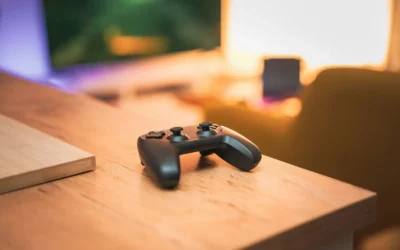
| Controller stand | a controller stand in this style | OIVO PS5 Controller Charging Station | a dock that charges two controllers and clears the desk |
| Headphone stand | a headphone stand in this style | Brainwavz Hengja Desk Hook | a clamp hook that keeps the headset under the desk edge |
| Bias light | a bias light in this style | Govee Envisual TV Backlight | a camera-based backlight for a large monitor or a TV in the setup |
The desk and the lighting do most of the visual work. A wide surface like the ApexDesk Elite Series gives you room for a PC monitor plus a docked console controller zone without stacking gear. Pair it with a camera based backlight such as Govee Envisual TV LED Backlight T2 with Dual to wash the wall behind a large monitor or TV with color that follows what is on screen.
Display and storage define how cozy it feels day to day. Use OIVO PS5 Controller Charger with Fast Charging AC to charge two controllers at once with red and blue status lights, so pads are always ready and off the mat. For headsets, you have two paths detailed in this guide to choosing a headphone holder, the showpiece KAFRI RGB Headphone Stand with Wireless Charger with selectable light modes and a Qi pad, or the hidden BRAINWAVZ Hengja – The Desk Headphone Stand Hanger that clamps under the desk edge.
Seating grounds long sessions. The SIHOO Doro C300 Ergonomic Office Chair is our mid range pick with an adjustable headrest, linked armrests and a mesh seat that owners praise for airflow during long play. It will not replace a premium chair for all day work, but it fits the cozy brief without dominating the room.
How To Adapt It To Your Room
How much desk width and depth do you actually need for both a PC and a console in one cozy spot? Start there before you buy anything, because returns on large furniture are painful.
Adapt this to your space before buying. Measure the wall or shared room for the desk width, a compact layout needs more depth for a monitor arm to pull back. Tape the outline on the floor and check chair pullout, door swing and walk paths. If you share the room, leave clearance on the console side so a second player or a friend can sit without moving your PC chair.
Check your monitor for a VESA pattern before choosing an arm, and confirm the desk edge thickness for a clamp. Look up the VESA hole spacing and weight in your monitor manual, then match both to the arm spec sheet. For clamp mounts, measure the edge thickness including any lip or cable tray, and confirm the monitor weight with cables attached. Follow the mounting instructions step by step and get help to lift larger screens.
If you rent, use no-drill cable trays and adhesive raceways rather than screwing into the desk or wall, and find a stud before any wall mount. A clamp on tray plus a fabric sleeve hides most of the mess under a standing desk. Our roundup of under desk cable trays shows no-drill options that suit renters. For wall routing, adhesive channels are renter friendly, while any wall mount for a TV or shelf must go into a stud with the right hardware.
Match the cozy look with the finish of the desk and mat first, then the lighting color, rather than buying every accessory in one brand. Pick one wood tone or neutral, one mat texture in leather or woven cloth, then set your bias light to a warm white for everyday use. You can switch to color for movie or party play, but a consistent warm base keeps mixed brands from clashing.
A standing desk lists a weight capacity, keep the tower, monitors and arm under it. Add up the desk top, PC, screens, arms and docks before you order, and keep power bricks off the moving frame where possible. For lighting safety, do not overload a single outlet with PC, console, TV and strips on one tap, and keep power supplies ventilated with space around them. Route charging cables through a small hub so they cannot slip behind the desk when you raise it.
What Actually Changes The Feel
Bias lighting changes the mood more than any other add on. A camera based kit extends on screen color onto the wall, which makes night console sessions feel larger and reduces the harsh contrast between a bright screen and a dark room. Learn when they help and when they distract in this overview of camera based backlights.
Cable control is second. When PC power, console power, HDMI, USB and charging leads are sleeved and tray mounted, the desk reads as calm even with two systems connected. A small desktop cable hub also stops the daily annoyance of fishing for a fallen USB cable.
A full desk mat is third. It unifies keyboard, mouse and controller zones, softens hard desk reflections and protects the finish from controller docks. Leather or dual sided pads wipe down fast, while woven pads offer more grip for mouse aim.
Lower priority for feel are the mic arm and the showpiece headphone stand. Both are useful for streaming and display, but they do not change comfort or room mood as much as light, cables and mat. Upgrade them after your seating, desk stability and lighting are settled. No verified frame rate numbers are available for this build, so treat performance in qualitative terms like smoothness in everyday play and ease of switching between systems.
Build It At Three Budgets
Budget: First Cozy Dual System Corner
You get a manual or single motor desk, an affordable ergonomic chair such as the SIHOO M57, a single VIVO arm, one Govee light strip, a large cloth mat and a no-drill cable tray. This suits you if you want a first cozy setup on a tight budget and already own the PC and console.
Expect more hands on cable tucking and fewer light scenes, but the core comfort and display logic stays intact. It is a smart path for dorms and rentals where you cannot drill.
Balanced: The Long Term Cozy Pick We Recommend
You step up to a dual motor standing desk, a mid ergonomic or racing chair such as the SIHOO Doro C300, a gas spring arm, a monitor light bar plus one strip, a stitched XL mat and a clamp on cable tray with a sleeve. This suits most people who want it to last through PC upgrades and console generations.
You get smoother height changes, better back support and richer lighting control without going to premium furniture pricing. This is the version we would build for a shared bedroom or living corner.
Premium: Keep It For Years Showpiece
You choose a Herman Miller or Steelcase chair, an Ergotron arm, a light bar plus wall panels, a felt or leather pad and a fully sleeved cable run. This suits you if you plan to keep the setup for years and want refined ergonomics plus layered light.
The day to day gain is comfort during long work plus play days and a very tidy rear view for video calls. Only choose this if your room layout is settled, since premium arms and panels reward precise placement.
FAQ
How do I fit both a console and a PC on one cozy desk?
Give the PC the center monitor position and place the console vertically or on a side shelf with ventilation. Use a dock like the OIVO charger to keep controllers off the mat, and route both HDMI leads before you push the desk to the wall.
Do I need a camera based bias light for console and PC play?
You do not need one, but owners commonly report it makes night sessions feel more immersive and less stark. Start with one strip or bar in warm white, then add a camera kit if you want color that follows movies and games.
What is the simplest way to display headsets and controllers without clutter?
Use one visible dock for daily controllers and one hidden hook for your main headset. A desktop stand with charging works for display, while an under desk clamp keeps a second headset out of sight but within reach.
Final Verdict
A cozy dual system desk works when you prioritize width, warm light and hidden cables over sheer accessory count. Start with desk and mat, add bias light and cable control, then layer display stands to suit your room. Updated in September 2026 per current spec sheets and owner feedback.
Our pick: the Balanced build with a dual motor desk, SIHOO Doro C300 chair and layered lighting, for most people who want comfort and mood that lasts.

Write Your Review
No reviews yet. Be the first to share your experience!