

Video credit: daniilzy. Original video: https://www.youtube.com/watch?v=hOov_6_I6c4. This is our own independent breakdown and is not affiliated with the video creator. As an Amazon Associate, CustomPCGaming earns from qualifying purchases. Product prices shown in the video may have changed.
Watch the build
Parts in this build
- AMD Ryzen 7 7800X3D
- Radeon RX 9070
- MSI PRO B650M-A WiFi
- G.Skill Trident Z5 Neo 32GB DDR5 6000 CL30
- Samsung 990 Pro 2TB
- Corsair RM850e
- Lian Li Lancool 216
- Arctic Liquid Freezer III 240
Parts list is our summary of the video for reference. Confirm current specs and price on the retailer page before buying.
Watch: The Build Video
This is our independent parts analysis and is not affiliated with the video creator. As an Amazon Associate, CustomPCGaming earns from qualifying purchases. Product prices shown in the video may have changed.
The video illustrates a high end AM5 gaming build centered on the Ryzen 7 7800X3D and Radeon RX 9070 class of GPU. Our picks below are independent 2026 selections for the same build concept, researched for compatibility and balanced performance. This class of system is aimed at high refresh 1440p and capable 4K gaming where CPU overhead and GPU memory matter.
What This Build Is
This is a premium custom gaming build on the AM5 platform, built around an 8 core Zen 4 processor with stacked cache and a current generation 16GB graphics card. You get a DDR5 memory kit tuned for AMD EXPO, a PCIe 4.0 NVMe drive with 2TB capacity, and an ATX 3.1 power supply that meets modern GPU connector standards.
At this budget tier you are targeting smooth high refresh gaming at 1440p with room to push into 4K, plus strong 1 percent low performance for competitive titles. The platform choice gives you a clear upgrade path within AM5, which is a key reason builders choose B650 over older sockets. You also get modern connectivity like WiFi 6, 2.5 Gb Ethernet, PCIe 5.0 M.2 support, and USB4 support on the motherboard.
Builds at this level usually make a few deliberate tradeoffs. You prioritize GPU and CPU for gaming first, then allocate enough to fast storage and a reliable power supply, while keeping the motherboard practical rather than flagship. That means you often skip extra cost features like PCIe 5.0 graphics slots or premium audio, and you choose a 240mm liquid cooler that fits most mid tower cases instead of a larger 360mm unit.
If you are deciding between Prebuilt vs Custom at this tier, custom gives you control over memory speed, SSD quality, and cooler choice. Those details affect everyday responsiveness and noise more than a spec sheet suggests. This breakdown shows how each part fits together and where you can scale up or down without breaking platform balance.
You should also think about your monitor and your case. A high refresh 1440p display lets this CPU and GPU combination stretch its legs, while a case with good front airflow and radiator support keeps noise down. If you plan to move to 4K or to keep the system for several years, the 16GB of VRAM and the 2TB SSD give you headroom that cheaper configs often lack.
Parts Breakdown
Below is the core of our 2026 analysis. The left column reflects the build concept from the video, the right column is our current pick you can buy now, and the Why column explains the reasoning in plain terms. All specs come from the Products Data or from owner reports where noted.
This article contains affiliate links. If you buy through one of our links, CustomPCGaming may earn a commission at no extra cost to you. Commissions never influence which products we recommend or how we rank them. Read our Affiliate Disclosure for details.
Quick Picks at a Glance

AMD Ryzen 7 7800X3D 8-Core 16-Thread

G.SKILL Trident Z5 Neo RGB 32GB DDR5-6000 CL30 AMD

Prime CORSAIR RM850e 850W Fully Modular ATX 3.1 PSU

Samsung 990 PRO 2TB PCIe 4.0 NVMe M.2 SSD

Prime ASUS TUF Gaming B650-PLUS WiFi AM5 ATX Motherboard

GIGABYTE Radeon RX 9070 XT Gaming OC 16G Graphics

ARCTIC Liquid Freezer III Pro 240 AIO CPU Cooler
As an Amazon Associate we earn from qualifying purchases. Product prices and availability are accurate as of the date/time indicated.
Pros
- Best in class gaming performance and frametime consistency in CPU heavy and competitive titles
- Excellent power efficiency and cool operation without needing premium cooling
- Stable, easy drop in installation on AM5 with no complex tuning required
- Strong multitasking for gaming, streaming and everyday use
Cons
- Tuned for gaming, less ideal than non X3D chips for heavy rendering or productivity workloads
- Limited overclocking headroom due to 3D V-Cache design
- Requires AM5 motherboard and DDR5 memory, so not a drop in upgrade for AM4 systems
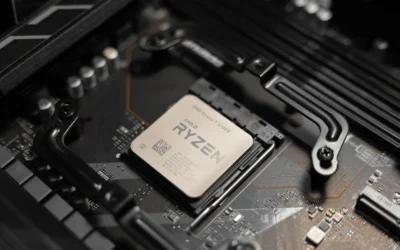
The AMD Ryzen 7 7800X3D is an 8-core, 16-thread desktop processor built on AMD's Zen 4 architecture for the Socket AM5 platform. It is purpose built for gamers who want maximum FPS and smoothness rather than a workstation chip for heavy creation tasks.
Its defining feature is AMD 3D V-Cache, which stacks a massive 96MB L3 cache plus 8MB L2 for 104MB total cache. In real world use this translates to exceptional high refresh rate gaming at 1440p, VR, and CPU intensive simulation and strategy games, with notably smooth 1% lows when paired with a powerful GPU.
Built on a 5nm process with a 4.2 GHz base clock and 120 watt design, it balances speed with efficiency. Users report cool, quiet operation and easy installation on any AM5 board, plus integrated Radeon Graphics for basic display duties and reliable everyday stability.
There are tradeoffs to consider. It is optimized for gaming, so creators focused on video encoding or 3D rendering may find better value in higher clocked non X3D processors. It also needs an AM5 motherboard and DDR5 RAM, and offers limited manual overclocking by design.
Verdict: For pure gaming the 7800X3D remains a top recommendation, combining elite gaming performance, efficiency and consistency. If your priority is smooth, high FPS gameplay that lets your GPU stretch its legs, it is an outstanding upgrade.
Processor: AMD Ryzen 7 7800X3D, 8 Cores, 16 Threads, Zen 4 Architecture, 5nm Process
Clock and Cache: 4.2 GHz Base Clock, 8MB L2 Cache plus 96MB L3 Cache, 104MB Total Cache
Socket and Platform: Socket AM5, Supports Windows 10 and Windows 11, Requires DDR5 Memory
Graphics and Power: Integrated AMD Radeon Graphics at 2200 MHz, 120 Watts, Tjmax 89C
Package: Desktop Processor, Model Number AMD Ryzen 7 7800X3D, Dimensions 1.57 x 1.57 inches
Pros
- Excellent CL30 latency at 6000MT/s for top-tier DDR5 performance
- Reliable AMD EXPO profile enables rated speed with one BIOS setting
- Premium build quality with effective heatspreader and refined RGB design
- Strong compatibility with AMD X870, X670, B850, B650 and A620 motherboards
- Backed by limited lifetime manufacturer warranty
Cons
- Requires enabling EXPO in BIOS to reach rated 6000MT/s, defaults to slower JEDEC speed otherwise
- Mixing with other memory kits is not supported and can cause instability
- RGB and low-latency premium costs more than basic DDR5 kits
The G.SKILL Trident Z5 Neo RGB F5-6000J3038F16GX2-TZ5NR is a 32GB DDR5 kit with two matched 16GB modules rated at 6000MT/s CL30-38-38-96. It is purpose built for AMD desktops and is ideal for gamers, enthusiasts and creators on X670, B650, X870, B850 and A620 platforms who want optimized Ryzen performance.
With AMD EXPO support, the kit reaches its rated speed with a single BIOS setting at 1.35V, no manual tuning needed. Real world feedback highlights noticeably quicker load times, smoother gameplay and better responsiveness compared to standard JEDEC DDR5, especially when paired with Ryzen 7000, 8000 and 9000 series processors.
Design and build quality are standout features, with a matte black brushed aluminum heatspreader that looks sophisticated and helps keep temperatures low under load. The integrated RGB light bar offers clean, customizable lighting that syncs with major motherboard software, bright enough to accent a build without being overpowering.
There are a few considerations to note. The memory will boot at JEDEC default speed until EXPO is enabled, so BIOS adjustment is required. As a matched kit, adding or mixing other kits later is not recommended, so buyers planning for 64GB should choose a larger capacity kit from the start.
Overall, the Trident Z5 Neo RGB is a top tier choice for AMD builders who want proven stability, low latency and premium aesthetics in one package. For a modern gaming or enthusiast desktop where performance and looks both matter, this kit delivers excellent value and reliability.
Capacity: 32GB (2x16GB) Dual Channel Kit
Memory Type: DDR5 U-DIMM, 288-pin, Non-ECC
Rated Speed: Up to 6000MT/s, CL30-38-38-96, 1.35V
Profiles: JEDEC default plus AMD EXPO overclock profile
Compatibility: AMD X870, X670, B850, B840, B650, A620 platforms
Model: F5-6000J3038F16GX2-TZ5NR, Matte Black with RGB
Warranty: Limited Lifetime Manufacturer Warranty
Choose this 6000MT/s CL30 kit if you want the sweet spot for AMD Ryzen systems, balancing high frequency with tight timings for gaming performance. It is the recommended spec for most Ryzen 7000 and newer builds without pushing into less stable higher frequencies.
Enable EXPO in your motherboard BIOS to reach the rated speed, and check your motherboard QVL or G.SKILL configurator for validated compatibility before purchase. Ensure your CPU and motherboard support DDR5 and EXPO for best results.
If you plan to upgrade memory later, buy the total capacity you need now as a single matched kit. Do not mix this kit with other kits, even of the same model, to avoid stability issues or failure to boot at rated speeds.
Pros
- ATX 3.1 and PCIe 5.1 ready with included native 12V-2x6 cable and adapter
- Fully modular design greatly simplifies cable management and airflow
- Very quiet cooling with optimized 120mm rifle bearing fan curve
- High-quality 105C rated capacitors and Cybenetics Gold efficiency
- Compact 140mm length and strong 7-year warranty
Cons
- 850W may be more than needed for budget or mid-range builds
- Only one dedicated PCIe 8-pin cable included, relies on adapter for additional connectors
- No RGB lighting or advertised zero-RPM fan mode for silent idle operation
The CORSAIR RM850e (2025) is an 850W fully modular ATX power supply built for gamers, creators and anyone upgrading to RTX 40 series or newer GPUs. With ATX 3.1 and PCIe 5.1 compliance, it is ideal for high performance builds that need stable power and next generation connectors.
Its native 600W 12V-2x6 connector powers modern graphics cards without messy adapters, while support for 2x transient power excursions keeps your system stable during sudden GPU spikes. Cybenetics Gold efficiency and Modern Standby support improve low load efficiency and enable fast wake times, and the tuned 120mm rifle bearing fan stays quiet even under heavy load.
Design and build quality are standout strengths for this price class. At just 140mm long it fits easily in most mid tower and compact ATX cases, and fully modular cables keep builds tidy with better airflow. Industrial grade 105C rated capacitors ensure consistent electrical performance and long term reliability.
There are a few trade offs to consider. The included cable set is lean with only one native PCIe 8-pin cable plus a 12V-2x6 to dual 8-pin adapter, so users with multiple older GPUs may need extra cables. It also focuses on performance over aesthetics, with no RGB and no dedicated zero RPM mode for complete silence at idle.
Overall, the RM850e 850W hits an excellent balance of efficiency, compatibility and quiet operation for modern high end PCs. If you want a compact, future ready and dependable power supply that will handle demanding hardware for years, it is a smart and durable choice.
Model: CORSAIR RM850e (2025) CP-9020296-NA | Wattage: 850W | Form Factor: ATX | Modular: Fully Modular
Compliance: Intel ATX 3.1, PCIe 5.1 with native 12V-2x6 connector | Efficiency: Cybenetics Gold | Capacitors: Industrial-grade 105C rated
Cooling: 120mm rifle bearing fan with low-noise curve | Dimensions: 5.91 x 5.51 x 3.35 inches | Weight: 3.4 pounds
Connectors Included: 1x 24-pin ATX, 2x 8-pin EPS12V (4+4-pin), 1x PCIe 8-pin (6+2-pin), 1x 600W 12V-2x6, 1x 12V-2x6 to dual 8-pin adapter, 6x SATA, 2x PATA | Warranty: 7 Years
Pros
- Exceptional sequential speeds up to 7450 MB/s read
- Strong power efficiency and smart thermal control
- Large 2TB capacity perfect for gaming and creative work
- Highly reliable with proven Samsung controller and NAND
- Easy M.2 installation and PS5 compatibility
Cons
- Requires PCIe 4.0 system to achieve advertised maximum speeds
- Premium cost compared to PCIe 3.0 and budget Gen4 drives
- This model does not include a heatsink, separate cooling may be needed for heavy sustained loads
The Samsung 990 PRO 2TB is a flagship PCIe 4.0 NVMe M.2 SSD built for gamers, content creators and power users who demand top tier speed and capacity. With its compact 2280 form factor and PS5 compatibility, it fits modern desktops, laptops and consoles that support PCIe 4.0.
In real world use it delivers near maximum PCIe 4.0 performance with sequential reads up to 7450 MB/s and writes up to 6900 MB/s. Users report faster game loads, snappy system responsiveness and smooth handling of large file transfers, video editing and heavy multitasking thanks to more than 55 percent better random performance than the 980 PRO.
Built around Samsung's in-house controller and NAND, the drive offers excellent build quality in an ultra compact and lightweight design that installs easily in any M.2 slot. Intelligent heat control and improved power efficiency help maintain consistent performance while using less energy, making it suitable for both desktops and laptops.
To unlock its full potential you will need a PCIe 4.0 capable motherboard or device, otherwise speeds will be limited by your hardware. This base model does not include a heatsink, so users running sustained intensive workloads may want to add dedicated cooling, and it carries a premium over slower Gen3 or entry level Gen4 alternatives.
Overall the 990 PRO 2TB stands out as one of the fastest and most reliable PCIe 4.0 SSDs available, backed by Samsung's reputation and a 5 year warranty. If you want a high capacity, future ready drive that noticeably improves everyday computing and demanding workloads, it is an excellent investment.
Capacity: 2TB
Form Factor: M.2 2280
Interface: PCIe 4.0 x4, NVMe
Sequential Read Speed: Up to 7450 MB/s
Sequential Write Speed: Up to 6900 MB/s
Compatible Devices: Desktop, Laptop, Sony PlayStation 5
Model Number: MZ-V9P2T0B/AM
Warranty: 5 Years Manufacturer
Choose the Samsung 990 PRO 2TB if you need maximum PCIe 4.0 speed combined with large capacity for gaming, 4K editing or heavy workloads. It is the right fit when your system has an M.2 2280 PCIe 4.0 slot and you want noticeably faster boots, loads and transfers.
Consider your cooling setup before buying, as this version comes without a heatsink. If you run long sustained writes or use it in a compact build or PS5, adding a heatsink or choosing a heatsink model will help maintain peak performance.
For users on PCIe 3.0 systems or tight budgets, a more affordable Gen3 or entry Gen4 drive may be sufficient. For everyone else seeking a fast, efficient and reliable upgrade with room to grow, the 990 PRO 2TB is a top recommendation.
Pros
- Wide compatibility across three Ryzen generations on AM5 socket
- Robust 12 plus 2 power stage design delivers stable power for gaming and overclocking
- PCIe 5.0 M.2, USB4 and dual Type-C ports offer cutting-edge connectivity
- Integrated WiFi 6 and 2.5Gb Ethernet ensure fast, reliable online gaming
- Military-grade components and comprehensive cooling enhance durability and longevity
Cons
- ATX form factor requires a mid-tower or larger case, not suitable for compact builds
- DDR5 only, so existing DDR4 memory kits cannot be reused
- B650 chipset offers fewer PCIe lanes and only 4 SATA ports compared to X670 boards
The ASUS TUF Gaming B650-PLUS WiFi is an ATX motherboard built for AMD's AM5 platform, supporting Ryzen 7000, 8000 and 9000 series processors. It is ideal for gamers and DIY builders who want a durable, future-proof foundation without paying the premium for X670.
With 14 teamed power stages, PCIe 5.0 M.2 storage and DDR5 support up to 128GB at 6400MHz, it delivers fast and stable performance for gaming and multitasking. WiFi 6, 2.5Gb Ethernet and USB4 with dual Type-C ports keep connectivity fast and reliable, while two-way AI Noise Cancelation ensures clear communication.
Built to TUF standards, it uses military-grade chokes, capacitors and ProCool power connectors for enhanced durability and power efficiency. Enlarged VRM and PCH heatsinks plus dedicated M.2 heatsinks and Fan Xpert 2 Plus controls keep thermals in check even under sustained loads, and Aura Sync adds subtle customizable lighting.
As an ATX board it needs a larger case, and being DDR5 only means you cannot carry over older DDR4 memory. The B650 chipset also offers fewer PCIe lanes and SATA ports than X670, and WiFi 6 is solid but not the latest 6E standard found on some rivals.
Overall, the TUF Gaming B650-PLUS WiFi strikes an excellent balance of durability, next-gen features and value. For gamers and builders seeking a reliable AM5 motherboard that will handle current and next-gen Ryzen CPUs with confidence, it is a smart and enduring choice.
Socket: AM5 for AMD Ryzen 7000, 8000 and 9000 Series
Chipset: AMD B650, ATX form factor
Memory: 4x DDR5 DIMM slots, up to 128GB, up to 6400MHz
Storage: PCIe 5.0 M.2 slot, 4x SATA 6Gb/s ports
Expansion: 4x PCIe slots, Graphics interface PCI Express
Networking: WiFi 6, Realtek 2.5Gb Ethernet with TUF LANGuard
Connectivity: USB4 support, USB 3.2 Gen2x2 Type-C, front USB 3.2 Gen1 Type-C, HDMI, Optical S/PDIF
Power: 12 plus 2 teamed power stages, 8 plus 4 ProCool connectors, 24-pin main connector
Pros
- Excellent price to performance ratio for 1440p ultra and 4K gaming
- Large 16GB GDDR6 VRAM handles high resolution textures and future AAA titles
- Effective WINDFORCE triple fan cooling with Dual BIOS for performance or quiet mode
- Modern PCIe 5.0 support with dual DisplayPort and dual HDMI connectivity
- Avoids problematic power connector designs found on competing cards
Cons
- Can run hot and loud at full load, often needs a custom fan curve for quiet operation
- Large triple fan design requires a spacious case with good airflow
- Fans can produce grinding noise near 2800 RPM at 100% speed
The GIGABYTE Radeon RX 9070 XT Gaming OC 16G is a high performance graphics card designed for enthusiasts who want smooth 1440p and capable 4K gaming. It is built for desktop gamers who need future ready hardware with 16GB of GDDR6 memory and PCIe 5.0 support.
In real world use, the card delivers excellent frame rates at ultra settings in modern AAA titles, with users reporting 100+ fps at 4K in many games. The factory overclock to 3060 MHz and 20000 MHz memory clock provide a noticeable boost, while delivering vivid image quality and fluid gameplay.
Build quality is a strong point, with a reinforced structure that prevents sag and a WINDFORCE triple fan cooler that keeps thermals under control. Dual BIOS lets you switch between Performance and Quiet modes, and customizable RGB lighting adds a premium gaming aesthetic to any build.
The main drawback is heat and noise under heavy load, as the compact cooler can get loud when fans spin near maximum speed. Some users noted a grinding noise above 2800 RPM and recommend a custom fan curve or slight undervolt to reduce temperatures and noise without losing much performance.
Overall, the RX 9070 XT Gaming OC offers outstanding value for gamers who want top tier performance without inflated competitor pricing or connector concerns. If you have a spacious case with good airflow, it is a powerful and reliable choice for high resolution gaming.
Graphics Coprocessor: Radeon RX 9070 XT, VRAM: 16GB GDDR6 256-bit, Memory Clock: 20000 MHz, Boost Clock: 3060 MHz, Model: GV-R9070XTGAMING OC-16GD.
Interface: PCI-Express x16 5.0, Outputs: 2x DisplayPort, 2x HDMI, Max Resolution: 3840x2160, Compatible Devices: Desktop.
Cooling: WINDFORCE Triple Fan System, Features: Dual BIOS Performance and Quiet modes, RGB Lighting, Reinforced Structure.
Physical: Weight 1260g, Dimensions 3.94 x 5.91 inches, Warranty: 3 Years, Manufacturer: Gigabyte.
Pros
- Outstanding cooling for high-end CPUs like Ryzen 9 7900X and Core i7-14700K under sustained loads
- Quiet operation at low and medium speeds with headroom for maximum cooling when needed
- Thoughtful mounting features including offset design and Intel contact frame for better thermals
- Clean, stealthy aesthetic with minimal cable clutter and durable premium build quality
Cons
- Thick radiator design can be a tight fit in compact cases
- Installation can be fiddly and relies on QR code video instructions with no printed manual
- Fans become noticeably loud at full 3000 RPM under heavy load
The ARCTIC Liquid Freezer III Pro 240 is a 240mm all-in-one liquid cooler designed for gamers, enthusiasts and workstation users who need strong cooling in a compact form factor. It is especially well suited for modern Intel LGA1851, LGA1700 and AMD systems running hot, high core count CPUs.
In real world use it impresses with low idle temperatures and strong control under heavy loads, with users reporting stable thermals on chips like the Ryzen 9 7900X, 7800X3D and Core i7-14700K. The native offset mounting, powerful P12 Pro fans and dedicated VRM fan work together to improve heat transfer and keep both CPU and motherboard components cooler and more stable.
Build quality is a clear strength, featuring a copper cold plate with micro skived fins and a thick aluminum radiator built for efficient heat dissipation. The integrated cable management routes fan cables through the hose sheathing for a clean, stealthy look with only one visible cable to the motherboard.
There are a few tradeoffs to consider before buying. The thicker radiator can make installation tight in smaller cases, and mounting can feel fiddly without printed instructions. At full speed the fans are effective but noticeably loud, so quiet focused users will want to tune the fan curve.
Overall the Liquid Freezer III Pro 240 offers outstanding cooling efficiency, quiet operation at typical loads and premium features rarely seen at this size. For anyone limited to a 240mm radiator who still wants flagship level cooling and reliability, it is an excellent and highly recommended choice.
Cooling Method: 240mm AIO Water Cooling with 2 x 120mm P12 Pro PWM Fans
Compatibility: Intel LGA1851, LGA1700 and AMD with Native Offset Mounting and Contact Frame
Fan Performance: Up to 3000 RPM, 77 CFM Airflow, plus Integrated PWM VRM Fan
Materials: Aluminum Radiator, Copper Cold Plate with Micro Skived Fins, 12V 4-Pin Connector
Dimensions: 10.9 x 4.7 x 2.6 inches, Weight: 1675g, Warranty: 6 Years
| Part | Common at this level | Our 2026 pick | Why |
|---|---|---|---|
| CPU | Ryzen 7 7800X3D class 8 core | AMD Ryzen 7 7800X3D 8-Core | 8 core, 16 thread Zen 4 on 5 nm with 4.20 GHz base clock, 8 MB L2 plus 96 MB L3 cache and Radeon Graphics at 2200 MHz. Chosen for strong gaming performance and efficiency on AM5. |
| Memory | 32GB DDR5 6000 EXPO kit | G.SKILL Trident Z5 Neo RGB Series DDR5 RAM | 32GB kit as 2x16GB rated up to 6000MT/s at CL30-38-38-96 and 1.35V with AMD EXPO profile. Ideal speed for Ryzen 7000 and validated for AMD B650 and X670 platforms. |
| Storage | 2TB PCIe 4.0 NVMe | Samsung SSD 990 PRO 2TB, PCIe 4.0 M.2 2280 | PCIe 4.0 drive rated up to 7450 MB/s sequential read and 6900 MB/s write. High random performance and improved power efficiency help with load times and sustained writes. |
| Power Supply | 850W ATX 3.1 | CORSAIR RM850e (2025) ATX 3.1 PCIe 5.1 Ready 850W | 850W fully modular unit with ATX 3.1 and PCIe 5.1 compliance including native 12V-2×6 connector, 120mm rifle bearing fan and 105 degree C rated capacitors. Provides headroom and modern standby support. |
| Motherboard | B650 AM5 ATX with WiFi | ASUS TUF Gaming B650-PLUS WiFi AMD B650 AM5 Ryzen™ | AM5 socket for Ryzen 7000, 8000 and 9000 series, 12 plus 2 teamed power stages, PCIe 5.0 M.2, WiFi 6, 2.5 Gb Ethernet and USB4 support. Military grade components and enlarged VRM heatsinks. |
| Graphics Card | Radeon RX 9070 XT 16GB class | Gigabyte Radeon RX 9070 XT Gaming OC 16G Graphics | 16GB GDDR6 on 256 bit bus, PCI-E 5.0 interface, 3060 MHz core frequency with WINDFORCE cooling and dual BIOS. Suited for high refresh 1440p and 4K with ample VRAM. |
| CPU Cooler | 240mm AIO liquid cooler | ARCTIC Liquid Freezer III Pro 240 | 240mm AIO with 2x120mm P12 Pro fans, offset mounting for AMD and Intel, integrated VRM fan and integrated cable management. Balances cooling and case compatibility. |
The two most important choices here are the CPU and the graphics card, and they complement each other well. The AMD Ryzen 7 7800X3D 8-Core brings a large 96 MB L3 cache on top of 8 MB L2, which helps in games that are sensitive to cache and memory latency. With a 4.20 GHz clock and 5 nm process, it stays efficient while delivering consistent frame pacing, and the integrated Radeon Graphics at 2200 MHz gives you display output for troubleshooting even when the discrete GPU is installed.
The Gigabyte Radeon RX 9070 XT Gaming OC 16G Graphics is the performance anchor for this build. With 16GB of GDDR6, a 256 bit memory interface and a 3060 MHz core frequency, it has the memory and bandwidth to handle high resolution textures and modern titles without compromise. The WINDFORCE cooler and dual BIOS give you options for noise versus performance, and the PCIe 5.0 interface keeps you aligned with current platforms.
Memory and storage round out the experience. The G.SKILL Trident Z5 Neo RGB Series DDR5 RAM at 6000MT/s CL30 is the sweet spot for AM5, and the EXPO profile makes it simple to run at the rated speed when your motherboard supports it. The Samsung SSD 990 PRO 2TB, PCIe 4.0 M.2 2280 adds fast sequential speeds up to 7450 MB/s and strong random performance, which owners commonly report as noticeably quicker for game loads and large file transfers.
Compatibility Check
Will all of these parts work together in a typical mid tower without surprises. That is the question most builders at this level ask, and the answer here is yes with a few checks you should do before you buy a case and before you power on.
Socket and chipset are aligned. The ASUS TUF Gaming B650-PLUS WiFi AMD B650 AM5 Ryzen™ uses the AM5 socket and B650 chipset, which supports Ryzen 7000 series processors including the AMD Ryzen 7 7800X3D 8-Core. The board is also listed for Ryzen 8000 and 9000 series, which helps with future upgrades. B650 gives you PCIe 5.0 M.2 support for fast storage and modern I/O without the cost of a flagship chipset.
BIOS version is the main watch point on AM5. Early B650 boards shipped before some newer CPUs were available, so a BIOS update may be needed depending on your board revision and manufacturing date. Updates are done at your own risk and may affect warranty, so follow the motherboard maker instructions, use a stable power source, and handle components with anti static precautions. If you buy from a retailer with recent stock, the board often ships with a compatible BIOS, but verify with the seller.
Memory support is straightforward if you use the EXPO profile. The G.SKILL Trident Z5 Neo RGB Series DDR5 RAM is a 32GB kit as 2x16GB rated up to 6000MT/s at CL30-38-38-96 and 1.35V, with a JEDEC default profile for initial boot and an AMD EXPO profile for the rated speed. This kit is validated for AMD X670, B650, X870, B850 and related AM5 platforms. Do not mix kits, install the two modules in the recommended slots per your motherboard manual, and enable EXPO in BIOS only if you are comfortable with memory overclocking.
Graphics card fit needs case clearance. The Gigabyte Radeon RX 9070 XT Gaming OC 16G Graphics is a large triple fan card with a reinforced structure, so check your case GPU length limit and slot clearance. Most ATX mid towers handle this class of card, but compact cases may not. Also confirm you have good front to back airflow, since this cooler exhausts heat into the case. For more on case fit, see how to choose a case for GPU clearance and radiator support and mesh front case vs tempered glass front case.
CPU cooler clearance is the next check. The ARCTIC Liquid Freezer III Pro 240 is a 240mm AIO with two 120mm fans. You need a case that supports a 240mm radiator on the top or front, plus clearance for the pump head and the integrated VRM fan. The unit includes offset mounting for AMD to improve contact over the hotspot and integrated cable management to keep tubing and fan wiring tidy. Follow the mounting instructions for AM5, verify radiator thickness plus fan thickness against your case spec, and avoid overtightening.
Power supply headroom and connectors are covered with margin. The CORSAIR RM850e (2025) ATX 3.1 PCIe 5.1 Ready 850W is fully modular and includes a native 12V-2×6 connector for modern GPUs, along with ATX 3.1 compliance for transient excursions. An 850W capacity gives you headroom over the combined draw of the CPU and GPU, but you should still follow the GPU maker recommended wattage and use the cables supplied with the PSU. Never use third party or mixed cables, and ensure the PSU fan has intake clearance.
Storage and connectivity are simple. The Samsung SSD 990 PRO 2TB, PCIe 4.0 M.2 2280 fits the board M.2 2280 slot and can use the board M.2 heatsink for thermal control. The motherboard provides WiFi 6 and Realtek 2.5 Gb Ethernet, so you can choose wired or wireless networking without add in cards. If you need more on cooling choices, see 240mm AIO vs 360mm AIO for gaming and CPU Cooling.
Performance: What To Expect
No specific attributed FPS figures were provided under PERFORMANCE NUMBERS for this build, so we will not cite frame rates for the recommended parts. In general, owners commonly report that this class of CPU and GPU delivers high refresh gameplay at 1440p and solid performance at 4K when paired with DDR5 6000 memory and a fast PCIe 4.0 SSD.
Qualitatively, the AMD Ryzen 7 7800X3D 8-Core helps keep frame times steady in CPU heavy scenes thanks to its large L3 cache, while the Gigabyte Radeon RX 9070 XT Gaming OC 16G Graphics with 16GB of VRAM handles high texture settings and higher resolutions with headroom. The G.SKILL Trident Z5 Neo RGB Series DDR5 RAM at 6000MT/s supports smooth minimums when EXPO is enabled, and the Samsung SSD 990 PRO 2TB, PCIe 4.0 M.2 2280 keeps load times short and level transitions quick.
Upgrades change the feel more than a single number can show. Moving to a higher tier GPU improves headroom for ray tracing and 4K, while a larger or faster SSD helps if you work with large game libraries or content creation. A 360mm AIO can lower noise under sustained loads but does not automatically raise gaming performance, so choose it only if your case supports it and you value acoustics.
Three Ways to Build This
1. Lower Cost Version
Keep the ASUS TUF Gaming B650-PLUS WiFi AMD B650 AM5 Ryzen™ and the ARCTIC Liquid Freezer III Pro 240, but step the GPU down one tier and choose a 1TB version of a PCIe 4.0 drive if you need to trim budget. You still keep the AMD Ryzen 7 7800X3D 8-Core and the G.SKILL Trident Z5 Neo RGB Series DDR5 RAM at 6000MT/s for strong gaming fundamentals. This suits you if you play mainly at 1440p and want to save while keeping the AM5 upgrade path open.
2. Balanced Version (Our 2026 Pick)
This is the parts list in the table: AMD Ryzen 7 7800X3D 8-Core, G.SKILL Trident Z5 Neo RGB Series DDR5 RAM 32GB, Samsung SSD 990 PRO 2TB, PCIe 4.0 M.2 2280, CORSAIR RM850e (2025) ATX 3.1 PCIe 5.1 Ready 850W, ASUS TUF Gaming B650-PLUS WiFi AMD B650 AM5 Ryzen™, Gigabyte Radeon RX 9070 XT Gaming OC 16G Graphics, and ARCTIC Liquid Freezer III Pro 240. It balances gaming performance, capacity, and modern connectivity without paying for flagship extras. Choose this if you want high refresh 1440p now with capable 4K and a straightforward build process.
3. Higher End Version
Stay on AM5 but move to a higher tier GPU option, add a second PCIe 4.0 or PCIe 5.0 M.2 drive for content creation, and consider a 360mm AIO if your case supports it. Keep the 32GB DDR5 6000 CL30 memory, since it is already well matched to Ryzen 7000, and keep the 850W ATX 3.1 PSU for headroom and the native 12V-2×6 connector. This fits you if you target 4K, stream while gaming, or want extra thermal and storage headroom.
FAQ
Is the Ryzen 7 7800X3D still a good pairing for an RX 9070 XT in 2026?
Yes for gaming focused builds. The 8 core 16 thread design with 96 MB L3 cache helps with frame pacing, and the AM5 platform gives you upgrade options. If your workload is heavily multi threaded productivity, a higher core count CPU may be more appropriate.
Do I need to enable EXPO for the G.SKILL 6000MT/s kit?
The kit will boot at JEDEC default speed, and you enable the AMD EXPO profile in BIOS to reach up to 6000MT/s at CL30-38-38-96 and 1.35V. Enable it only if you are comfortable with memory overclocking, and verify stability with your motherboard QVL.
Will the 240mm AIO be enough or should I get a 360mm radiator?
A 240mm AIO like the ARCTIC Liquid Freezer III Pro 240 is sufficient for the AMD Ryzen 7 7800X3D 8-Core in most mid towers and is easier to fit. A 360mm unit can reduce noise under long heavy loads but requires a case that supports it and does not guarantee higher gaming performance.
Final Verdict
This build hits the sweet spot for AM5 gaming in 2026 without overspending on features that do not improve your experience. You get a proven gaming CPU, 16GB of VRAM for high settings, fast DDR5 at the right speed, and a power supply that meets current standards, all on a reliable B650 board.
Our pick: the Balanced Version. It gives you the AMD Ryzen 7 7800X3D 8-Core and Gigabyte Radeon RX 9070 XT Gaming OC 16G Graphics with 32GB of DDR5 6000 and a 2TB Samsung SSD 990 PRO, which is the best fit for most gamers who want high refresh 1440p with headroom for 4K and a clear path for future AM5 upgrades.
This guide is not a good fit if you want a hands-off machine with a single warranty and no assembly; a prebuilt may be the better choice despite the price premium.


Write Your Review
No reviews yet. Be the first to share your experience!