

You just finished a new build, you launch your favorite game, and instead of smooth motion you get hitching, brief freezes, or uneven frame pacing. Learning how to fix stutter and frame drops in games on a new build is less about buying a new part right away and more about following a repeatable decision process.
Before you change anything, clarify your targets and limits. What resolution and refresh rate are you aiming for, what platform and socket did you build on, how much clearance does your case offer for coolers and airflow, what is your power budget, and are you trying to solve this for your current games or for the next upgrade cycle as well? Answering those questions keeps you from chasing the wrong fix. For a broader look at common solutions, browse the Troubleshooting & Optimization archive.
What Actually Matters
1. Isolate the Bottleneck: CPU, GPU, RAM, or Storage
Stutter has different signatures, and your first job is to narrow it down. If your frame time graph spikes when many characters or physics effects appear, you are likely CPU limited. If hitching happens only at high settings or high resolution, the graphics card is more likely the limiter.
Open your overlay and watch utilization while you play. When one component sits near its limit while the other stays low, that high utilization part deserves attention first. Per the spec sheet and according to owners, mismatched expectations are common, for example pairing a high refresh monitor with a mid range GPU and then wondering why frame drops appear at ultra settings.
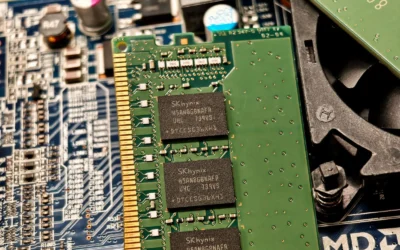
Do not forget system memory and storage. Running with a single memory stick, mixing unmatched kits, or running games from a slow or nearly full drive can create micro stutter even when CPU and GPU look fine. Check whether your memory is running in dual channel and whether its profile is enabled in BIOS, and keep at least some free space on your game drive.
2. Thermals and Power Stability
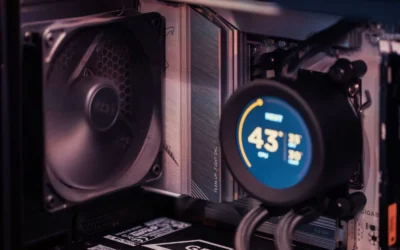
Heat and inconsistent power cause the kind of stutter that looks random. Modern CPUs and GPUs will lower clocks to protect themselves when temperatures rise, which shows up as sudden dips and uneven pacing rather than a steady low frame rate.
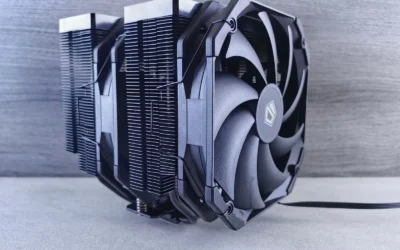
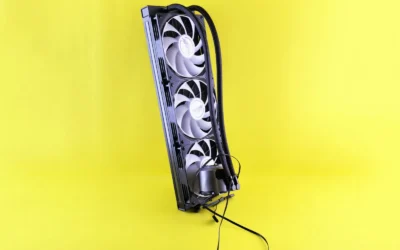
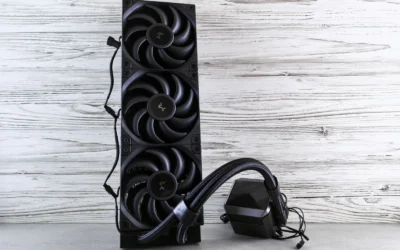
Evaluate your cooling and airflow as a system. Make sure fans are oriented correctly, dust filters are clear, and hot air can actually leave the case. If you are using a large air cooler, check cooler height and RAM clearance against your case spec sheet and follow the manufacturer mounting instructions carefully. For help weighing cooler size versus case space, see how to choose a CPU cooler for ryzen 7 9800X3D.
Power stability matters just as much. An undersized or low quality power supply can cause voltage droop under load, which leads to brief throttling or crashes. As a rule, allow headroom above the combined draw of your CPU and GPU and follow the GPU maker recommended wattage, never assume a unit can handle any card. Also confirm that you used separate PCIe cables where required and that all power connectors are fully seated.
When you inspect inside the case, use anti static handling, power down fully, and avoid forcing connectors. Good cable management also helps airflow, which in turn helps keep clocks steady. If you suspect case airflow is the limiter, this guide on how to choose an airflow case for a hot GPU explains how to weigh mesh fronts, fan count, and GPU clearance.
3. Drivers, BIOS, Firmware, and OS Settings
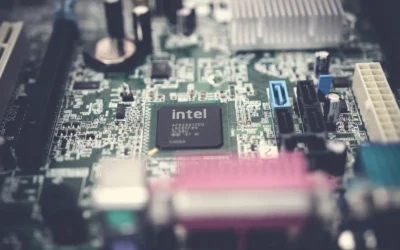
On a new build, software is the most common source of stutter and the easiest to correct. Start with a clean graphics driver install, then add the motherboard chipset drivers from the board maker site. Outdated chipset drivers can hurt scheduling and storage performance even when the graphics driver is current.
Next, look at BIOS and firmware. Many new builds ship with an early BIOS that does not fully support your memory kit or power management. A BIOS update can improve memory compatibility and stability, but be aware that BIOS updates and overclocking are done at your own risk and may void warranty. Only update from the official board support page, do not interrupt power during the process, and reset to optimized defaults afterward before reapplying your memory profile.
Inside Windows, keep it simple. Use Game Mode, set your display to its native refresh rate, and choose a consistent sync method. Running with mismatched settings, like uncapped frame rates with vsync off on a high refresh display, can create tearing that feels like stutter. Cap your frame rate slightly below your monitor maximum if you use adaptive sync, and close heavy background apps while you evaluate.
4. Memory Configuration and Background Load
Memory setup is one of the most overlooked causes of frame drops on a new build. Two matched sticks in the correct slots will usually provide more consistent frame pacing than a single stick, even if total capacity looks similar on paper. Owners commonly report smoother minimum frame rates after correcting slot population and enabling the memory profile.
Check that your memory profile is actually active. Many kits boot at a conservative speed until you enable the profile in BIOS. If you enable it and see instability, step back, verify the kit is on your motherboard compatibility list, and consider whether your platform benefits more from stability at a slightly lower speed than from chasing the highest frequency.
Finally, audit what else is running. RGB utilities, browser tabs, game launchers with overlays, and recording software can all introduce periodic hitches. Disable overlays one by one and observe frame times. If stutter disappears with overlays off, you have found a low cost fix that no hardware swap would solve.
To see how these ideas are explained for first time builders, here are a few options that show the range of beginner friendly guides that walk through correct assembly, BIOS setup, and initial tuning:
This article contains affiliate links. If you buy through one of our links, CustomPCGaming may earn a commission at no extra cost to you. Commissions never influence which products we recommend or how we rank them. Read our Affiliate Disclosure for details.
Quick Picks at a Glance

Prime How to Build a Gaming PC for Beginners

Prime Build Your Own Gaming PC Manual (Haynes)

Prime Build Your First PC Beginner's Guide 2025 Edition
As an Amazon Associate we earn from qualifying purchases. Product prices and availability are accurate as of the date/time indicated.
Pros
- Very clear and practical for complete beginners to follow during a real build
- Covers modern hardware standards including DDR5, NVMe and current CPUs/GPUs
- Empowers you to save money and customize versus buying a prebuilt PC
- Includes long-term guidance on maintenance, troubleshooting and upgrades
Cons
- Too basic for experienced builders wanting advanced techniques
- Text-only format lacks video demonstrations for visual learners
- Depth on streaming or editing specific optimizations is limited
This guide by Robert I. Grass is a complete, beginner-focused blueprint for building a modern gaming PC from scratch. It is tailored for first-time builders, gamers, streamers and creators who want a custom system without relying on expensive prebuilt options.
Its standout strength is practical, task-oriented instruction that you can follow during an actual build. It covers choosing compatible parts for your budget, step-by-step assembly, Windows and UEFI/BIOS setup, safe performance tuning, and troubleshooting common problems.
The book is well structured for real-world use, with clear sections that reflect current hardware standards. Coverage includes modern CPUs and GPUs, DDR5 memory, NVMe storage and current OS installation methods, making it relevant for today's builds.
As a text-based guide, it naturally lacks video walkthroughs that some visual learners may prefer. It is also intentionally entry level, so experienced builders looking for advanced overclocking or deep technical theory may find it too basic.
Overall, this is a highly accessible and practical starting point for anyone building their first gaming or streaming PC. If you want clarity, confidence and control over your next rig, this guide delivers excellent value as your build companion.
Pros
- Excellent for beginners with clear, accurate and engaging writing
- Comprehensive coverage of current hardware, VR and component compatibility
- Highly visual, well structured format that is easy to follow during a build
- Great teaching tool for teens and families learning together
Cons
- Published in 2019, so the very latest CPUs, GPUs and DDR5 platforms are not covered
- Print format cannot provide real-time updates like online video guides
- 172 pages limits depth on advanced topics like overclocking and troubleshooting
The Build Your Own Gaming PC Manual from Haynes Publishing is a beginner friendly, step by step guide to planning and assembling a custom gaming computer. Written by Adam Barnes, it is designed for first time builders, parents teaching kids, and anyone who wants to understand PC hardware without confusing jargon.
It excels at simplifying component selection for any budget, from affordable streaming setups to high end rigs ready for next year titles. Readers highlight its practical coverage of modern essentials like NVMe drives, VR readiness and video technology, making it a reliable companion to YouTube tutorials in real world builds.
As a Haynes Manual, the book features a colorful, highly visual design with clear photos and diagrams that make complex steps easy to follow. The 172 page softcover is well organized, logically sequenced, and sized for convenient reference right at the workbench while you build.
The main drawback is its 2019 publication date, so the newest generations of CPUs, GPUs and standards are not included. It also lacks the interactive detail of video, and experienced enthusiasts may find advanced topics like overclocking covered only briefly.
Overall, this is an excellent and encouraging entry point for anyone intimidated by building a PC from scratch. If you want an affordable, accurate and engaging printed guide to get started with confidence, this manual is a smart and highly recommended choice.
Publisher: Haynes Publishing UK, Publication Date: November 26, 2019
Language: English, Print Length: 172 pages, ISBN-10: 1785216686, ISBN-13: 978-1785216688
Item Weight: 2.31 pounds, Dimensions: 8.5 x 0.5 x 11 inches
Category: PC Hardware and Game Programming, Format: Softcover Haynes Manual
Pros
- Very clear, concise and easy to read for absolute beginners
- Up to date 2025 coverage including compatibility, BIOS and OS setup
- Practical personal insights from a lifelong enthusiast and IT professional
- Includes troubleshooting help and three real world example builds
Cons
- Only 65 pages, more of a concise booklet than a comprehensive manual
- Too basic for intermediate builders seeking advanced techniques
- Limited images and visual guides for a hands on build process
Build Your First PC: A Complete Beginner's Guide (2025 Edition) by Ashton Horton is a compact, practical manual designed to take absolute beginners from zero knowledge to a successful first build. It is perfect for gamers, students, and home office users who want to avoid overpriced prebuilts and learn the process with confidence.
In real world use, the guide shines with its clear, no nonsense approach to part selection, compatibility checks with PCPartPicker, and the correct assembly order from CPU to cable management. Readers praise how it simplifies BIOS setup, OS installation, and first boot, plus the troubleshooting section that quickly resolves common rookie errors.
As a 65 page independently published booklet, the design is lightweight and highly digestible rather than a dense technical textbook. The layout prioritizes concise text and actionable steps, making it easy to follow alongside your build without getting overwhelmed by jargon.
The main drawback is its brevity, as experienced users may find it too basic and some readers note it feels like a short document expanded into booklet form with limited images. It also focuses on fundamentals, so those seeking advanced overclocking, custom water cooling, or in depth theory will need additional resources.
Overall, this is an excellent, up to date starter guide that delivers real value for first time builders who want clarity and confidence. If you want a straightforward, budget conscious walkthrough from a lifelong enthusiast who started building at age 11, this book is a smart and accessible choice.
Author: Ashton Horton
Title: Build Your First PC: A Complete Beginner's Guide (2025 Edition)
Publisher: Independently published, June 27, 2025
Language: English
Print Length: 65 pages
Dimensions: 5.5 x 0.16 x 8.5 inches
Item Weight: 4.8 ounces
ISBN-13: 979-8289950314
Category: PC Hardware Books
Matching a Part to Your Build
If this is your first build and you are still learning the order of operations, start with structure. Ryzen 5 7600 RX 7700 XT 1000 dollar gaming PC amazon build is a useful reference for how builders balance CPU, GPU, and supporting parts, but for stutter specifically you want a guide that emphasizes careful assembly and first boot checks.
In that scenario, How to Build a Gaming PC for Beginners is the more approachable pick. It is written for readers starting from scratch and covers the step by step flow without assuming prior experience, which helps you avoid early mistakes like mounting a cooler with poor contact or seating memory in the wrong slots. Its strength is clarity, not depth on advanced tuning, so you will still need to follow up with driver and BIOS steps on your own.
If you want a more visual, manual style reference that you can keep next to the case, Build Your Own Gaming PC fits that role. Readers often rate it highly for budget conscious planning and for explaining how to get the performance you want within a set budget. It is not ideal for readers who want deep troubleshooting flowcharts for every game engine, but it is solid for confirming that your parts are assembled and configured as intended.
For a compact, no nonsense walkthrough focused on avoiding overpriced prebuilts and confusing jargon, Build Your First PC: A Complete Beginner’s Guide is the leanest option. It is aimed at first timers who want confidence during assembly and a clear checklist for the 2025 generation of parts. According to owners, it is concise and direct, which is helpful when you are trying to fix stutter quickly, though it offers less detail on long term optimization than the other two.
Match your choice to your comfort level. If you need hand holding through the physical build, choose the most beginner oriented guide. If you already built the system and now need to refine settings to smooth out frame drops, choose the guide with the strongest coverage of BIOS and driver setup, then supplement with platform specific articles for your CPU and GPU.
Common Mistakes
Mistake 1: Chasing GPU settings before checking memory and thermals. Many new builders raise or lower graphics presets repeatedly while ignoring that a single memory stick or a cooler with poor mounting pressure is creating the hitch. Fix the foundation first, confirm dual channel operation, verify cooler contact and case airflow, then tune game settings.
Mistake 2: Undersizing the power supply or using daisy chained cables incorrectly. A supply that is too small or connected with the wrong cable layout can deliver unstable power under load, which looks like random stutter or brief black screens. Follow the GPU maker recommended wattage, leave headroom, and use the cabling layout the power supply maker specifies.
Mistake 3: Leaving performance on the table with default BIOS and driver installs. Forgetting to enable the memory profile, skipping chipset drivers, or running on a very early BIOS can all hurt frame pacing. Update carefully from official sources, enable the memory profile only after confirming stability, and perform a clean graphics driver install before you blame the hardware.
Who Should Wait or Buy Differently
If your stutter is limited to one poorly optimized game while others run smoothly, a hardware purchase is often not the right move. Similarly, this type of beginner build guide is not ideal for experienced builders who already know how to assemble and want advanced, engine specific tuning or competitive overclocking advice. In those cases you are better off waiting, gathering more data on your specific bottleneck with overlays and frame time logs, and spending only on the component that your research points to, or simply waiting for a driver or patch that addresses the game itself.
Frequently Asked Questions
Why does my new build stutter even though average FPS looks high?
Average frame rate hides brief dips. Stutter is usually about inconsistent frame times, not low averages. Check your 1% lows and frame time graph, look for thermal throttling or background apps causing spikes, and cap your frame rate to a stable value your system can hold consistently.
Should I reinstall drivers or update BIOS first?
Start with the lower risk step. Perform a clean graphics driver install and install the latest chipset drivers from your motherboard maker. Consider a BIOS update only if you see memory instability, compatibility warnings, or known fixes in the release notes, and remember BIOS updates are done at your own risk and may void warranty.
Can RAM really cause frame drops if I have enough capacity?
Yes. Capacity alone does not guarantee smooth pacing. How your memory is configured, whether it runs in dual channel, whether the correct profile is enabled, and whether the kit is compatible with your board all affect minimum frame rates. Owners commonly report that correcting slot population and enabling the proper profile improves consistency more than adding extra capacity.


Write Your Review
No reviews yet. Be the first to share your experience!