

Choosing the right case for RTX 5060 length and clearance for a mid tower and SFF case is less about looks and more about millimeters, airflow, and future flexibility. You want your card to fit without pressing against front fans, cables, or a radiator, while still leaving room for cool air to reach the GPU and for hot air to exit.
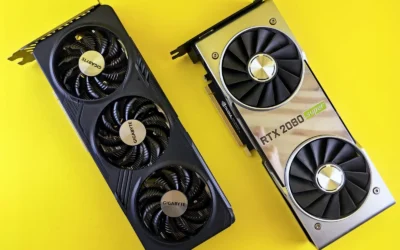
In 2026 most RTX 5060 and RTX 5060 Ti cards use a compact dual fan design, but length still varies by brand and cooler. Before you buy, you should weigh your resolution and refresh target, your platform and socket, the physical case size and clearance, your power budget and PSU length, and whether this is your final GPU or a stepping stone to a larger card. A quick check of the spec sheet now saves you a rebuild later, and our Cases & Airflow archive can help you compare layouts side by side.
What Actually Matters
GPU Length, Thickness, and Front Obstructions
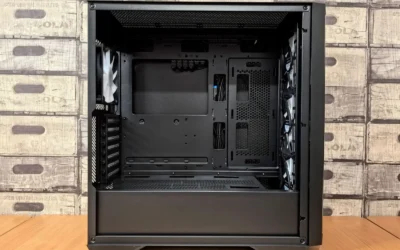
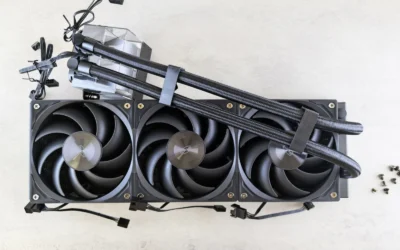
The number that matters most is the case maximum GPU length, usually measured from the rear bracket to the front panel or to the front fans and radiator. Compare that directly to the card length listed on the manufacturer spec sheet. If you plan to mount fans or a radiator in the front, subtract that thickness from the advertised clearance, because a 360 mm radiator and fans can easily consume 50 mm or more.
Thickness matters too. A wider cooler can block side panels, interfere with bottom fans, or crowd front panel cables. Always check the case manual for GPU thickness or slot width guidance and look at where power connectors sit. A top mounted power plug needs extra vertical space above the card, while a side mounted plug needs room toward the side panel.
Airflow Path and Fan and Radiator Support
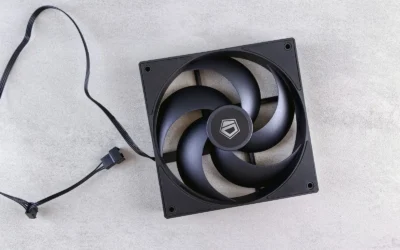
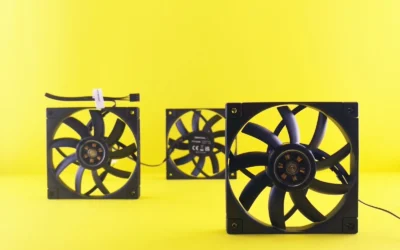
Clearance is not just whether the card fits, it is whether it can breathe. Cases with a full mesh front panel, a large intake grill, and support for multiple 120 mm fans give the GPU fresh air directly. Look for designs that allow bottom intake fans to feed the graphics card, or a front to back path that is not choked by a solid front or a thick radiator.
Check radiator support carefully and follow the manufacturer mounting instructions. If the spec sheet says the case supports up to a 360 mm radiator in front and up to seven fans, confirm where those mounts sit relative to the GPU. A front radiator can reduce GPU length, while a top radiator keeps the front open but requires enough top clearance and CPU cooler height. For broader context on how GPU choice affects case airflow, see our Graphics Cards section.
Case Form Factor, Motherboard, and PSU Layout
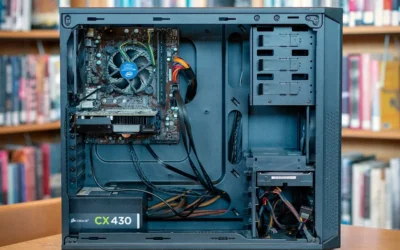
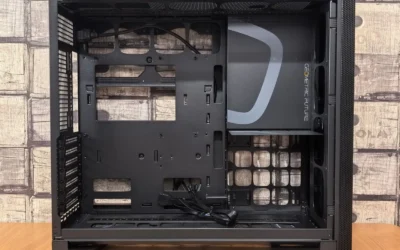
Mid tower ATX cases generally give you the most forgiving GPU clearance and cable room, while SFF and compact mid towers trade space for a smaller footprint. Check which motherboards the case supports, ATX, Micro ATX, or ITX, and note any special layouts such as a top mounted PSU canopy or back connect motherboards. These layouts change where cables route and how much room remains in front of the card.
PSU length and placement also affect clearance. Some cases list a maximum PSU length, for example 170 mm, and a canopy or shroud that improves cable management with tie down points and straps. If your PSU is long or has stiff cables, you will want extra space behind the motherboard tray and below the GPU. Always check cooler height or radiator clearance against your case before you order, and handle components with anti static precautions.
Cable Management and Practical Build Space
A case that is easy to build in is easier to keep cool. Look for soft silicone grommets, velcro straps, and cable covers that let you route the 12VHPWR or 8 pin cables without bending them sharply against the side panel or front fans. A door opening design with 4 mm thick tempered glass can make access simpler than a panel that requires multiple screws.
Also consider front I/O and dust filtering. A Type C port, USB 3.0 ports, and accessible filters do not change GPU fit, but they affect daily use and maintenance. If you plan to upgrade later, choose a case that leaves headroom for a longer card or a thicker cooler, so you are not forced to replace the case with the GPU.
A few options that show the range of clearance, airflow, and layout approaches are listed below:
This article contains affiliate links. If you buy through one of our links, CustomPCGaming may earn a commission at no extra cost to you. Commissions never influence which products we recommend or how we rank them. Read our Affiliate Disclosure for details.
Quick Picks at a Glance

HYTE X50 Astral Orange ATX Mid-Tower Gaming PC

Prime Vetroo AL800 Mid Tower ATX Gaming PC Case

Prime Cooler Master Elite 502 Lite ATX Mid Tower Case

Prime Antec Performance 1 FT Full Tower E-ATX

STORMCRAFT Gamer Sirius Gaming PC

Lenovo Legion Tower 7i Gen 10 Gaming Desktop
As an Amazon Associate we earn from qualifying purchases. Product prices and availability are accurate as of the date/time indicated.
Pros
- Excellent airflow and thermal performance, especially for GPU cooling
- Premium, sturdy construction with curved steel and acoustic glass
- Spacious interior with easy, clean cable management
- Bold Astral Orange design with high-quality fit and finish
Cons
- Heavy at 25.8 pounds and larger than expected for a mid-tower
- Only one USB 3.0 port on the front I/O limits connectivity
- Bulky footprint requires ample desk or floor space
The HYTE X50 in Astral Orange is a modern performance ATX mid-tower designed for gamers and enthusiasts who want serious cooling without sacrificing style. It is built for users who need space for full-size graphics cards, ATX motherboards, and advanced air or water cooling in a showcase chassis.
Its cooling system is the star, combining a low-pressure micro-mesh front intake with patent-pending louvered blade exhaust that slices through hot air. By placing the PSU shroud at the top, the case can direct up to 360mm of fresh air from bottom fans straight to the GPU, helping maintain lower temperatures during demanding gaming sessions.
Design and build quality feel premium and intentional, blending curved steel, ABS, and 4mm thick laminated acoustic glass. The glass dampens noise and includes a shatter-proof layer for safety, while the front glass and rear mesh panels lift off easily for building, cleaning, and maintenance.
There are a few tradeoffs to consider before buying. The case is notably heavy and larger than many mid-towers, so it needs generous desk or floor space. Front connectivity is also limited to a single USB 3.0 port, which may feel sparse for users with multiple peripherals.
Overall, the HYTE X50 delivers on its promise of high airflow, quieter operation, and eye-catching design. If you want a sturdy, well-ventilated case that keeps your GPU cool and simplifies cable management, it is an excellent choice for a modern gaming build.
Model: HYTE X50 CS-HYTE-X50G-AO, Astral Orange
Case Type: Mid-Tower, supports Micro ATX and ATX motherboards
Material: ABS, Stainless Steel, 4mm Curved Laminated Acoustic Glass
Cooling Support: Air and Water cooling, up to 3x 120mm bottom fans, up to 360mm intake to GPU
PSU Mount: Top mount with structural canopy and Velcro tie-downs
Front I/O: 1x USB 3.0 Port
Special Features: Micro-Mesh Panel, Louvered Blade Ventilation Technology, Sound Dampening Glass
Weight: 25.8 pounds
Warranty: 4 Year Manufacturer Warranty
Pros
- Excellent airflow from mesh front panel keeps system cool
- Hinged tempered glass door simplifies building and upgrades
- Wide compatibility for large GPUs and 360mm liquid cooling
- Integrated ARGB strip with motherboard sync for cohesive lighting
- Modern front I/O includes Type-C and dual USB 3.0
Cons
- May need additional fans to reach full cooling potential
- Tempered glass door requires careful handling during assembly
- Mid tower size still needs ample desk or floor space
The Vetroo AL800 is a mid tower ATX gaming case built for gamers and first time builders who want strong airflow and a clean showcase look without complexity. It supports ATX, Micro ATX and Mini ITX boards, so it fits a wide range of gaming and productivity builds.
In real world use, the mesh front panel delivers excellent airflow to keep components cool during long gaming sessions. Support for up to eight 120mm fans and a 360mm front radiator gives you flexible air or liquid cooling options, while the 340mm GPU clearance easily handles large cards including RTX 50 series models.
Design wise, the AL800 feels youthful and modern with its integrated ARGB LED strip that syncs via a 5V 3pin header for unified lighting. The 4mm tempered glass side panel uses a convenient door opening design that swings open, making installations and upgrades faster and letting your lighting and hardware stay fully visible.
There are a few tradeoffs to consider. You will likely want to add extra fans to take full advantage of the cooling capacity, and the glass door requires careful handling. Cable management is helped by silicone grommets, but careful routing is still needed for a truly clean look in this airflow focused layout.
Overall, the AL800 stands out as a stylish, high airflow case that balances compatibility, ease of building and ARGB presentation. It is a smart pick for gamers who want a modern, cool running showcase build with room to grow.
Brand: Vetroo
Model: AL800
Case Type: Mid Tower
Color: Black
Material: Metal with 4mm tempered glass door
Motherboard Compatibility: ATX, M-ATX, ITX
GPU Clearance: Up to 340mm, fits RTX 50 series
Cooling Support: Up to 360mm radiator in front, up to 8x 120mm fans
Cooling Method: Air
Fan Size: 12cm
Power Supply Mount: Bottom mount
Front I/O: Type-C, 2x USB 3.0, microphone and headphone combo, power and reset
Lighting: ARGB LED strip, sync via 5V 3pin motherboard header
Cable Management: Soft silicone grommets
Choose the AL800 if you want maximum airflow, easy access for building, and synchronized ARGB lighting in a versatile mid tower. It is especially good for gaming builds with large GPUs or plans to add liquid cooling later.
For the best results, plan your fan layout early and use the silicone grommets to route cables behind the motherboard tray. If you want a synchronized light show, ensure your motherboard has a 5V 3pin ARGB header before you buy.
Pros
- Excellent airflow from full mesh front and unrestricted intake grill
- Outstanding component clearance for large GPUs, tall coolers and radiators
- Clean minimalist aesthetic with tempered glass to display your build
- Supports modern back connect motherboards and Type C
- Spacious interior in a manageable Mid Tower footprint
Cons
- Comes with only one preinstalled 120mm fan, additional fans recommended
- Limited front I/O with just one USB 3.0 port listed
- No support for E-ATX motherboards, limited to ATX and Micro ATX
The Cooler Master Elite 502 Lite is a Mid Tower ATX case designed for gamers and practical builders who want maximum airflow in a minimalist footprint. It is built to house powerful modern hardware without crowding, making it a strong choice for high performance gaming or workstation builds.
Standout performance comes from its high airflow mesh front panel and large unrestricted intake grill that promote cool, consistent temperatures. With support for up to seven fans and a 360mm AIO radiator plus 410mm GPU clearance, it easily handles flagship graphics cards and demanding thermal loads.
Design is clean and modern, pairing an alloy steel chassis with a tempered glass side panel for a premium showcase look. The roomy interior simplifies building with support for ATX and Micro ATX boards, 170mm CPU coolers and bottom mounted PSUs, plus dust filters to keep the interior clean.
There are a few tradeoffs to consider. It ships with only a single 120mm fan so you will want to add more fans for best results, and front I/O is basic with limited USB ports. The case also does not accommodate larger E-ATX boards, so builders needing extra expansion should plan accordingly.
Overall, the Elite 502 Lite delivers outstanding value for its cooling capability, component support and understated style. If you want a spacious, airflow focused case that fits the largest GPUs and coolers without complexity, it is an excellent and builder friendly pick.
Model: Cooler Master Elite 502 Lite E502L-KGNN-S00, Mid Tower ATX
Motherboard Support: ATX, Micro ATX with back connect motherboard compatibility
GPU Clearance: Up to 410mm, supports RTX 5090 and RX 9070 XT class cards
Cooling Support: Up to 7 fans, up to 360mm radiator, CPU cooler up to 170mm
Material and Features: Alloy Steel and Tempered Glass, mesh front, large intake grill, dust filter, bottom mount PSU up to 170mm, Type C, ARGB lighting, one 120mm fan included
Buy it if: You are building a high performance gaming PC with a large GPU and want superior airflow, easy building and a clean minimalist look.
Perfect for: Gamers, creators and first time builders using ATX or Micro ATX boards who need room for big coolers and radiators.
Consider alternatives if: You need E-ATX support, extensive front I/O, or a case that comes fully populated with fans out of the box.
Pros
- Excellent thermal performance from mesh front panel and four PWM fans included out of the box
- Premium showcase design with dual 4mm tempered glass and clean cable management system
- Broad compatibility for E-ATX motherboards, large graphics cards and multiple storage drives
- Useful temperature display and iUnity integration for easy system monitoring
- Convenient front I/O with high speed Type-C 10Gbps port
Cons
- Full tower footprint is very large and heavy at 12.55kg, not ideal for small desks or compact spaces
- Top mount PSU layout may limit clearance and cable routing for some power supply configurations
- No dedicated RGB controller mentioned, lighting customization may require extra hardware
The Antec Performance 1 FT is a full tower E-ATX case designed for gamers, creators and enthusiasts building high power systems with large GPUs like the RTX 40 series. It is ideal for users who need maximum space, airflow and showcase appeal without compromising on modern connectivity.
Real world performance centers on cooling and monitoring. The high airflow mesh front panel and four Storm T3 PWM fans deliver strong out of the box thermal control, while the front temperature display and Antec iUnity give you instant insight into system status.
Build quality feels premium with dual 4mm tempered glass side panels, a sturdy enclosure and thoughtful touches like a removable top bracket and dual cable covers. The layout supports E-ATX down to ITX, multiple 3.5 and 2.5 inch drives, and long graphics cards with clean routing.
There are tradeoffs to consider. At over 20 inches tall and deep and 12.55kg, this is a large, heavy case that demands desk space. The listed top mount PSU design may also require careful planning for cable length and airflow in some configurations.
Overall, the Performance 1 FT is a compelling choice for enthusiasts who want a spacious, cool running showcase case with practical monitoring features. If you have the room and want RTX 40 ready airflow with tempered glass style, it delivers excellent flexibility and presentation.
Case Type: Full Tower, supports E-ATX, ATX, Micro-ATX, ITX
Cooling: High airflow mesh front, 4x Storm T3 PWM fans included, air cooling optimized
Material and Panels: Tempered glass dual side panels, 4mm thickness
Connectivity: 2x USB 2.0, 2x USB 3.0, 1x Type-C 10Gbps, temperature display with iUnity support
Storage: 4 internal bays, supports 3.5 inch and 2.5 inch drives
Dimensions and Weight: 20.55 x 9.06 x 20.55 inches, 12.55 kg
Pros
- Powerful CPU and GPU combo handles modern games at 1080p and 1440p plus streaming and photo editing
- Fast 1TB Gen4 NVMe SSD and 16GB RAM ensure quick load times and smooth multitasking
- Stylish tempered glass design with 5 ARGB fans keeps the system cool under load
- Fully assembled and tested with Windows 11 Home, WiFi, Bluetooth and peripherals included
- 650W Gold PSU and B760 motherboard provide efficiency and room for future upgrades
Cons
- Comes with DDR4 RAM instead of newer DDR5, limiting future memory performance
- 16GB RAM and 8GB VRAM may need upgrading for demanding 4K gaming or heavy creative workloads
- Full tower footprint requires ample desk space and no display is included
The STORMCRAFT Gamer Sirius is a prebuilt gaming tower built around the Intel Core i5-14400F and GeForce RTX 5060 Ti 8GB. It is designed for gamers, students and creators who want strong 1080p and 1440p performance without the hassle of building a PC.
In real world use, the 10 core, 16 thread i5-14400F boosts up to 4.7GHz for smooth gameplay, streaming and multitasking. Paired with the RTX 5060 Ti and 16GB of DDR4 3200MHz RGB RAM, it handles modern titles, photo editing and heavy browser workloads, while the 1TB Gen4 NVMe SSD delivers near instant boot and load times.
Design wise, the Sirius stands out with a tempered glass side panel and five ARGB fans that keep airflow strong during long sessions. The Intel B760 chipset and 650W Gold power supply provide stable, efficient power and upgrade flexibility, and built in WiFi, Bluetooth and 7.1 channel audio cover all connectivity needs.
There are a few trade offs to consider. It ships with DDR4 memory rather than DDR5, and the 16GB capacity plus 8GB of VRAM may feel limiting for future 4K gaming or intensive content creation. As a full tower it also requires ample desk space and you will need to supply your own monitor.
Overall, the Gamer Sirius offers excellent plug and play value for first time PC gamers and streamers who want current gen power in a stylish, cool running chassis. If you want a ready to use system that is upgrade friendly and handles modern games with ease, this is a compelling choice.
Processor: Intel Core i5-14400F, 10 cores 16 threads, up to 4.7GHz
Graphics: NVIDIA GeForce RTX 5060 Ti 8GB GDDR7, Dedicated
Memory: 16GB DDR4 3200MHz RGB RAM
Storage: 1TB NVMe Gen4 SSD
Motherboard and Power: Intel B760 chipset, 650W 80+ Gold PSU
Cooling and Case: Air cooling with 5 ARGB fans, tempered glass side panel
Connectivity: USB 3.2, USB 2.0, LAN, WiFi, Bluetooth, 7.1 channel audio
Operating System: Windows 11 Home, includes keyboard and mouse
Pros
- Class-leading performance from RTX 5090 32GB and Ultra 9 285K handles any game or creative task
- Exceptionally quiet operation thanks to 360mm liquid cooling, praised as silent even under load
- Ample 64GB DDR5 RAM and 2TB Gen4 SSD with support up to 192GB RAM
- Robust 1200W power supply and advanced cooling enable stable overclocking
- High-end connectivity including Wi-Fi 6E, 2.5G LAN and 10Gbps USB-C
Cons
- Compact internal layout makes DIY upgrades tricky, SSD screw reported as tightly secured and easy to strip
- Only 2TB storage by default with no 4TB factory option, so power users may need to expand
- Large tower footprint and limited one-year onsite warranty for a flagship system
The Lenovo Legion Tower 7i Gen 10 (2026 Model) is Lenovo's flagship gaming tower built for enthusiasts, competitive gamers and creators who demand uncompromised power. Pairing the 24-core Intel Ultra 9 285K with the NVIDIA RTX 5090 32GB, it targets users who want top tier 4K gaming, streaming and heavy development workloads in one silent system.
In real world use, this combination delivers beyond fast frame rates with ray tracing and AI graphics from the Blackwell architecture. The 64GB of DDR5 5600MHz memory and 2TB PCIe Gen4 SSD keep multitasking and load times instantaneous, while the 1200W PSU and enhanced VRM design allow stable overclocking for extra performance when needed.
Design and build quality are standout strengths. The storm grey chassis with 3D mesh bezel maximizes airflow, while the transparent tool-free side panel makes viewing and basic access easy. Legion Coldfront 360mm liquid cooling plus ARGB fans keeps temperatures low and noise remarkably quiet, with one owner noting it is silent as a sleeping cat compared to loud air-cooled rivals.
There are tradeoffs to consider. The excellent build tolerances can work against modders, as one reviewer found the primary SSD screw tightly secured and difficult to remove without risk. Storage is limited to 2TB out of the box, so users needing 4TB or more will need to plan an upgrade, and the one-year onsite warranty feels short for this class of hardware.
Verdict: If you want a future-proof, liquid-cooled powerhouse that stays cool and quiet under extreme loads, the Legion Tower 7i Gen 10 is an excellent choice. It is ideal for gamers and creators who prioritize raw performance and silence over frequent DIY tinkering.
Processor: Intel Core Ultra 9 285K 24-Core up to 5.5 GHz, 36MB cache
Graphics: NVIDIA GeForce RTX 5090 32GB GDDR7
Memory: 64GB DDR5 5600MHz (2 x 32GB), expandable to 192GB
Storage: 2TB M.2 2280 PCIe Gen4 Performance TLC SSD
Cooling: 250W 360mm Liquid Cooling with Rear and Top ARGB Fans
Power Supply: 1200W
Connectivity: Wi-Fi 6E 2x2 AX, Bluetooth 5.3, 2.5G Ethernet, 10Gbps USB-C
Operating System: Windows 11 Pro 64-bit
Model: 90Y80000US, Storm Grey Tower, includes USB keyboard and mouse
Warranty: 1 Year Onsite
Matching a Part to Your Build
If you want a straightforward mid tower with generous headroom for an RTX 5060 and room to grow, prioritize cases that publish a high maximum GPU length. The top RTX 5070 ti cards for 1440p gaming guide shows how quickly cards get longer as you move up the stack, so a case like the Cooler Master Elite 502 Lite ATX High Airflow with its 410 mm GPU max and support for a 360 mm or even 410 mm liquid cooler gives you breathing room. You can mount front fans without worrying about the card touching them, and you still have space for seven fans if you want positive pressure.
For a compact mid tower on a tighter footprint, the Vetroo Black AL800 Mid Tower ATX Gaming PC is a useful example. It lists a max GPU length of 340 mm and explicitly notes it fits RTX 50 series cards, plus support for a 360 mm radiator in front and 8 x 120 mm fans. That tells you an RTX 5060 will fit comfortably in most configurations, but if you install a thick front radiator you should measure the remaining length from the radiator and fans to the GPU. This is the right balance if you want mesh airflow and a door opening tempered glass panel without moving to a full tower.
If you prefer a showcase or full tower layout, look at the Hyte X50 – Modern Performance ATX Mid-Tower and the Antec Performance 1 FT Full Tower E-ATX PC Case. The Hyte X50 focuses on low resistance intake through a micro mesh front, louvered exhaust blades, and space for up to 3 x 120 mm fans at the bottom to feed the GPU directly, plus a top PSU canopy that helps with cable routing. The Antec Performance 1 FT adds a temperature display, dual 4 mm tempered glass side panels, and a removable top bracket for easier radiator installation. Both are strong if you value airflow and build ease over saving desk space. Prebuilt examples like the Lenovo Legion Tower 7i Gen 10 Gaming Desktop PC and the STORMCRAFT Gamer Sirius i5 14400F show how system integrators pair an RTX 5060 Ti with a 650W gold power supply or an RTX 5090 with a 1200W unit and 360 mm liquid cooling, which is a reminder to check PSU headroom and cooling support in your own case choice.
Common Mistakes
Forgetting to subtract radiator and fan thickness from GPU clearance. A case may advertise 340 mm or 410 mm of GPU space, but that measurement is often to the bare front panel. Once you add a front radiator and fans, usable length shrinks. Always compare the card length to the clearance with your planned front cooling installed, not the empty case spec.
Choosing a PSU or cooler that does not fit the case. An undersized PSU wattage can lead to shutdowns under load, so follow the GPU maker recommended wattage and leave headroom over combined CPU and GPU draw instead of assuming any unit will work. Likewise, a CPU air cooler that is too tall or a radiator that is too thick will not clear the side panel or RAM, so check CPU cooler height and radiator clearance against the case spec sheet and follow the cooler mounting instructions.
Buying for looks or VRAM alone without checking physical fit. A case with a solid front may look clean but can choke a GPU that needs direct airflow, and paying for more VRAM than your target resolution needs will not help if the card cannot stay cool. Match memory speed to your platform, verify the case has a mesh front or large intake grill and enough fan mounts, and read owner feedback on noise and thermals rather than relying on marketing images.
Who Should Wait or Buy Differently
A compact SFF case with limited GPU length and restricted front airflow is not ideal for you if you plan to move to a longer, higher power card within the next upgrade cycle or if you need a thick front radiator for CPU cooling. If your desk space is very tight, you value silence over maximum airflow, or you already own a long GPU that exceeds 340 mm, it is not the right choice to force that card into a small chassis. In those situations, consider a larger mid tower with a mesh front and 410 mm clearance, or wait and choose a case after you have locked in your final GPU length and cooling plan. Our ryzen 5 7600 RX 7700 XT 1000 dollar gaming PC amazon build breakdown offers additional perspective on balancing budget, size, and upgrade headroom, and you can explore more value focused layouts in our Budget Build Guides.
Frequently Asked Questions
How do I know if an RTX 5060 will fit my mid tower or SFF case?
Find the card length on the manufacturer spec sheet and compare it to the case maximum GPU length with your planned fans or radiator installed. If the case lists 340 mm and your card is shorter than that after accounting for front cooling, it should fit. When in doubt, leave 10 to 15 mm of extra space for cables and power connectors.
Does an SFF case hurt RTX 5060 performance if the card fits?
Fit alone does not guarantee cool operation. SFF cases can run warmer if the front panel is restrictive or if the GPU sits close to the PSU shroud or side panel. Choose a case with a mesh front, bottom or front intake fans that feed the GPU, and enough exhaust area to remove hot air.
Should I prioritize GPU length or airflow when choosing between two cases?
Prioritize both, but do not sacrifice airflow for a few extra millimeters you may not need. An RTX 5060 typically fits easily in a 340 mm mid tower, so a case with a mesh front, large intake grill, and good fan support will give you lower noise and more stable temperatures than a slightly longer case with a solid front. Check cooler height, radiator clearance, and cable routing space at the same time.

Write Your Review
No reviews yet. Be the first to share your experience!