

If you are asking whether is 32GB of RAM enough for gaming in 2026, you are really asking how to balance capacity, speed, and platform support without overspending or limiting your next upgrade. Your decision depends on your resolution and refresh target, your platform and socket, your case size and clearance, your power budget, and whether you are building for today or for the next three to four years. Getting those variables right matters more than chasing the biggest number on the box.
In September 2026, most new gaming platforms use DDR5, and kit choice affects more than just capacity. You need to weigh how you actually use your PC, what your motherboard and CPU officially support, and what tradeoffs you accept for future upgrades. If you are planning a full system, it helps to review the Memory (RAM) category alongside your CPU and graphics choice, and to compare how memory fits into a complete parts list like this ryzen 5 7600 RX 7700 XT 1000 dollar gaming PC amazon build so you do not overspend in one area and bottleneck another.
What Actually Matters
Capacity and How You Actually Use Your PC
Capacity determines how many tasks your system can keep in fast memory at once. For pure gaming at 1080p or 1440p with a few background apps, 16GB can still get you into games, but owners commonly report stutters and slowdowns when they run a browser with many tabs, Discord, streaming software, and a modern title at the same time. 32GB gives you comfortable headroom for gaming plus multitasking, and it is the point where most players stop worrying about closing apps before launching a game.
Think about your real usage, not just the game itself. If you stream, edit video, run virtual machines, or keep creative apps open while you play, you will use more memory than a player who only games. If you plan to keep the system for several years, 32GB is a sensible baseline that covers current titles and leaves room for more demanding future games without forcing an early replacement. For a closer look at how RAM interacts with other parts, check the Budget Build Guides to see where capacity fits in the overall budget.
Speed, Platform Support, and Profiles
With DDR5, advertised speed only matters if your platform can run it stably. Per the spec sheet, many DDR5 kits list speeds up to 6000MHz, but the disclaimer is important: maximum speed requires overclocking and BIOS adjustments, and actual speed depends on your motherboard and CPU. You should check your motherboard QVL and CPU memory support before you buy, and understand that enabling AMD EXPO or Intel XMP 3.0 is an overclock.
Dual profiles that support both AMD EXPO and Intel XMP 3.0 give you flexibility if you switch platforms later, and they make setup simpler because you can select an optimized profile instead of tuning manually. Even so, BIOS updates and overclocking are done at your own risk and may void warranty, so follow the manufacturer instructions and handle modules with anti-static precautions. If you are not comfortable tuning, prioritize a kit whose profile is validated for your exact board and CPU rather than chasing the highest frequency number.
Kit Configuration and Physical Fit
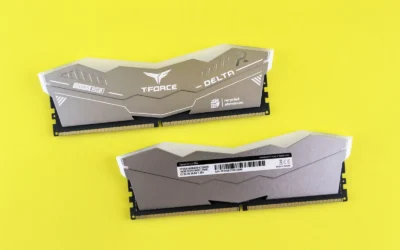
For gaming, a two stick kit such as 2 x 16GB is usually the sweet spot. Two modules let you run in dual channel for full bandwidth, leave room for stability compared to filling all four slots, and give you 32GB without needing a four stick population that can limit speed on some boards. A compact module design also helps with clearance under large air coolers, which is a common pain point in smaller cases.
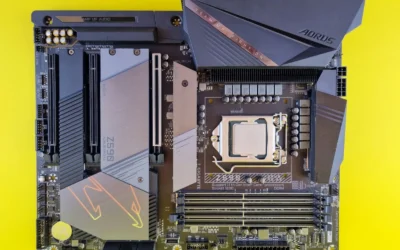
Before you buy, measure your case and cooler. Check cooler height or radiator clearance against your case spec sheet, and confirm that tall heat spreaders will not interfere with your CPU cooler or front fan. Also confirm your motherboard has DDR5 slots, since DDR4 and DDR5 are not interchangeable, and that your board supports the capacity and speed you want. These checks take five minutes and prevent a return.
Voltage Regulation and Stability Features
Modern DDR5 moves voltage regulation onto the module itself, which allows finer control than older motherboard based regulation. Onboard voltage regulation, when paired with software like CORSAIR iCUE, can make tuning more stable and more granular than relying solely on board controls, according to the spec sheet. This does not guarantee a stable overclock, but it gives you more headroom to adjust if your board and CPU allow it.
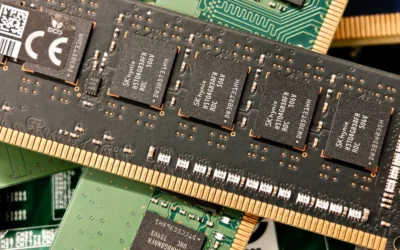
Tightly screened memory chips are another stability factor. Kits that use carefully screened chips are evaluated for extended overclocking potential and tighter response times, which helps when you enable an EXPO or XMP profile. Per owners, kits with this screening tend to be more consistent when enabling profiles, but results still vary by silicon and board. As always, enable one profile at a time, save your BIOS settings, and be prepared to revert if the system fails to boot.
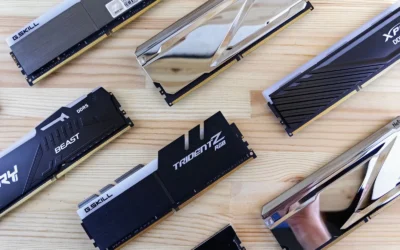
To illustrate the range, here are a few options that show the range of what is available right now and how the specs compare in practice:
This article contains affiliate links. If you buy through one of our links, CustomPCGaming may earn a commission at no extra cost to you. Commissions never influence which products we recommend or how we rank them. Read our Affiliate Disclosure for details.
Quick Picks at a Glance

CORSAIR Vengeance DDR5 32GB (2x16GB)
As an Amazon Associate we earn from qualifying purchases. Product prices and availability are accurate as of the date/time indicated.
Pros
- Excellent 6000MHz bandwidth for gaming and content creation workloads
- Universal compatibility with both AMD EXPO and Intel XMP 3.0 platforms
- Onboard voltage regulation allows finer, more stable overclocking through iCUE
- Compact aluminum heatspreader ensures broad motherboard and CPU cooler compatibility
- Limited lifetime warranty and strong reputation for reliability
Cons
- Requires BIOS adjustments to enable EXPO or XMP and reach advertised 6000MHz speed
- CL36 latency is solid but not the tightest option for enthusiast tuners
- Isolated user reports of a faulty stick requiring replacement
The CORSAIR Vengeance DDR5 32GB kit bundles two 16GB modules rated up to 6000MHz for modern AMD and Intel DDR5 desktops. It is aimed at gamers, creators and power users who want a straightforward high speed upgrade without bulky heatsinks or complex tuning.
Standout features include dual AMD EXPO and Intel XMP 3.0 profiles for one click overclocking and onboard voltage regulation for more precise control through CORSAIR iCUE. In real world use, the tightly screened chips deliver noticeably faster load times, smoother multitasking and improved rendering performance when the profile is enabled.
Build quality is a clear strength, with a distinctive solid aluminum heatspreader that keeps temperatures in check while maintaining a low profile for wide compatibility. The compact DIMM design fits easily under large air coolers and the modules feel premium and well constructed.
There are a few caveats to consider. You must enable the EXPO or XMP profile in BIOS to hit the full speed, and the CL36 timing, while competitive, is not the lowest latency available for hardcore overclockers. A small number of buyers have also reported receiving a faulty stick, so testing after install is wise.
Overall, this Vengeance DDR5 kit is a reliable, high performance choice for a new DDR5 build. If you want proven 6000MHz speed, easy tuning and broad platform support in a cooler friendly package, it is an excellent pick.
Model: CORSAIR Vengeance DDR5 CMK32GX5M2E6000Z36 (2 x 16GB)
Technology: DDR5 DIMM, 288-Pin, Dual Channel Kit
Speed: Up to 6000MHz (requires EXPO/XMP enabled in BIOS)
Latency: CL36, Voltage 1.4V, Registered Memory
Compatibility: AMD EXPO and Intel XMP 3.0, Desktop DDR5 Motherboards
Features: Onboard Voltage Regulation, CORSAIR iCUE Support, Solid Aluminum Heatspreader
Warranty: Limited Lifetime Warranty
Choose this 32GB 6000MHz kit if you are building or upgrading to a DDR5 system and want the current sweet spot for gaming and productivity. It balances capacity, speed and compatibility without requiring manual timing adjustments.
Make sure your motherboard and CPU support DDR5 and have an available EXPO or XMP option in BIOS to unlock full performance. The low profile design is especially helpful if you use a large tower air cooler.
For best results, install modules in the recommended slots, enable the profile in BIOS, and verify stability with a memory test. This ensures you get the advertised speed and catch any rare hardware issues early.
Matching a Part to Your Build
Use your build scenario to decide whether 32GB is the right target and what features to prioritize. The examples below reference the kinds of kits you will see in the list above, so you can map specs to your own system.
Scenario 1: 1440p high refresh gaming on a new AM5 or LGA1700/1800 platform. You want smooth gameplay with Discord, a browser, and maybe streaming software open. A 32GB DDR5 kit with two sticks, support for both AMD EXPO and Intel XMP 3.0, and a profile up to 6000MHz like the top RTX 5070 ti cards for 1440p gaming pairing illustrates, is a strong match. The Memory (RAM) choice here should be the Memory (RAM) that your board validates for that speed, and the CORSAIR Vengeance DDR5 32GB (2 x 16GB) is a useful reference because it offers dual profiles, onboard voltage regulation, and a compact form factor that helps with cooler clearance.
Scenario 2: 1080p focused build where budget is tight and you plan to upgrade the GPU later. If you mostly play competitive titles and keep background apps light, you could get by with less, but 32GB is still the more future friendly option if your board is DDR5. Look for a 2 x 16GB kit with a profile your CPU can actually run without manual tuning, and avoid paying a premium for the highest speed bin if your motherboard caps lower. This is where reviewing Graphics Cards and CPU pairings helps you allocate budget where it matters most.
Scenario 3: Gaming plus creation, streaming, or heavy multitasking. If you edit video, compile code, or run creative apps alongside games, 32GB is the practical minimum and you may eventually consider more. For this use, prioritize stability features such as onboard voltage regulation and tightly screened chips, and choose a kit that is known to run its profile on your exact motherboard. The CORSAIR Vengeance DDR5 32GB (2 x 16GB) again shows the feature set to look for: dual EXPO and XMP 3.0 support, iCUE based tuning, and optimization for peak performance on current AMD and Intel DDR5 boards, with the understanding that maximum speed requires BIOS adjustments.
Common Mistakes
Mistake 1: Buying a speed your platform cannot run. Many buyers pick a kit rated up to 6000MHz and assume it will work at that speed out of the box. In reality you must enable the EXPO or XMP profile in BIOS, and your CPU and motherboard may limit you to a lower speed. Always check the board QVL and CPU spec, and remember that overclocking is at your own risk.
Mistake 2: Ignoring physical clearance and slot population. A large air cooler can overhang RAM slots, and a kit with tall spreaders may not fit. A compact module helps, but you still need to verify cooler height and RAM clearance against your case. Also avoid mixing two separate kits to reach 32GB, even if they look identical, since mixing can cause instability and force you to run at lower speeds.
Mistake 3: Forgetting to enable the profile or buying more than you need. If you install DDR5 and leave it at JEDEC default, you will not get the advertised profile speed until you enable EXPO or XMP. On the other side, buying 64GB for pure gaming alone rarely helps today and takes budget from your GPU or SSD. Match capacity to your actual multitasking, not to a theoretical future that may never arrive for your use case.
Who Should Wait or Buy Differently
A 32GB DDR5 kit is not ideal for everyone. If you are on a DDR4 platform and do not plan to change motherboard and CPU, this type of DDR5 kit is not a good fit because it will not physically fit or function in DDR4 slots. It is also not the right choice if your current board or CPU only supports lower speeds and you are not comfortable with BIOS tuning, or if you are building an ultra compact system where you have not yet confirmed clearance and power headroom. In those cases, wait until your platform upgrade, or choose a capacity and speed that your current board explicitly validates, and put the savings toward the component that limits your performance today.
Frequently Asked Questions
Is 32GB of RAM overkill for gaming in 2026?
For many players it is not overkill, it is comfortable headroom. You can game on less, but 32GB lets you keep background apps open and reduces the chance you will need to upgrade soon. If you only play light titles with nothing else running, you could spend less elsewhere.
Do I need DDR5 up to 6000MHz for gaming?
You do not need the highest bin to enjoy games, but DDR5 speed does help when your CPU and board can use it. Kits that list up to 6000MHz require you to enable an EXPO or XMP 3.0 profile in BIOS and depend on your motherboard and CPU. Check what your board validates and prioritize stability over the top number.
Can I mix two 16GB kits to make 32GB?
It is not recommended for most builders. Even kits with the same model name can use different chips over time, which can cause instability or force lower speeds. A matched 2 x 16GB kit that is sold as 32GB is assessed as a pair and is more likely to run its profile reliably.
Write Your Review
No reviews yet. Be the first to share your experience!