

Video credit: PC Builder. Original video: https://www.youtube.com/watch?v=8ej91sGhAsw. This is our own independent breakdown and is not affiliated with the video creator. As an Amazon Associate, CustomPCGaming earns from qualifying purchases. Product prices shown in the video may have changed.
Watch the build
Parts in this build
- AMD Ryzen 7 9700X
- Radeon RX 9070
- MSI PRO B650M-A WiFi
- Corsair Vengeance 32GB DDR5 6000
- Crucial P3 Plus 2TB
- Corsair RM750e
- Lian Li Lancool 216
- Thermalright Peerless Assassin 120
Parts list is our summary of the video for reference. Confirm current specs and price on the retailer page before buying.
Watch: The Build Video
This is our independent parts analysis and is not affiliated with the video creator. As an Amazon Associate, CustomPCGaming earns from qualifying purchases. Product prices shown in the video may have changed.
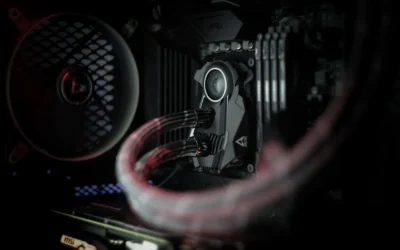
The video above shows a build in this class, a practical AM5 system aimed at smooth 1440p gaming with headroom for future upgrades. Think of it as a visual reference for case layout, cooler size, and cable routing in this budget tier, while the specific parts we recommend below are our own 2026 picks.
What This Build Is
This is a 1440p focused gaming PC in the AM5 class, built around the AMD Ryzen 7 9700X 8-Core and Radeon RX 9070. The idea is simple, pair a modern eight core Zen 5 CPU with a 16GB RDNA 4 GPU so the processor does not hold the graphics card back at 1440p, and keep the rest of the platform sensible.
At this level most builders put the budget where it matters most for gaming, the GPU and CPU, and stay practical on the motherboard and cooler. You will often see a B650 board, a 32GB DDR5 6000 kit, and a mesh airflow case that makes building easy and keeps temperatures in check without adding cost.
The platform is AM5, which means DDR5 only and a clear upgrade path. You can start with a B650 board now and later move to a future X3D chip without replacing memory or the board, which is a big reason this class is popular for gamers who want room to grow.
For storage and cooling, builds in this tier often make the same two compromises. Many ship with a smaller SSD than ideal and a basic tower cooler to hit a price point. Both are easy to improve later. A 2TB Gen4 drive avoids constant reinstalls when modern games need 100GB or more, and a dual tower air cooler is far quieter than a stock unit while still costing less than a liquid cooler.
If you are targeting high refresh 1440p, this balance makes sense. You get eight current cores for gaming and background tasks, 16GB of VRAM for texture heavy titles, and a case and power supply that leave headroom for a stronger GPU down the road. If you mainly play at 1080p or you need a compact small form factor system, this full size airflow build is more than you need and a smaller case or lower tier GPU would be a better fit.
For context on how this tier compares to a more affordable 1440p entry point, see our ryzen 5 7600 RX 7700 XT 1000 dollar gaming PC amazon build. It helps illustrate where spending more on CPU and VRAM pays off and where you can save.
Parts Breakdown
This is the core of the guide. The table shows what is common at this level versus our current 2026 picks, then we explain the choices that matter most for 1440p.
This article contains affiliate links. If you buy through one of our links, CustomPCGaming may earn a commission at no extra cost to you. Commissions never influence which products we recommend or how we rank them. Read our Affiliate Disclosure for details.
Quick Picks at a Glance

AMD Ryzen 7 9700X 8-Core 16-Thread Unlocked

Prime Crucial P3 Plus 2TB PCIe Gen4 NVMe M.2 SSD

Prime Thermalright Peerless Assassin 120 SE CPU Cooler

Prime ASUS TUF Gaming B650-PLUS WiFi AM5 ATX Motherboard

GIGABYTE Radeon RX 9070 XT Gaming OC 16G Graphics

Prime Corsair Vengeance RGB RS 32GB DDR5 6000MHz RAM Kit
As an Amazon Associate we earn from qualifying purchases. Product prices and availability are accurate as of the date/time indicated.
Pros
- Outstanding gaming performance with 5.5 GHz boost and large cache
- Excellent multitasking with 8 cores and 16 threads
- Unlocked for overclocking to push performance further
- Future ready AM5 platform with DDR5 and PCIe 5.0 support
Cons
- CPU cooler not included and must be purchased separately
- Requires AM5 motherboard and DDR5 memory, no compatibility with older AM4 systems
- Needs capable cooling to sustain peak boost performance
The AMD Ryzen 7 9700X is an 8-core, 16-thread unlocked desktop processor built on the Zen 5 architecture for Socket AM5. It is designed for serious gamers, streamers and creators who want top tier performance without stepping up to a 12 or 16 core chip.
In real world use, it delivers consistent 100+ FPS in popular games thanks to its 5.5 GHz max boost and large 40 MB cache. The 16 threads and DDR5-5600 support also keep multitasking smooth, whether you are gaming while streaming or handling heavy creative workloads.
Built for the modern AM5 platform, the chip supports PCIe 5.0 on compatible motherboards for faster GPUs and SSDs. As an unlocked processor, it gives enthusiasts full control for overclocking, while Zen 5 brings improved efficiency and IPC over previous generations.
The main drawback is that no cooler is included, so you will need to budget for a capable aftermarket cooler. It also requires an AM5 motherboard and DDR5 memory, which means users on older AM4 systems cannot reuse their existing board or RAM.
Overall, the Ryzen 7 9700X is a powerful and well balanced choice for a high performance gaming rig with room to grow. If you want elite gaming speed, strong productivity and a future proof platform, it is an excellent investment.
Key Specifications
Brand: AMD
Model: Ryzen 7 9700X
Cores / Threads: 8 Cores, 16 Threads
Architecture: Zen 5
Base Clock: 3.8 GHz
Max Boost Clock: Up to 5.5 GHz
Total Cache: 40 MB
Memory Support: DDR5-5600
Socket: AM5
PCIe Support: PCIe 5.0 on select motherboards
Unlocked for Overclocking: Yes
Cooler Included: No
Pros
- Fast Gen4 performance for boot times, multitasking and everyday productivity
- Large 2TB capacity for extensive media and application libraries
- Wide compatibility with PCIe Gen4 and Gen3 systems for easy installation
- Trusted Micron 3D NAND quality with strong endurance and 5-year warranty
- Includes useful software bundle for cloning and creative work
Cons
- Not the fastest Gen4 drive available, slower than premium 7000MB/s models for heavy gaming or pro workloads
- DRAM-less QLC design can show reduced sustained write speeds under prolonged heavy transfers
- No integrated heatsink, thermal performance relies on system cooling
The Crucial P3 Plus 2TB is a PCIe Gen4 NVMe M.2 SSD designed for home users, students and office multitaskers who want a noticeable everyday speed boost. It is ideal for upgrading an aging laptop or desktop to faster boot times, quicker app loads and smoother file handling without complex installation.
In real world use, sequential speeds up to 5000MB/s read and 4200MB/s write deliver snappy responsiveness for browsing, office apps, light content creation and casual gaming. The 2TB capacity offers generous room for essential programs, documents and media, while PCIe Gen4 efficiency keeps everyday computing fluid.
Built with Micron 3D NAND and rated for over 1.5 million hours MTTF, the drive feels reliable and well engineered in its compact M.2 form factor. It supports hardware encryption, works across Linux, Mac and PC platforms, and is backed by a limited 5-year warranty for added confidence.
Drawbacks are modest but worth noting. It does not match the peak speeds of enthusiast Gen4 drives, and its DRAM-less architecture may dip during very long, heavy write sessions. It also ships without a heatsink, so users in compact or warm systems should ensure adequate airflow.
Overall, the Crucial P3 Plus 2TB offers excellent value for everyday upgrades, combining strong Gen4 speed, large capacity and trusted durability. For users seeking a simple, affordable and reliable storage boost for home or business use, it is a smart and future ready choice.
Capacity: 2TB NVMe M.2 SSD
Interface: PCIe Gen4 x4 NVMe, backward compatible with Gen3
Performance: Up to 5000MB/s read, up to 4200MB/s write, 6Gb/s data transfer rate
Form Factor: M.2 2280, dimensions 3.15 x 0.87 x 0.09 inches, weight 0.01 kg
NAND & Reliability: Micron 3D NAND, 1.5 million hours MTTF, hardware encryption
Compatibility: Desktops and laptops that accept PCIe NVMe Gen4 M.2 drives, supports Linux, Mac, PC
Warranty: Limited 5-year warranty, Model CT2000P3PSSD8
Pros
- Excellent cooling performance for its class with dual tower and six heat pipe layout
- Very quiet operation even at full 1550 RPM with PWM control
- Broad support for latest Intel and AMD sockets
- Solid build quality with copper base and aluminum heatsink
- Efficient dual fan setup without the complexity of liquid cooling
Cons
- Tall 155mm height requires a mid tower or larger case, compatibility check is essential
- AMD installation requires the original motherboard backplate which is not included
- Bulky 907g dual tower design can make installation tight in compact builds
The Thermalright Peerless Assassin 120 SE is a dual tower air cooler designed for gamers, enthusiasts and PC builders who want high end cooling without an AIO. It targets users running modern Intel LGA 1700 and 1851 or AMD AM4 and AM5 CPUs who need reliable thermal headroom for gaming and multitasking.
In real world use, the six AGHP copper heat pipes and dual 120mm PWM fans deliver impressive heat dissipation while staying efficient. With up to 66.17 CFM airflow and a max speed of 1550 RPM, it keeps temperatures low under load while maintaining noise at just 25.6 dB for quiet operation.
Build quality is a clear strength thanks to the pure copper base, nickel plated heat pipes and dense aluminum fin stacks joined by reflow welding. The dual TL-C12C fans use a 4 pin PWM connection for precise speed control and the offset tower design helps preserve RAM clearance on most motherboards.
The main drawback is its size, as the 125 x 135 x 155mm footprint demands a spacious case and careful compatibility checks. Installation on AMD systems also requires reusing the original motherboard backplate, which can be inconvenient if it was misplaced.
Overall, the Peerless Assassin 120 SE offers best in class air cooling performance, quiet operation and broad socket support at an accessible point. It is an excellent choice for anyone wanting powerful, reliable CPU cooling without the cost or maintenance of liquid cooling.
Model: Thermalright PA120 SE Dual Tower CPU Cooler
Dimensions: 125 x 135 x 155mm (4.92 x 5.31 x 6.1 inch)
Heat Pipes: 6 x 6mm pure copper with AGHP technology
Fans: 2 x TL-C12C 120mm PWM, 1550 RPM ±10%, 66.17 CFM, 25.6 dB(A), 4-Pin 12V
Compatibility: Intel LGA 115X / 1200 / 1700 / 1851 and AMD AM4 / AM5
Materials: Aluminum fins, pure copper base and heat pipes, metal mounting kit
Weight: 907g
Pros
- Wide compatibility across three Ryzen generations on AM5 socket
- Robust 12 plus 2 power stage design delivers stable power for gaming and overclocking
- PCIe 5.0 M.2, USB4 and dual Type-C ports offer cutting-edge connectivity
- Integrated WiFi 6 and 2.5Gb Ethernet ensure fast, reliable online gaming
- Military-grade components and comprehensive cooling enhance durability and longevity
Cons
- ATX form factor requires a mid-tower or larger case, not suitable for compact builds
- DDR5 only, so existing DDR4 memory kits cannot be reused
- B650 chipset offers fewer PCIe lanes and only 4 SATA ports compared to X670 boards
The ASUS TUF Gaming B650-PLUS WiFi is an ATX motherboard built for AMD's AM5 platform, supporting Ryzen 7000, 8000 and 9000 series processors. It is ideal for gamers and DIY builders who want a durable, future-proof foundation without paying the premium for X670.
With 14 teamed power stages, PCIe 5.0 M.2 storage and DDR5 support up to 128GB at 6400MHz, it delivers fast and stable performance for gaming and multitasking. WiFi 6, 2.5Gb Ethernet and USB4 with dual Type-C ports keep connectivity fast and reliable, while two-way AI Noise Cancelation ensures clear communication.
Built to TUF standards, it uses military-grade chokes, capacitors and ProCool power connectors for enhanced durability and power efficiency. Enlarged VRM and PCH heatsinks plus dedicated M.2 heatsinks and Fan Xpert 2 Plus controls keep thermals in check even under sustained loads, and Aura Sync adds subtle customizable lighting.
As an ATX board it needs a larger case, and being DDR5 only means you cannot carry over older DDR4 memory. The B650 chipset also offers fewer PCIe lanes and SATA ports than X670, and WiFi 6 is solid but not the latest 6E standard found on some rivals.
Overall, the TUF Gaming B650-PLUS WiFi strikes an excellent balance of durability, next-gen features and value. For gamers and builders seeking a reliable AM5 motherboard that will handle current and next-gen Ryzen CPUs with confidence, it is a smart and enduring choice.
Socket: AM5 for AMD Ryzen 7000, 8000 and 9000 Series
Chipset: AMD B650, ATX form factor
Memory: 4x DDR5 DIMM slots, up to 128GB, up to 6400MHz
Storage: PCIe 5.0 M.2 slot, 4x SATA 6Gb/s ports
Expansion: 4x PCIe slots, Graphics interface PCI Express
Networking: WiFi 6, Realtek 2.5Gb Ethernet with TUF LANGuard
Connectivity: USB4 support, USB 3.2 Gen2x2 Type-C, front USB 3.2 Gen1 Type-C, HDMI, Optical S/PDIF
Power: 12 plus 2 teamed power stages, 8 plus 4 ProCool connectors, 24-pin main connector
Pros
- Excellent price to performance ratio for 1440p ultra and 4K gaming
- Large 16GB GDDR6 VRAM handles high resolution textures and future AAA titles
- Effective WINDFORCE triple fan cooling with Dual BIOS for performance or quiet mode
- Modern PCIe 5.0 support with dual DisplayPort and dual HDMI connectivity
- Avoids problematic power connector designs found on competing cards
Cons
- Can run hot and loud at full load, often needs a custom fan curve for quiet operation
- Large triple fan design requires a spacious case with good airflow
- Fans can produce grinding noise near 2800 RPM at 100% speed
The GIGABYTE Radeon RX 9070 XT Gaming OC 16G is a high performance graphics card designed for enthusiasts who want smooth 1440p and capable 4K gaming. It is built for desktop gamers who need future ready hardware with 16GB of GDDR6 memory and PCIe 5.0 support.
In real world use, the card delivers excellent frame rates at ultra settings in modern AAA titles, with users reporting 100+ fps at 4K in many games. The factory overclock to 3060 MHz and 20000 MHz memory clock provide a noticeable boost, while delivering vivid image quality and fluid gameplay.
Build quality is a strong point, with a reinforced structure that prevents sag and a WINDFORCE triple fan cooler that keeps thermals under control. Dual BIOS lets you switch between Performance and Quiet modes, and customizable RGB lighting adds a premium gaming aesthetic to any build.
The main drawback is heat and noise under heavy load, as the compact cooler can get loud when fans spin near maximum speed. Some users noted a grinding noise above 2800 RPM and recommend a custom fan curve or slight undervolt to reduce temperatures and noise without losing much performance.
Overall, the RX 9070 XT Gaming OC offers outstanding value for gamers who want top tier performance without inflated competitor pricing or connector concerns. If you have a spacious case with good airflow, it is a powerful and reliable choice for high resolution gaming.
Graphics Coprocessor: Radeon RX 9070 XT, VRAM: 16GB GDDR6 256-bit, Memory Clock: 20000 MHz, Boost Clock: 3060 MHz, Model: GV-R9070XTGAMING OC-16GD.
Interface: PCI-Express x16 5.0, Outputs: 2x DisplayPort, 2x HDMI, Max Resolution: 3840x2160, Compatible Devices: Desktop.
Cooling: WINDFORCE Triple Fan System, Features: Dual BIOS Performance and Quiet modes, RGB Lighting, Reinforced Structure.
Physical: Weight 1260g, Dimensions 3.94 x 5.91 inches, Warranty: 3 Years, Manufacturer: Gigabyte.
Pros
- High speed 6000MHz performance with CL36 latency for responsive DDR5
- Universal compatibility with AMD EXPO and Intel XMP 3.0 platforms
- Bright, fully customizable RGB lighting via Corsair iCUE software
- Reliable overclocking with onboard voltage regulation and custom PCB
- Limited Lifetime Warranty from a trusted memory brand
Cons
- Requires BIOS adjustment to enable EXPO or XMP and reach full 6000MHz speed
- CL36 latency is competitive but not the tightest for extreme overclockers
- RGB and premium DDR5 design carries a higher cost and may not suit minimalist builds
The Corsair Vengeance RGB RS 32GB kit pairs two 16GB DDR5 modules tuned for up to 6000MHz performance on modern AMD and Intel desktops. It is built for gamers, streamers and creators who need high bandwidth for demanding games, video editing and heavy multitasking.
In real world use, the 6000MHz speed and optimized timing deliver noticeably faster load times, smoother frame rates and quicker rendering compared to older DDR4. Dual profile support for AMD EXPO and Intel XMP 3.0 makes overclocking simple, while onboard voltage regulation keeps power delivery stable at high frequencies.
Design wise, the kit stands out with its clean white finish and panoramic RGB diffuser that provides bright, individually addressable lighting. The custom PCB enhances signal quality and durability, and Corsair iCUE software gives you full control over lighting effects and real time frequency monitoring.
There are a few caveats to consider. You will need to enable EXPO or XMP in the BIOS to hit the full 6000MHz, as it will not run at that speed out of the box. The CL36 latency is solid for mainstream DDR5 but hardcore overclockers may want tighter timings, and the RGB styling adds cost if you prefer a stealth build.
Overall, the Vengeance RGB RS is a top tier DDR5 upgrade that balances speed, stability and striking aesthetics. If you are building or upgrading a current generation AMD or Intel system and want reliable high frequency performance with standout lighting, this 32GB kit is an excellent choice.
Capacity and Configuration: 32GB kit (2 x 16GB) DDR5, 288 pin DIMM, dual channel desktop memory, model CMG32GX5M2E6000Z36W in White.
Performance: Up to 6000MHz data transfer rate, CL36 Column Address Strobe Latency, 1.35 volts, optimized for high bandwidth and tight response times.
Compatibility and Features: AMD EXPO and Intel XMP 3.0 compatible, onboard voltage regulation, custom PCB for superb signal quality, individually addressable RGB with panoramic diffuser.
Software and Warranty: Corsair iCUE support for RGB customization and frequency monitoring, Limited Lifetime Warranty.
This memory is designed for desktop PCs with DDR5 DIMM slots on latest AMD and Intel motherboards. Check your motherboard QVL list to confirm support for 6000MHz and for AMD EXPO or Intel XMP 3.0.
Installation is straightforward, just seat both modules in the recommended slots for dual channel operation. Then enter BIOS and enable your preferred EXPO or XMP profile to reach the rated speed, as the default JEDEC speed will be lower.
For best stability, ensure your BIOS is updated and your CPU memory controller supports DDR5 6000MHz. The onboard voltage regulation helps maintain reliable power, but proper cooling and airflow will keep the RGB modules running at peak performance.
| Part | Common at this level | Our 2026 pick | Why |
|---|---|---|---|
| CPU | a Ryzen 5 9600X or Ryzen 7 7700 | AMD Ryzen 7 9700X 8-Core | eight current Zen 5 cores, balanced for mixed gaming and productivity |
| GPU | an RTX 5070 or RX 9070 | Radeon RX 9070 | RDNA 4 with 16GB and excellent 1440p raster value |
| Motherboard | a B650 board | MSI PRO B650M-A WiFi | enough USB, VRM and a real path to a future X3D chip |
| Memory | a 32GB DDR5 6000 kit | Corsair Vengeance 32GB DDR5 6000 | 32GB DDR5 6000, plenty for gaming and background apps |
| SSD | a 1 or 2TB Gen4 drive | Crucial P3 Plus 2TB | 2TB of Gen4 storage so 100GB games do not force reinstalls |
| Power Supply | a 700 to 750W unit | Corsair RM750e | fully modular 750W ATX 3.1 with headroom for a future GPU |
| Case | a mesh airflow case | Lian Li Lancool 216 | big intake fans and easy building, great value airflow |
| CPU Cooler | a budget tower cooler | Thermalright Peerless Assassin 120 | a low cost dual tower air cooler far quieter than a stock unit |
The two most important choices here are the CPU and GPU, and they are chosen together. The AMD Ryzen 7 9700X 8-Core gives you 8 cores and 16 threads on Zen 5 with a 5.5 GHz Max Boost and 40 MB cache, plus DDR5-5600 support and PCIe 5.0 on select motherboards. That core count keeps modern games and background apps smooth, and the AM5 socket keeps your upgrade options open. Owners commonly report that this chip stays responsive when you have a game, voice chat, and a browser open at the same time.
For graphics we recommend the Gigabyte Radeon RX 9070 XT Gaming OC 16G Graphics class, listed in our table as Radeon RX 9070. The Products Data for this family shows 16GB GDDR6 on a 256 bit bus, PCI-E 5.0, and a 3060 MHz core frequency, with 2 x DisplayPort and 2 x HDMI outputs. The WINDFORCE cooling system and Dual BIOS with Performance and Quiet modes are part of the package, along with RGB lighting and a reinforced structure. For 1440p, 16GB is a comfortable place to be for high textures without worrying about VRAM limits in the near term.
Memory and storage round out the experience. The Corsair Vengeance RGB RS DDR5 32GB (2 x 16GB) kit runs up to 6000MHz and supports both AMD EXPO and Intel XMP 3.0, with onboard voltage regulation and individually addressable RGB lighting through a panoramic diffuser. On AM5, a 32GB DDR5 6000 kit is the sweet spot for gaming and multitasking. For storage, the Crucial P3 Plus PCIe Gen4 NVMe 2TB SSD offers up to 5,000MB/s read and up to 4,200MB/s write, with Micron 3D NAND and a rating of over 1.5 million hours MTTF. The 2TB capacity means you can keep several large games installed, and it remains backward compatible with PCIe Gen3 systems if you move it later.
Compatibility Check
Will all of these parts work together without surprises, and what should you double check before you buy?
This build is AM5, so any B650, B650E, B850 or X870 board works and it is DDR5 only. That is the first filter to get right. AM5 does not support DDR4, so you must choose a DDR5 kit. The good news is that AM5 gives you a long runway, you can start on a value B650 board and later step up to a future X3D processor on the same platform.
For the motherboard, our table lists MSI PRO B650M-A WiFi as the practical pick, while the Products Data highlights the ASUS TUF Gaming B650-PLUS WiFi AMD B650 AM5 Ryzen™ as a representative B650 option with a 12 plus 2 teamed power stage design, 8 plus 4 ProCool sockets, alloy chokes and durable capacitors. It also brings M.2 PCIe 5.0, USB 3.2 Gen2x2 Type-C, front USB 3.2 Gen 1 Type-C, USB4 support, WiFi 6 and Realtek 2.5 Gb Ethernet. Either approach fits the brief, a solid B650 board with enough VRM and connectivity for a Ryzen 7 9700X and a future X3D upgrade.
A current B650 or B850 board usually ships ready for today’s chips, but check the board support page and use BIOS Flashback if a flash is needed. BIOS updates and overclocking are done at your own risk and may void warranty, so follow the manufacturer instructions carefully and do not interrupt power during a flash. If you are unsure, buy from a retailer that can confirm the BIOS revision or choose a board with a clearly marked Flashback button.
Match memory to a 32GB DDR5 6000 kit on AM5. The Corsair kit noted above supports AMD EXPO and Intel XMP 3.0, which makes it easy to load the correct profile in BIOS. Per the spec sheet, maximum speed requires overclocking or BIOS adjustments and depends on your motherboard and CPU, so enable the EXPO profile after you confirm the system posts. Using two sticks, 2 x 16GB, is preferred for stability and performance on AM5, and it leaves two slots free on an ATX board for a future expansion if needed.
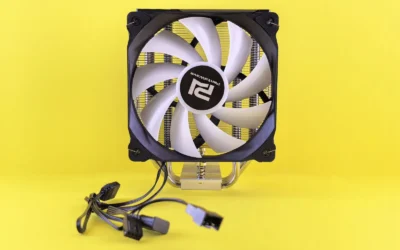
For the cooler, the Thermalright Peerless Assassin 120 SE CPU Cooler is a dual tower design measuring 125 by 135 by 155 mm with six 6mm heat pipes using AGHP technology, a pure copper base, and two 120mm PWM fans. The fans run up to 1550RPM plus or minus 10 percent, move up to 66.17 CFM, and are rated at 25.6 dB(A) or less. Check cooler height against your case CPU cooler clearance before you buy, and confirm RAM clearance if you use tall RGB modules. The cooler supports AM4 and AM5 on the AMD side and LGA 115X, 1200, 1700 and 1851 on Intel, and on AMD it uses the original motherboard backplate for installation. Follow the mounting instructions and handle parts with anti-static precautions.
In a standard mid tower a triple fan GPU and a 240 or 360mm radiator fit without issue. The Lian Li Lancool 216 is a mesh airflow case with large intake fans, which helps keep both CPU and GPU temperatures in a comfortable range and makes building easier with good cable space. If you are considering a liquid cooler later, verify radiator support at the top and front, and confirm GPU length against the case spec sheet, especially with a triple fan card like the Gigabyte Gaming OC model.
For power, size the supply above the combined draw of RX 9070 and the CPU, follow the GPU maker recommended wattage, and use a native 12V-2×6 connector for an RTX 50 card. Our pick is a fully modular 750W ATX 3.1 unit, which gives you headroom for transient spikes and a future GPU step up without rewiring the whole system. Use the cables that come with your power supply, do not mix modular cables between brands, and ensure the GPU power connectors are fully seated until they click. If you plan to move to a higher tier GPU later, that is when a 1000W unit makes sense, otherwise 750W is a balanced choice for this pairing.
For more on airflow and cooler fit, see mesh front case vs tempered glass front case and Cases & Airflow. If you are weighing liquid cooling sizes, 240mm AIO vs 360mm AIO for gaming is a useful reference for clearance and noise tradeoffs.
Performance: What To Expect
No verified frame rate numbers are available for this build, so we will keep this section qualitative and avoid inventing figures.
What you can expect in practical terms is a system that is well matched for 1440p. The Ryzen 7 9700X provides eight Zen 5 cores so the CPU does not hold the RX 9070 back at the target resolution, which helps keep frame pacing smooth when the scene gets busy or when you have background apps running. The RX 9070 class with 16GB GDDR6 gives you comfortable headroom for high textures and modern effects at 1440p without needing to compromise on texture quality first.
The supporting parts change the feel of the system more than the headline FPS. A 32GB DDR5 6000 kit keeps multitasking fluid, so alt tabbing, streaming, or running voice chat alongside a game feels less constrained. A 2TB Gen4 SSD with up to 5,000MB/s read shortens boot and load times and lets you keep several large titles installed, which is a quality of life win when games regularly exceed 100GB. The dual tower air cooler keeps noise lower than a stock cooler under sustained loads, and the mesh airflow case helps both CPU and GPU sustain their performance without thermal throttling in a warm room.
Who should not build this exact configuration? If you play mostly competitive titles at 1080p, this GPU tier is more than you need and a lower tier card would save money with little visible difference. If you need a compact living room PC, a large mid tower and a triple fan GPU will be harder to place and a small form factor case with careful GPU clearance checks would be a better path. And if your priority is heavy productivity rendering over gaming, you may want to shift budget toward more cores or different accelerators rather than maximizing raster value.
Three Ways to Build This
Lower cost version
Keep a similar GPU tier but choose a cheaper CPU, use the stock cooler or a budget air cooler, pick a smaller SSD and an entry B650 board. This is for a first 1440p build on a tight budget where you want to get into the RX 9070 class without stretching on every other part. You give up some CPU headroom and storage convenience, but you keep the core gaming experience and you can add a larger SSD and a quieter cooler later.
Balanced version, the one we recommend
Choose the AMD Ryzen 7 9700X 8-Core with Radeon RX 9070, the Corsair Vengeance RGB RS DDR5 32GB (2 x 16GB) kit at DDR5 6000, the Crucial P3 Plus PCIe Gen4 NVMe 2TB SSD, the Thermalright Peerless Assassin 120 SE CPU Cooler or a 240mm AIO, and a mesh airflow case like the Lian Li Lancool 216. This is for most 1440p gamers who want room to grow, quiet operation, and enough storage to avoid juggling installs. It balances cost, noise, and upgrade path without overspending on parts that do not raise gaming performance at this resolution.
Higher end version
Move up one GPU tier and step up to a Ryzen 7 9800X3D or Ryzen 9 9950X3D with a 360mm AIO and a 1000W supply. This is for high refresh play and years of headroom, especially if you plan to chase higher frame rates at 1440p or step up to 4K later. You gain extra CPU gaming headroom and power margin for a stronger GPU, at the cost of a larger cooler and a higher wattage power supply that you should only buy if your upgrade plan justifies it.
FAQ
Is the Ryzen 7 9700X a good match for the RX 9070 at 1440p?
Yes, that is the point of this pairing. The eight core Zen 5 design is chosen so the CPU does not hold the GPU back at 1440p, which is where the RX 9070 class is most at home. If you plan to upgrade to a much stronger GPU later, a future X3D chip on the same AM5 board is a natural next step.
Do I need to update the BIOS for a Ryzen 7 9700X on a B650 board?
A current B650 or B850 board usually ships ready for today’s chips, but you should check the support page for your exact board and CPU. If an update is needed, use BIOS Flashback per the manufacturer instructions, do not interrupt power, and remember that BIOS updates are done at your own risk.
Is 32GB of DDR5 6000 enough, and will my cooler and case fit?
32GB DDR5 6000 is plenty for gaming and background apps on AM5, and the Corsair kit supports AMD EXPO for easy setup. For fit, the Thermalright Peerless Assassin 120 SE is 155 mm tall, so confirm CPU cooler clearance in your case, and in a standard mid tower a triple fan RX 9070 and a 240 or 360mm radiator typically fit without issue.
Final Verdict
This AM5 build puts the money where it matters for 1440p, a balanced eight core CPU and a 16GB GPU, with practical choices everywhere else that keep noise low and upgrades simple. It is not the cheapest way to get into 1440p and it is not a compact or ultra high end rig, but it is a sensible middle ground that is easy to build and easy to live with.
Our pick: the balanced version with the Ryzen 7 9700X, RX 9070, 32GB DDR5 6000, 2TB Gen4 SSD, quiet tower cooler or 240mm AIO, and a mesh airflow case, for most 1440p gamers who want smooth performance now and a clear path to a future X3D upgrade. Explore more ideas in Budget Build Guides.
This build guide is not the right choice if you need a specific professional workload or the highest possible frame rates; it is aimed at value gaming within a set budget.





Write Your Review
No reviews yet. Be the first to share your experience!