

Video credit: Lopes. Original video: https://www.youtube.com/watch?v=uVKviZkXJ2c. This is our own independent breakdown and is not affiliated with the video creator. As an Amazon Associate, CustomPCGaming earns from qualifying purchases. Product prices shown in the video may have changed.
Watch the build
Parts in this build
- Govee RGBIC LED Strip
- Gimars Leather Desk Pad
- Govee Envisual TV Backlight
- Autonomous ErgoChair Pro
- Elgato Facecam MK.2
- North Bayou F80
- Rockville RHTSB Desktop Stands
- Govee Glide Wall Light
- Quntis Screen Light Bar
Parts list is our summary of the video for reference. Confirm current specs and price on the retailer page before buying.
Watch: The Setup Tour
If you love honey toned wood paired with soft task light and playful rear glow, this warm wood L shape approach will feel familiar. The embedded video is a useful reference for proportions and layout only, while our breakdown below shares what to buy now. It tends to suit gamers who work and play at the same desk and want a cozy room that still photographs well.
What This Setup Is Going For
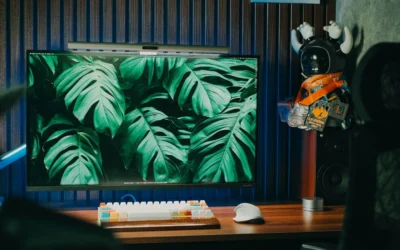
Learning how to light a warm wood l-shaped gaming setup starts with balance. You want the desk surface to feel warm and natural in daylight, then calm and immersive after dark. That means pairing a medium wood finish with matte white and black accents, plus layered light that sits behind your gear rather than blasting you in the face. You control mood with dimming and color, not with more brightness.
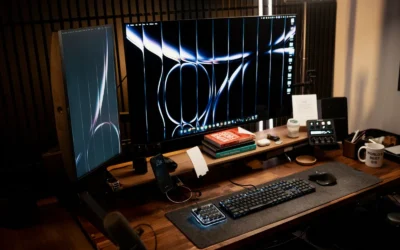
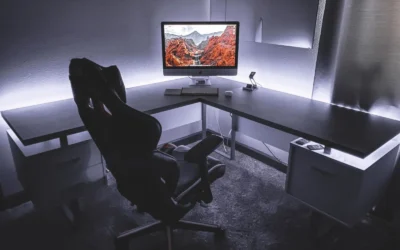
You will usually see an L shape used as two zones. One side holds your main monitor, keyboard and stream essentials, while the return holds a second screen, speakers or console and TV. This split keeps your aim space open and gives your lighting room to breathe along the back edge and wall. You can shift work to one leg and play to the other without rebuilding the whole desk.
This layout suits a basement, a large bedroom or a dedicated office where you can pull the desk away from the wall a little. You need depth for a monitor arm to swing and height clearance for wall bars or panels. If your wall is short or your ceiling is low, the same warm wood idea works better as a straight desk with a single strip. Measure first, then choose lighting that fits the wall you have.
The usual tradeoffs are space and planning. An L shape eats floor area and creates twice the cable path to manage, and matching wood tones across two desk sections can be tricky if you buy at different times. You also pay more for arms, trays and lighting because you are covering a wider footprint. Take time to plan cable routes along both legs before you mount anything.
This style does NOT suit very small rooms, renters with strict no adhesive rules, tight budgets or people who move often. A large corner desk is hard to transport and hard to reconfigure in a dorm. If that sounds like you, start with a straight desk and add glow later. For more context on ambient choices, browse our Bias Lighting and Ambient RGB guides.
The Gear Breakdown
This is the core of our guide, updated for November 2026. The table below compares what is common in this style with our current picks, then we explain which pieces shape the mood most. Use it as a shopping reference while you keep the video as a layout reference only.
This article contains affiliate links. If you buy through one of our links, CustomPCGaming may earn a commission at no extra cost to you. Commissions never influence which products we recommend or how we rank them. Read our Affiliate Disclosure for details.
Quick Picks at a Glance

Prime NB ERGONOMIC F80 Monitor Mount for 17-30 Inch

Quntis Monitor Light Bar with Auto-Dimming

Govee Glide Wall Lights H610A

Prime Govee Envisual TV Backlight T2 with Dual Cameras

Prime Govee 16.4ft RGBIC LED Strip Lights, App Control

Elgato Facecam MK.2 Full HD 1080p60 Webcam
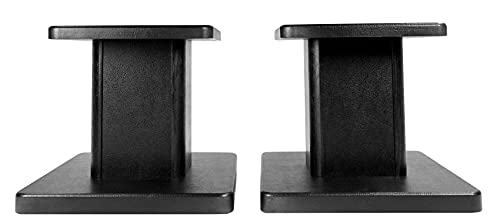
Rockville RHT8B Pair 8-Inch Desktop Studio Monitor
As an Amazon Associate we earn from qualifying purchases. Product prices and availability are accurate as of the date/time indicated.
Pros
- Smooth gas spring adjustment for perfect viewing angles
- Very sturdy metal build rated for long term daily use
- Easy 10 minute installation with clamp or grommet options
- Excellent ergonomic benefits for neck, back and shoulder comfort
Cons
- Limited to 19.8 lbs, not suitable for heavy ultrawide or large gaming monitors
- Single monitor support only, no dual screen expansion
- Bold Lake Blue color may not match all office decors
The NB ERGONOMIC F80-XV is a single arm gas spring monitor mount designed for 17 to 30 inch displays up to 19.8 lbs. It is built for remote workers, students and gamers who want to reclaim desk space and improve posture without a complicated setup.
In daily use, the full motion arm feels smooth and responsive, letting you tilt from -30 to +85 degrees, swivel side to side and rotate to portrait in seconds. The 10 inch height adjustment makes it easy to switch between sitting and standing eye levels or share your screen with someone nearby.
Build quality is a clear highlight, with a solid metal frame and automotive grade gas spring core rated for 20,000 motion cycles. The Lake Blue finish looks modern and fresh, while the hidden cable routing keeps cords tucked away for a tidy workstation.
It is not perfect for everyone, as the 19.8 lb weight limit rules out heavier ultrawides and it only holds one monitor. Users with non VESA monitors will also need a separate adapter, and the bold color may not suit a traditional office.
Overall, the F80 delivers premium flexibility, sturdy support and true ergonomic comfort in a compact desk mount. If you need an affordable single monitor arm that moves effortlessly and stays put, this is an excellent choice.
Brand: NB ERGONOMIC, Model: F80-XV, Color: Lake Blue, Mounting: C-clamp and grommet desk mount with tabletop installation.
Compatibility: 17 to 30 inch monitors up to 19.8 lbs, VESA 75x75mm and 100x100mm, larger lightweight screens supported if within weight limit.
Movement: Tilt -30 to +85 degrees, swivel plus or minus 90 degrees, 360 degree rotation, 10 inch height adjustment with articulating gas spring arm.
Materials and Warranty: Metal construction with gas spring core, hidden cable management, 2 year warranty coverage.
Before buying, check your monitor weight with stand removed and confirm VESA 75 or 100 mounting holes. If your screen is over 19.8 lbs or uses a proprietary mount, you will need a heavier duty arm or an adapter plate.
Measure your desk thickness and edge clearance to choose between C-clamp and grommet mounting. A sturdy wood or metal desk works best, while thin glass tops or drawer edges may not provide secure support.
This mount is ideal if you want full motion flexibility, better ergonomics and more desk space from a single arm. Consider a dual arm or wall mount instead if you plan to expand to multiple heavy monitors in the future.
Pros
- No glare on screen thanks to asymmetrical optical design
- Auto dimming plus full manual brightness and color temperature control
- High Ra98 CRI delivers natural, accurate color for work and reading
- Sturdy aluminum construction with space saving clip mount
- Flicker free, low blue light design helps reduce eye fatigue
Cons
- Requires constant USB connection, no built in battery for portable use
- Clip fit may vary on ultra thin or curved monitors
- Touch controls can be sensitive and take time to master in the dark
The Quntis Computer Monitor Lamp is a USB powered light bar designed to sit on top of your monitor and light your workspace without lighting your screen. It is built for students, office workers, designers and gamers who spend long hours at a desk and want more comfortable lighting.
Its standout feature is the asymmetrical optical design that directs light downward onto the desk, eliminating reflections and screen glare. The built in ambient sensor auto adjusts output to maintain balanced illumination, while stepless dimming and 3000K to 6500K color tuning let you shift from warm reading light to cool focus light.
In daily use, the 78 LED array with Ra98 color rendering produces even, natural looking light with minimal shadows. Colors look accurate and text is easier to read, which is especially helpful for design work, studying and late night sessions with reduced eye strain.
Build quality is solid with a slim lacquered aluminum bar and a weighted clip that mounts securely without tools. Touch controls are responsive, USB power keeps wiring simple, and the compact profile saves valuable desk space compared to a traditional desk lamp.
It is not perfect, as it needs constant USB power and the clip may not fit every ultra thin or curved display perfectly. Overall, this is a practical, eye friendly upgrade for any home office setup that delivers focused, customizable light where you need it most.
Finish and Build: Lacquered aluminum light bar with weighted monitor clip for stable, tool free mounting.
Lighting Specs: 78 LED beads, 3000K to 6500K adjustable color temperature, stepless brightness with auto dimming sensor.
Eye Comfort Features: Flicker free output, low blue light design, asymmetrical optics for no screen glare, ultra high Ra98 color rendering.
Size and Power: 15.7 inch wide, 0.78 inch slim profile, USB powered with touch controls for easy operation.
Pros
- Vibrant, segmented multicolor lighting with smooth flowing effects
- Extensive smart control with app, voice, WiFi and Bluetooth
- Excellent for gaming setups, bedrooms and party ambiance with music sync
- Simple installation on smooth walls with no wiring or tools required
Cons
- Rigid bars are not flexible, so layouts are limited to straight line designs
- Requires a smooth surface and proper velcro curing time for secure mounting
- Indoor use only with no water resistance, and all segments must be connected before powering on
The Govee Glide H610A is a six piece smart wall light system designed for gamers, streamers and anyone wanting dynamic bedroom decor. Each set creates two linear light bars that mount to the wall for modern ambient lighting.
Standout performance comes from patented RGBIC tech that displays multiple colors on each bar at once, plus 64+ scenes and 11 music modes. In real use, effects are bright, fluid and highly responsive, while the AI Lighting Bot makes custom designs easy from a prompt or photo.
Build quality is solid with rigid brushed white housings that look clean on the wall day or night. The 14.8 inch segments feel sturdy, and app control over WiFi and Bluetooth plus Alexa and Google Assistant support is reliable and intuitive.
The rigid design means you cannot bend or curve the bars, so creativity is limited to angular layouts. Installation also requires a clean smooth surface and patience for the adhesive to set, and the set is indoor only.
Overall, the Glide delivers premium looking smart lighting with deep customization for gaming rooms and creative spaces. If you want vibrant, music reactive wall decor with strong app features, this is a top value pick.
Model: Govee H610A Glide Wall Lights, 6 segments for 2 panels
Lighting: RGBIC LED, 16 million colors, DIY mode, 64+ scenes, 11 music modes
Control: Govee Home App via WiFi and Bluetooth, Alexa, Google Assistant, SmartThings
Power: 36W corded electric, 24V with adapter and control box included
Design: Rigid white wall mount bars, indoor use only, not water resistant
Pros
- Immersive ambient effect that extends movies and games beyond the screen
- Unlimited content compatibility since camera reads the screen directly
- Bright, dense RGBIC color with strong customization and music sync
- DreamView ecosystem and voice control add whole home personalization
Cons
- Only fits 75 to 85 inch TVs, not suitable for smaller or larger screens
- Camera calibration needs stable WiFi and careful placement to perform best
- Indoor use only, not water resistant, and camera can be affected by direct sunlight
The Govee Envisual TV LED Backlight T2 model H605C is a 16.4 foot RGBIC light strip built specifically for 75 to 85 inch TVs. It is designed for movie lovers, sports fans and gamers who want a true home theater atmosphere with minimal wiring.
Its standout feature is the upgraded dual camera system that reads colors from the screen edges in real time. In everyday use, this creates smooth, responsive bias lighting that follows action scenes, gameplay and music without needing an HDMI sync box.
Build quality centers on a dense 60 LEDs per meter strip with double the light beads for vivid, natural color. The top mount camera, corded power design and app plus voice control feel modern and living room ready.
Drawbacks are mainly about fit and setup. It only suits large 75 to 85 inch TVs, needs careful calibration and stable WiFi, and direct sunlight should be avoided for accurate color capture.
Overall, the T2 is an excellent pick for large TV owners who want immersive, customizable ambient light. If you value easy content sync, DreamView expansion and rich RGBIC color, it delivers a compelling upgrade.
Model H605C is a multicolor RGBIC LED strip with 16.4 feet length for indoor use on 75 to 85 inch TVs. It uses corded electric power at 12 volts and 48 watts with plastic housing and linear string light form factor.
Control options include Govee Home App, Bluetooth, WiFi and voice control with multiple scene, DIY and music modes. Connectivity supports both Bluetooth and WiFi for flexible calibration and daily operation.
In the box you get the light kit for one TV installation with modern styling suited for movie themes and all season use. It is not water resistant and is intended for indoor living room or media room setups.
Mount the strip evenly around the back perimeter of your 75 to 85 inch TV and place the dual cameras centered on top with a clear view of the screen. Avoid direct sunlight on the cameras for the most accurate color matching.
Use the Govee Home App close to your router or with a mobile hotspot to load the calibration screen faster. Follow the on screen calibration points carefully, then test with colorful movie or game content.
Explore DreamView to link compatible Govee lights, and try Energetic, Rhythm, Spectrum and Music modes to match your mood. Adjust brightness in the app to reduce eye strain during night viewing.
Pros
- Vivid RGBIC effect displays multiple colors simultaneously unlike basic RGB strips
- Intuitive Govee Home App unlocks deep customization and community sharing
- Responsive music sync creates an immersive party and gaming atmosphere
- Large library of preset scenes and DIY options for creative freedom
- Simple indoor installation with adhesive backing when surface is cleaned properly
Cons
- Does not support Alexa or other voice assistant control
- Indoor use only, not recommended for outdoor or damp locations
- Adhesion can weaken on dusty, textured or uncleaned surfaces
The Govee 16.4ft RGBIC LED Strip Lights are indoor smart strips designed for bedrooms, dorms, gaming rooms and party spaces. They are best for users who want app based color control and bold multicolor effects on a simple setup.
Unlike standard RGB strips, RGBIC tech lights multiple colors on one line for flowing, segmented scenes. With 16 million colors, 64 plus presets and 11 music modes, the strip syncs to audio through a sensitive mic for lively parties and movie nights.
The 16.4ft flexible strip runs on corded power and mounts with adhesive backing for clean lines behind beds, desks or TVs. App control handles brightness, timers and DIY effects, plus access to community creations and regularly updated AI themes.
The main limitation is lack of Alexa support, so voice control fans will need to use the app only. It is indoor only and adhesion requires a clean, dry, smooth surface, as dust or texture can cause peeling over time.
For vibrant, customizable bedroom lighting with music reactivity, this Govee strip delivers strong versatility and creative options. It is a smart pick for teens, creators and party hosts who prioritize color impact and app features over smart home integration.
Length and Type: 16.4ft flexible RGBIC LED strip with multicolor segmented output for indoor use.
Control: Govee Home App for color, brightness, timer and DIY modes, no Alexa support.
Effects: 16 million colors, 64 plus preset scenes and 11 music sync modes with built in mic.
Design: Modern corded electric strip with adhesive mounting for bedroom, party and birthday decor.
Pros
- Sharp 1080p60 video with smooth motion ideal for streaming
- HDR and pro image tuning deliver natural colors in tricky lighting
- Physical privacy shutter adds peace of mind
- Camera Hub software gives DSLR-level creative control
- Low latency uncompressed output via USB 3.0
Cons
- Limited to 1080p Full HD with no 4K option for future proofing
- HDR only works at 1080p30, not at full 60fps
- Requires USB 3.0 to unlock uncompressed quality, USB 2.0 falls back to compressed video
The Elgato Facecam MK.2 is a premium Full HD webcam built for streamers, creators and remote professionals who need reliable 1080p60 video. It targets users who want more control than a typical plug and play webcam offers.
In real world use, it delivers sharp, smooth video with natural colors even in dim rooms thanks to its pro image processing. HDR at 1080p30 handles backlight and windows well, while uncompressed USB 3.0 output keeps latency low and detail high for live streaming.
The Camera Hub software is the standout, offering DSLR style control over zoom, focus, exposure and white balance with face detection autofocus. You can fine tune your look for streaming, calls or recording and switch quickly between automatic and manual focus.
Design is compact, lightweight and desk friendly in black, with a simple slide privacy shutter for security. It mounts easily on monitors or tripods and connects over USB to PCs and laptops without complex setup.
The tradeoffs are no 4K option, no image stabilization and HDR capped at 30fps. Overall, the Facecam MK.2 is an excellent pick for creators who value image control and true 1080p60 clarity over 4K hype.
Sensor: CMOS with 2.1MP effective resolution for Full HD capture and face detection.
Video: Up to 1080p60 uncompressed via USB 3.0, HDR at 1080p30, plus 720p and 540p modes in MP4.
Lens and Focus: Zoom lens with f/2.8 aperture, autofocus with face detection plus manual focus control.
Design and Compatibility: Compact black webcam with slide privacy shutter, USB connectivity for PC and laptop.
Pros
- Exceptional 66 lb weight capacity for large, heavy monitors
- Included EVA pads improve sound clarity by cutting vibration
- Sturdy MDF core with durable, chip resistant black finish
- Easy assembly with pre-drilled holes and cable management included
- Versatile fit for studio monitors, bookshelf and computer speakers
Cons
- Fixed 8-inch height with no tilt or height adjustment
- MDF construction is solid but not as premium as solid wood or metal
- 11.8 x 9 inch top plate may feel bulky on very small desks
The Rockville RHT8B is a pair of 8-inch desktop speaker stands designed for studio monitors, bookshelf speakers and computer speakers. They are ideal for producers, gamers and home listeners who mix, play or watch in a desktop or small studio space.
In real world use, the 8-inch lift puts tweeters closer to ear level for better imaging and detail. The included EVA pads help tighten the sound by reducing vibration and cabinet movement, which is noticeable for monitoring and critical listening.
Build quality centers on a medium density fiber core with a furniture grade black finish that resists chipping and peeling. Pre-drilled holes make assembly quick, while the included cable clips and ties help maintain a clean, professional desktop look.
The main limitation is flexibility, as height is fixed with no tilt or adjustment for fine tuning the sweet spot. The footprint is also fairly wide, so users with very compact desks should measure space before buying.
Overall, the RHT8B stands offer strong stability, smart isolation and tidy cable control in one affordable pair. If you want a simple upgrade to clarity and desk organization without floor stands, they are a practical and reliable choice.
Model: Rockville RHT8B, pair of 8-inch desktop monitor stands in black. Top plate size is 11.8 x 9 inches with overall dimensions of 11.4 x 10 x 13.8 inches.
Capacity: Supports up to 66 lbs per stand with medium density fiber core and furniture grade paint finish. Includes EVA acoustic isolation pads for vibration control and no-slip stability.
Compatibility: Designed for studio monitors, bookshelf speakers, computer speakers and hi-fi systems. Includes pre-drilled mounting holes plus four cable clips and ties for organized setup.
| Gear | Common in this style | Our 2026 pick | Why |
|---|---|---|---|
| Bias light | a bias light in this style | Govee RGBIC LED Strip | addressable strip for the back of a desk or monitor |
| Desk mat | a desk mat in this style | Gimars Leather Desk Pad | a budget leather-look pad for a professional setup |
| Bias light | a bias light in this style | Govee Envisual TV Backlight | a camera-based backlight for a large monitor or a TV in the setup |
| Chair | a chair in this style | Autonomous ErgoChair Pro | a mid-price ergonomic chair with a wide adjustment range |
| Webcam | a webcam in this style | Elgato Facecam MK.2 | a fixed-focus webcam for a streamer corner |
| Monitor arm | a monitor arm in this style | North Bayou F80 | a long-time value pick for a single mid-weight monitor |
| Speaker stands | a speaker stands in this style | Rockville RHTSB Desktop Stands | small isolation stands that aim bookshelf speakers at ear level |
| Bias light | a bias light in this style | Govee Glide Wall Light | a lower-cost take on modular wall lighting |
| Bias light | a bias light in this style | Quntis Screen Light Bar | a budget monitor light bar with the core features |
Lighting sets the tone more than any other choice. Use Govee 16.4ft RGBIC LED Strip Lights behind the long edge for rear glow, then add Quntis Computer Monitor Lamp on top of your main screen for front task light without harsh reflection. Owners commonly report this front plus back pairing feels easier during long evenings. For placement tricks, see our guide to hiding LED strip lines.
For the wall and second zone, Govee Glide Wall Lights, Smart Gaming Light Bar gives you modular lines that suit wood without shouting, while Govee Envisual TV LED Backlight T2 with Dual follows on screen color for a TV or large ultrawide. Keep both at low saturation so the wood stays the hero. If you are unsure about reactive glow, read our explainer on camera based backlights.
Support gear keeps the surface usable. Mount your main screen on Monitor Mount,Fits 17-30″ or Bigger Computer to free desk depth, and lift speakers on Rockville RHT8B Pair 8″ Black Desktop so tweeters aim near ear level. Finish with a large mat and Elgato Facecam MK.2, Premium Full HD Webcam, HDR if you stream. Confirm the monitor VESA pattern and weight before you buy the arm, check desk edge thickness for the clamp, and follow the mounting instructions.
How To Adapt It To Your Room
Will this L shape actually fit your room and still leave space for light and cables. Start there before you fall in love with any single product. Outline both legs with tape on the floor, place your chair in the corner, and swing your arms wide. You will feel right away if a door, heater or bed blocks the return.
Adapt this to your space before buying. Measure the wall or basement for the desk width, and note outlets, windows and baseboard heaters that limit where glow can sit. An L shape needs wall length on two sides, not just one long wall. If either leg is tight, choose a shorter return and keep the main run for your monitor and keyboard.
Depth matters as much as width. A L-shaped layout needs more depth for a monitor arm to pull back, especially if you angle the screen or push it aside for writing. Leave breathing room behind the desk for a strip and for cables to drop without pinching. If your desk is shallow, favor a light bar up front and keep rear strips slim.
Check your monitor for a VESA pattern before choosing an arm, and confirm the desk edge thickness for a clamp. The value arm in our table supports common patterns and mid weight screens within its listed range, per the spec sheet. Confirm your screen weight with the stand removed, then follow the mounting instructions step by step. Find a wall stud before any wall mount and avoid overtightening.
If you rent, use no-drill cable trays and adhesive raceways rather than screwing into the desk or wall. Clamp on trays, fabric sleeves and hook and loop ties hold well and remove without marks when you move. For wall bars, use the maker supplied adhesive and allow full cure time. This approach also helps if you relocate often or share walls.
A standing desk lists a weight capacity, keep the tower, monitors and arm under it. Place a heavy PC on the floor or on a dedicated stand when you can, and route cables with slack for height changes. For lighting, do not overload a single outlet with strips, chargers and PCs on one tap, and keep power supplies ventilated with space around them. Follow the assembly instructions for every lift column and crossbar.
Match the warm wood look with the finish of the desk and mat first, then the lighting color, rather than buying every accessory in one brand. Pick one wood tone and one mat tone, then set strips and wall lights to warm white or soft amber for daily use. Save saturated color for movie or game nights. For corner specific runs, our corner desk glow ideas show how to wrap two legs without dark gaps.
What Actually Changes The Feel
Rear glow changes the mood most quickly. A strip behind the desk softens the contrast between a bright screen and a dark room, which many owners say feels more comfortable at night. You will notice the room feels larger because the wall is no longer black. Keep brightness modest and favor warm tones for daily work.
Cable control is the second big shift. A clamp on tray plus a sleeve under each leg hides the power bricks and long runs that otherwise catch your eye. You do not need a perfect under desk build to get the benefit, just group, lift and route. This also makes height changes and moves far less stressful.
A full desk mat ties the wood together. Leather look or stitched cloth both calm visual noise under your keyboard, mouse and audio gear. It also protects the wood finish from scratches and rings. Choose a tone that sits slightly darker than the desk so your keyboard and speakers stand out.
Lower priority for feel are the webcam and speaker stands. Both help function, the webcam sharpens your stream image and stands aim sound toward you, but neither transforms the room like light and cable order do. Upgrade them after your glow and layout feel settled. No verified frame rate numbers are available for this build, so judge these picks on comfort, fit and features.
Build It At Three Budgets
Budget: A First Warm Wood Corner
Choose a manual or single-motor desk paired with a value focused chair such as the SIHOO M57, plus a single VIVO arm and one Govee 16.4ft RGBIC LED Strip Lights. Add a large cloth mat and a no-drill cable tray with ties. This suits you if you want a first warm wood setup on a tight budget and can upgrade lighting later.
Balanced: Our Recommended Warm Wood Build
Pick a dual-motor standing desk with a mid ergonomic or racing chair, a gas-spring arm like the Monitor Mount,Fits 17-30″ or Bigger Computer, and a Quntis Computer Monitor Lamp plus one strip. Add a stitched XL mat and a clamp-on cable tray with a sleeve. This suits most people who want it to last through moves, long workdays and game nights, updated for 2026.
Premium: A Keeper Setup For Years
Combine a Herman Miller or Steelcase chair with an Ergotron arm, a Quntis Computer Monitor Lamp plus Govee Glide Wall Lights, Smart Gaming Light Bar, and a felt or leather pad with a fully sleeved cable run. Add the Govee Envisual TV LED Backlight T2 with Dual if you run a large display or TV in the corner. This suits you if you plan to keep the same footprint for years and want support gear that holds adjustment well.
FAQ
How do I light an L-shaped desk without screen glare?
Layer front and back light instead of relying on one bright source. Use a monitor bar for the desk surface and a strip behind the desk for wall glow, both at modest levels. Angle wall lights away from your screen and favor warm white for daily use.
Do I need a monitor arm for a warm wood L-shaped gaming setup?
You do not strictly need one, but an arm frees depth and makes corner placement far easier. It lets you pull the screen forward for play and push it back for writing. Confirm VESA pattern and weight, check edge thickness, and follow the mounting instructions.
What light color works best with warm wood?
Warm white and soft amber usually blend best with honey toned wood during work hours. Save saturated blues, purples or greens for movies and games so the desk stays calm by day. If you use reactive backlights, keep saturation low so wood remains the focus.
Final Verdict
Warm wood plus layered glow gives you a corner that feels relaxed by day and immersive by night without a full rebuild. Focus on fit, front plus back light, and simple cable order before chasing extras. The balanced path hits that mix best for most rooms.
Our pick: the balanced version with a dual-motor desk, gas-spring arm, Quntis bar plus Govee strip, and clamp-on cable management, for most gamers who want comfort and glow that lasts.

Write Your Review
No reviews yet. Be the first to share your experience!