

If you are weighing 16GB vs 32GB DDR5 for Gaming in 2026, you are really choosing between a lean, budget conscious 16GB DDR5 kit and a more spacious 32GB option like the G.SKILL Flare X5 Series DDR5 RAM 32GB kit. Both use the same DDR5 foundation, but they serve different gaming habits, background workloads, and platform goals.
The real decision is not just about today frame rates at 1080p or 1440p, it is about how you play. A focused esports build with few background apps has different needs than a system that runs Discord, Chrome, streaming software, and modern open world games at the same time. This guide compares both capacities head to head so you can match your RAM to your build, resolution, and platform without overspending.
This article contains affiliate links. If you buy through one of our links, CustomPCGaming may earn a commission at no extra cost to you. Commissions never influence which products we recommend or how we rank them. Read our Affiliate Disclosure for details.
Quick Picks at a Glance

G.SKILL Flare X5 32GB DDR5-6000 CL36 Memory Kit
As an Amazon Associate we earn from qualifying purchases. Product prices and availability are accurate as of the date/time indicated.
Pros
- Excellent 6000MT/s speed at low CL36 latency for gaming
- Supports both AMD EXPO and Intel XMP 3.0 for broad compatibility
- Low profile matte black design improves cooler clearance
- Highly rated for stability and easy setup
- Backed by limited lifetime manufacturer warranty
Cons
- Requires enabling EXPO or XMP in BIOS to reach rated 6000MT/s, otherwise boots at JEDEC speed
- May need a BIOS update on some motherboards for full compatibility
- Mixing memory kits is not supported and can cause instability
The G.SKILL Flare X5 DDR5-6000 32GB kit (2x16GB, F5-6000J3636F16GX2-FX5) is designed for desktop gamers and creators who want the DDR5 sweet spot for modern AMD and Intel systems. With a rated speed of 6000MT/s at CL36-36-36-96, it is a great match for Ryzen 7000 and 9000 series and Intel 12th to 14th Gen platforms.
In real world use, the kit delivers its full speed once the EXPO or XMP 3.0 profile is enabled in BIOS, offering low latency and responsive performance for gaming and multitasking. Users consistently report stable operation, simple one click activation, and smooth performance when paired with CPUs like the Ryzen 7 7800X3D and Ryzen 5 9600X.
Build quality is clean and practical, featuring a low profile matte black aluminum heatsink without RGB lighting. The compact height provides excellent clearance for large air coolers, while the sturdy construction and factory matched modules support long term reliability.
There are a few considerations before buying. The modules boot at JEDEC default speed until you manually enable EXPO or XMP in BIOS, and some systems may need a BIOS update to recognize the 6000MT/s profile. Mixing kits is not recommended, as it can lead to stability issues.
Overall, the Flare X5 32GB DDR5-6000 CL36 kit strikes an excellent balance of speed, compatibility, and simplicity. For builders who want proven DDR5 performance, wide platform support, and a clean low profile look, it is a top reliable choice.
Model: F5-6000J3636F16GX2-FX5 | Flare X5 Series, 32GB (2x16GB) DDR5 U-DIMM, 288-pin, Non-ECC
Speed & Timings: Up to 6000MT/s, CL36-36-36-96 at 1.35V, with JEDEC default profile
Overclock Profiles: AMD EXPO and Intel XMP 3.0 dual support, enable in BIOS to reach rated speed
Compatibility: Intel Z890, Z790, Z690, B860, B760, B660 and AMD X870, X670, B850, B840, B650, A620, check G.SKILL QVL for validated boards
Design & Warranty: Low profile matte black heatsink, 120g total weight, limited lifetime manufacturer warranty
Choose this 6000MT/s CL36 kit if you want the widely recommended DDR5 sweet spot for AMD Ryzen 7000/9000 and Intel 12th to 14th Gen gaming builds. It is especially good if you prefer a clean, no RGB look with maximum cooler compatibility.
For installation, place modules in the correct slots per your motherboard manual and enable EXPO on AMD or XMP on Intel in BIOS to reach the rated speed. If the system fails to boot or shows a DRAM light, update your motherboard BIOS first.
Buy as a single matched 32GB kit rather than combining two separate kits, and confirm your motherboard and CPU are on the G.SKILL QVL for best results. This approach ensures stability and full performance from day one.
How They Compare
For Memory (RAM), the differences come down to more than just gigabytes on the box. Speed bin, latency, voltage, platform profiles, and kit layout all affect how easy the memory is to run and how long it stays relevant. Below is how a typical 16GB DDR5 kit stacks up against the G.SKILL Flare X5 Series DDR5 RAM when evaluated on the axes that matter most for gaming.
Capacity and Gaming Headroom
A 16GB DDR5 kit, usually configured as 2x8GB, still covers many competitive and lighter AAA titles at 1080p and 1440p when you close background apps. Owners commonly report smooth play in esports titles and older games with 16GB, but heavier new releases with large textures, plus browsers and voice chat in the background, can push you close to the limit and cause stutters when the system needs to page memory.
The G.SKILL Flare X5 Series DDR5 RAM provides 32GB total capacity as a matched 2x16GB kit, which doubles the headroom for multitasking and future titles. That extra capacity is valuable if you stream, keep many tabs open, or play memory heavy simulation and open world games, and it avoids an early replacement cycle. If you want a deeper look at capacity planning for modern AMD systems, see how to choose RAM speed and capacity for a ryzen 9000 build.
Speed, Latency and Voltage Profile
Per the spec sheet, the G.SKILL Flare X5 Series DDR5 RAM is rated for up to DDR5-6000 with timings of CL36-36-36-96 at 1.35V, and it includes a JEDEC default profile for baseline boot compatibility. That DDR5-6000 speed bin is widely regarded as a sweet spot for AM5 and recent Intel platforms, offering strong bandwidth without demanding extreme voltage or manual tuning.
A generic 16GB DDR5 kit can be found at similar DDR5-6000 speeds, but many budget 16GB options are sold at lower speed bins or looser timings to hit a lower price point. When both are run at DDR5-6000, the gaming difference between 16GB and 32GB is often small in average frame rates, the bigger distinction is consistency and headroom under load. Keep in mind that the rated 1.35V EXPO or XMP profile is an overclock, it must be enabled in BIOS and is done at your own risk, and it may void warranty if used inconsistently with manufacturer guidance.
Platform Fit, EXPO and XMP Support and Stability
The G.SKILL Flare X5 Series DDR5 RAM includes both AMD EXPO and Intel XMP 3.0 memory overclock profiles, plus a JEDEC default SPD that lets the kit boot at default BIOS settings on compatible hardware. G.SKILL validates this model for a wide range of platforms including Intel Z890, Z790, Z690, B860, B760, B660 and AMD X870, X670, B850, B840, B650, and A620, though you should still check your motherboard QVL or the G.SKILL RAM Configurator for your exact board.
A 16GB DDR5 kit will also support JEDEC and usually one of EXPO or XMP, but support varies by vendor and die, and mixing kits is a common source of instability for both capacities. G.SKILL explicitly warns not to mix memory kits, as kits are sold as matched sets designed to run together, and mixing can result in stability issues or system failure. For help deciding between profiles on AM5, this explainer on G.SKILL trident Z5 neo vs CORSAIR vengeance is useful, and you should handle modules with anti static precautions and follow the manufacturer mounting instructions when installing.
Kit Configuration, Form Factor and Upgrade Path
Both options are Non-ECC, DDR5 U-DIMM, 288-pin modules for desktop gaming PCs, so physical installation is identical and you should verify case and cooler clearance as you would with any memory change. The G.SKILL Flare X5 Series DDR5 RAM comes as a 2x16GB matched pair in a matte black design with a low profile heat spreader, which helps with clearance under large air coolers and keeps the kit running as a validated set.
A 16GB kit as 2x8GB also uses two DIMMs and leaves two slots free on a four slot board, but upgrading later by adding a second mismatched kit is not recommended for either capacity. If you start with 16GB and later need 32GB, the cleanest path is to replace the kit rather than mix, which adds cost and effort. For broader context on DDR generations and when a full kit replacement makes sense, see CORSAIR vengeance LPX DDR4 vs vengeance DDR5 and browse the full Memory (RAM) category for current picks.
Which One Should You Get
Choose a 16GB DDR5 kit if your build is focused on 1080p competitive gaming, you keep background apps light, and you want to allocate budget to your GPU or CPU first. It is a sensible fit for esports titles, lighter AAA games, and secondary PCs where you will close browsers and streaming apps while gaming, and where you are comfortable with a potential kit replacement in a year or two if games demand more.
Choose the G.SKILL Flare X5 Series DDR5 RAM 32GB kit if you play at 1440p or higher, multitask heavily, stream or create content, or want a longer lived AM5 or Intel build without revisiting memory soon. The 32GB (2x16GB) DDR5-6000 CL36-36-36-96 profile at 1.35V with both AMD EXPO and Intel XMP 3.0 gives you broad platform flexibility, validated headroom, and a matched kit that is designed to run together from day one, which owners commonly report as a smoother set and forget experience after enabling the profile in BIOS.
Who Should Skip Both
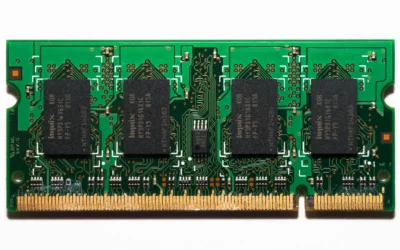
Both of these DDR5 options are not ideal for builders who are not on a DDR5 platform at all, such as those staying on DDR4 boards, or for small form factor systems that require SO-DIMM laptop memory rather than 288-pin U-DIMM. They are also not a good fit if you need ECC registered memory for workstation stability, or if you are building a strict budget office PC where 16GB is already more than needed and funds are better spent elsewhere. If you fall into those groups, you are better served by a DDR4 kit, a SO-DIMM kit, or a workstation validated ECC option.
Frequently Asked Questions
Is 16GB DDR5 enough for gaming in 2026 or do I need 32GB?
16GB is still enough for many games, especially competitive titles at 1080p with few background apps, but owners commonly report that newer AAA and open world games plus Discord and browsers can use most of it. 32GB, like the G.SKILL Flare X5 Series DDR5 RAM 2x16GB kit, gives you comfortable headroom for multitasking and future titles without needing to manage what is open.
Will DDR5-6000 CL36 make a big difference versus slower DDR5 for gaming?
Per the spec sheet, the G.SKILL Flare X5 Series DDR5 RAM is rated up to DDR5-6000 CL36-36-36-96 at 1.35V, which is a well balanced speed for AM5 and current Intel platforms. Compared with much slower DDR5, you may see smoother consistency in CPU heavy scenes, but capacity and GPU choice usually matter more than a small speed bump alone.
Do I need AMD EXPO or Intel XMP to run 32GB DDR5 at full speed?
Yes, the rated DDR5-6000 speed is an overclock profile that must be enabled in BIOS, either AMD EXPO on AM5 or Intel XMP 3.0 on Intel boards for this kit. At default JEDEC settings the memory will boot at a lower baseline speed for compatibility, so enable the correct profile at your own risk and check your motherboard QVL first. For tailored advice on Ryzen, see how to choose DDR5 RAM for ryzen gaming builds.
Write Your Review
No reviews yet. Be the first to share your experience!